
Text to Image
Urban Fashion Magazine Collage Prompt - Nano Banana Pro AI Prompt for Social Media Post — AI Image Prompt
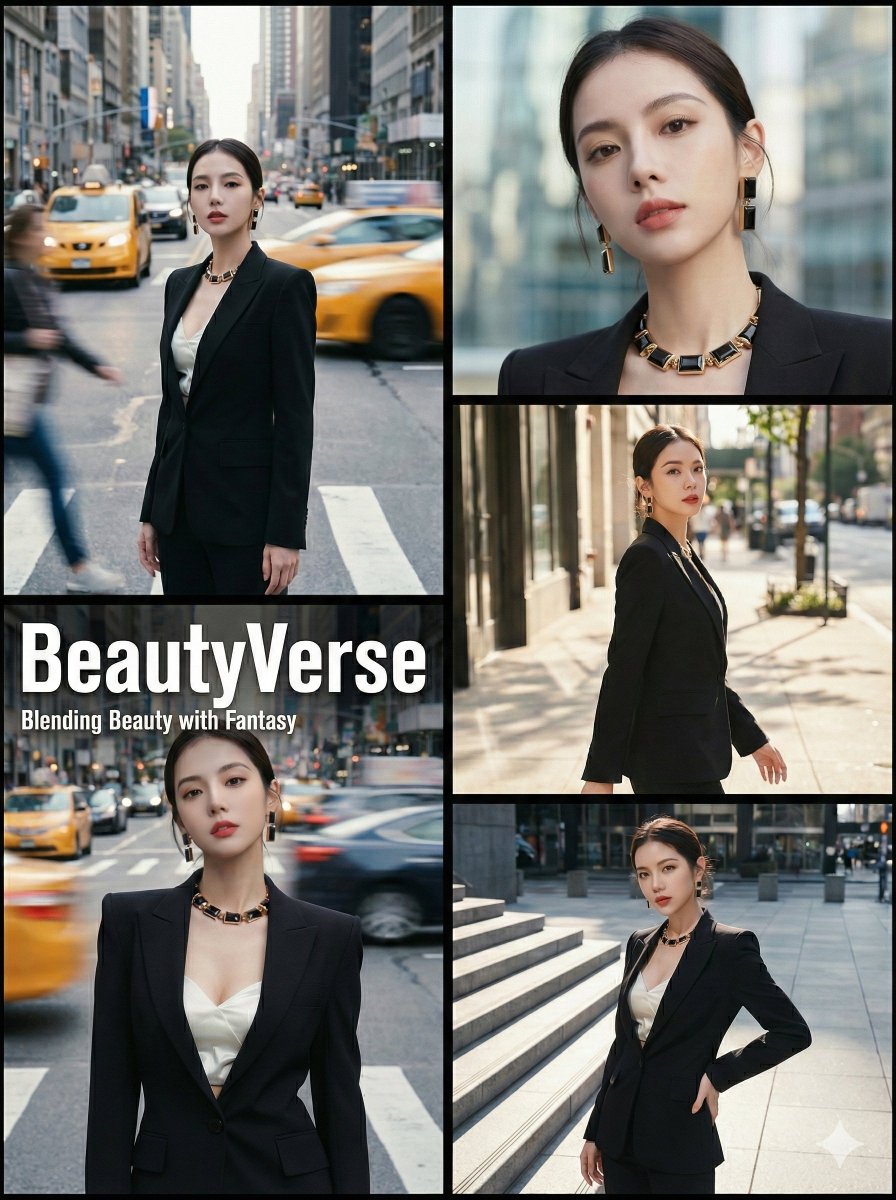
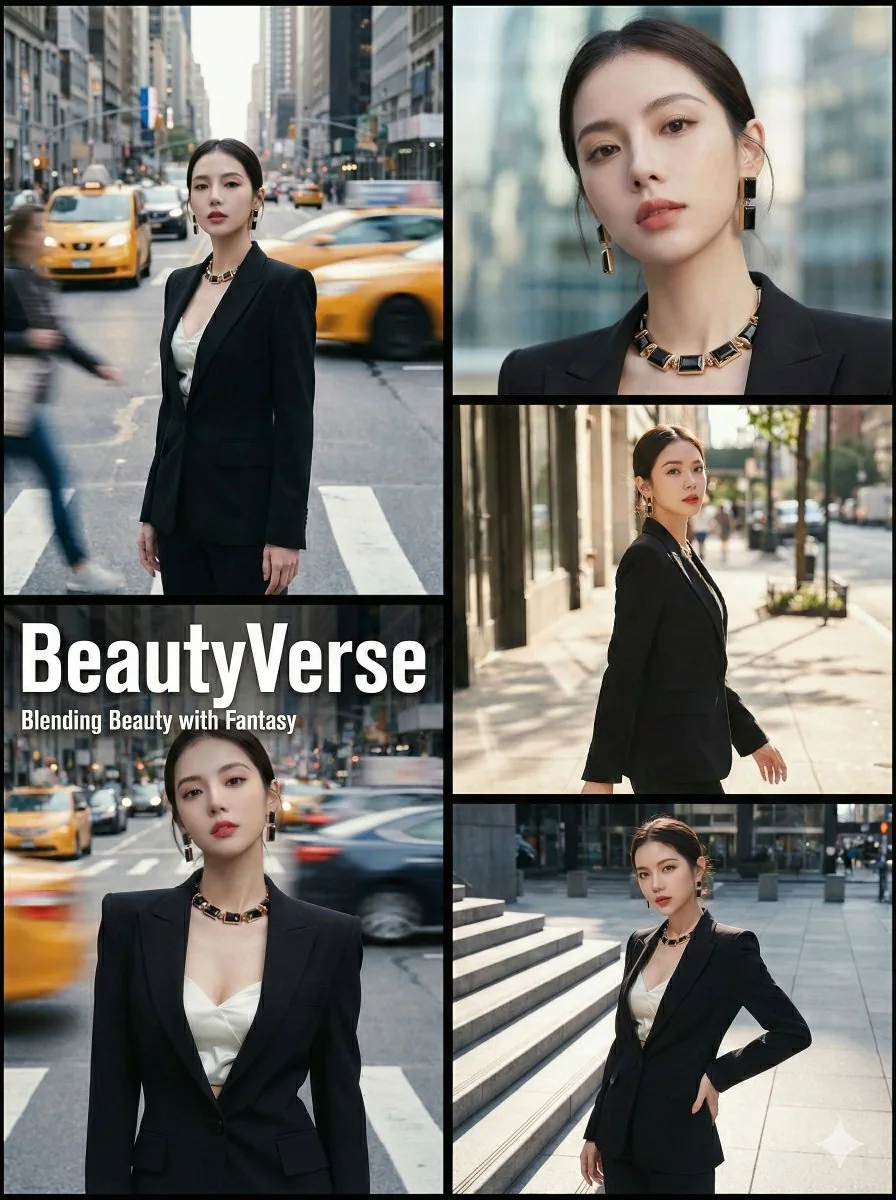
A highly detailed, structured JSON prompt for Nano Banana Pro to generate a 2x3 collage in a high-fashion urban editorial style. It requires a reference image and specifies a balanced two-column layout, professional color grading (Kodak Portra 400 aesthetics), minimalist black borders, and includes magazine overlay text that can be customized. - AIPinMaker
Prompt
{
  "project_title": "Outdoor Urban Fashion Editorial 'Helvetica Compressed' 2x3 Collage",
  "structure": "Balanced 2-column layout. Left side: 2 stacked panels. Right side: 3 stacked panels. Identical total height. Clean black borders.",
  "aspect_ratio": "3:4",
  "aesthetic_theme": {
    "style": "High-fashion street editorial with professional magazine color grading",
    "mood": "Sophisticated, kinetic, minimalist, high-end catalog",
    "color_grading": "Professional fashion filter: Subtle Kodak Portra 400 aesthetics, soft highlights, slightly desaturated cool tones mixed with warm skin tones, and refined contrast.",
    "textures": [
      "Fine magazine paper grain",
      "Motion-blurred light trails",
      "Smooth editorial skin retouching vibe",
      "Soft-focus city bokeh"
    ]
  },
  "framing_and_borders": {
    "type": "Minimalist Black Frame",
    "details": [
      "No film sprocket holes or vintage rebate.",
      "Outer border: Solid, clean black border.",
      "Internal dividers: Sharp, thin black lines separating all 5 frames."
    ]
  },
  "subject_reference": {
    "source": "image_1.png",
    "instruction": "The subject's physical appearance, complete outfit, and accessories must exactly match the person in image_1.png. Maintain visual consistency across all five frames."
  },
  "composition_layout": {
    "left_column_stack": {
      "dimensions": "Two stacked panels on the left side.",
      "frames": [
        {
          "id": "frame_top_left",
          "type": "Kinetic Street Shot (Filtered)",
          "setting": "Busy metropolitan avenue",
          "visual_effects": "Strong shutter drag: blurred city traffic, sharp subject. Apply cinematic editorial filter.",
          "pose": "Still, elegant pose amidst motion blur."
        },
        {
          "id": "frame_bottom_left",
          "type": "Magazine Cover Shot (Filtered)",
          "setting": "Busy urban intersection",
          "visual_effects": "Dynamic motion blur background. Apply professional fashion magazine filter.",
          "magazine_overlay": {
            "main_title": "{argument name="main title" default="BeautyVerse"}",
            "subtitle": "{argument name="subtitle" default="Blending Beauty with Fantasy"}",
            "style": {
              "typography": "Helvetica Compressed or Extra Compressed, all-caps, ultra-modern fashion look.",
              "main_title_size": "Large, bold, prominent.",
              "subtitle_size": "Smaller, clean, elegant, placed directly underneath.",
              "color": "Crisp white ink."
            }
          }
        }
      ]
    },
    "right_column_stack": {
      "dimensions": "Three stacked panels on the right3f:Tb54,{
  "project_title": "Outdoor Urban Fashion Editorial 'Helvetica Compressed' 2x3 Collage",
"structure": "Balanced 2-column layout. Left side: 2 stacked panels. Right side: 3 stackedPrompt breakdown
- Subject
- Model from image_1.png with identical outfit and accessories repeated across all five frames
- Style
- High-fashion street editorial using Kodak Portra 400 aesthetics, magazine paper grain, and motion-blurred light trails
- Composition
- Balanced 2-column 2x3 layout: left column has two stacked panels, right column has three stacked panels, all separated by sharp thin black lines inside a solid black outer border
- Mood
- Sophisticated, kinetic, minimalist high-end catalog atmosphere
Remix ideas
- Swap the overlay text to your own brand while keeping Helvetica Compressed all-caps and white ink placement
- Tighten the right column to three equal-height panels by adjusting the vertical crop before generation
- Increase shutter-drag intensity on the top-left frame for stronger traffic blur while keeping the subject tack-sharp
Reference images
How to use this AI Image prompt template
 1
1Copy the prompt — grab this template’s prompt and negative prompt.  2
2Pick a model — choose a recommended AI model for the best match.  3
3Generate — open the studio with one click and create your result.
Related templates

Cinematic sports fashion collage prompt
Create a cinematic image of Cinematic Sports Fashion Collage Prompt. Style: photorealistic. Composition: balanced and well-framed. Lighting: natural with cinematic mood. Category: cinematic-video. Reference: cinematic-sports-fashion-collage-prompt-16494.

City Poster prompt tested on GPT-1.5
Create a social-media image of City Poster Prompt Tested On Gpt 15. Style: photorealistic. Composition: balanced and well-framed. Lighting: natural with cinematic mood. Category: poster. Reference: city-poster-prompt-tested-on-gpt-15-2388.

The Big Bang Theory Cinematic Poster
Create a social-media image of The Big Bang Theory Cinematic Poster. Style: photorealistic. Composition: balanced and well-framed. Lighting: natural with cinematic mood. Category: poster. Reference: the-big-bang-theory-cinematic-poster-17338.

Chuunibyou Style Merch Poster
Create a social-media image of Chuunibyou Style Merch Poster. Style: photorealistic. Composition: balanced and well-framed. Lighting: natural with cinematic mood. Category: poster. Reference: chuunibyou-style-merch-poster-16282.
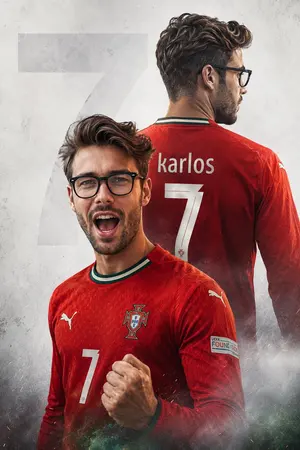
Custom Football Poster Double Exposure
Create a social-media image of Custom Football Poster Double Exposure. Style: photorealistic. Composition: balanced and well-framed. Lighting: natural with cinematic mood. Category: poster. Reference: custom-football-poster-double-exposure-25902.

Epic Anime Pirate Poster Design
Create a social-media image of Epic Anime Pirate Poster Design. Style: photorealistic. Composition: balanced and well-framed. Lighting: natural with cinematic mood. Category: poster. Reference: epic-anime-pirate-poster-design-19862.
Explore more prompts
Browse more AI image and video prompts by category.
FAQ
- How do I keep the subject identical in every panel?
- Reference image_1.png directly in the generator and enable strong character and outfit consistency settings so the same person appears in all five frames without variation.
- What makes the magazine overlay look authentic?
- Set the main title in large bold Helvetica Compressed all-caps and the subtitle in smaller elegant weight directly underneath, both in crisp white against the dynamic intersection background.