
Text to Image
Restaurant POV Change Comparison — AI Image Prompt
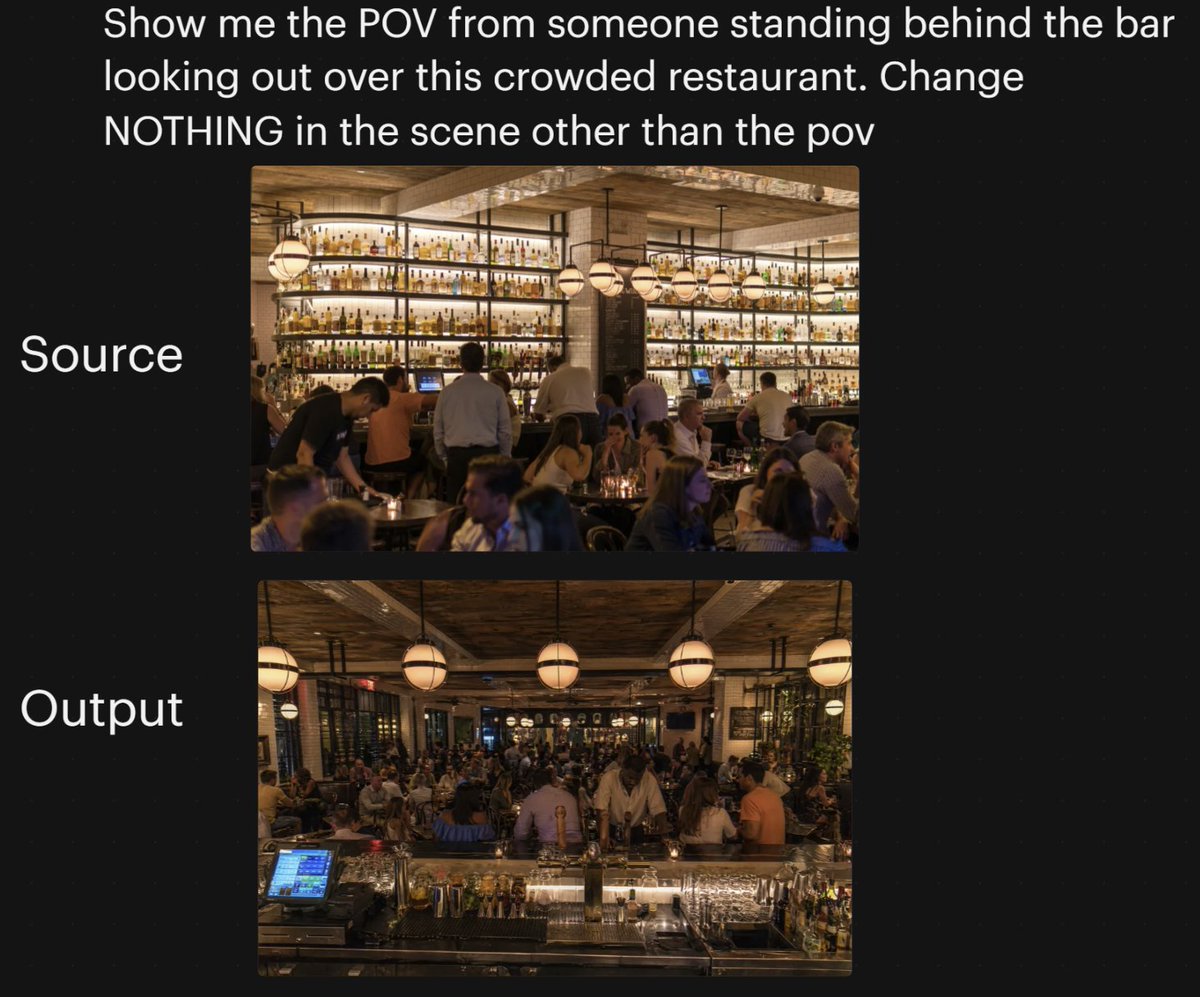
A social-style comparison graphic showing a crowded restaurant scene before and after a dramatic camera angle shift, useful for demonstrating AI viewpoint consistency. - AIPinMaker
Prompt
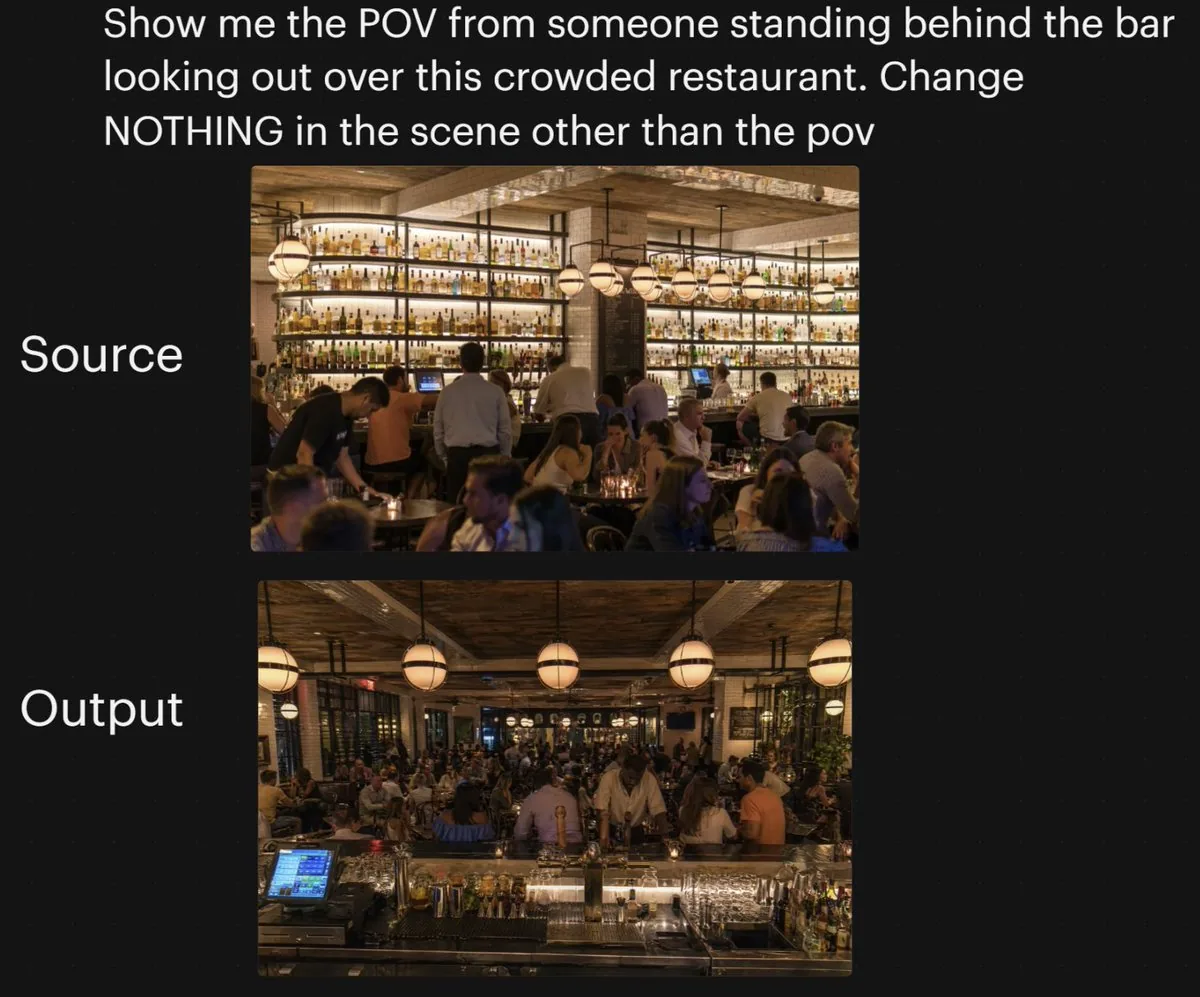
A side-by-side social media comparison graphic on a dark black background, showing a camera-angle transformation test for a busy restaurant interior. At the very top, large white sans-serif text reads: {argument name="headline text" default="Show me the POV from someone standing behind the bar looking out over this crowded restaurant. Change NOTHING in the scene other than the pov"}. Below that, centered on the page, are 2 vertically stacked rectangular photos with rounded corners. To the left of the top image, large white text reads "Source"; to the left of the bottom image, large white text reads "Output". The top image shows the original restaurant scene from the customer side facing the back bar: a warm, upscale, crowded restaurant at night with a massive illuminated wall of liquor bottles on shelves, wood ceiling beams, hanging globe pendant lights, bartenders and servers working, and many seated guests in the foreground and midground. The lower image shows the same restaurant with the same lighting, décor, crowd density, bottle wall, pendant lights, and overall atmosphere, but from a new viewpoint: the camera is now standing behind the bar looking outward across the crowded dining room. In the foreground of the lower image, include the bar counter surface with glassware, bottles, metal bar tools, and a glowing POS touchscreen at front left, reinforcing the behind-the-bar POV. Keep both photos photorealistic, warm amber lighting, lively evening ambiance, and maintain the sense that the lower image is the same scene with only the camera angle changed. Add subtle social-post styling with generous margins and clean layout, suitable for a tweet screenshot or AI image comparison post.3Prompt breakdown
- Subject
- Side-by-side restaurant interior POV comparison from customer view facing the back bar to behind-the-bar vantage
- Style
- Photorealistic social media comparison graphic with rounded rectangular photos on dark black background and large white sans-serif labels
- Lighting
- Warm amber lighting from massive illuminated liquor bottle wall and hanging globe pendant lights
- Composition
- Vertically stacked source and output images centered below the headline, with bar counter surface and POS screen in the lower foreground
- Mood
- Lively evening ambiance in an upscale crowded restaurant at night
Remix ideas
- Swap the headline text to request a different angle such as from the kitchen pass-through
- Insert specific foreground items like a cocktail shaker and receipt printer in the output frame
- Increase seated guests in both photos to check if crowd density stays consistent after the POV shift
Reference images
How to use this AI Image prompt template
 1
1Copy the prompt — grab this template’s prompt and negative prompt.  2
2Pick a model — choose a recommended AI model for the best match.  3
3Generate — open the studio with one click and create your result.
Related templates

One Piece Marine POV Photography
Create a creative image of One Piece Marine Pov Photography. Style: photorealistic. Composition: balanced and well-framed. Lighting: natural with cinematic mood. Category: photography. Reference: one-piece-marine-pov-photography-25371.

Nostalgic Vacation iPhone Snapshot Grid
Create a creative image of Nostalgic Vacation Iphone Snapshot Grid. Style: photorealistic. Composition: balanced and well-framed. Lighting: natural with cinematic mood. Category: photography. Reference: nostalgic-vacation-iphone-snapshot-grid-16532.

Early 2020s High School Photo
Create a creative image of Early 2020s High School Photo. Style: photorealistic. Composition: balanced and well-framed. Lighting: natural with cinematic mood. Category: photography. Reference: early-2020s-high-school-photo-13648.

Luxury Penthouse Party Photograph - Nano Banana Pro AI Prompt for Social Media Post
Ultra-realistic wide-angle cinematic party photograph featuring the person attached in the uploaded reference image (subject) ( Keep the face of the person 100% accurate from the reference image ). He wears a crisp white shirt with rolled-up sleeves (attire), standing at the center of a lively luxury penthouse party, laughing joyfully. Stylish women and friends in elegant cocktail attire surround him, dancing, celebrating, raising champagne glasses, and enjoying the party atmosphere. Confetti fills the air with subtle motion blur capturing energetic movement. Camera positioned at natural wide angle, eye level, showing the main subject in full-body detail along with the luxurious penthouse interior, warm ambient lighting, sparkling fairy lights, reflections from the city skyline, and a lavish table filled with desserts, cocktails, and a large cake. Ultra-detailed textures for skin, hair, clothing, glass reflections, and environment, cinematic realism, vibrant colors, premium nightlife atmosphere, highly detailed photography style. Aspect ratio 5:3
Japanese Classroom Short Video Screenshot
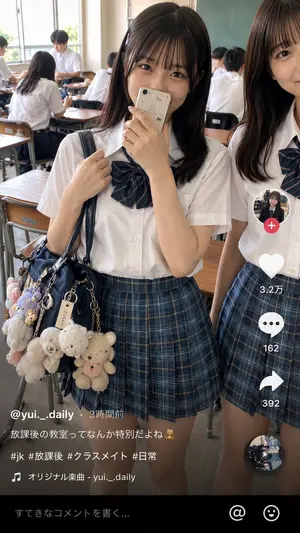
Goal: Create a realistic vertical smartphone social-media video screenshot of an after-school classroom scene, styled like a Japanese short-video app post. Canvas: 9:16 vertical image, 675×1125 style composition, natural daylight, realistic phone-camera look, slight wide-angle perspective, high detail, no illustration style. Main scene: In a Japanese high school classroom after school, show exactly 2 foreground teenage girls in summer uniforms. The central girl is fully visible from head to mid-thigh, looking directly at the camera with a shy smile, holding a beige smartphone with small cute stickers partly covering her mouth. She has straight dark brown (hair color) shoulder-length hair with thin bangs, soft natural makeup, and large expressive eyes. Her left hand holds the strap of a navy shoulder bag. The second girl stands cropped on the right edge, visible from half of her face down to her skirt, smiling gently toward the camera. Uniform and accessories: Both girls wear crisp white short-sleeve button-up shirts, navy-and-green plaid pleated skirts, and navy striped ribbon bow ties. The central girl carries a glossy navy school bag covered with exactly 8 visible plush keychains and charms: 1 large cream teddy bear, 1 smaller white teddy bear, 1 cream bear with pink bow, 1 fluffy white animal charm, 1 lavender plush charm, 1 pink plush charm, 1 small beige tag charm, and 1 metal chain charm. Background: A busy classroom with wooden desks and chairs, chalkboard on the back right, tall windows on the left with bright daylight. Include exactly 6 background students in white shirts: 2 seated at desks near the left foreground with backs/side views, 1 standing or leaning near the windows, 2 seated near the middle-back, and 1 seated near the chalkboard. Keep them softly out of focus compared with the foreground girls. App overlay layout: Add a short-video app interface overlay on top of the photo. Right-side vertical action bar with exactly 5 stacked elements: 1 circular profile thumbnail with a pink plus badge, 1 white heart icon with count “3.2万”, 1 white speech-bubble icon with count “162”, 1 white share arrow icon with count “392”, and 1 small circular spinning-record thumbnail at the bottom. Bottom-left caption area contains the username and post text in white Japanese text: “@yui._.daily (username) ・ 3時間前”, then “放課後の教室ってなんか特別だよね🧸 (caption text)”, then “#jk #放課後 #クラスメイト #日常 (hashtags)”, then a music line with a musical note icon: “オリジナル楽曲 - yui._.daily”. Bottom black comment bar contains placeholder text “すてきなコメントを書く...” plus exactly 2 icons on the right: an @ symbol and a smiley face. Visual style: Photorealistic Japanese teen lifestyle snapshot, warm natural lighting, clean skin texture, realistic fabric folds, accurate hands and fingers, believable classroom depth, subtle social-media compression, candid but polished. Constraints: Preserve the exact counts of foreground girls, background students, plush charms, and overlay elements. Keep the image wholesome and non-explicit. Do not add extra people in the foreground, do not add watermarks, and avoid distorted text or broken hands.3a:Td3d,Goal: Create a realistic vertical smartphone social-media video screenshot of an after-school classroom scene, styled like a Jap

Interactive Billboard Selfie Prompt (Jim Carrey Style) - Nano Banana Pro AI Prompt for Social Media Post
{ "project_name": "Pro_Billboard_Interactive_Lifestyle_v9 (project name)", "usage_guide": "1. Fill in STAR_NAME, STAR_EXPRESSION, USER_POSE. 2. Set Aspect Ratio (e.g., 3:4). 3. Upload FULL BODY reference. 4. This version creates a casual, fun interaction between you and the giant poster.", "prompts": { "positive_prompt": "A high-end editorial fashion shot, full body, captured in 3:4 (aspect ratio) format.\n\n[Spatial Logic – Perfect Depth]\nA real person stands in the foreground, positioned about 50cm (distance) (a few dozen centimeters) away from the background wall. Not touching the wall. There is a visible, natural depth. Soft shadows are cast on the wall behind, proving the physical separation.\n\n[Subject – Casual & Interactive]\nSubject's outfit, gender, and age perfectly match the uploaded reference image. Full body visible from head to toe, including shoes.\nPOSE & VIBE: The person is pointing at the billboard, laughing loudly, excited (user pose). The pose is casual, unposed, and lifestyle-oriented (NOT a stiff passport photo). It feels like a fun street snap where the person is interacting with the background celebrity.\n\n[Background – Giant Expressive Poster]\nBehind the person is a massive, building-sized commercial advertisement. It features a gigantic portrait of Thomas Stanley Holland (star name) with a seductive charming smile (star expression) expression. Visible from the shoulders up, looking huge and imposing.\n\n[Texture & Material Reality]\nThe billboard has a realistic heavy-duty vinyl or canvas texture. Visible details: slight surface ripples, tension wrinkles, uneven lighting reflection, and micro-folds. It looks like a real physical object, not a smooth screen.\n\n[Lighting]\nSoft overcast natural light, 8k resolution, raw photo quality, sharp focus.", "negative_prompt": "stiff pose, military stance, passport photo, bored expression, touching the wall, zero distance, flat digital image, perfectly smooth texture, glossy screen, fake poster, floating feet, missing shoes, cropped, lowres, bad anatomy, changing outfit, cartoon, 3d render" } }
Explore more prompts
Browse more AI image and video prompts by category.
FAQ
- Why does the prompt repeat that nothing should change except the POV?
- The explicit instruction prevents the AI from altering lighting, bottle wall, wood beams, crowd, or decor when generating the behind-the-bar view.
- What foreground elements confirm the new behind-the-bar perspective?
- The bar counter surface holding glassware, bottles, metal bar tools, and a glowing POS touchscreen at front left anchor the viewer behind the bar.