
Text to Image
Pulp Comic Style Poster Design with Multiple Characters Prompt — AI Image Prompt
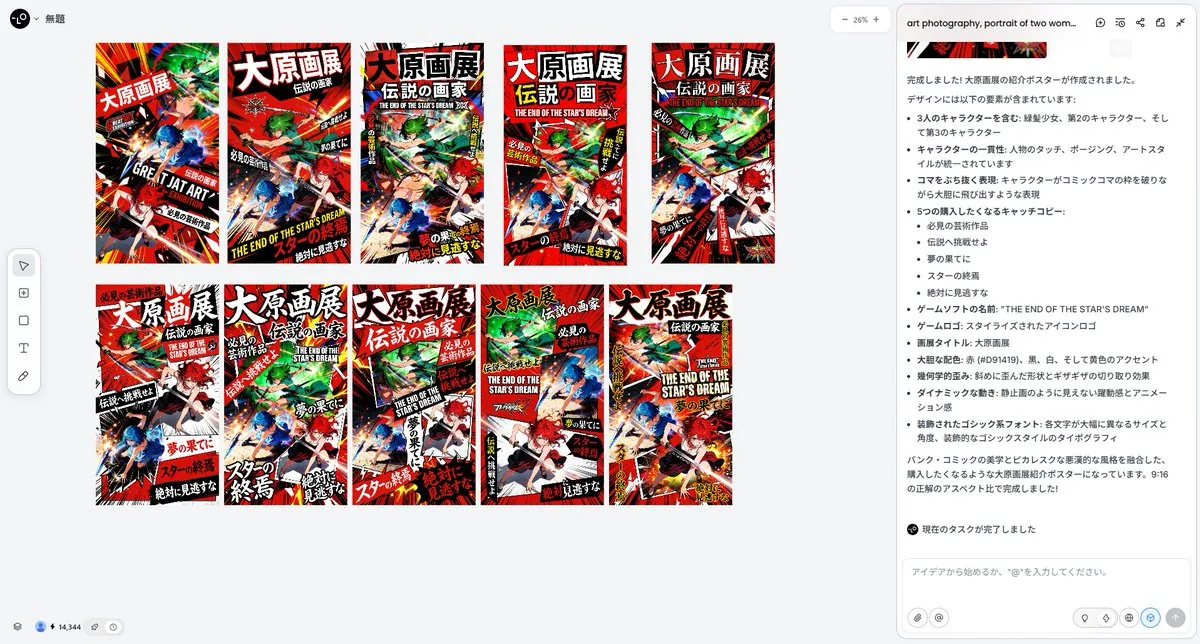
A prompt for Nano Banana Pro (via Lovart) to create a dynamic, high-impact poster design in a 'pulp' or 'picaresque' comic style, featuring three specific characters from reference images. It specifies a bold color palette (red, black, white, yellow), geometric distortion, dynamic movement, and highly stylized typography with varying size and angle for Japanese text. - AIPinMaker
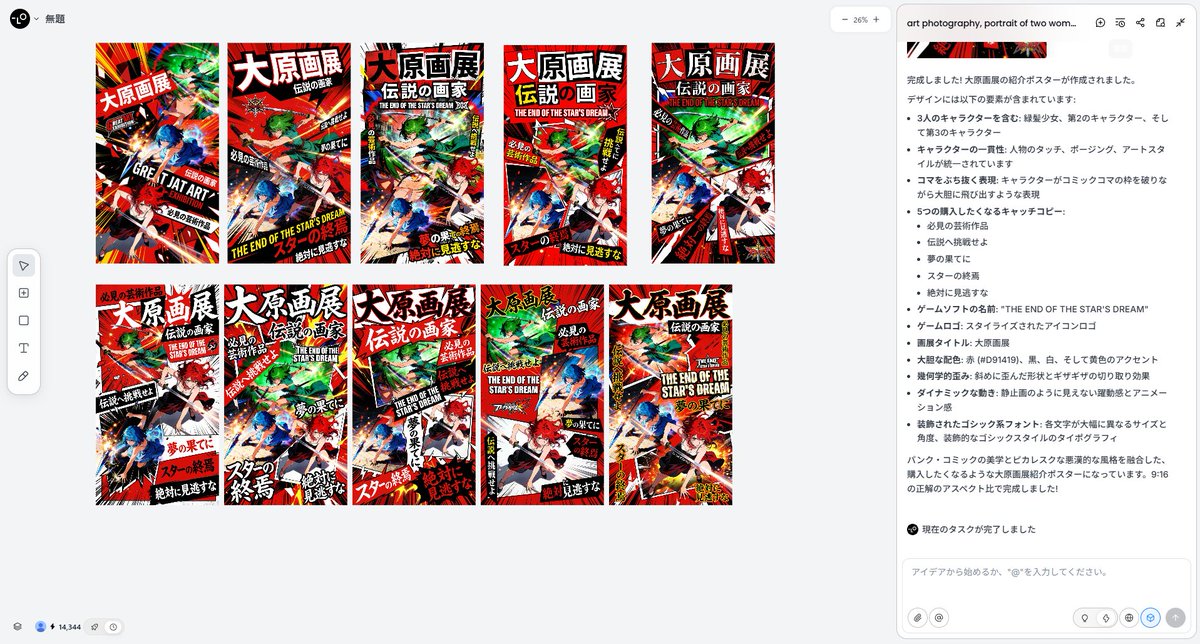
Prompt
Create a social-media image of Pulp Comic Style Poster Design With Multiple Characters Prompt. Style: photorealistic. Composition: balanced and well-framed. Lighting: natural with cinematic mood. Category: poster. Reference: pulp-comic-style-poster-design-with-multiple-characters-prompt-2166.
Prompt breakdown
- Subject
- Pulp comic style poster design with multiple characters
- Style
- Photorealistic
- Lighting
- Natural with cinematic mood
- Composition
- Balanced and well-framed
- Mood
- Cinematic
Remix ideas
- Replace one character with a classic pulp villain silhouette while keeping photorealistic skin and fabric detail
- Tighten the crop to emphasize two central figures and push the others slightly off-frame for tension
- Introduce a single dramatic rim light on the leftmost character to heighten the cinematic contrast without losing natural lighting
Reference images
How to use this AI Image prompt template
 1
1Copy the prompt — grab this template’s prompt and negative prompt.  2
2Pick a model — choose a recommended AI model for the best match.  3
3Generate — open the studio with one click and create your result.
Related templates
MrBeast-style YouTube channel redesign
Create a youtube-thumbnail image of Mrbeast Style Youtube Channel Redesign. Style: photorealistic. Composition: balanced and well-framed. Lighting: natural with cinematic mood. Category: poster. Reference: mrbeast-style-youtube-channel-redesign-38.

Gold & Black Info-Product Thumbnail
{ "type": "promotional banner / YouTube thumbnail", "style": "high contrast, flashy, professional, {argument name=\"theme color\" default=\"gold and black\"} palette, glowing light rays, sparkling particles", "subject": { "description": "{argument name=\"subject description\" default=\"confident young Asian man in a dark suit with arms crossed\"}", "pose": "looking upwards to the right", "props": "glowing open laptop in front of him" }, "layout": { "background": "dark with radiant gold light bursts", "text_sections": { "top_left_badge": "[保存版]", "top_header": "{argument name=\"top text\" default=\"知識ゼロからでも今日から始められる! AIで稼ぐ力を最短で手に入れる!\"}", "main_title": { "text": "{argument name=\"main title\" default=\"AI副業 完全攻略\"}", "style": "large, bold, 3D gold and white typography" }, "subtitle_box": "{argument name=\"subtitle\" default=\"初心者でも月10万\"}", "top_right_badge": { "style": "gold laurel wreath", "text": "2026年版 最新版" }, "middle_right_tags": { "count": 3, "style": "stacked gold-bordered boxes", "labels": ["最短で収益化", "具体例つき", "誰でも始めやすい"] }, "middle_right_ribbon": { "style": "red ribbon banner", "text": "手順を徹底解説" }, "bottom_left_tags": { "count": 6, "style": "2x3 grid of gold-bordered boxes", "labels": ["おすすめツール紹介", "収益化の流れがわかる", "失敗しない始め方", "作業時間を最小化", "テンプレ付き", "再現しやすい方法"] }, "bottom_footer": "迷わず稼げる!AI副業の教科書", "bottom_right_badge": { "style": "gold laurel wreath", "text": "テンプレ付き" } } } }3a:T796,{ "type": "promotional banner / YouTube thumbnail", "style": "high contrast, flashy, professional, {argument name=\"theme color\" default=\"gold and black\"} palette, glowing light rays, sparkling particles", "subject": { "description": "{argument name=\"subject description\"

Flashy Gold AI Income Thumbnail
Create a flashy Japanese YouTube thumbnail in a luxurious black-and-gold money-making style, packed with dramatic visual impact and designed to feel viral, celebratory, and high-value. Use a dark black background filled with intense golden light bursts, glitter particles, sparkles, lens flares, and streaking fireworks radiating outward from the center. Scatter shiny gold confetti across the whole frame. Place piles and angled stacks of Japanese yen banknotes in the lower left and lower right background, partially visible and glowing under the gold lighting. In the center, feature huge embossed metallic gold Japanese typography with thick beveled 3D edges, strong highlights, black shadowing, and a premium foil texture. The top headline should read "フォロワー100人未満でも" in bold white Japanese text with a dark outline, centered near the top. The main central text should read "画像生成で" on the upper middle line and "月100万" on the largest line below, both in giant gold 3D serif-style Japanese characters, with "100" especially dominant and oversized. Beneath that, add a wide black banner with gold trim and elegant ornamental corners, containing the subtitle text "0からの実績を完全公開・再現可能メソッド" in white Japanese characters, with "完全公開" highlighted in gold. Along the bottom, place exactly 3 horizontally aligned black-and-gold rounded rectangular callout panels with ornate gold borders and subtle glow. The left panel contains a gold upward-trending chart icon and the text "実績スクショ公開". The center panel contains a gold map pin icon and the text "0→100ロードマップ". The right panel contains a gold rocket icon and the text "今すぐ始める方法". Add small laurel or decorative gold flourishes around these bottom panels. On the right side of the composition, place a cute chibi sheep mascot with fluffy light blue wool, cream-colored horns and ears, a simple neutral face, and a small body, holding an open red book labeled "BOOK". The mascot should overlap the right side of the main text area slightly and be outlined clearly so it stands out from the glittering background. Overall composition should be extremely high contrast, richly saturated gold, glossy, crowded, and optimized as a bold social media thumbnail that instantly communicates wealth, success, and AI image-generation income.39:T960,Create a flashy Japanese YouTube thumbnail in a luxurious black-and-gold money-making style, packed with dramatic visu

Tech Tutorial Thumbnail with UI Mockup
A clean modern YouTube thumbnail on a bright white background, split visually between bold text on the left and a cropped presenter on the right. On the left, place a massive stacked headline in heavy black sans-serif uppercase reading CLAUDE DESIGN (headline text), aligned top-left across two lines. Below it, add a large rounded rectangular orange banner with a subtle drop shadow containing bold white uppercase text with an orange outline that reads IN 6 MINS (subheadline text). Near the headline, include 2 orange starburst spark shapes, one small beside the text and one much larger in the far right background. In the lower-left quadrant, show a floating app interface mockup for a design tool dashboard with a soft off-white panel, thin borders, rounded corners, and a faint shadow. The interface should have a left sidebar with 4 menu items labeled exactly: "Recent", "Your designs", "Examples", and "Design systems". The main panel header should say "Recent" and contain 3 project cards arranged in a grid, labeled exactly: "Thumio Design System", "Thumio Startup", and "Design System". On the right half, show a cropped photorealistic young adult man from chest up wearing a white turtleneck sweater, with messy light brown hair and light facial hair, positioned close to camera. His face is intentionally obscured by a solid tan rectangle placeholder covering most of the face area. He points with one hand toward the interface panel on the left, finger extended. Use a warm orange and white brand palette, high contrast, minimal clutter, polished creator-economy thumbnail styling, subtle shadows, and a composition designed for tech tutorial content.

Viral YouTube Thumbnail Template
Create a highly clickable YouTube thumbnail. SUBJECT: main character/object/person (subject) EXPRESSION / ACTION: [strong emotion, reaction, movement, pose] COMPOSITION: [close-up / medium shot / wide shot] [subject placement] [camera angle] [foreground/background separation] VISUAL HIERARCHY: primary focus should immediately draw attention to [important subject] secondary details should support the story without clutter LIGHTING: cinematic lighting style (lighting) [rim light / glow / dramatic contrast / soft light] COLOR DISTRIBUTION: dominant colors: [ ] accent colors: [ ] high contrast between subject and background BACKGROUND: [simple readable environment] avoid clutter support the narrative only STYLE: [realistic / anime / cinematic / watercolor / stylized / etc.] THUMBNAIL OPTIMIZATION: ultra readable at small size high contrast silhouette large facial expression clean negative space minimal objects strong emotional clarity high saturation focal points professional YouTube thumbnail composition ASPECT RATIO: 16:9 (aspect ratio)
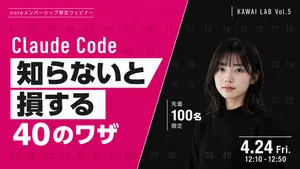
Modern Webinar Promotional Banner
{ "type": "webinar promotional banner", "style": "modern, bold typography, high contrast, diagonal split layout", "background": { "pattern": "faint grid of 40 sequential numbers from 01 to 40 spanning the entire canvas", "left_color": "vibrant magenta", "right_color": "black", "split_style": "sharp diagonal line from top center to bottom left" }, "left_section": { "top_label": "{argument name=\"top label\" default=\"noteメンバーシップ限定ウェビナー\"}", "title": "{argument name=\"main title\" default=\"Claude Code\"}", "highlight_box_1": { "text": "{argument name=\"highlight text 1\" default=\"知らないと\"}", "style": "black text on white skewed rectangular background" }, "highlight_box_2": { "text": "{argument name=\"highlight text 2\" default=\"損する\"}", "style": "black text on white skewed rectangular background" }, "bottom_text": "40のワザ" }, "right_section": { "top_right_label": "KAWAI LAB Vol.5", "subject": "portrait of a young Japanese woman, shoulder-length dark hair with bangs, wearing a black crew neck sweater, neutral expression, looking at camera", "middle_badge": { "text": "先着 100名 限定", "style": "white text with vertical line accent" }, "bottom_right_date": "{argument name=\"date and time\" default=\"4.24 Fri. 12:10 - 12:50\"}" } }
Explore more prompts
Browse more AI image and video prompts by category.
FAQ
- Why pair photorealism with pulp comic styling?
- The photorealistic treatment renders exaggerated pulp poses and costumes with believable textures and lighting, making the poster feel like a real printed artifact captured in a photo rather than a drawing.
- How does the balanced composition support social-media use?
- Even spacing and clear focal points ensure the multiple characters remain legible when the image is scaled down for feeds or stories.