
Text to Image
Photorealistic Shenzhen Factory Entrance — AI Image Prompt
Generates a realistic documentary-style street photo of a Chinese electronics factory gate with signage, workers, vehicles, and industrial details. - AIPinMaker
Prompt
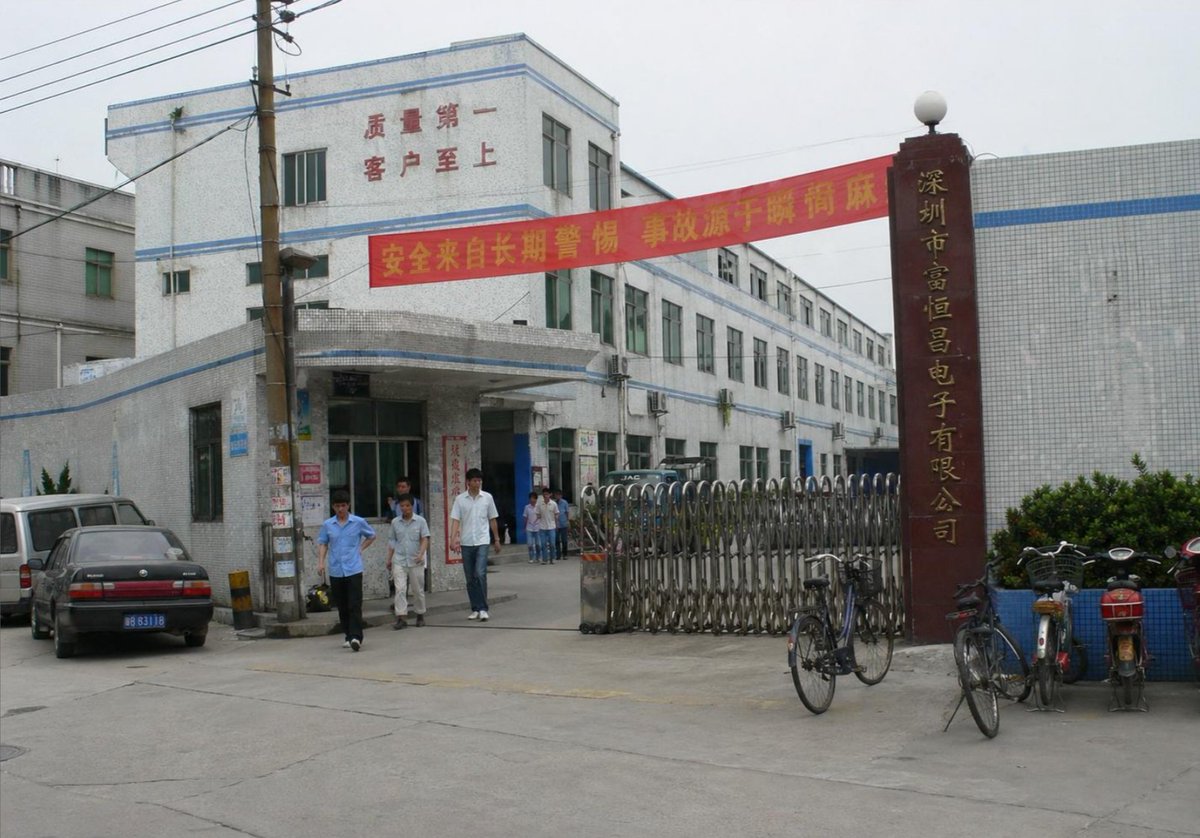
Create a photorealistic documentary-style street photograph of the entrance to a Chinese electronics factory in Shenzhen on an overcast day. Show a wide horizontal 4:3 view from across a concrete driveway, with a slightly dated early-2000s digital camera look, natural muted colors, soft gray sky, realistic perspective, and no cinematic grading. The main subject is a white ceramic-tile industrial building complex with pale blue horizontal trim, three stories at the front and a long two-to-three-story wing receding diagonally into the background. Place a covered entrance canopy at the front-left center, glass doors beneath it, many rectangular windows with greenish glass, and a few external air-conditioning units on the side wall. On the upper facade, include red Chinese wall text reading {argument name="facade slogan" default="质量第一 客户至上"}. Stretch a red safety banner across the driveway in front of the building with yellow Chinese text reading {argument name="banner text" default="安全来自长期警惕 事故源于瞬间麻痹"}. On the right, place a tall dark red-brown vertical gate pillar topped with a white globe lamp, with gold vertical Chinese company lettering reading {argument name="company sign" default="深圳市富恒昌电子有限公司"}. In front of the pillar and along the entrance, include a closed silver accordion-style metal retractable gate. Add exactly 6 visible people: three adult male workers walking out from the entrance in the foreground, one in a light blue short-sleeve shirt, one in pale work clothes, one in a white shirt and jeans; plus three smaller figures standing farther back near the doorway. Add exactly 5 visible vehicles or bikes: one white van at far left, one dark sedan with a blue license plate parked in front-left, one dark vehicle partly hidden inside the gate, one black bicycle leaning near the gate, and one motorbike/scooter parked at the far right near blue planters. Include a wooden utility pole near the left foreground with overhead power lines crossing the upper-left corner and small posters pasted on the pole. Add low shrubs in blue-tiled planters on the right, gray concrete pavement with cracks and seams, and surrounding tiled factory walls. Make the image convincingly real, like an ordinary factory entrance snapshot, with slight lens softness and mundane environmental detail. Avoid modern luxury architecture, dramatic lighting, crowds, logos other than the described Chinese signage, and any surreal or illustrative style.38:T9e3,Create a photorealistic documentary-style street photograph of tPrompt breakdown
- Subject
- entrance to Chinese electronics factory in Shenzhen featuring white ceramic-tile building with pale blue trim, covered canopy, greenish windows, red facade slogan, red safety banner with yellow text, dark red-brown gate pillar with gold company lettering, closed silver accordion gate, six workers, five vehicles, wooden utility pole with power lines and posters, blue-tiled planters
- Style
- photorealistic documentary-style street photograph with slightly dated early-2000s digital camera look, natural muted colors, realistic perspective, slight lens softness
- Lighting
- soft gray sky on overcast day, no dramatic or cinematic lighting
- Composition
- wide horizontal 4:3 view from across cracked concrete driveway, building receding diagonally, utility pole in left foreground, overhead lines in upper-left corner
- Mood
- ordinary factory entrance snapshot with mundane environmental details, no crowds or luxury elements
Remix ideas
- swap the facade slogan for a different red Chinese phrase while keeping the same font size and placement
- move the black bicycle from near the gate to lean against the wooden utility pole
- change the white van at far left to a small blue truck and adjust its position slightly forward
Reference images
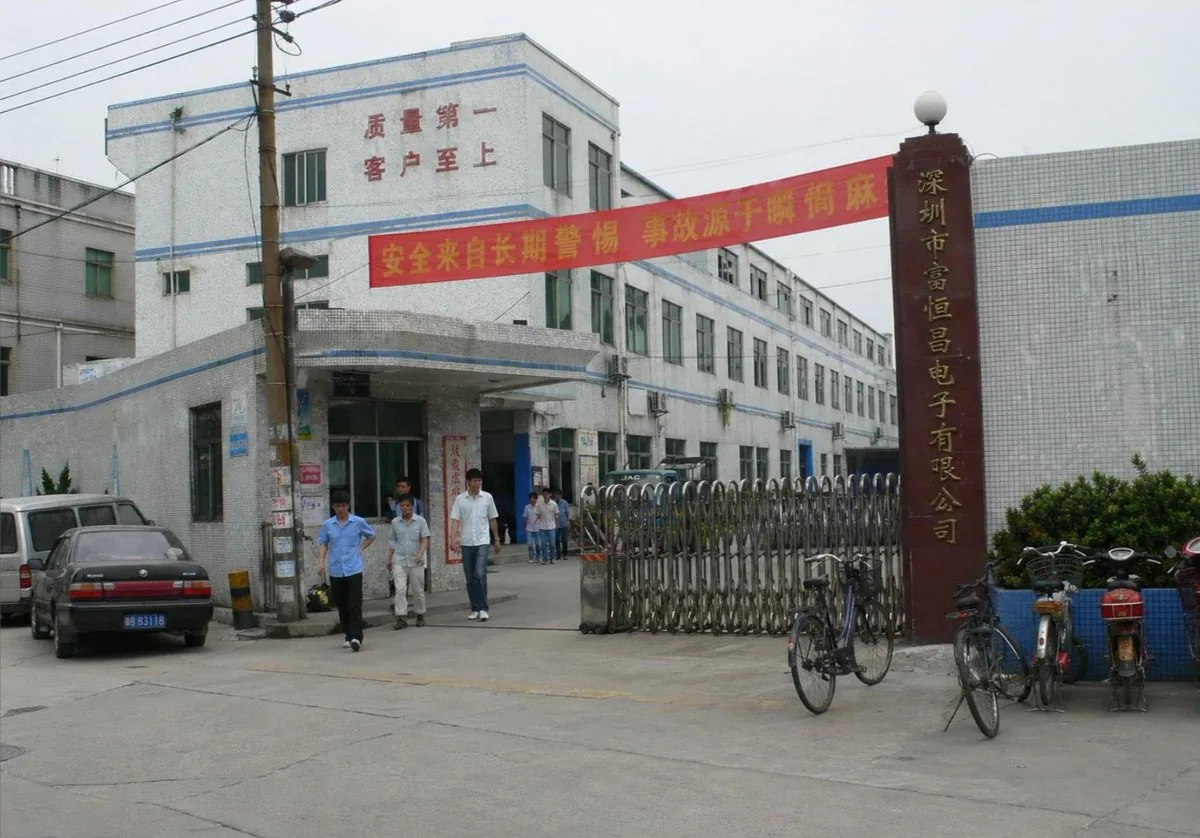
How to use this AI Image prompt template
 1
1Copy the prompt — grab this template’s prompt and negative prompt.  2
2Pick a model — choose a recommended AI model for the best match.  3
3Generate — open the studio with one click and create your result.
Related templates

Under Glass Floor Perspective Shot
Create a creative image of Under Glass Floor Perspective Shot. Style: photorealistic. Composition: balanced and well-framed. Lighting: natural with cinematic mood. Category: photography. Reference: under-glass-floor-perspective-shot-23912.

Everyday Object Reimagined as a City
Create a creative image of Everyday Object Reimagined As A City. Style: photorealistic. Composition: balanced and well-framed. Lighting: natural with cinematic mood. Category: photography. Reference: everyday-object-reimagined-as-a-city-3442.

Mount Fuji Street With Cloud Kanji
Create a creative image of Mount Fuji Street With Cloud Kanji. Style: photorealistic. Composition: balanced and well-framed. Lighting: natural with cinematic mood. Category: photography. Reference: mount-fuji-street-with-cloud-kanji-19534.

Dual-Concept Street Art Mural
Create a creative image of Dual Concept Street Art Mural. Style: photorealistic. Composition: balanced and well-framed. Lighting: natural with cinematic mood. Category: photography. Reference: dual-concept-street-art-mural-16790.

Desert Ruins of Pure Math Grid
Create a creative image of Desert Ruins Of Pure Math Grid. Style: photorealistic. Composition: balanced and well-framed. Lighting: natural with cinematic mood. Category: photography. Reference: desert-ruins-of-pure-math-grid-2513.

Master Model Maker Concept Template - Nano Banana Pro AI Prompt for Social Media Post
Do this for Eiffel Tower (structure name): Input Variable: [INSERT STRUCTURE] System Instruction: Act as a Cinematic Director. Create a hyper-realistic portrait of a Master Model Maker putting the final touches on a scale replica of the Input Structure. 1. Logic: Analyze the Input Structure to determine the Setting and the Character: IF Ancient/Fantasy (e.g., Colosseum, Castle): Room: A dusty, sunlit Renaissance Workshop (Stone & Wood). also showcasing "Previous Projects" (other models in the same genre). Character: An elderly Artisan in a leather apron. Materials: Plaster, Clay, Balsam Wood. IF Sci-Fi/Industrial (e.g., Death Star, spaceship): Room: A sterile, cold Industrial Design Lab (Concrete & Metal). also showcasing "Previous Projects" (other models in the same genre). Character: A younger Prop Master in a workshop jumpsuit or lab coat. Materials: Grey Resin (Kitbash), Styrene, Fiber Optics. IF Modern Architecture (e.g., Skyscraper): Room: A clean, white Architectural Firm (Glass & White Walls). also showcasing "Previous Projects" (other models in the same genre). Character: A minimalist Architect in a black turtleneck. Materials: White Foamcore, Acrylic, 3D Printed Plastic. 2. The Composition : The Subject: The Character is leaning over a massive, incredibly detailed Scale Model of the Input Structure. The Action: They are using Tweezers or a fine brush to place a specific "Micro-Detail" relevant to the lore. Death Star: Placing a tiny Turbo-Laser Turret. Colosseum: Dusting sand onto the arena floor. City: Gluing a tiny streetlamp. The Scale: Extreme scale contrast. The human hands look giant next to the tiny windows/bricks of the model. 3. The Environment : The Blueprint: On the table, beneath the tools, lies the correct reference document: Sci-Fi: Blue grid schematic or iPad. Fantasy: Yellowed parchment map. Modern: White vector floorplan. The Clutter: The tools scattered around must match the medium (e.g., Clay tools vs. Soldering Iron vs. X-Acto knives). 4. Lighting & Atmosphere: Lighting Match: The lighting must match the inferred room. Workshop: Warm God Rays (Dusty). Lab: Cool Fluorescent Tubes (Clean/Hazy). Focus: Shallow depth of field. Sharp focus on the tweezers and the contact point. Output: ONE image, 16:9 Aspect Ratio, Cinematic Photography, 8k Resolution.
Explore more prompts
Browse more AI image and video prompts by category.
FAQ
- What is the exact Chinese text on the red safety banner?
- 安全来自长期警惕 事故源于瞬间麻痹, rendered in yellow lettering across the driveway.
- How many vehicles and bikes appear in total?
- Exactly five: white van, dark sedan with blue license plate, partly hidden dark vehicle inside the gate, black bicycle, and motorbike/scooter at far right.