
Text to Image
Pascal-B Comic Strip History — AI Image Prompt
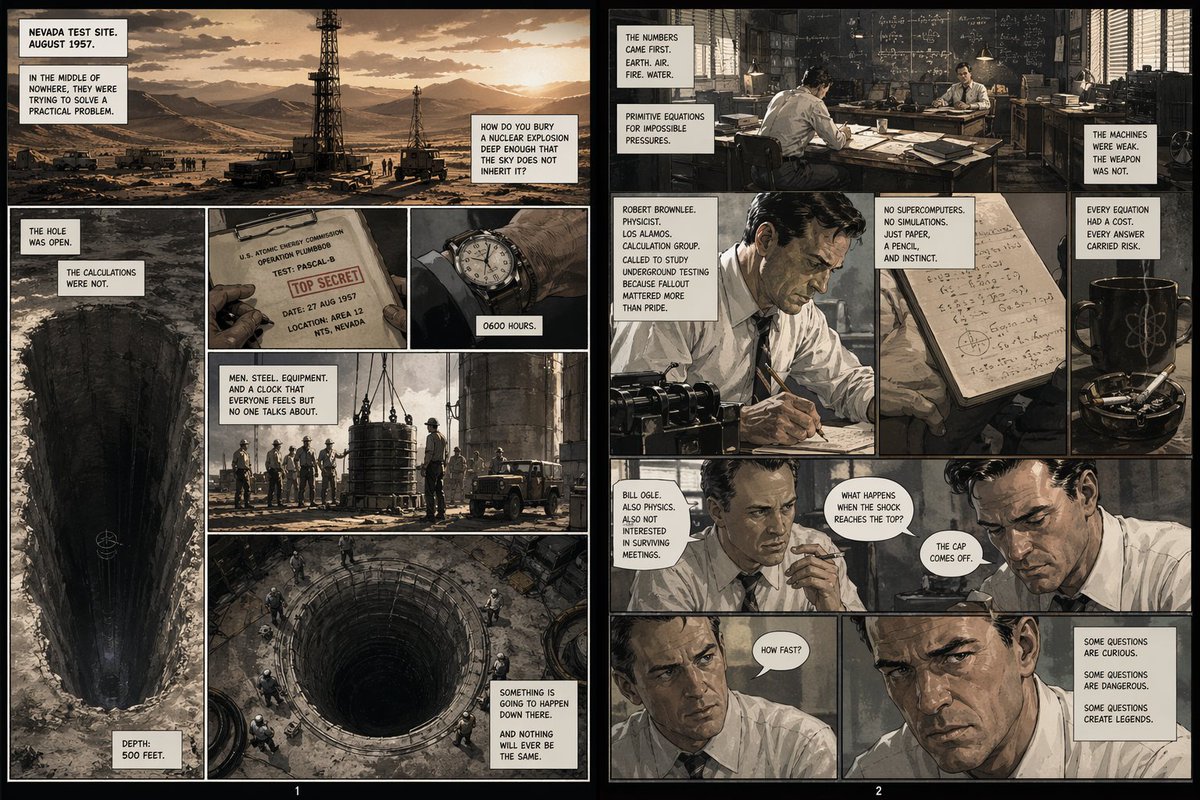
A prompt to generate a comic strip about the Pascal-B nuclear test, depicting the moment a steel manhole cover was launched into space. - AIPinMaker
Prompt
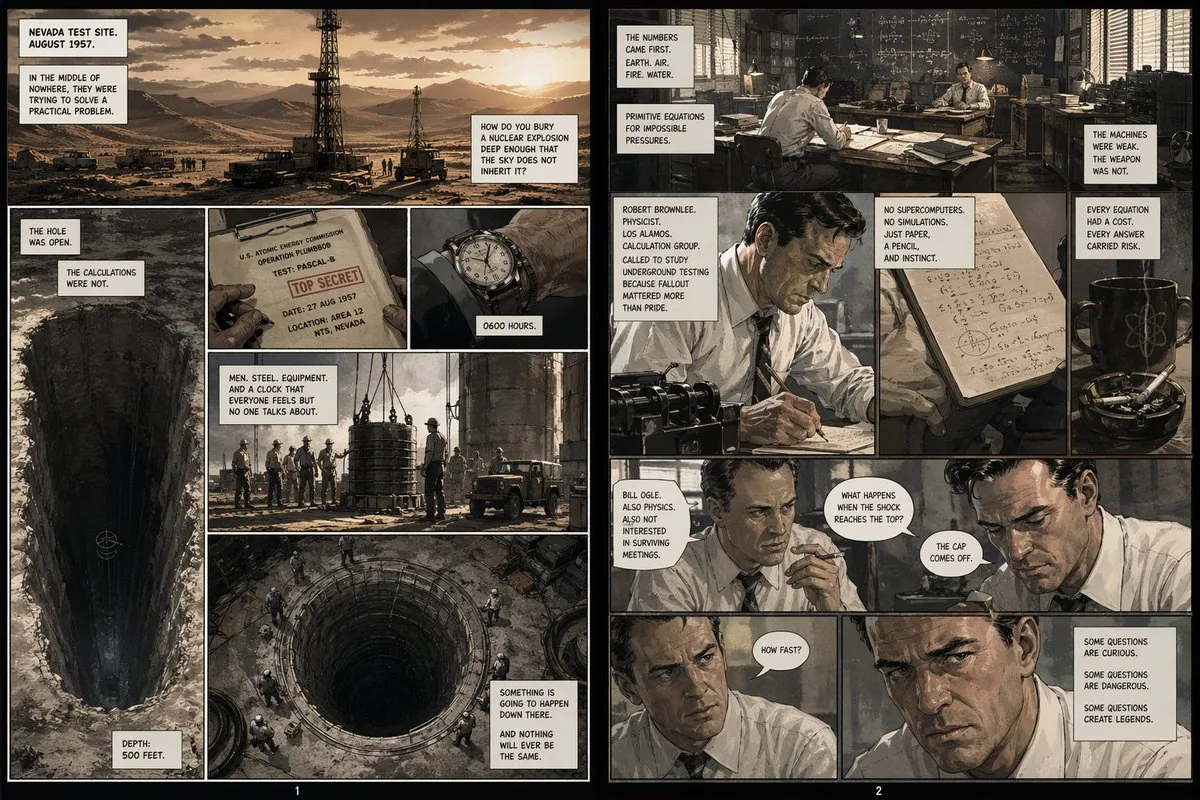
Create a game image of Pascal B Comic Strip History. Style: photorealistic. Composition: balanced and well-framed. Lighting: natural with cinematic mood. Category: illustration. Reference: pascal-b-comic-strip-history-14799.
Prompt breakdown
- Subject
- game image of Pascal B Comic Strip History
- Style
- photorealistic illustration
- Lighting
- natural with cinematic mood
- Composition
- balanced and well-framed
- Mood
- cinematic
Remix ideas
- Add subtle game HUD overlays like health bars over the comic panels
- Render one speech bubble in sharp 3D relief against the photorealistic background
- Shift focus to a nighttime version with cooler natural light on the historical characters
Reference images
How to use this AI Image prompt template
 1
1Copy the prompt — grab this template’s prompt and negative prompt.  2
2Pick a model — choose a recommended AI model for the best match.  3
3Generate — open the studio with one click and create your result.
Related templates
16-Panel Medieval Duel Storyboard
{"type":"black-and-white medieval combat storyboard sheet","style":{"rendering":"high-detail grayscale fantasy illustration, realistic armor and anatomy, clean white background, light studio shadow under figures, editorial storyboard look","camera":"side-view profile for most panels, consistent distance and character scale, one closer mid-shot for the wound impact panel","mood":"instructional, dramatic, tactical"},"subject":{"characters":[{"role":"warrior","description":"lean armored knight with full helmet, longsword, dark cape, agile stance"},{"role":"gatekeeper","description":"larger heavily built bearded warrior with long wild hair or mane-like head silhouette, layered heavy armor and furs, carrying a large double-headed battle axe"}]},"layout":{"grid":{"columns":4,"rows":4,"count":16},"numbering":"each panel has a black square number badge in the top-left corner from 1 to 16","sections":[{"title":"1 Standoff","position":"row 1 col 1","count":1,"labels":["Warrior and Gatekeeper face each other. Both assess distance and openings."],"image":"both fighters stand apart in mirrored ready stances, sword and axe lowered, horizontal double-headed arrow between them"},{"title":"2 Gatekeeper Advances","position":"row 1 col 2","count":1,"labels":["Gatekeeper steps in with axe raised. Warrior shifts stance, preparing."],"image":"large axe wielder moves forward, warrior braces with sword angled low, directional arrows under both"},{"title":"3 Overhead Swing","position":"row 1 col 3","count":1,"labels":["Gatekeeper delivers a heavy overhead axe strike. Warrior raises sword to intercept."],"image":"axe lifted high above the head with a curved swing arrow, warrior lifting sword defensively"},{"title":"4 Steel Clash","position":"row 1 col 4","count":1,"labels":["Sword meets axe with a loud clash. Sparks fly as both fighters strain for leverage."],"image":"weapons collide at center with bright impact sparks and opposing motion arrows"},{"title":"5 Warrior Sidestep","position":"row 2 col 1","count":1,"labels":["Warrior sidesteps left, avoiding the axe's full force. Gatekeeper over extends slightly."],"image":"swordsman slips to the side with cape sweeping out, axe user leaning forward, curved motion arrow"},{"title":"6 Low Slash","position":"row 2 col 2","count":1,"labels":["Warrior slashes low towards Gatekeeper's leg to off-balance him."],"image":"low horizontal sword cut aimed at the front leg, gatekeeper recoiling"},{"title":"7 Gatekeeper Reels","position":"row 2 col 3","count":1,"labels":["Gatekeeper is cut and staggered, his balance broken. He tries to recover footing."],"image":"large fighter pulled backward and unstable, sword fighter resetting nearby, down arrow and footwork arrow"},{"title":"8 Warrior Presses In","position":"row 2 col 4","count":1,"labels":["Warrior steps in aggressively, closing distance before Gatekeeper can raise his guard."],"image":"warrior lunges forward with sword extended, gatekeeper opens his guard, long horizontal arrow across the ground"},{"title":"9 Axe Block Attempt","position":"row 3 col 1","count":1,"labels":["Gatekeeper swings axe horizontally to block and create space."],"image":"close-range defensive sweep from the axe wielder, warrior compressed low inside the motion"},{"title":"10 Sword Deflect","position":"row 3 col 2","count":1,"labels":["Warrior deflects the axe with a sharp turn of the blade, opening a lane."],"image":"sword redirects the axe outward, arrows showing the redirection and opening line"},{"title":"11 Feint High","position":"row 3 col 3","count":1,"labels":["Warrior feints a high strike. Gatekeeper raises guard and shifts his focus upward."],"image":"warrior lifts sword toward the head with dotted and curved motion arcs, gatekeeper reacting high"},{"title":"12 Body Slip","position":"row 3 col 4","count":1,"labels":["Warrior slips inside Gatekeeper's guard, positioning for a decisive thrust."],"image":"the swordsman moves chest-to-chest inside the axe range, bodies turned diagonally, enclosing motion arrows"},{"title":"13 Thrust to the Heart","position":"row 4 col 1","count":1,"labels":["Warrior thrusts his sword directly toward Gatekeeper's heart."],"image":"tight forward sword thrust into the torso, both figures in strong forward lean"},{"title":"14 Impact","position":"row 4 col 2","count":1,"labels":["The blade pierces deep into Gatekeeper's heart. Blood bursts from the wound."],"image":"closest panel in the sheet, sword embedded in chest, visible blood spatter, gatekeeper grimacing"},{"title":"15 Gatekeeper Falls","position":"row 4 col 3","count":1,"labels":["Gatekeeper collapses to his knees, strength fading fast."],"image":"large fighter dropping down, axe fallen to the ground, warrior stepping back, downward arc arrow"},{"title":"16 Aftermath","position":"row 4 col 4","count":1,"labels":["Gatekeeper lies still. Warrior remains standing, victorious."],"image":"final tableau with the dead gatekeeper on the ground and the warrior standing over him holding the sword downward"}],"textStyle":"bold black sans-serif panel numbers in square boxes, bold panel titles across the top of each panel, small explanatory caption text on the left side inside each panel"},"prompt":"Create a {argument name=\"headline text\" default=\"16-panel medieval duel storyboard\"} as a clean 4x4 grid of sixteen numbered panels showing a complete fight sequence between two consistent fantasy characters: a {argument name=\"hero type\" default=\"lean armored warrior with a longsword and cape\"} and a {argument name=\"opponent type\" default=\"massive gatekeeper with a double-headed battle axe\"}. Render everything in detailed grayscale on a white background like a combat instruction sheet or cinematic storyboard. Keep the same side-view orientation and character proportions throughout, with motion arrows in every panel that clarify movement and weapon paths. Use these exact panel titles and captions: 1 Standoff, 2 Gatekeeper Advances, 3 Overhead Swing, 4 Steel Clash, 5 Warrior Sidestep, 6 Low Slash, 7 Gatekeeper Reels, 8 Warrior Presses In, 9 Axe Block Attempt, 10 Sword Deflect, 11 Feint High, 12 Body Slip, 13 Thrust to the Heart, 14 Impact, 15 Gatekeeper Falls, 16 Aftermath. Include the exact explanatory caption sentence under each title as described in the layout. Panel 14 should be a slightly closer shot showing the sword piercing the chest with a visible blood burst. The final result should feel like a printable action-planning sheet for animating a duel, with consistent characters, readable action silhouettes, and a clear beginning, escalation, decisive strike, and ending."}
Cloudflare Catch-All Email Routing Infographic
Goal: Create a landscape hand-drawn notebook-style Chinese infographic explaining how to register multiple ChatGPT accounts by using Cloudflare Email Routing to create catch-all mailbox aliases. Canvas: Wide 16:9 whiteboard page, clean off-white background, surrounded by a thick black dashed rounded border. Use a casual marker-and-pen sketch style with slightly imperfect lines, doodle arrows, stars, question marks, pins, and small expressive icons. Title and intro: At the top center, write the bold headline 注册 ChatGPT 第 N 个账号:用 Cloudflare 造邮箱(手绘笔记) (headline text). Underline “Cloudflare” in blue. Beneath it on the left, write the pain point line: “痛点:同个邮箱只能注册一个账号,换邮箱麻烦。” Add a small curved arrow doodle and star near the title. Main layout: Use exactly 7 main content boxes/cards plus decorative doodles. Arrange them left-to-right as a process with bold black arrows connecting sections. The 7 cards are: 1 pain card, 1 solution card, 1 core-principle card, and 4 numbered step cards. Card 1, pain card: A red outlined sticky-note box on the upper left with a sad red face icon. Text: “想注册新号?没新邮箱!” Make it look like a folded-corner note. Card 2, solution card: A blue rounded rectangle in the upper middle with a blue cloud icon. Text: “解决方案:Cloudflare Email Routing(邮箱路由)”. Put a blue arrow pointing toward the core principle box. Card 3, core principle card: A large black-outlined rounded rectangle in the upper right. Header text: “核心原理:Catch-all(通配符 / 捕获所有)”. Include a funnel icon. Show exactly 4 example incoming aliases on the left: “chatgpt@”, “netflix@”, “test1@”, and “任意前缀@”. Draw arrows from all four into a large “@” symbol and “@你的域名.com”, then a thick black arrow to a mailbox icon labeled “真实邮箱(如 Gmail)”. Bottom line with green check icon: “全部自动转发,统一汇总!无需提前创建。” Step cards along the bottom: Use exactly 4 numbered boxes. Step 1 card, bottom left: Title “第一步:准备工作”. Include exactly 3 numbered requirements: “1. Cloudflare 账号(免费注册)”, “2. 你的域名(DNS 托管在 CF)”, “3. 真实邮箱(接收转发)”. Add a globe icon, a green check mark, and a yellow key icon. Below it add small text: “域名推荐:性价比高(如 top域名)”. Step 2 card, bottom center-left: Title “第二步:启用并验证目标邮箱”. Include a small computer icon labeled “CF 控制台”. Text flow: “添加域名 → 解析 → 激活”. Draw an arrow down to a mini DNS nameserver panel with two columns: left “阿里云(修改 NS)”, right “Cloudflare(等待生效,状态:活动)”. Beneath the card, draw a red circled nameserver list with exactly 2 entries: “gene.ns.cloudflare.com” and “peyton.ns.cloudflare.com”. Add a small clock icon and text “约30分钟”. Step 3 card, bottom center-right: Title “第三步:设置邮件路由”. Show a mini Cloudflare UI mockup with exactly 2 top tabs/boxes: “Email(电子邮件)” and “Email Routing(路由)”. Include a small “Get Started” button pointing to “绑定目标地址(Destination address)”. At the bottom add an envelope icon and text: “验证邮件 → 点击确认”. Under this card place a small blue status note titled “测试转发成功” with two arrow lines showing an alias forwarding to a Gmail address. Step 4 card, bottom right: Title “第四步:设置路由规则(核心步骤)”. Show a UI panel titled “Catch-all 规则设置”. Include a blue toggle switch labeled “Active(启用)”. Include a two-row table with headers and values: row 1 “Action(操作)” to “Send to(发送至)”; row 2 “Destination(目标)” to “你的真实邮箱”. Add a red star near the corner. Final result box: At the bottom right below Step 4, add a green rounded rectangle with a smiling face icon. Text: “效果:注册时随意编造前缀(例如 chatgpt@yourdomain.com)邮件全部统一汇总到真实邮箱,实现「邮箱自由」!全程免费!” Visual style: Handwritten Chinese typography, thick black marker outlines, simple vector doodles, blue/red/green/yellow accent colors, informal classroom note-taking feel. Keep all arrows bold and directional, with minor sketchy imperfections. Constraints: Keep the entire infographic in Chinese as specified, use no photorealism, no 3D rendering, no watermark, no extra sections beyond the 7 cards and final result box, and make the text legible.3b:T12a5,Goal: Create a landscape hand-drawn notebook-style Chinese infographic explaining how to register multiple ChatGPT accounts by using Cloudflare Email Routing to create catch-all mailbox aliases. Canvas: Wide 16:9 whiteboard page, clean off-white background, surrounded by a thick black dashed rounded border. Use a casual marker-and-pen sketch style with slightly imperfect lines, doodle arrows, stars, question marks, pins, and small expressive icons. Title and intro: At the top center, write the bold headline 注册 ChatGPT 第 N 个账号:用 Cloudflare 造邮箱(手绘笔记) (headline text). Underline “Cloudflare” in blue. Beneath it on the left, write the pain point line: “痛点:同个邮箱只能注册一个账号,换邮箱麻烦。” Add a small curved arrow doodle and star near the title. Main layout: Use exactly 7 main content boxes/cards plus deco
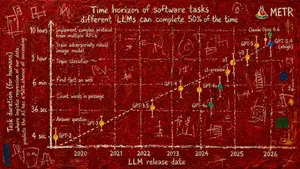
Abstract Art Scientific Graph
Create a creative image of Abstract Art Scientific Graph. Style: photorealistic. Composition: balanced and well-framed. Lighting: natural with cinematic mood. Category: photography. Reference: abstract-art-scientific-graph-14397.
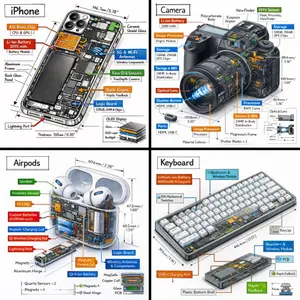
Technical Isometric Teardown Infographic
Generate a technical infographic of OBJECT (object) rendered from a 45-degree isometric 3D viewpoint (viewpoint), with the object slightly tilted to expose depth and three-dimensional structure. Blend a photorealistic render of the object with hand-drawn black ink technical annotations on a clean pure-white background. Include: - Color-coded callout boxes labeling each key component - Transparent / cutaway sections that reveal internal parts - Precise measurements, dimensions, and scale markers - Material descriptions and quantity counts - Color-coded directional arrows for function and flow: RED for power/battery, BLUE for data/connectivity, ORANGE for thermal/processor, GREEN for sensors/haptics - Simple schematics or cross-section diagrams where useful Place the "OBJECT (object)" title inside a hand-sketched technical frame in the top-left corner. Style: black architectural-pen linework, sketchy yet precise; the object remains fully visible; vibe of a professional engineering teardown or museum exhibit. Clean layout with balanced negative space. Perspective: 45-degree isometric tilt that dramatically reveals depth, dimension, and internal architecture, like a product engineering manual. Color usage: roughly 10-15% accent density, black dominant, white background. Output: 1080x1080, ultra-crisp, optimized for social feeds.
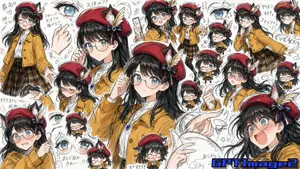
Fan Artist Sketchbook Collage
Create a creative image of Fan Artist Sketchbook Collage. Style: photorealistic. Composition: balanced and well-framed. Lighting: natural with cinematic mood. Category: photography. Reference: fan-artist-sketchbook-collage-25377.
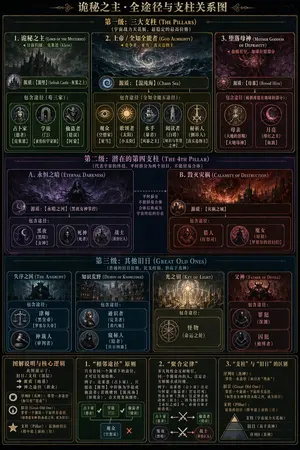
Dark Fantasy Lore Infographic Chart
{ "type": "complex dark fantasy infographic chart", "style": "{argument name=\"theme style\" default=\"dark fantasy, gothic, arcane, gold borders on black background\"}", "header": "{argument name=\"main title\" default=\"诡秘之主·全途径与支柱关系图\"}", "layout": { "sections": [ { "title": "{argument name=\"tier 1 title\" default=\"第一级:三大支柱 (THE PILLARS)\"}", "position": "top", "count": 3, "labels": ["1. 诡秘之主 (LORD OF THE MYSTERIES)", "2. 上帝 / 全知全能者 (GOD ALMIGHTY)", "3. 堕落母神 (MOTHER GODDESS OF DEPRAVITY)"], "details": "Each box contains a main entity illustration, a 'Sefirah' label, and a 'Pathways' section with circular icons. Box 1 has 3 icons, Box 2 has 5 icons, Box 3 has 2 icons." }, { "title": "{argument name=\"tier 2 title\" default=\"第二级:潜在的第四支柱 (THE 4TH PILLAR)\"}", "position": "upper-middle", "count": 2, "labels": ["A. 永恒之暗 (ETERNAL DARKNESS)", "B. 毁灭灾祸 (CALAMITY OF DESTRUCTION)"], "details": "Two large boxes connected by a central text block with arrows. Box A has 3 pathway icons. Box B has 2 pathway icons." }, { "title": "{argument name=\"tier 3 title\" default=\"第三级:其他旧日 (GREAT OLD ONES)\"}", "position": "lower-middle", "count": 4, "labels": ["失序之国 (THE ANARCHY)", "知识荒野 (DEMON OF KNOWLEDGE)", "光之钥 (KEY OF LIGHT)", "父神 (FATHER OF DEVILS)"], "details": "Four vertical boxes. Box 1 has 2 icons, Box 2 has 2 icons, Box 3 has 1 icon, Box 4 has 2 icons." }, { "title": "Legend and Logic", "position": "bottom", "count": 4, "labels": ["图解说明与核心逻辑", "1. “相邻途径”原则", "2. “聚合定律”", "3. “支柱”与“旧日”的区别"], "details": "Four informational panels containing text, bullet points, and small diagrammatic arrows explaining the chart's rules and hierarchies." } ] } }3b:T840,{ "type": "complex dark fantasy infographic chart", "style": "{argument name=\"theme style\" default=\"dark fantasy, gothic, arcane, gold borders on black background\"}", "header": "{argument name=\"main title
Explore more prompts
Browse more AI image and video prompts by category.
FAQ
- Why does this prompt specify a game image for Pascal B's comic strip history?
- It positions the strip's narrative as playable content, letting photorealistic details feel like in-game collectibles or level art rather than static panels.
- How does the reference code tie into the final render?
- pascal-b-comic-strip-history-14799 anchors the exact sequence of historical events and character designs that the balanced composition must faithfully translate into 3D space.