
Text to Image
One Piece Devil Fruit Transformation Template - Nano Banana Pro AI Prompt for Game Asset — AI Image Prompt
A complex, structured prompt template designed for Nano Banana Pro to transform a photo of a real person into a photorealistic One Piece Devil Fruit ability user. The prompt requires the user to input a Devil Fruit name and details how the AI should interpret and apply the ability (e.g., flames, ice, stretched limbs) in a dynamic, live-action style while strictly preserving the subject's face and background. - AIPinMaker
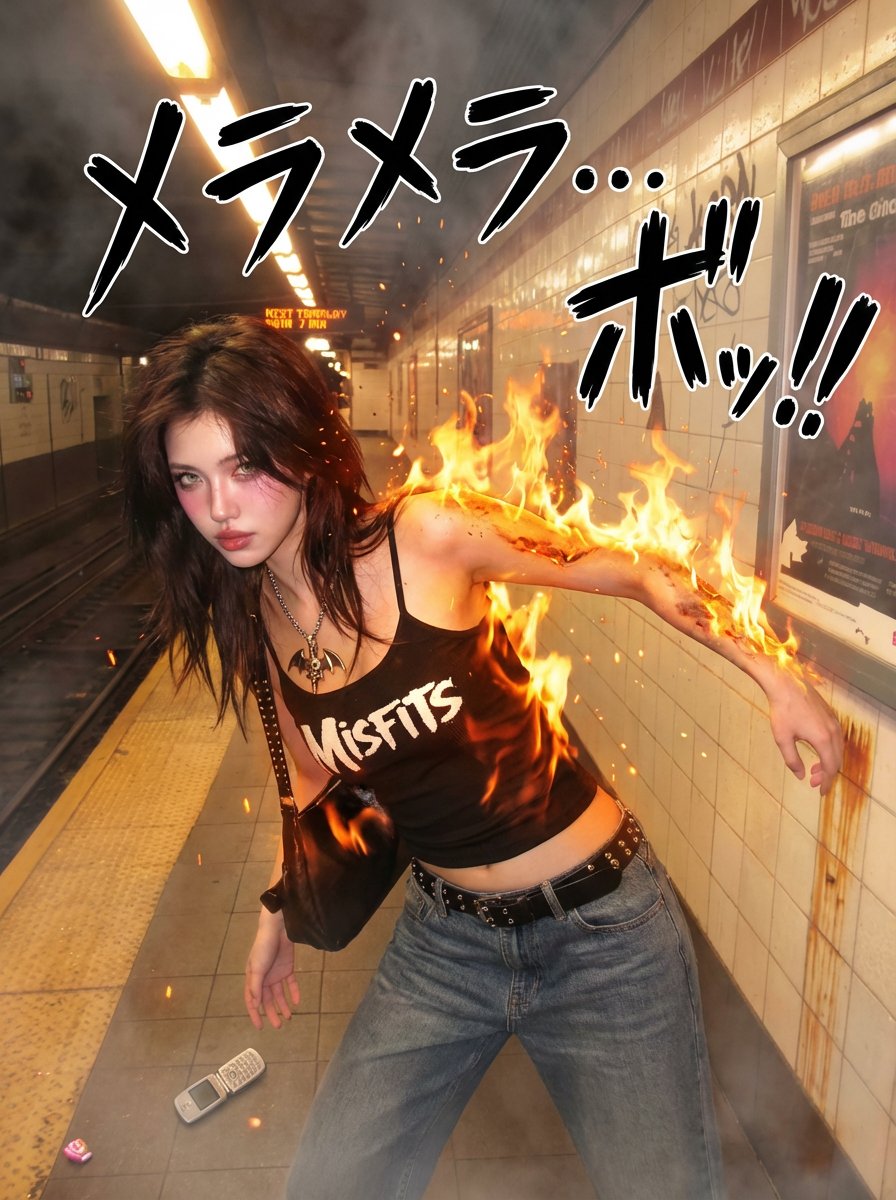
Prompt
{
  "version": "1.0",
  "description": "Transform a real person in a photo into a One Piece-style Devil Fruit ability user: dynamic pose, dramatic camera angle, ability-specific SFX, and a photorealistic manifestation of the specified Devil Fruit’s power.",
  "variables": {
    "DEVIL_FRUIT_NAME": {
      "type": "string",
      "value": "<<DEVIL FRUIT NAME>>",
      "description": "The canonical Devil Fruit name whose ability should be interpreted and applied to the subject (e.g., Gum-Gum Fruit, Flame-Flame Fruit, Ice-Ice Fruit, Sand-Sand Fruit, Rumble-Rumble Fruit, Flower-Flower Fruit, Dark-Dark Fruit, Paw-Paw Fruit, etc.)."
    }
  },
  "steps": [
    {
      "name": "DEVIL_FRUIT_ABILITY_EDIT",
      "goal": "Apply a dynamic One Piece-style pose, dramatic camera angle, ability-specific manga SFX, and a photorealistic manifestation of the specified Devil Fruit’s ability.",
"instructions": "Use the uploaded photo as the base.\n\nKeep the person photorealistic (eyes, face, skin texture, hair, makeup). Do NOT convert the scene into manga. Do NOT replace the background.\n\n=====================================\nDEVIL FRUIT ABILITY TRANSFORMATION\n=====================================\nInsert your Devil Fruit name here: {argument name="Devil Fruit Name" default="[DEVIL_FRUIT_NAME]"}\n\nInterpret the canon ability of [DEVIL_FRUIT_NAME] realistically and apply it to the body or surrounding environment. The effect must look like a live-action One Piece movie.\n\nExamples:\n- Gum-Gum Fruit: stretched limbs, elastic skin, tension folds, rubber reflection\n- Flame-Flame Fruit: realistic flames, heat distortion, warm illumination\n- Ice-Ice Fruit: frost buildup, ice crystals, cold vapor\n- Rumble-Rumble Fruit: lightning arcs, photoreal sparks\n- Sand-Sand Fruit: sand disintegration, sandstorm motion\n- Flower-Flower Fruit: photoreal arms blooming from surfaces\n- Paw-Paw Fruit: shockwave compression ripples\n- Dark-Dark Fruit: gravitational distortion, dark smoke tendrils\n\nRules:\n- The face must remain recognizable.\n- Effects must integrate into real lighting and shadows.\n- No cartoon filters — supernatural physics must look real.\n\n=====================================\nONE PIECE-STYLE POSE TRANSFORMATION\n=====================================\nRepose the body into a dramatic battle pose:\n- wide stance, strong dynamic gestures\n- stretched arm for Gum-Gum, open palm for shockwave, ignition stance for flame, elemental charge-up for logias, etc.\n- clothing should deform."3f:T9dPrompt breakdown
- Subject
- photorealistic person with canon Devil Fruit power effects such as stretched limbs, frost crystals, or sand disintegration
- Style
- live-action One Piece movie aesthetic with manga SFX integrated realistically, no full manga conversion
- Lighting
- real lighting and shadows with integrated effects like heat distortion or cold vapor
- Composition
- dramatic camera angle, wide battle stance, strong gestures, and clothing deformation
Remix ideas
- Swap DEVIL_FRUIT_NAME to Flower-Flower Fruit to add photoreal arms blooming from surfaces around the subject
- Lower the camera angle and stretch one arm forward for a Gum-Gum Fruit tension-fold effect
- Add more gravitational distortion tendrils when using Dark-Dark Fruit while preserving recognizable facial details
Reference images
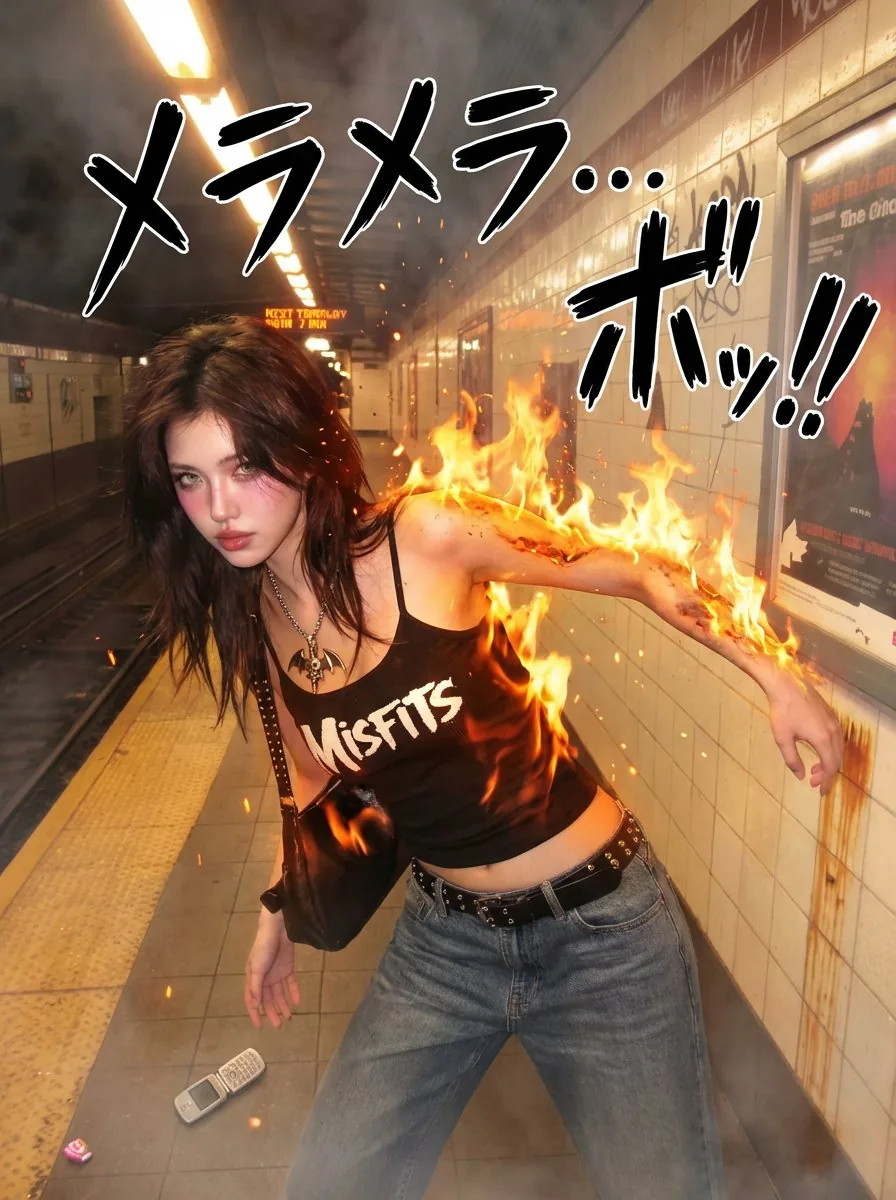
How to use this AI Image prompt template
 1
1Copy the prompt — grab this template’s prompt and negative prompt.  2
2Pick a model — choose a recommended AI model for the best match.  3
3Generate — open the studio with one click and create your result.
Related templates

Extreme Wide-Angle Perspective Transformation
Create a cinematic image of Extreme Wide Angle Perspective Transformation. Style: photorealistic. Composition: balanced and well-framed. Lighting: natural with cinematic mood. Category: cinematic-video. Reference: extreme-wide-angle-perspective-transformation-1291.

Image-to-Image Action Generation Template
Create a cinematic image of Image To Image Action Generation Template. Style: photorealistic. Composition: balanced and well-framed. Lighting: natural with cinematic mood. Category: cinematic-video. Reference: image-to-image-action-generation-template-9155.
Image-to-Image Clothing Swap Prompt
Create a creative image of Image To Image Clothing Swap Prompt. Style: photorealistic. Composition: balanced and well-framed. Lighting: natural with cinematic mood. Category: photography. Reference: image-to-image-clothing-swap-prompt-2563.

Ancient Painting to Fine-Art Photograph
Using REFERENCE_0 as source material, reinterpret the ink painting as a real, collectible fine-art photograph shot by a top photographer, not as an illustration. Transform the painted woman into a live-action model in the same seated musician concept, holding a real pipa vertically in front of her body and wearing tangible layered Hanfu fabrics that preserve the reference’s pale white, translucent aqua, and dark embroidered skirt impression. Keep the overall vertical composition and poetic garden mood, but make the setting physically real: a white plaster wall backdrop, a large textured Taihu scholar rock on the right and lower foreground, sparse grass at the rock base, and one flowering tree branch extending across the upper left. Preserve the vertical Chinese calligraphy and red seals on the upper-right wall as ink-like writing integrated into the scene. Use soft natural daylight, shallow but clear photographic realism, delicate spring colors, museum-quality styling, realistic fabric translucency, authentic hair ornaments, and a calm classical Chinese aesthetic. Keep exactly these visible added photographic elements: 1 seated live model, 1 pipa, 1 large scholar rock formation, 1 flowering branch, 1 grass clump, and 2 red seal stamps. Avoid making it look like a painting, CGI, fantasy concept art, or a direct flat reproduction; the final result should feel like a real photograph inspired by the ancient artwork. Optional customization: set the source mood as classical Chinese spring garden elegance (source mood), the instrument as pipa (instrument), the wardrobe palette as white, translucent aqua, and black embroidered silk (wardrobe palette), and the background setting as white plaster wall with Taihu scholar rock (background setting).39

Image-to-Image Transformation Test
Create a cinematic image of Image To Image Transformation Test. Style: photorealistic. Composition: balanced and well-framed. Lighting: natural with cinematic mood. Category: cinematic-video. Reference: image-to-image-transformation-test-2356.

Semi-Illustrated Fashion Photo Edit
Create a fashion image of Semi Illustrated Fashion Photo Edit. Style: photorealistic. Composition: balanced and well-framed. Lighting: natural with cinematic mood. Category: photography. Reference: semi-illustrated-fashion-photo-edit-20825.
Explore more prompts
Browse more AI image and video prompts by category.
FAQ
- How does the template handle different Devil Fruits?
- It interprets the canon ability like flame illumination for Flame-Flame Fruit or shockwave ripples for Paw-Paw Fruit and renders them as photoreal manifestations on the body or environment.
- Will the output work as a game asset?
- Yes, the cinematic framing, dynamic pose, and realistic effects are designed for game asset prototyping while keeping the subject photorealistic.