
Text to Image
Mecha Base Technical Spec Sheet — AI Image Prompt
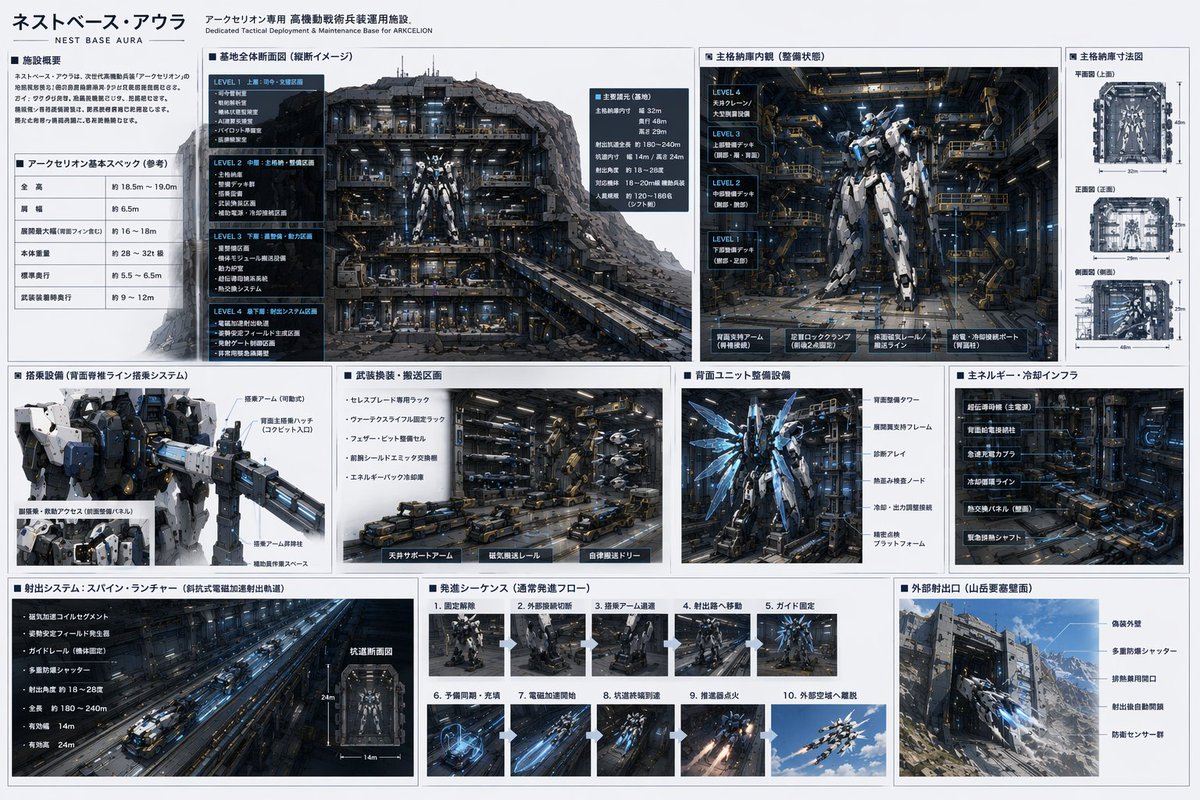
Generates a highly detailed, multi-panel infographic detailing the schematics, hangar, and launch sequence of a sci-fi mecha base. - AIPinMaker
Prompt
{
  "type": "sci-fi mecha base technical specification sheet",
  "style": "{argument name=\"ui theme\" default=\"technical schematic with dark grey panels and white text\"}",
  "header": {
    "title": "{argument name=\"base name\" default=\"ネストベース・アウラ\"}",
    "subtitle": "Dedicated Tactical Deployment & Maintenance Base for {argument name=\"mecha name\" default=\"アークセリオン\"}"
  },
  "layout": {
    "structure": "grid-based infographic with 3 main horizontal rows",
    "row_1": [
      {
        "title": "Facility Overview & Basic Specs",
        "content": "2 text blocks including a specification table with 5 rows"
      },
      {
        "title": "Base Overall Cross-section",
        "content": "Large cutaway view of the underground base showing 4 distinct levels (LEVEL 1 to LEVEL 4)"
      },
      {
        "title": "Main Hangar Interior",
        "content": "Front view of a {argument name=\"mecha color scheme\" default=\"white and blue\"} mecha in a maintenance bay, with 4 deck levels labeled on the left"
      },
      {
        "title": "Hangar Dimensions",
        "content": "3 orthographic wireframe-style views (Top, Front, Side) with dimension lines"
      }
    ],
    "row_2": [
      {
        "title": "Boarding Equipment",
        "content": "Close-up of the mecha's upper body and cockpit boarding arm"
      },
      {
        "title": "Weapon Transport Area",
        "content": "Detailed view of automated transport vehicles and magnetic rails"
      },
      {
        "title": "Rear Unit Maintenance",
        "content": "Back view of the mecha showing glowing blue thrusters and maintenance frames"
      },
      {
        "title": "Energy & Cooling Infrastructure",
        "content": "Dense machinery wall with pipes and super-conducting equipment"
      }
    ],
    "row_3": [
      {
        "title": "Launch System: Spine Launcher",
        "content": "Long perspective view of an electromagnetic catapult tunnel, plus 1 small cross-section diagram"
      },
      {
        "title": "Launch Sequence",
        "content": "Grid of 10 sequential images showing the mecha's launch process step-by-step"
      },
      {
        "title": "External Launch Port",
        "content": "Exterior view of the base built into a {argument name=\"base location\" default=\"Mountain fortress\"} wall, showing camouflage armor and blast doors"
      }
    ]
  }
}Prompt breakdown
- Subject
- Sci-fi mecha base technical specification sheet for ネストベース・アウラ supporting アークセリオン with mountain fortress exterior and 4-level underground cutaway
- Style
- Technical schematic infographic using dark grey panels and white text across grid-based rows with wireframe orthographic views
- Composition
- Three horizontal rows containing facility specs table, cross-section diagrams, 10-panel launch sequence grid, and external camouflaged blast doors
Remix ideas
- Change the mecha color scheme to matte black and crimson to match an alternate pilot faction
- Replace the mountain fortress setting with a volcanic caldera for different external port camouflage
- Extend the launch sequence grid from 10 to 15 panels to include pre-boarding prep steps
Reference images
How to use this AI Image prompt template
 1
1Copy the prompt — grab this template’s prompt and negative prompt.  2
2Pick a model — choose a recommended AI model for the best match.  3
3Generate — open the studio with one click and create your result.
Related templates
Neumorphic Smart UI Kit
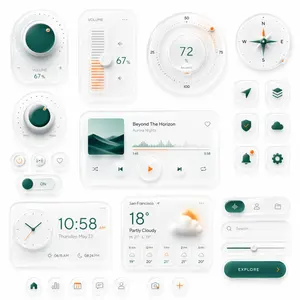
Create a premium neumorphic smart-home and media control UI kit on a clean light gray background, arranged as a balanced dashboard-style composition of floating rounded cards and circular controls with soft extruded shadows, subtle inner highlights, frosted white surfaces, and elegant teal-and-orange accents. The overall style is minimalist, futuristic, tactile, and highly polished, like a high-end mobile interface concept. Include exactly 18 discrete UI modules and icons: 1 large circular volume knob card in the upper left with a glossy deep teal center, dotted perimeter, plus and minus symbols, and the text “VOLUME 67%”; 1 vertical volume slider card with the label “VOLUME”, a white knob, orange level bars, small speaker icons, and “67%”; 1 large circular balance dial at the top center-right with numeric markings 25, 50, 75, 100, the central value “72%”, the label “BALANCE”, and a small orange indicator dot; 1 circular compass widget in the upper right with N, E, S, W labels, a metallic teal compass needle, and a small orange accent dot on the rim; 1 smaller circular min-max knob on the left middle with a teal center, textured white dial edge, orange indicator dot, and “MIN” and “MAX” labels; 3 small circular utility buttons beneath it in one row, showing a power symbol, a connectivity or wireless symbol, and a heart outline; 1 horizontal toggle switch below those buttons with a teal knob and the text “ON”; 1 large media player card in the center with a square album cover showing abstract layered teal dunes or waves, the track title “Beyond The Horizon”, the artist name “Aurora Nights”, a heart icon in the top right, a waveform progress display, timestamps “1:45” and “3:58”, and 4 playback controls along the bottom row: shuffle, previous, central orange play button, next, and repeat; 6 rounded-square app icons in two columns on the right side, arranged in 3 rows, showing exactly these symbols: paper plane arrow, stacked layers, shield with check mark, cloud, bell with a small orange notification dot, and gear; 1 rectangular clock card at the bottom left with a circular analog clock face, large digital time “10:58 AM”, the date line “Thursday, May 23”, and sunrise/sunset times “06:15 AM” and “08:24 PM”; 1 weather card at the bottom center with the location “San Francisco”, current temperature “18°”, condition “Partly Cloudy”, high/low “H: 21° L: 13°”, a large sun-behind-cloud illustration, and a 5-column hourly forecast labeled “11 AM”, “12 PM”, “1 PM”, “2 PM”, “3 PM”; 1 pill-shaped tab selector at the lower right with 3 tabs, where the left tab is active in teal with an audio waveform icon, and the other 2 tabs show a user icon and a folder icon; 1 search bar directly beneath it with a magnifying glass and placeholder text “Search...” ; 1 horizontal slider below the search bar with a teal progress line and a white knob; 1 large rounded CTA button at the bottom right reading “EXPLORE (button text)” with a right-facing orange arrow; and 5 circular bottom navigation icons centered along the bottom edge, showing home, bar chart, calendar with “23”, chat bubble, and user profile, plus 2 floating action buttons beside them: a camera icon and an orange plus sign. Use a restrained palette with white and very light gray surfaces, deep teal-green gradients for active states, and warm orange for highlights and notifications. Emphasize depth through soft ambient shadows, subtle bevels, glossy reflections, and realistic material rendering. Keep the layout spacious, symmetric but not rigid, and suitable for a luxury mobile app concept presentation.37:Tea0,Create a premium neumorphic smart-home and media control UI kit on a clean light gray background, arranged

Neural Network Architecture Diagram
Create a creative image of Neural Network Architecture Diagram. Style: photorealistic. Composition: balanced and well-framed. Lighting: natural with cinematic mood. Category: photography. Reference: neural-network-architecture-diagram-16509.

Programming Language Alphabet Prompt
Create a creative image of Programming Language Alphabet Prompt. Style: photorealistic. Composition: balanced and well-framed. Lighting: natural with cinematic mood. Category: photography. Reference: programming-language-alphabet-prompt-14373.

Neurons connection visualization
Create a infographic image of Neurons Connection Visualization. Style: photorealistic. Composition: balanced and well-framed. Lighting: natural with cinematic mood. Category: illustration. Reference: neurons-connection-visualization-15900.
Cinematic Engineering Infographic of USS Abraham Lincoln - Nano Banana Pro AI Prompt for Infographic / Edu Visual
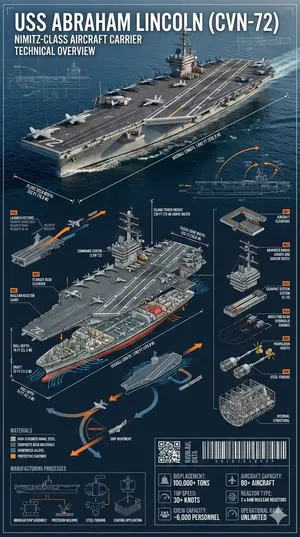
{ "prompt": { "subject": "{argument name=\"ship name\" default=\"USS Abraham Lincoln (CVN-72)\"}", "description": "Cinematic industrial engineering-style infographic of the USS Abraham Lincoln (CVN-72) at sea, matching the reference photo. Ultra-precise technical rendering of the aircraft carrier viewed from a dynamic angled perspective with accurate proportions, deck markings, surface textures, and structural realism identical to the reference.", "technical_elements": { "dimension_lines": ["overall length", "flight deck width", "hull depth", "draft", "island tower height"], "cross_section": ["flight deck structure", "hangar bay", "aircraft elevators", "nuclear reactors", "engine rooms", "crew compartments", "radar and command center"], "exploded_view": ["aircraft elevators", "radar arrays", "catapult systems", "arresting gear", "propulsion shafts", "internal structural framework"], "dynamic_diagrams": ["aircraft launch vectors", "ship movement arrows", "hydrodynamic flow around hull", "heat dissipation from reactors"], "materials": ["high-strength naval steel", "composite deck materials", "reinforced alloys", "protective coatings"], "manufacturing_processes": ["modular ship assembly", "precision welding", "steel forging", "coating application"], "part_numbering": "Industrial naval annotation style (Part N01, N02, etc)", "tech_data_panels": ["displacement", "top speed", "crew capacity", "aircraft capacity", "reactor type", "operational range"], "industrial_design_elements": ["QR-style naval data block", "barcode strip", "micro technical schematics"] }, "design_style": { "layout": "layered cinematic infographic with the carrier as the central hero and surrounding technical callouts", "color_palette": ["naval grey", "deep ocean blue", "white", "signal orange accents"], "background": "open ocean fading into horizon with subtle blueprint grid overlay", "typeface": "sharp industrial sans-serif with naval engineering annotation style", "lighting": "dramatic directional lighting with crisp highlights on the flight deck", "shadows": "controlled and sharp for technical clarity" }, "overall_vibe": "epic naval engineering poster blending cinematic realism with professional military technical documentation", "aspect_ratio": "9:16" } }

Graffiti Sketch Style Template
Create a creative image of Graffiti Sketch Style Template. Style: photorealistic. Composition: balanced and well-framed. Lighting: natural with cinematic mood. Category: photography. Reference: graffiti-sketch-style-template-13862.
Explore more prompts
Browse more AI image and video prompts by category.
FAQ
- What does the base cross-section display?
- A large cutaway reveals LEVEL 1 through LEVEL 4 of the underground Nest Base Aura structure with labeled decks and infrastructure.
- How are the hangar dimensions presented?
- Three orthographic wireframe views (Top, Front, Side) include dimension lines for the maintenance bay housing the white and blue Arc Serion.