
Text to Image
Material Transformation Physics Prompt — AI Image Prompt
A technical material transformation prompt for GPT Image 2 that uses mapping rules to realistically reconstruct objects in new materials while maintaining physical plausibility. - AIPinMaker
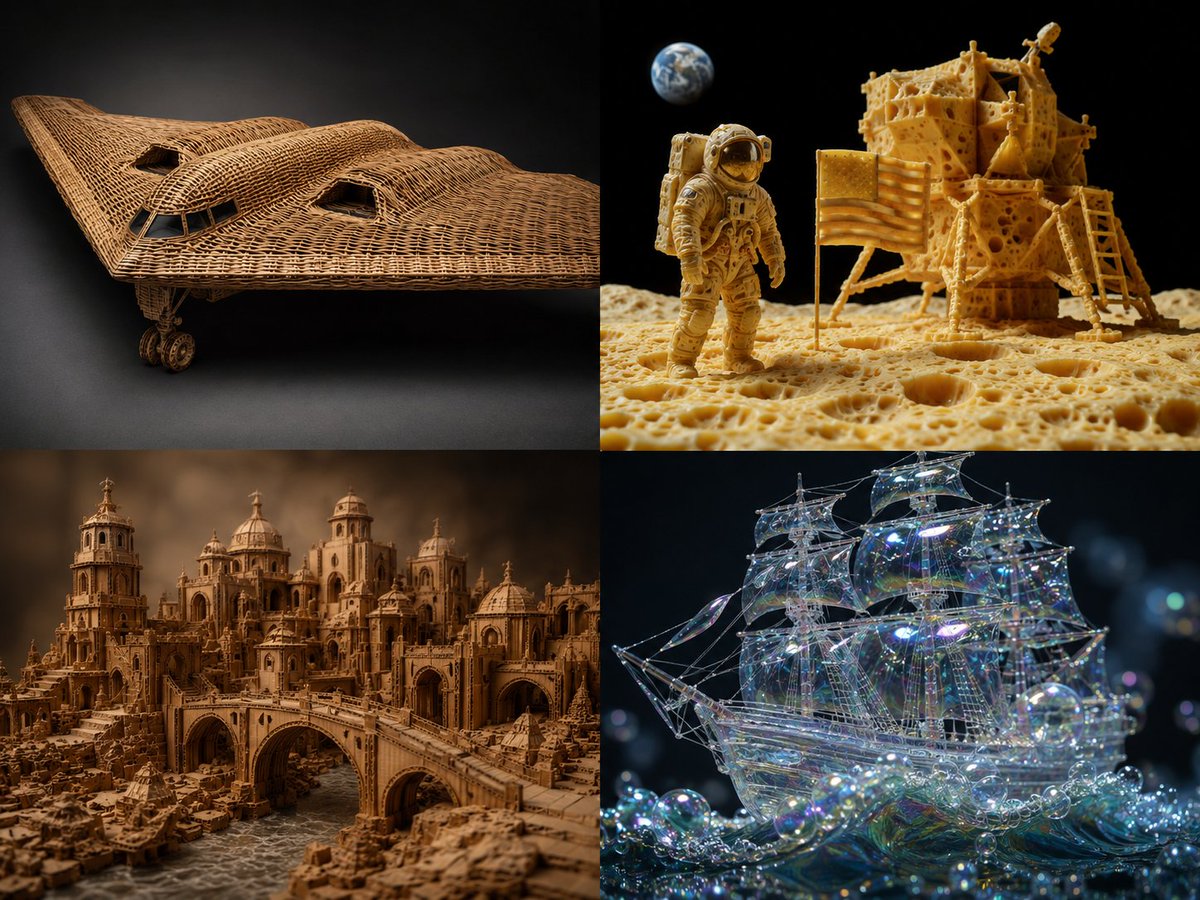
Prompt
2x2 grid, {argument name="source object" default="b2 plane, moon landing scene"}, 2 other complex scenes with 4 fun materials -> translation_solve(source_object → target_material): source = [object] target_mat = [material] mapping_rules: - source.primary_function → target_mat.equivalent_function_in_new_material - source.surface_detail → target_mat.characteristic_texture * 2.0 - source.joinery_method → infer(connection_type from target_mat.physics) - source.weight_distribution → target_mat.density_logic * 1.5 - source.color_scheme → infer(natural_palette from target_mat.typical_hues) render( subject = source reconstructed_in target_mat, realism = "material properties must be physically plausible" * 1.8, detail = "zoomed macro view showing material authenticity" * 1.6, context = "isolated on complementary background" * 1.2 ) + studio_product_photography - (photoshop_texture_overlay / 5) - (impossible_material_behavior / 4) example: "{argument name="example source" default="sports car"} → {argument name="example material" default="woven rattan"}"3c:T431,2x2 grPrompt breakdown
- Subject
- B-2 plane moon landing scene or sports car reconstructed in target materials like woven rattan
- Style
- studio product photography enforcing physically plausible material properties
- Composition
- 2x2 grid with each reconstruction isolated on complementary background
- Mood
- technical demonstration of material authenticity at macro scale
Remix ideas
- Replace the B-2 plane default with another aerospace object while keeping the moon landing context
- Swap woven rattan for a high-density material like forged titanium to test the 1.5x weight mapping
- Raise the texture multiplier from 2.0 to 3.0 on one cell to exaggerate characteristic surface details
Reference images
How to use this AI Image prompt template
 1
1Copy the prompt — grab this template’s prompt and negative prompt.  2
2Pick a model — choose a recommended AI model for the best match.  3
3Generate — open the studio with one click and create your result.
Related templates

Vehicle Biography Documentation Board Template
Create a creative image of Vehicle Biography Documentation Board Template. Style: photorealistic. Composition: balanced and well-framed. Lighting: natural with cinematic mood. Category: photography. Reference: vehicle-biography-documentation-board-template-5129.

NASA Spacecraft Hull in Orbit
A cinematic ultra-detailed close-up of a NASA spacecraft in low Earth orbit, viewed from very near the hull at a dramatic diagonal angle so the curved metallic body fills most of the frame from left foreground to right midground. The spacecraft exterior is brushed silver-gray metal with visible seams, access panels, latches, rivets, light scuffing, and realistic weathered texture. Prominently display the classic NASA meatball logo near the upper left area of the hull and large black stenciled mission text reading ASTRA-99 (mission code) across the side. Show the craft tapering toward a cylindrical engine or docking section on the far right. In the background, include the blue limb of Earth with white cloud patterns and a thin glowing atmospheric edge against deep black space. Lighting is hard sunlight from the upper right, creating crisp highlights, soft reflections on the metal, and deep shadow falloff along the lower hull. Photorealistic aerospace engineering, sharp focus on the spacecraft surface, high contrast, epic realism, premium sci-fi documentary style.

F1 Car Technical Design Sheet
Create a creative image of F1 Car Technical Design Sheet. Style: photorealistic. Composition: balanced and well-framed. Lighting: natural with cinematic mood. Category: photography. Reference: f1-car-technical-design-sheet-25403.

Crocheted Miniature Airport Diorama Prompt
Create a creative image of Crocheted Miniature Airport Diorama Prompt. Style: photorealistic. Composition: balanced and well-framed. Lighting: natural with cinematic mood. Category: photography. Reference: crocheted-miniature-airport-diorama-prompt-8513.
Cinematic Spacecraft Launch Video Prompt
Create a cinematic image of Cinematic Spacecraft Launch Video Prompt. Style: photorealistic. Composition: balanced and well-framed. Lighting: natural with cinematic mood. Category: cinematic-video. Reference: cinematic-spacecraft-launch-video-prompt-3845.
Horned Five-Tailed Leopard Beast
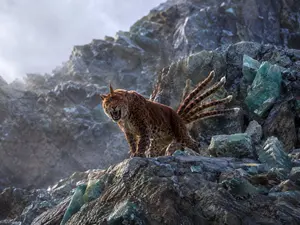
Create a museum-quality wildlife photograph of a mythical creature from ancient Chinese bestiary lore: a red leopard-like beast with one horn and five tails (creature description). The scene is a realistic high-altitude rocky mountain slope covered with dark gray fractured stone and scattered translucent blue-green crystal boulders. Place exactly one creature standing on a foreground ledge, facing slightly left toward the camera, body like a muscular spotted leopard with warm russet-brown fur, black rosettes, pale underbelly, powerful paws, and a single straight horn rising from the center of its forehead. Show exactly five long spotted tails fanning upward and backward behind it, each with a pale white tufted tip. The animal is snarling with its mouth open, teeth and tongue visible, ears alert, eyes intense, as if defending its territory. Use dramatic natural backlight from the upper left, cool misty mountain air, shallow atmospheric haze, rugged crystal-studded cliffs receding into the background, and highly detailed fur, stone, and mineral textures. Style it as a real photograph captured by a top National Geographic wildlife photographer using a telephoto lens, cinematic realism, crisp subject detail, natural color grading, no painterly effect, no illustration, no text, no humans, no watermark. Aspect ratio 4:3.
Explore more prompts
Browse more AI image and video prompts by category.
FAQ
- How does the prompt prevent unrealistic results in the grid?
- It subtracts photoshop texture overlays and impossible material behavior while requiring 1.8x realism and inferring joinery directly from each target material's physics.
- What role do the five mapping rules play when changing a source like the sports car?
- They translate primary function, double surface texture, infer connections, scale weight by density, and derive color schemes from the new material's typical hues before rendering.