
Text to Image
MacBook Webcam Window Photo — AI Image Prompt
Generates a realistic phone photo of a MacBook screen with a macOS webcam window and blurred face, useful for social posts or UI realism tests. - AIPinMaker
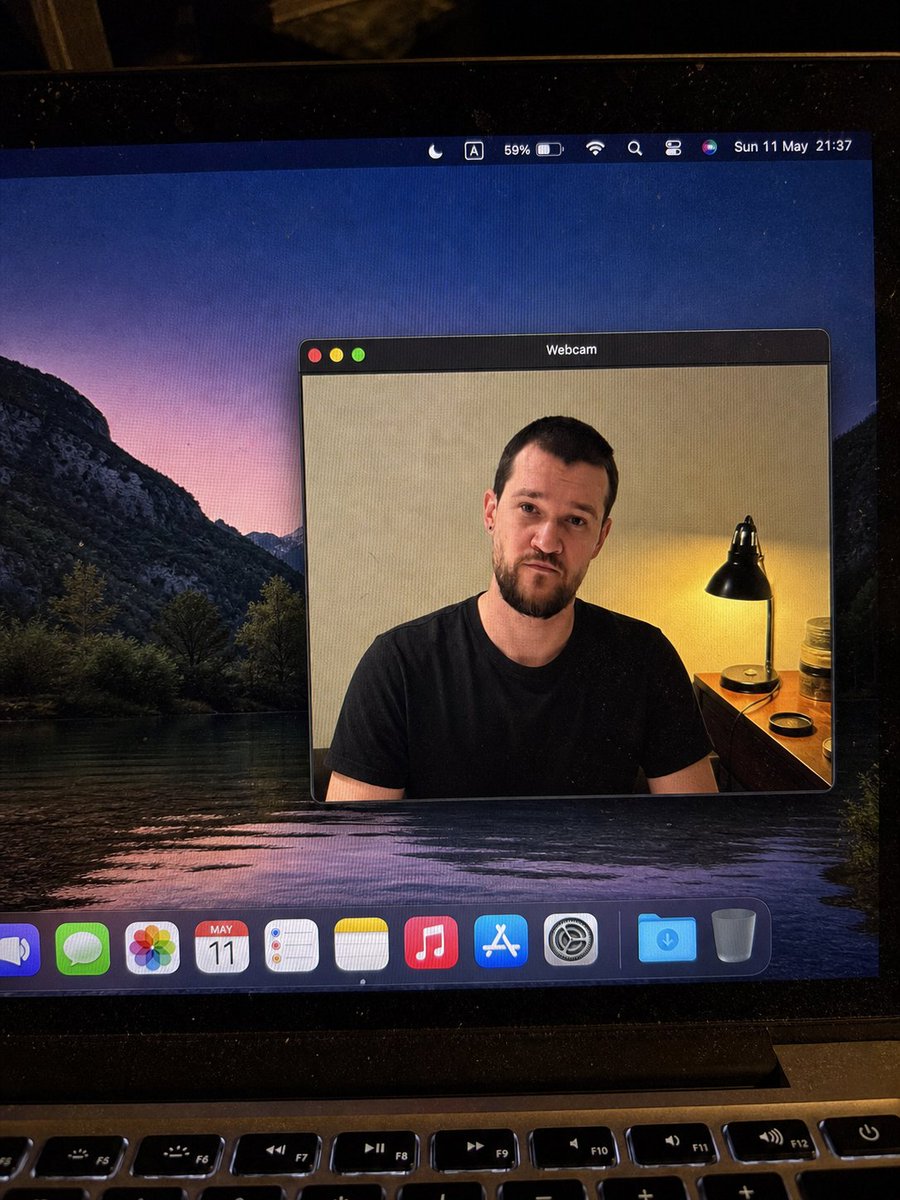
Prompt
{"type":"realistic handheld smartphone photo of a laptop screen","scene":"A slightly tilted close-up photo of a MacBook display in a dim room, with visible screen pixels, dust specks, glare, black bezel edges, and the top row of physical keyboard keys at the bottom. The desktop wallpaper shows a dark mountain lake landscape at dusk with purple-pink sky reflected in water.","main_subject":{"description":"A macOS-style floating window titled {argument name=\"window title\" default=\"Webcam\"} centered on the desktop, showing a webcam feed of {argument name=\"person description\" default=\"a seated adult man in a plain black t-shirt\"}. The person's face is intentionally covered by a smooth rectangular blur/mosaic block in warm skin-tone colors, hiding all facial details while leaving hair, ears, neck, shoulders, and shirt visible.","webcam_background":"Indoor beige wall, warm bedside lamp on the right with a black metal shade, small wooden table or dresser, jars and a round lid near the lamp. The lighting is warm and yellow from the lamp, contrasting with the cool desktop wallpaper.","pose":"front-facing seated posture, shoulders visible, casual neutral stance"},"layout":{"screen_elements":{"top_menu_bar":{"count":8,"items":["crescent moon focus icon","boxed letter A input icon","59% battery indicator","Wi-Fi icon","magnifying glass search icon","control center style icon","Siri multicolor orb","date and time text: {argument name=\"menu bar date and time\" default=\"Sun 11 May 21:37\"}"]},"webcam_window":{"position":"center-right of the display","style":"dark macOS title bar, rounded rectangle, thin gray border, realistic shadow","traffic_light_buttons":{"count":3,"colors":["red","yellow","green"]}},"dock":{"position":"bottom of the screen","count":11,"items":["partially cropped blue speaker or volume app icon","green Messages icon","multicolor Photos icon","Calendar icon showing {argument name=\"calendar date\" default=\"MAY 11\"}","Reminders icon","Notes icon","Music icon","App Store icon","System Settings gear icon","blue Downloads folder","Trash can"]}},"camera_framing":"portrait-oriented phone photo of the laptop, not a clean screenshot; the screen is photographed at a slight angle with the laptop hinge and keyboard visible.","style":"highly realistic, candid, imperfect phone-camera capture, natural noise, subtle moire pattern on the monitor, no illustration or CGI look","quality_constraints":"Keep all UI text legible where visible, preserve the blurred face rectangle, avoid extra windows or extra people, maintain realistic reflections and perspective."}Prompt breakdown
- Subject
- MacBook display with centered macOS webcam window titled Webcam showing blurred-face man in black t-shirt on mountain lake dusk wallpaper
- Style
- highly realistic handheld smartphone photo with natural noise, moire pattern on pixels, dust specks and imperfect angled capture
- Lighting
- dim room lit by warm yellow bedside lamp with black metal shade contrasting cool purple-pink wallpaper tones
- Composition
- slightly tilted portrait phone framing of screen with black bezel edges, top keyboard keys visible at bottom, window center-right with dark title bar and traffic lights
- Mood
- casual neutral seated posture with anonymity from the rectangular facial blur
Remix ideas
- Change menu bar time to Mon 12 May 23:14 while keeping the crescent moon focus icon
- Shift webcam window slightly left and enlarge the skin-tone blur rectangle to cover more of the hairline
- Replace dock Calendar date with JUN 02 and add a visible reflection of the black metal lamp on the screen bezel
Reference images
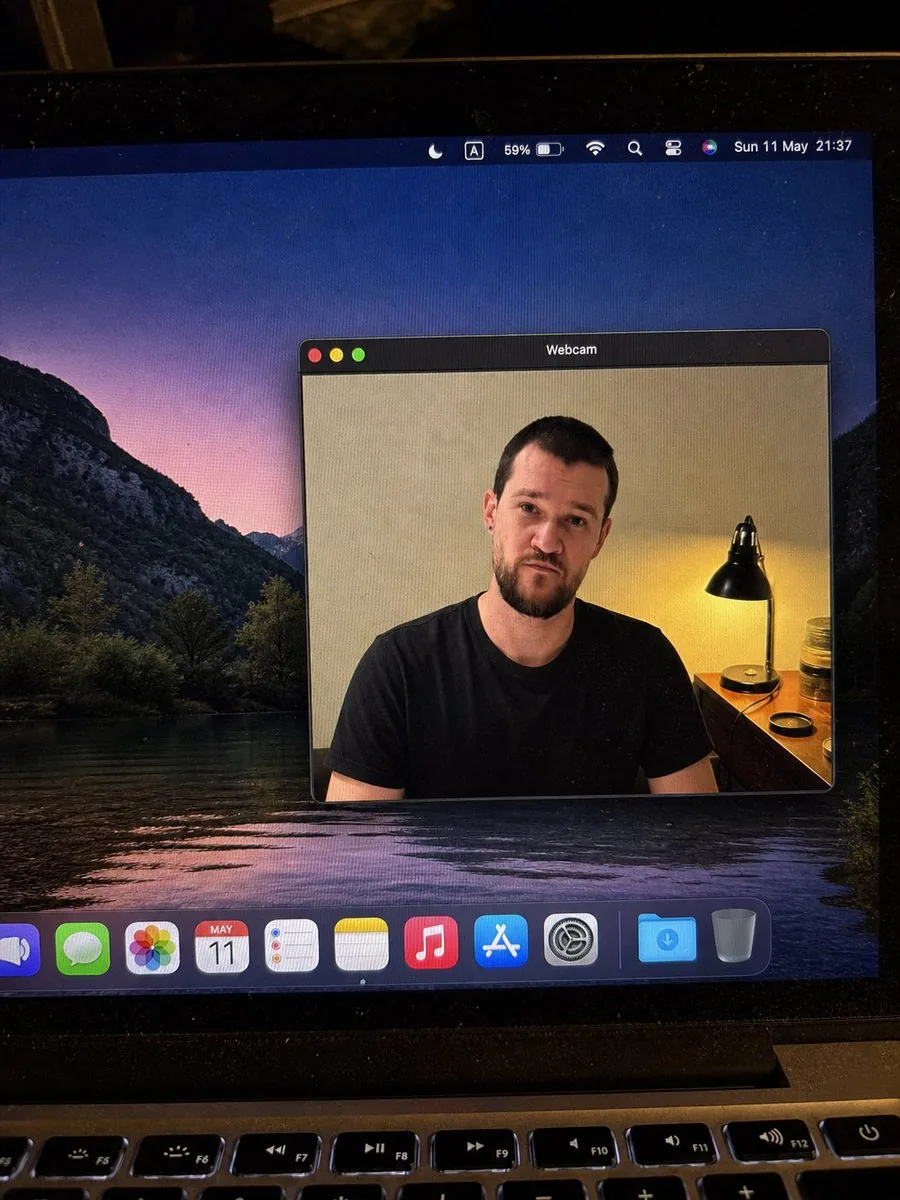
How to use this AI Image prompt template
 1
1Copy the prompt — grab this template’s prompt and negative prompt.  2
2Pick a model — choose a recommended AI model for the best match.  3
3Generate — open the studio with one click and create your result.
Related templates

Digicam Style Urban Streetwear Shot
Create a creative image of Digicam Style Urban Streetwear Shot. Style: photorealistic. Composition: balanced and well-framed. Lighting: natural with cinematic mood. Category: photography. Reference: digicam-style-urban-streetwear-shot-17228.
Luxury Penthouse Executive at Night
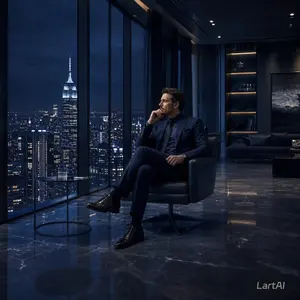
Create a cinematic photorealistic scene of a successful businessman (subject) sitting alone in a sleek black leather lounge chair inside a luxurious high-rise penthouse office at night. He wears a deep navy tailored suit (suit color), dark dress shirt, polished black shoes, and a wristwatch, seated with legs crossed while holding a phone to his ear in a calm, focused pose. His face is softly obscured and anonymous. Floor-to-ceiling windows dominate the left side, revealing a dramatic nighttime New York City skyline with the Empire State Building brightly lit (city skyline) under a dark blue stormy sky. A small round glass side table with a tumbler of water sits beside him. The interior is dark, modern, and expensive, with glossy black marble floors reflecting the city lights, recessed ceiling spotlights, a sofa in the background, illuminated shelving, and a large moody abstract wall artwork. Use low-key lighting, deep blue and charcoal tones, crisp reflections, high contrast, realistic architectural photography, executive luxury atmosphere, quiet success, solitude, ambition, 16:9 square-cropped composition, ultra-detailed, GPT Image 2 photorealism.

Fortified NYPL Survivor Scene
Create a vertical 9:16 cinematic photorealistic street scene in Manhattan, shot from a low angle on the steps of the New York Public Library Main Branch on an overcast, blustery afternoon. In the foreground, place a lone tactical survivor, unnamed man (character name), sitting exhausted on the stone steps, wearing all-black urban combat clothing: dark jacket, tactical vest, gloves, cargo pants, backpack straps, and a sheathed katana or long sword strapped vertically over his back. His face should be obscured by a flat dark rectangular censor block, while his black hair and ears remain partly visible. The library facade fills the right side: tall Beaux-Arts columns, arched entrance, carved stone details, steps, and a fortified barricade of tan sandbags stacked beside boarded-up wooden doors. The left side opens into a long avenue canyon of tall New York buildings, abandoned cars, scattered debris, dust in the air, and a damaged or overturned dark vehicle in the midground. Use muted gray daylight, cold desaturated colors, gritty realism, slight haze, dramatic depth, documentary-style composition, and a silent post-crisis atmosphere. Include exactly one seated survivor, one visible sword, one sandbag barricade, one boarded entrance, multiple abandoned vehicles in the background, and no readable added text or logos.

Cinematic Noir Night Street Walk
Create a cinematic image of Cinematic Noir Night Street Walk. Style: photorealistic. Composition: balanced and well-framed. Lighting: natural with cinematic mood. Category: cinematic-video. Reference: cinematic-noir-night-street-walk-24241.

Monochrome Fashion Editorial Triptych (Male)
Create a fashion image of Monochrome Fashion Editorial Triptych Male. Style: photorealistic. Composition: balanced and well-framed. Lighting: natural with cinematic mood. Category: photography. Reference: monochrome-fashion-editorial-triptych-male-10224.

Photorealistic Student Dorm Room Scene
Create a photorealistic documentary-style image of a quiet student dormitory bedroom in the evening, shot from a low side angle at bed height with natural indoor lighting. A teenage (student age) male student is lying face-down across a single wooden bed, fully clothed in a white and royal blue (school uniform colors) short-sleeve athletic school uniform with matching blue shorts. His head and upper body face toward the wall side of the bed, his face is intentionally obscured with a rectangular blur, and his lower legs are bent upward behind him with both feet wearing plain white ankle socks. The room feels realistic and lived-in: a blue-gray plaid duvet covers the bed, a pair of white sneakers sits neatly on the tile floor beside the bed, a wooden desk and bookshelf with books, stationery cups, a desk lamp, and a blue office chair appear on the left, while the back wall has a dark wooden door, wall hooks holding two hanging jackets, a large colorful map, and a small orange certificate or notice. Include exactly 1 student, 1 bed, 1 pair of white sneakers, 1 desk, 1 chair, 1 bookshelf, 1 desk lamp, 2 hanging jackets, 1 wall map, and 1 orange wall certificate. Use a realistic camera look with soft shadows, muted dorm-room colors, slight wide-angle perspective, and no stylization, no glamour lighting, no extra people, no visible text emphasis, and no watermark.
Explore more prompts
Browse more AI image and video prompts by category.
FAQ
- Why does the webcam feed show a blurred face instead of full details?
- The prompt intentionally applies a smooth rectangular mosaic block in warm skin-tone colors over the man's face while preserving hair, ears, neck, shoulders and black t-shirt.
- What makes this different from a clean screenshot?
- The framing is a portrait-oriented phone photo taken at a slight angle, revealing the MacBook hinge, physical keyboard top row, screen glare, dust and moire that only appear when photographing an actual display.