
Text to Image
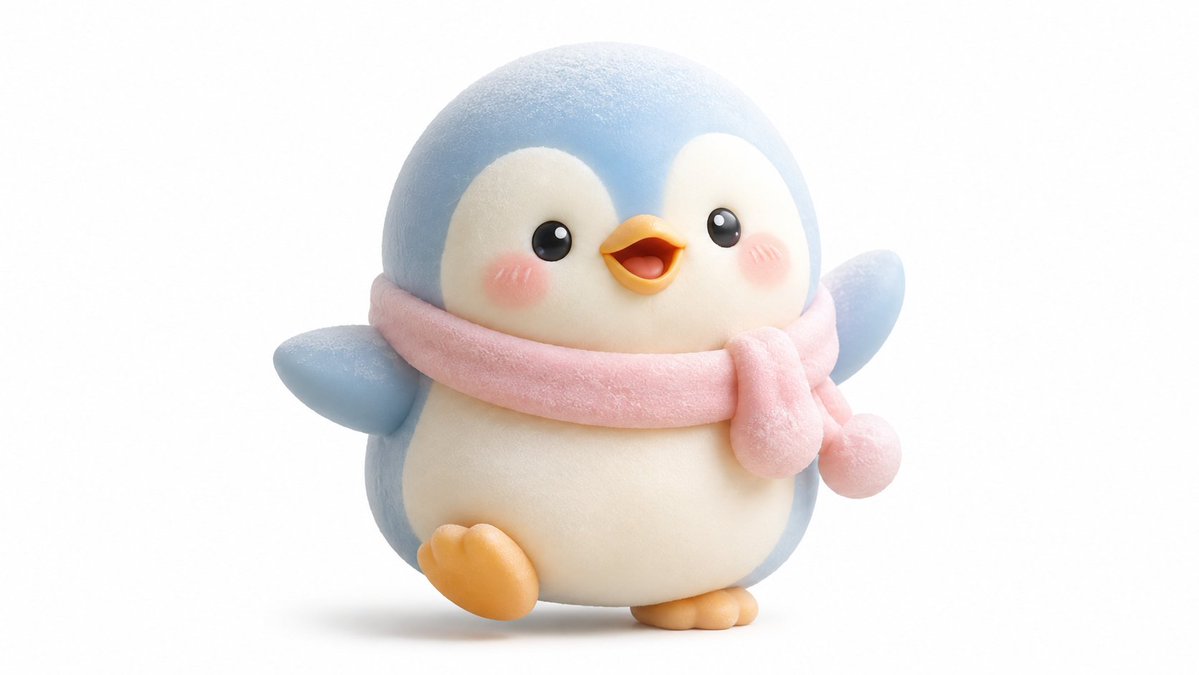
Kawaii Mochi 3D Toy Character — AI Image Prompt
A customizable template for generating adorable, squishy 3D characters in a Japanese-inspired toy aesthetic with pastel tones. - AIPinMaker
Prompt
Create a anime image of Kawaii Mochi 3d Toy Character. Style: photorealistic. Composition: balanced and well-framed. Lighting: natural with cinematic mood. Category: anime. Reference: kawaii-mochi-3d-toy-character-23424.
Prompt breakdown
- Subject
- Kawaii Mochi 3D Toy Character
- Style
- Photorealistic anime
- Lighting
- Natural with cinematic mood
- Composition
- Balanced and well-framed
- Mood
- Cinematic
Remix ideas
- Shift the mochi toy's color to a translucent matcha green while retaining photoreal skin texture
- Tighten the frame to a three-quarter view that emphasizes the 3D toy's stubby limbs
- Introduce faint steam wisps rising from the mochi to suggest warmth without breaking the anime-photoreal hybrid
Reference images
How to use this AI Image prompt template
 1
1Copy the prompt — grab this template’s prompt and negative prompt.  2
2Pick a model — choose a recommended AI model for the best match.  3
3Generate — open the studio with one click and create your result.
Related templates
Retro Snowy Tactical Selfie
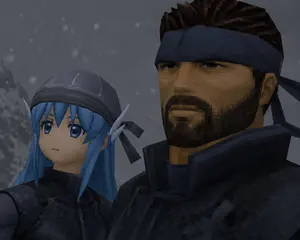
Create a low-resolution retro 3D video game cutscene-style close-up selfie of exactly two characters standing shoulder to shoulder in a snowy, gray mountain environment. Use a dark, moody PlayStation 1 / early PlayStation 2 aesthetic with visible polygonal geometry, blocky textures, jagged edges, muted lighting, and a 4:3 aspect ratio. The left character is a petite blue-haired elf girl named Yuki (left character) with long bright blue hair, pointed elf ears, a dark stitched cap or hood with black ribbon ties, and black tactical clothing; her face is deliberately covered by one opaque square censor block in a cool gray-blue tone. The right character is a rugged Solid Snake-like soldier (right character) with spiky dark brown hair, a navy headband tied at the back, tan skin, and bulky black tactical armor with a high collar; his face is deliberately covered by one larger opaque square censor block in a dark brown-black gradient. The composition is an intimate upward-angled close-up, with the left character lower and partly cropped on the left side, and the right character taller, dominating the right side and cropped at the top. Add a cold foggy background with a blurred snowy slope on the far left and exactly two visible face-covering censor squares, one over each character. Include soft falling snow made of small square pixel-like flakes scattered through the background. Keep the image dark, cinematic, and intentionally imperfect, like a captured frame from an old stealth-action game.
Toy Keychain vs Real Life Comparison
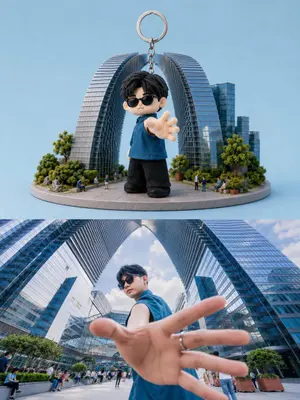
Create a split-screen composition showing a realistic collectible keychain figure and its real-life inspiration. Top half: a cute chibi-style 3D miniature keychain character with oversized head, black messy hair, black sunglasses, blue sleeveless shirt, black pants, and soft plush-texture details (character look). The character is standing with one hand reaching toward the camera in a dynamic perspective pose. Attach a metallic keyring chain above the figure. Place the toy on a circular miniature city platform with tiny people, trees, and modern futuristic skyscrapers forming a giant arch structure (miniature environment) behind him. Clean pastel blue studio background, soft lighting, highly detailed toy photography, premium collectible aesthetic, shallow depth of field. Bottom half: realistic cinematic wide-angle photo of the same young man in the exact same pose and outfit (subject), standing between giant modern glass skyscrapers with arch-shaped architecture. Extreme perspective with the hand close to the lens, dramatic low-angle composition, natural daylight, urban luxury atmosphere, ultra realistic photography, vibrant reflections on glass buildings, depth and realism. Style contrast between adorable stylized toy render and real-life cinematic photography. Ultra detailed, high quality, 9:16 vertical composition.
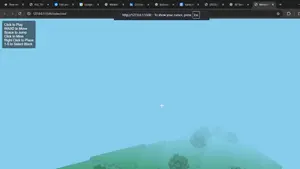
Three.js survival-mode replica of Minecraft
design a full survival mode replica of minecraft (game_name) with threejs (tech_stack)

Voxel Cat Robot Concept Sheet
Create a creative image of Voxel Cat Robot Concept Sheet. Style: photorealistic. Composition: balanced and well-framed. Lighting: natural with cinematic mood. Category: photography. Reference: voxel-cat-robot-concept-sheet-21909.

Minimal Isometric 3D Perspective
Depict [SUBJECT] (subject) in a minimal isometric perspective, using simplified 3D forms, soft pastel colors, and gentle lighting. Subtle holographic fitness data floats nearby in a soft, minimal park setting. The environment feels futuristic but friendly, highly organized, uncluttered, and visually calming, like a mindful tech-assisted lifestyle moment. Use smooth surfaces, soft gradients, and a clean background with no text or logos.

Voxel Goblin Warrior
Create a high-quality voxel art 3D render of a single fantasy goblin warrior character, centered on a clean off-white studio background. The character is built entirely from visible cube blocks in a Minecraft-like voxel style, with crisp grid-aligned geometry, soft ambient occlusion, and subtle studio shadows under the feet. Show the goblin in a three-quarter front view, standing upright with a slightly hunched, mischievous posture. The goblin has olive green (skin color) skin, a large square head, long pointed ears extending horizontally, dark heavy brow ridges, narrow yellow eyes, a protruding tan blocky nose, two small lower tusks, and a stern grumpy expression. Outfit details: a dark brown sleeveless vest, a brown ragged loincloth skirt, a simple belt with tan hanging strips, wrist wraps, ankle wraps, and a small bone or tooth pendant necklace. The left hand grips one large crude wooden club made of stacked brown voxel blocks, held upright beside the body; the right hand hangs open in a curled blocky claw shape. Use earthy colors, realistic voxel lighting, bevel-free cubic forms, detailed layered block construction, and a polished game-character collectible render look. No text, no watermark, no extra characters, no environment props beyond the ground shadow.
Explore more prompts
Browse more AI image and video prompts by category.
FAQ
- How does photorealism change the usual anime treatment of a kawaii mochi toy?
- It adds realistic subsurface scattering and slight surface imperfections to the mochi's body, making the character read as a physical collectible rather than flat 2D art.
- What does the balanced composition achieve for this specific character?
- It positions the mochi toy's oversized head and tiny limbs symmetrically so the eye stays on the central form while still allowing natural light to sculpt depth across its rounded surfaces.