
Text to Image
Japanese Office Horror Game Screenshot — AI Image Prompt
This prompt generates a realistic first-person survival horror game scene in a dark Japanese office, suitable for mock game screenshots and eerie ambient promotional art. - AIPinMaker
Prompt
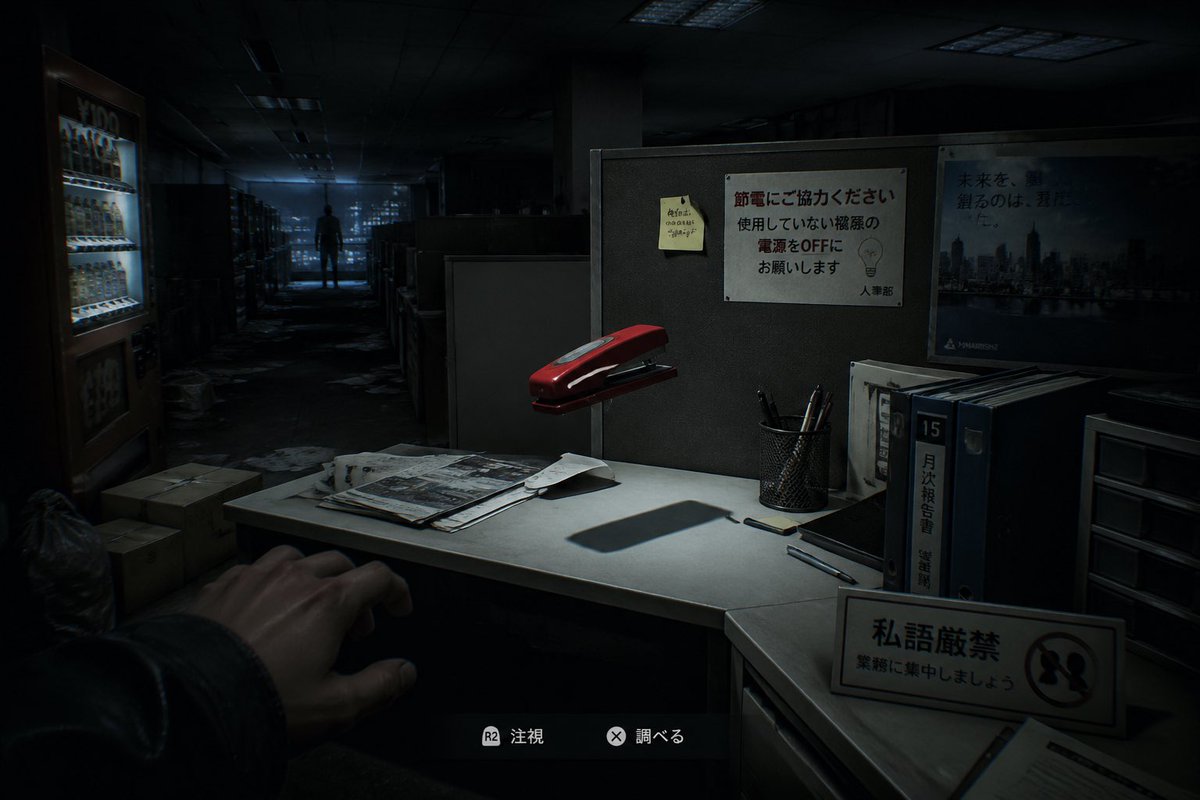
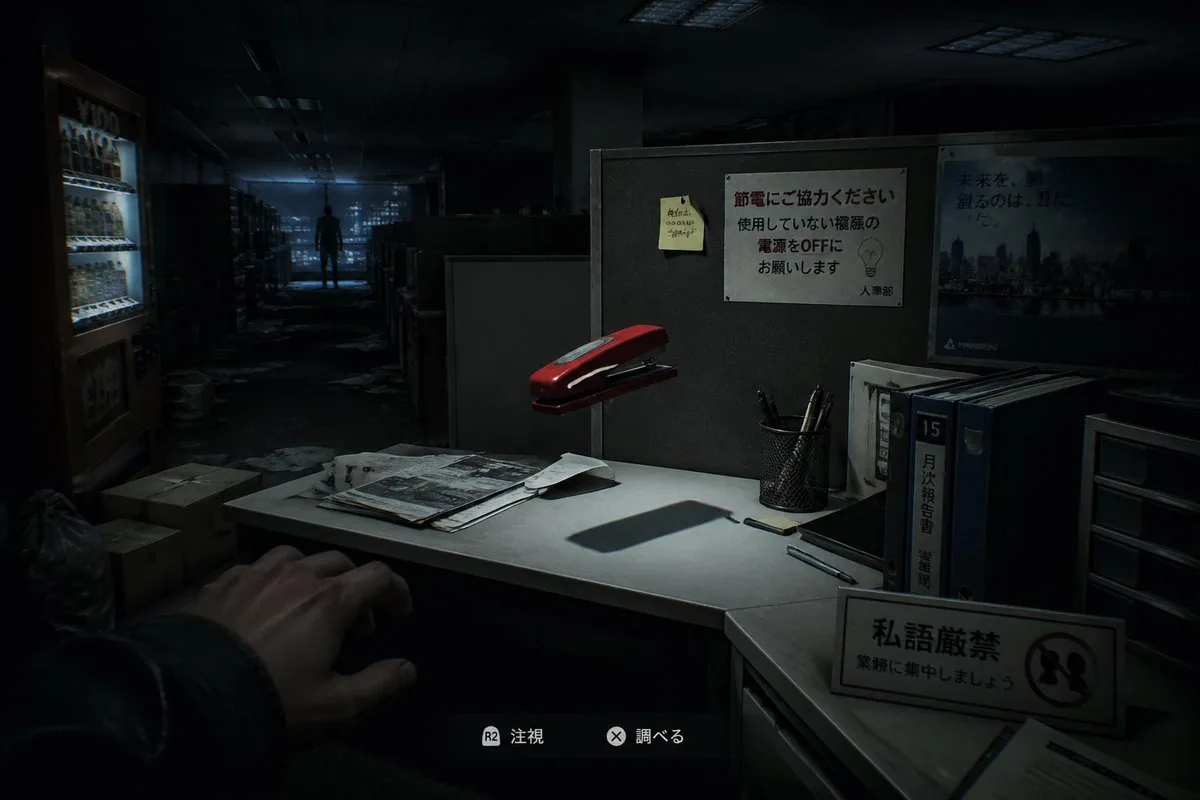
A first-person survival horror game screenshot set in a dark abandoned Japanese office at night, viewed from the player’s eye level as if standing beside a cubicle desk. In the lower left foreground, show 1 outstretched human hand reaching cautiously into frame. The central foreground is a small white office desk lit by a harsh focused overhead light, creating deep shadows and a tense cinematic atmosphere. On the desk place exactly 7 visible desktop elements: 1 red stapler floating slightly above or oddly hovering over the desk, 1 messy stack of papers and newspapers, 1 loose folded sheet, 1 black smartphone, 2 pens lying separately, and 1 black mesh pen cup holding several pens. Behind the desk is a gray cubicle wall with exactly 3 posted items: 1 yellow sticky note with handwritten Japanese scribbles, 1 white Japanese office notice about saving electricity with a simple lightbulb illustration, and 1 blue corporate cityscape poster with Japanese text. On the right side of the desk area place exactly 4 upright office storage items: 3 thick binders or file books, one with a prominent label reading 15 and another with Japanese vertical text, plus 1 small plastic drawer unit. In the front-right foreground place 1 freestanding desk sign with Japanese text and a prohibition symbol. In the left background show 1 brightly lit vending machine glowing cold white-blue, with a few cardboard boxes and trash bags on the floor nearby. The office extends into a long aisle of cubicles and shelves, cluttered with scattered papers on the floor, fading into darkness. In the far center background, place 1 lone human silhouette standing motionless at the end of the corridor, backlit by dim bluish window light from the distant city. Add subtle game HUD elements at the bottom center with 2 interaction prompts in Japanese, each with a controller button icon, to make it unmistakably a modern horror video game screenshot. Use realistic 3D rendering, ultra-detailed environmental storytelling, moody blue-black color grading, soft volumetric darkness, strong contrast, eerie empty office ambience, and a sense of meaningless but unsettling supernatural presence.3c
Prompt breakdown
- Subject
- First-person view beside a cubicle desk in an abandoned Japanese office, featuring an outstretched hand, hovering red stapler, seven exact desktop objects, three wall postings, four storage items, vending machine, and distant silhouette
- Style
- Realistic 3D rendering with ultra-detailed environmental storytelling and subtle modern horror game HUD elements including Japanese prompts and controller icons
- Lighting
- Harsh focused overhead desk light creating deep shadows, cold white-blue vending machine glow, dim bluish window light on the silhouette, and moody blue-black color grading with soft volumetric darkness
- Composition
- Eye-level player perspective with foreground hand and desk sign, central desk as focal point, layered right-side binders and left-background vending machine, aisle leading to far-center silhouette
- Mood
- Tense cinematic atmosphere with eerie empty office ambience and unsettling supernatural presence suggested by the hovering stapler amid scattered papers
Remix ideas
- Replace the hovering red stapler with a floating black keyboard while keeping the other six desk items unchanged
- Move the brightly lit vending machine closer to the desk area and add more cardboard boxes around its base
- Change the far silhouette to face slightly toward the viewer while retaining the blue window backlighting and HUD prompts
Reference images
How to use this AI Image prompt template
 1
1Copy the prompt — grab this template’s prompt and negative prompt.  2
2Pick a model — choose a recommended AI model for the best match.  3
3Generate — open the studio with one click and create your result.
Related templates
Vintage Dracula Book
Create a creative image of Vintage Dracula Book. Style: photorealistic. Composition: balanced and well-framed. Lighting: natural with cinematic mood. Category: photography. Reference: vintage-dracula-book-5566.

Oddly Terrifying Everyday Photo Prompt
Create a creative image of Oddly Terrifying Everyday Photo Prompt. Style: photorealistic. Composition: balanced and well-framed. Lighting: natural with cinematic mood. Category: photography. Reference: oddly-terrifying-everyday-photo-prompt-11275.

Chiaroscuro Baroque Elegance
Create a creative image of Chiaroscuro Baroque Elegance. Style: photorealistic. Composition: balanced and well-framed. Lighting: natural with cinematic mood. Category: photography. Reference: chiaroscuro-baroque-elegance-4204.

Red Motion Blur Silhouette
Create a creative image of Red Motion Blur Silhouette. Style: photorealistic. Composition: balanced and well-framed. Lighting: natural with cinematic mood. Category: photography. Reference: red-motion-blur-silhouette-23334.

Make photos look bad with specified GPS coordinates
Create a creative image of Make Photos Look Bad With Specified Gps Coordinates. Style: photorealistic. Composition: balanced and well-framed. Lighting: natural with cinematic mood. Category: photography. Reference: make-photos-look-bad-with-specified-gps-coordinates-707.

Cinematic Tactical Command Scene
Create a cinematic image of Cinematic Tactical Command Scene. Style: photorealistic. Composition: balanced and well-framed. Lighting: natural with cinematic mood. Category: cinematic-video. Reference: cinematic-tactical-command-scene-13632.
Explore more prompts
Browse more AI image and video prompts by category.
FAQ
- Why include exactly seven desktop items and three wall postings on the cubicle?
- The precise count forces the AI to render a believable yet cluttered Japanese office space that feels lived-in before abandonment, heightening the contrast with the hovering stapler and distant silhouette.
- How do the Japanese HUD prompts affect the final image?
- Placing two interaction prompts with controller icons at the bottom center instantly signals this is a modern survival horror game screenshot rather than a generic photo, reinforcing the first-person player perspective.