
Text to Image
Hyper-Realistic Cat Photograph — AI Image Prompt
A highly detailed prompt focused on generating an ultra-photorealistic image of a domestic cat, specifying minute details like fur texture, eye reflections, skin imperfections, camera settings (85mm lens, f/1.8), and lighting to achieve studio-quality realism without any stylization. - AIPinMaker
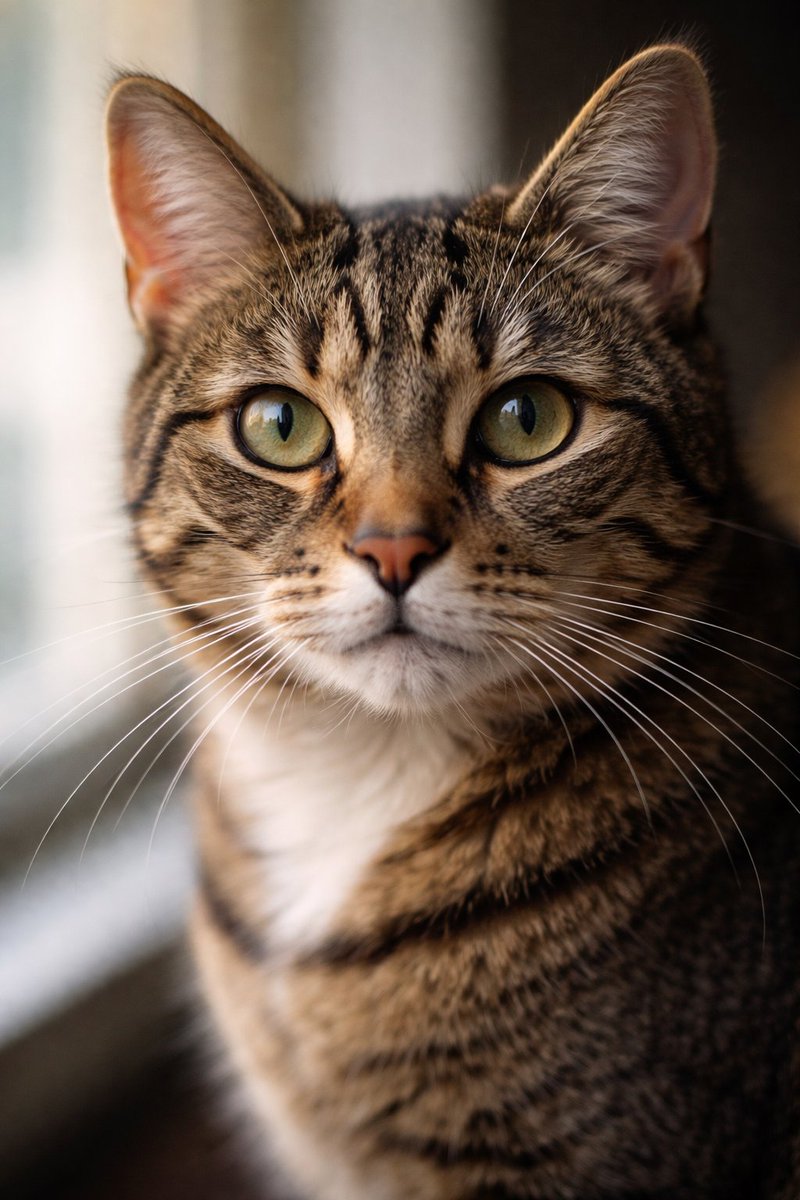
Prompt
Create a creative image of Hyper Realistic Cat Photograph. Style: photorealistic. Composition: balanced and well-framed. Lighting: natural with cinematic mood. Category: photography. Reference: hyper-realistic-cat-photograph-1815.
Prompt breakdown
- Subject
- Hyper-realistic cat photograph
- Style
- Photorealistic
- Lighting
- Natural with cinematic mood
- Composition
- Balanced and well-framed
- Mood
- Cinematic
Remix ideas
- Shift the cat's head angle slightly to catch a different catchlight in the eyes while keeping the same natural lighting
- Introduce faint window reflections on the cat's pupils to heighten the photographic realism
- Change the fur length and texture density on the chest area only, preserving the balanced composition
How to use this AI Image prompt template
 1
1Copy the prompt — grab this template’s prompt and negative prompt.  2
2Pick a model — choose a recommended AI model for the best match.  3
3Generate — open the studio with one click and create your result.
Related templates

ChatGPT Hamster Image Screenshot
{"type":"realistic desktop screenshot of the ChatGPT web interface in dark mode","canvas":"wide 16:9 screenshot, approximately 1200x645, crisp UI capture, no browser chrome visible","main_scene":{"description":"A ChatGPT conversation page showing a generated image result in the center: a realistic smartphone-style photo of a golden Syrian hamster inside a glass enclosure, facing the camera with tiny paws together, black glossy eyes, pink nose, tan fur, bedding below, a curved piece of wood in the foreground, metal or glass cage walls behind, shallow depth of field, unedited raw photo look.","user_prompt_bubble":"{argument name=\"user prompt text\" default=\"スマホで撮影したハムスターの写真、Unedited、Raw\"}","assistant_status_text":"Thought for 1m 8s ›","generated_image":{"position":"center-right of chat area","shape":"rounded rectangle","count":1,"content":"hamster photo","style":"realistic, slightly soft phone camera photo, natural indoor lighting, warm tan animal fur, transparent enclosure reflections","overlay_controls_count":2,"overlay_controls":["small Japanese edit button reading 編集 at lower left of the generated image","download/share icon at lower right of the generated image"]}},"layout":{"background":"nearly black ChatGPT dark theme","left_sidebar":{"position":"left","width":"about one fifth of the image","title":"ChatGPT","visible_top_navigation_count":4,"visible_top_navigation":["新しいチャット","チャットを検索","Codex","さらに表示"],"gpt_section":{"title":"GPT","visible_items_count":3,"items":["Canva","AI Music Prompt Generator","GPT の詳細を見る"]},"projects_section":{"title":"プロジェクト","visible_items_count":7,"items":["プロジェクトを新規作成","English Refiner","画像生成","yaml","雑談","端的に","さらに表示"]},"details":"thin vertical divider and scroll bar near the sidebar edge"},"chat_area":{"position":"right of sidebar, dark empty workspace","message_count":2,"messages":["one user message bubble near the upper right containing the Japanese/English prompt text","one assistant generated-image response centered below with status text above"],"below_image_action_icons_count":4,"below_image_action_icons":["copy icon","thumbs up icon","thumbs down icon","more options ellipsis"]}},"style_directives":"Make the interface look like an authentic ChatGPT web app screenshot in Japanese locale, with clean sans-serif UI text, dark gray panels, white and light gray text, subtle rounded corners, accurate spacing, and a photorealistic hamster image embedded as the main output. Avoid decorative borders or extra annotations.","customization":{"animal":"{argument name=\"animal\" default=\"golden Syrian hamster\"}","photo style":"{argument name=\"photo style\" default=\"smartphone photo, unedited, raw\"}","interface language":"{argument name=\"interface language\" default=\"Japanese\"}"}}

Text-to-Image Prompt: Curious Cat in Autumn Leaves
Create a creative image of Text To Image Prompt Curious Cat In Autumn Leaves. Style: photorealistic. Composition: balanced and well-framed. Lighting: natural with cinematic mood. Category: photography. Reference: text-to-image-prompt-curious-cat-in-autumn-leaves-1824.
Monterey Bay Aquarium Neon Fish Video
Create a creative image of Monterey Bay Aquarium Neon Fish Video. Style: photorealistic. Composition: balanced and well-framed. Lighting: natural with cinematic mood. Category: photography. Reference: monterey-bay-aquarium-neon-fish-video-5675.
Bubble Cat Sleeping in the Sky
Create a creative image of Bubble Cat Sleeping In The Sky. Style: photorealistic. Composition: balanced and well-framed. Lighting: natural with cinematic mood. Category: photography. Reference: bubble-cat-sleeping-in-the-sky-17354.
Macro Wildlife Photography
Create a creative image of Macro Wildlife Photography. Style: photorealistic. Composition: balanced and well-framed. Lighting: natural with cinematic mood. Category: photography. Reference: macro-wildlife-photography-13661.
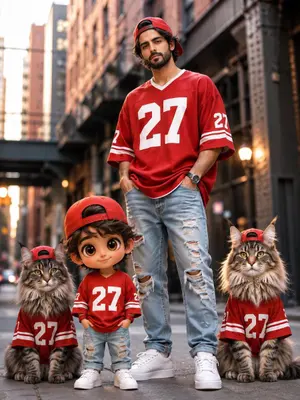
Chibi Mini Me Street Fashion
Create a fashion image of Chibi Mini Me Street Fashion. Style: photorealistic. Composition: balanced and well-framed. Lighting: natural with cinematic mood. Category: photography. Reference: chibi-mini-me-street-fashion-25635.
Explore more prompts
Browse more AI image and video prompts by category.
FAQ
- How does the cinematic mood differ from standard natural light in this cat photo?
- The cinematic mood adds gentle contrast and depth to the natural lighting, giving the cat's features a subtle three-dimensional quality without harsh shadows or artificial drama.
- Can I generate variations of this exact cat prompt?
- Yes, keep the photorealistic style and balanced framing but swap in minor fur-pattern tweaks or eye-direction changes to produce a short series of consistent yet distinct images.