
Text to Image
Handheld Laptop Screen POV — AI Image Prompt
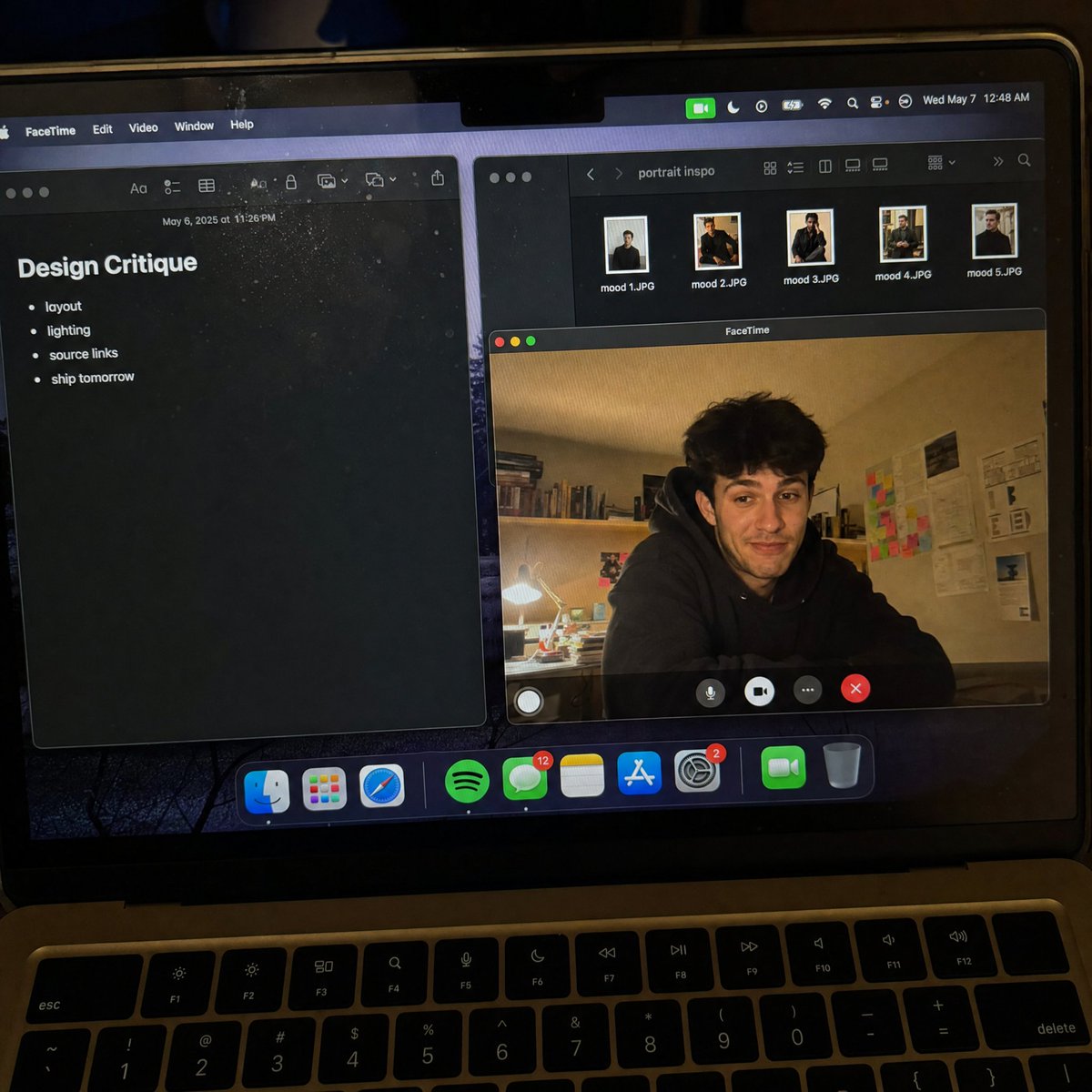
A hyper-realistic prompt designed to mimic a handheld smartphone photo of a laptop screen running FaceTime, including moire patterns and dust. - AIPinMaker
Prompt
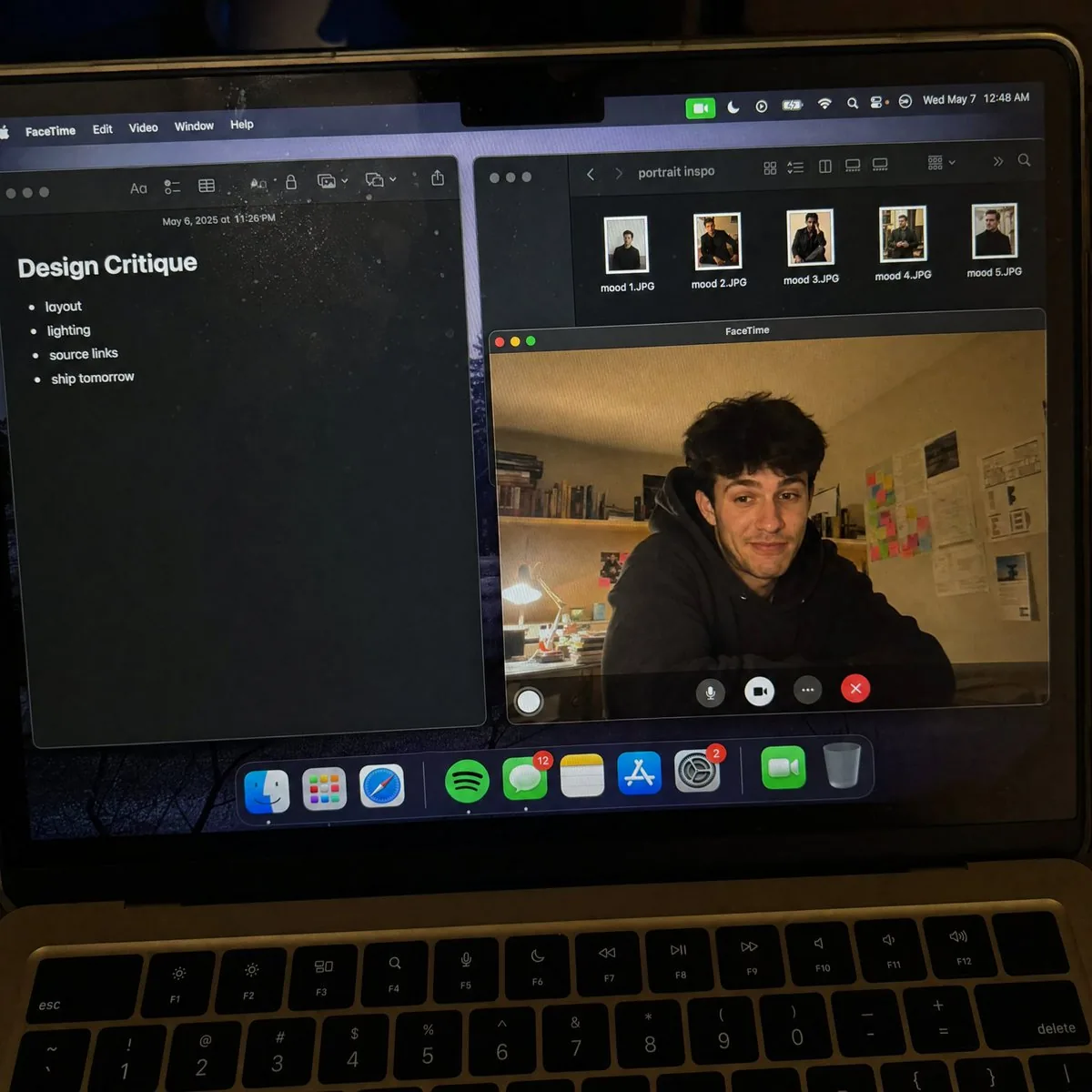
Create a raw smartphone photo of a laptop screen, not a screenshot. Aspect ratio 3:4, high-angle downward POV from someone standing over a desk at night. The laptop display fills most of the frame, with a narrow strip of black keyboard and trackpad visible at the bottom. Strong realism: visible RGB subpixel grid, subtle moire bands, small dust specks, faint fingerprints, uneven glass reflections, handheld phone noise, slight perspective skew, no studio polish. macOS dark mode. Background app: {argument name="background app" default="Apple Notes with a late-night study note titled \"Design Critique\" and short visible bullets: \"layout\", \"lighting\", \"source links\", \"ship tomorrow\""}. Foreground app: {argument name="foreground app" default="FaceTime live preview window floating lower-right, showing a fictional adult man in his 20s sitting at a cluttered desk, hoodie, tired but amused expression"}. A second small Finder window with image thumbnails is partly visible behind it. Make it feel like an accidental real phone photo of a working laptop screen. No real-person likeness, no beauty filter, no perfect UI, no screenshot, no watermark, no cartoon, no 3D render.Prompt breakdown
- Subject
- Laptop screen showing macOS dark mode with Apple Notes open to "Design Critique" bullets and a FaceTime live window of a man in his 20s at a cluttered desk
- Style
- Raw handheld smartphone photo with visible RGB subpixel grid, moiré bands, dust specks, fingerprints, and slight perspective skew
- Lighting
- Nighttime desk setting with uneven glass reflections and no studio polish
- Composition
- High-angle downward POV filling most of the frame with the display, narrow black keyboard strip at the bottom, Finder thumbnails partly visible behind FaceTime window
- Mood
- Accidental late-night documentation of a working session, tired but amused expression on the call
Remix ideas
- Change Notes title to "Ship List" and add a Terminal window peeking underneath
- Tilt the phone angle more to exaggerate perspective skew on the screen edges
- Swap the FaceTime participant hoodie color and add visible coffee cup reflection on the glass
Reference images
How to use this AI Image prompt template
 1
1Copy the prompt — grab this template’s prompt and negative prompt.  2
2Pick a model — choose a recommended AI model for the best match.  3
3Generate — open the studio with one click and create your result.
Related templates
WSJ-Style Business Newspaper Front Page
A photorealistic overhead three-quarter view of a folded financial newspaper on a dark wooden desk, styled like a prestigious American business daily from the 1980s–2000s, with crisp realistic newsprint texture, subtle paper wrinkles, slightly worn folded edges, and warm morning sunlight casting diagonal window-shadow bands across the page. The masthead dominates the top in large classic serif capitals reading THE WALL STREET DAILY. (newspaper name). Directly beneath it is a thin header strip with small financial-paper details: "DOW JONES", "News Corp", the date line "MONDAY, APRIL 20, 2026 – VOL. CCLXXXV NO. 90", "WSJ.com", a star rating row, and the price "$5.00". The main lead story spans the upper center-left with a huge bold serif headline reading Cook to Step Down as Apple CEO; Ternus Named Successor (main headline). Below it is a smaller serif subheadline: "Transition caps 15-year run; company pivots to AI-driven future". Add a byline line in small caps with 2 reporters: "By Tim Higgins" and "And Joanna Stern". Fill the lead article with dense, fully legible multi-column newspaper body text about Tim Cook stepping down as Apple chief executive, John Ternus succeeding him, Apple's growth, AI strategy, and corporate transition; the text should read like authentic financial journalism, not placeholder gibberish. On the right half of the lead story, place a black-and-white engraved stipple portrait of a male executive in collared shirt and jacket, centered in a rectangular image area; the face is partially obscured by a pale gray square censor block over the eyes and upper nose, creating a modern satirical effect. At the top-right, include a sidebar box titled "What’s New" with exactly 2 subsection headers, "Business & Finance" and "World-Wide", each followed by bullet-point briefs in small serif text; include exactly 3 bullets under "Business & Finance" and exactly 4 bullets under "World-Wide", all fully typeset and legible. Beneath the main story, add a secondary banner article across the page titled "Silicon Valley Braces for New Chapter in AI Arms Race" with a byline "By Liz Hoffman" and several short columns of text about big tech, startups, OpenAI, Google, Meta, chips, platforms, and AI competition. To the right of this lower-middle section, insert a compact markets table titled "Markets" with exactly 4 rows labeled "DOW JONES", "S&P 500", "NASDAQ", and "10-YR. TREASURY", with columns for index/value/change/percent and realistic numeric values in tight newspaper tabular formatting. Along the bottom strip of the front page, include exactly 3 teaser boxes: left box with section label "Heard on the Street" and headline "Why Investors Are Rethinking Big Tech" plus page marker "B12"; center box with section label "Markets" and headline "Earnings Season Lifts Stocks Despite Rate Uncertainty" plus page marker "B1"; right box with section label "Inside" and headline "Private Credit Sees Inflow Surge as Yields Stay High" plus page marker "B14". Make all typography clean, sharp, perfectly legible, and consistently aligned in authentic newspaper grid layout with thin rules between columns, justified text, classic serif fonts, and realistic print contrast. The newspaper sits slightly rotated clockwise on the desk. In the environment, show a white ceramic coffee cup filled with black coffee in the top-right corner and a pair of dark-framed eyeglasses resting near the lower-right edge of the paper. In the top-left corner, include the cropped edge of a dark cylindrical object, likely a camera lens or tumbler. Overall mood: premium editorial mock front page, serious business-news aesthetic, believable print photography, ultra-detailed, natural shadows, high resolution.3d:Tec
Hyper-realistic smartphone flash photo prompt for AI image generation
GENERAL DESCRIPTION: Amateur photo taken with a smartphone, captured in a handheld camera flash style. A young woman poses facing the camera with a smile. The harsh flash creates bright, specular highlights on her skin and clothing, with very sharp shadows and slight grain in the dark areas of the background. SUBJECT DETAILS: Attractive young woman with platinum blonde (hair color) hair, styled loose with a wet, glossy effect under the flash. Realistic skin with visible pores, small natural imperfections, and a slight sheen from sweat or makeup. OUTFIT: Sleeveless jumpsuit with thin straps of vibrant red (outfit color) velvet, very form-fitting. The fabric shows natural wrinkles from movement and an intense satin sheen in the areas directly hit by the flash. ACCESSORIES: An iced-out Cuban link necklace that sparkles brightly in the flash, along with several thin bracelets. SETTING & COMPOSITION: Background with dark palm trees and distant hills under a deep night sky. FRAMING: Aspect ratio 4:5. Medium shot from head to calves. She looks directly at the lens, revealing the characteristic circular white reflection of the flash in her eyes. TECHNICAL QUALITY: High-end phone camera aesthetic, with slightly warm white balance, high contrast, sharp focus on the subject, and very subtle motion blur in the background to give the impression of a quick snapshot.

Cookie Cutter Visualization Prompt
Create a infographic image of Cookie Cutter Visualization Prompt. Style: photorealistic. Composition: balanced and well-framed. Lighting: natural with cinematic mood. Category: illustration. Reference: cookie-cutter-visualization-prompt-10791.

Full-body shot of an individual on an outdoor restaurant patio at night
Create a creative image of Full Body Shot Of An Individual On An Outdoor Restaurant Patio At Night. Style: photorealistic. Composition: balanced and well-framed. Lighting: natural with cinematic mood. Category: photography. Reference: full-body-shot-of-an-individual-on-an-outdoor-restaurant-patio-at-night-4126.
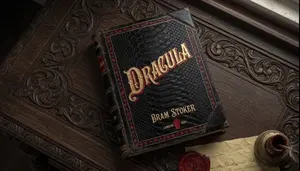
Vintage Dracula Book
Create a creative image of Vintage Dracula Book. Style: photorealistic. Composition: balanced and well-framed. Lighting: natural with cinematic mood. Category: photography. Reference: vintage-dracula-book-5566.

Notebook Spread with 3D Model Analysis Diagrams
{ "type": "photograph of an open notebook", "setting": "wooden desk surface, top-down angle", "subject": { "hands": "two hands visible at the bottom, wearing a dark blue ribbed sweater, right hand holding a red pen labeled {argument name=\"pen brand\" default=\"PILOT G-TEC-C4\"} writing on the page", "notebook": "open A5 dot-grid notebook with handwritten notes and diagrams in black, blue, green, and red ink" }, "layout": { "left_page": { "header": "{argument name=\"main title\" default=\"「GPT-Image-2」による3Dモデル三面図生成の検証\"}", "sections": [ { "title": "1. 検証フロー (Workflow):", "content": "text flow and a flowchart diagram", "flowchart_elements": 5, "flowchart_labels": ["Input (Prompt)", "GPT-Image-2", "正面図", "側面図", "背面図"] } ] }, "right_page": { "sections": [ { "title": "2. 結果分析", "target_box": "Target [{argument name=\"target object\" default=\"椅子\"}] => [3D Model & 3面図 images]", "bullet_points_count": 3, "bullet_point_topics": ["精度: ★★★☆☆", "整合性", "課題"], "diagram_count": 3, "diagram_labels": ["正面", "側面", "背面"], "diagram_description": "sketches of chairs with red correction notes on the front view" } ], "bottom_right_corner": { "doodle": "cute anime-style line drawing of a smiling girl with short hair", "label": "{argument name=\"character name\" default=\"あいちゃん\"} {argument name=\"date\" default=\"3/15\"}" } } } }3f:T698,{ "type": "photograph of an open notebook", "setting": "wooden desk surface, top-down angle", "subject": {
Explore more prompts
Browse more AI image and video prompts by category.
FAQ
- Why force visible RGB subpixels and moiré instead of a perfect screen capture?
- Those artifacts are what actually appear when a real phone photographs an LCD or OLED, breaking the sterile screenshot aesthetic the prompt explicitly forbids.
- How does the narrow keyboard strip at the bottom help the realism?
- It anchors the shot as a physical phone photo taken while standing over the laptop rather than a floating digital mockup of just the display.