
Text to Image
Grok Imagine Video Generation with Two Characters — AI Image Prompt
This tweet describes a process for generating a 30-second video using Grok Imagine, involving two characters. The process requires creating the characters first and then animating them using both characters as image references. - AIPinMaker
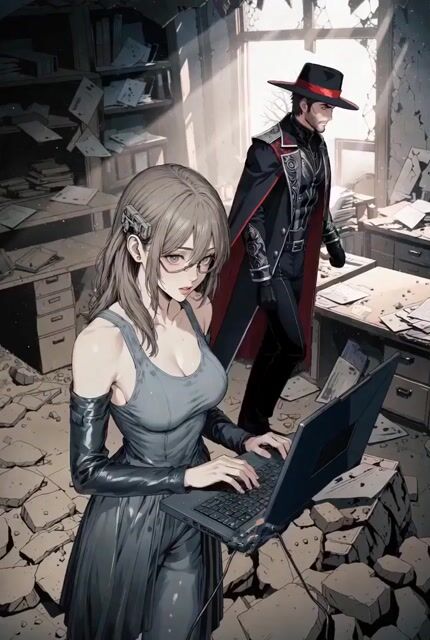
Prompt
30 seconds of Grok Imagine with two characters:
1- Create your characters
2- Animate them, using both characters as image references
Prompt breakdown
- Subject
- Two original anime characters created then animated using both as image references
- Style
- Anime scenes with consistent character designs across the 30-second clip
- Composition
- Sequential workflow: character creation followed by reference-based animation
Remix ideas
- Replace the second character with a rival design like a cyberpunk schoolgirl to test reference consistency
- Insert a short dialogue exchange between the two characters to force lip-sync testing
- Add a specific background element such as a cherry-blossom festival street while keeping the same two reference characters
Reference images

How to use this AI Image prompt template
 1
1Copy the prompt — grab this template’s prompt and negative prompt.  2
2Pick a model — choose a recommended AI model for the best match.  3
3Generate — open the studio with one click and create your result.
Related templates

Image-to-Video facial preservation prompt
Image-to-Video: Use EXACTLY the same face from the reference image without modifying absolutely anything: same eyes, eyebrows, nose, lips, expression, hair, makeup, and facial proportions 100%. Under no circumstances change any part of the face, hair...
Woman Opening Eyes and Smiling Video Prompt
she opens her eyes, smiles, says softly mystical voice: good morning, "X". May your wonder, guide the day.

Multi-Cut 3D Title Animation
Create a creative video of Multi Cut 3d Title Animation. Style: photorealistic. Composition: balanced and well-framed. Lighting: natural with cinematic mood. Category: cinematic-video. Reference: multi-cut-3d-title-animation-3578.
Step 2: Just put your storyboard as refference ima
Create a game video of Step 2 Just Put Your Storyboard As Refference Ima. Style: photorealistic. Composition: balanced and well-framed. Lighting: natural with cinematic mood. Category: illustration. Reference: step-2-just-put-your-storyboard-as-refference-ima-4849.
Reference Linking Syntax for Video Generation
Create a creative video of Reference Linking Syntax For Video Generation. Style: photorealistic. Composition: balanced and well-framed. Lighting: natural with cinematic mood. Category: cinematic-video. Reference: reference-linking-syntax-for-video-generation-574.

Storyboard Keyframe Video Reference
Create a game video of Storyboard Keyframe Video Reference. Style: photorealistic. Composition: balanced and well-framed. Lighting: natural with cinematic mood. Category: illustration. Reference: storyboard-keyframe-video-reference-4939.
Explore more prompts
Browse more AI image and video prompts by category.
FAQ
- Why does the prompt split character creation and animation into two numbered steps?
- The split forces Grok to output usable character images first, which are then fed back as references so the 30-second animation keeps identical designs.
- Does the anime tag affect motion style or just visuals?
- It influences both: line art, hair physics, and exaggerated expressions follow anime conventions throughout the generated 30-second sequence.