
Text to Image
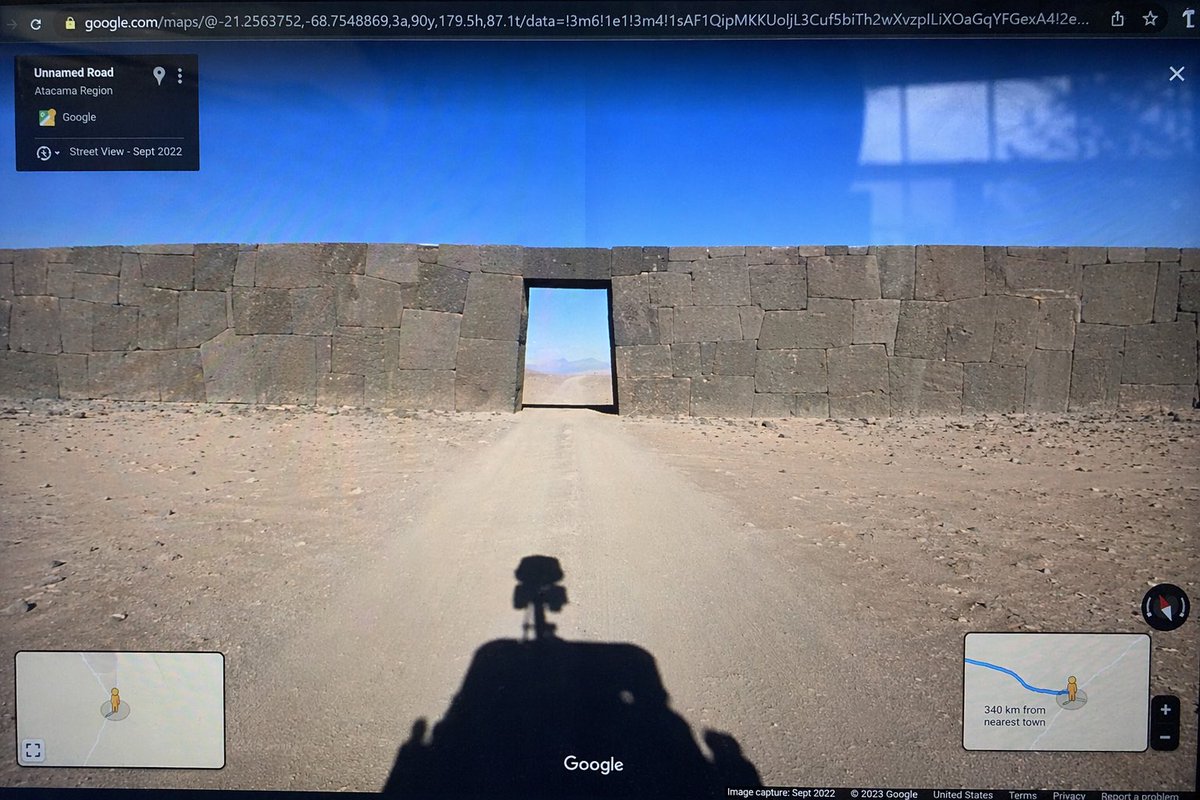
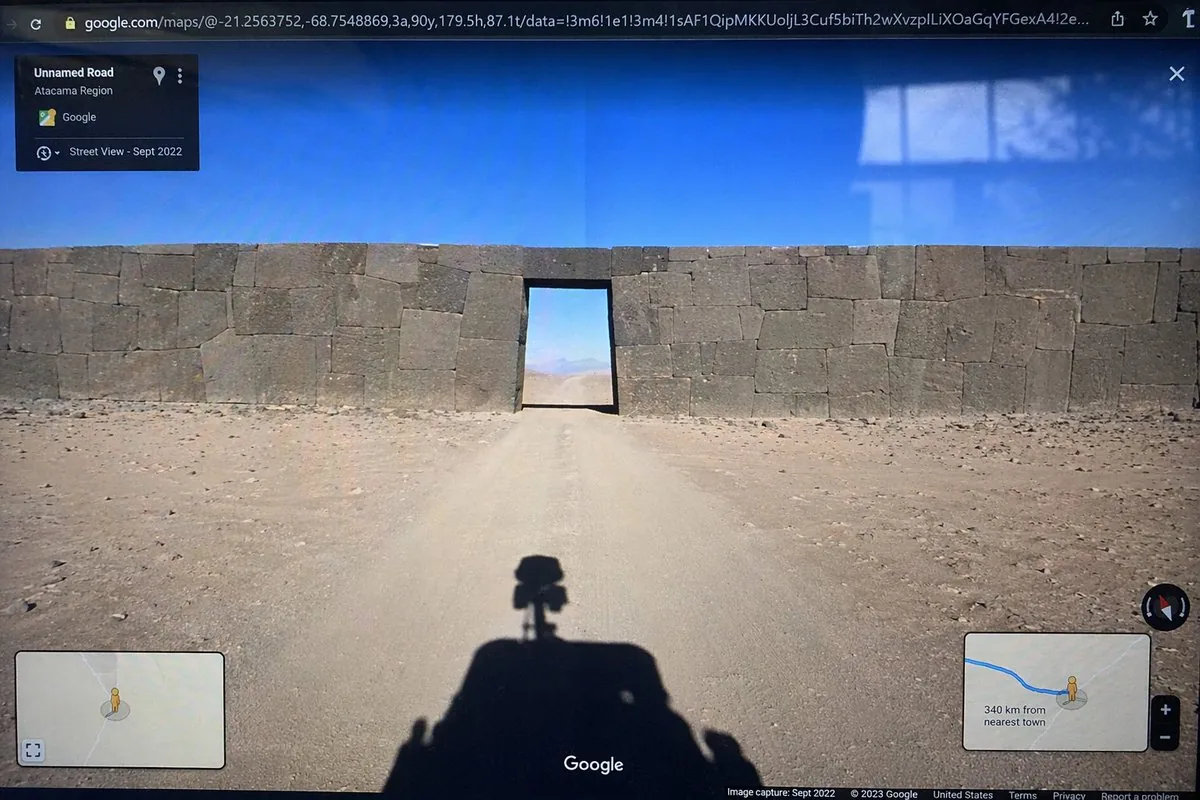
Google Street View Anomaly Screen Photo — AI Image Prompt
Generates a realistic photograph of a computer screen displaying a Google Street View interface featuring a surreal or out-of-place architectural anomaly. - AIPinMaker
Prompt
{
  "type": "photograph of a computer monitor displaying a Google Maps Street View interface",
  "scene": {
    "environment": "{argument name=\"environment\" default=\"barren desert landscape under a clear blue sky\"}",
    "subject": "{argument name=\"subject\" default=\"massive ancient stone wall with perfectly fitted cyclopean masonry blocking a dirt road, with a rectangular doorway cut through the center\"}",
    "foreground": "shadow of a Google Street View car with a 360-degree camera mounted on top cast onto the dirt road"
  },
  "ui_elements": {
    "browser_bar": "URL bar at the top showing google.com/maps with latitude and longitude coordinates",
    "top_left_panel": "black semi-transparent info box with text 'Unnamed Road', '{argument name=\"region\" default=\"Atacama Region\"}', and 'Street View - Sept 2022'",
    "bottom_left_panel": "minimap inset with a yellow Pegman icon",
    "bottom_right_panel": "minimap inset showing a blue route line, Pegman, zoom controls, and text '{argument name=\"distance text\" default=\"340 km from nearest town\"}'",
    "bottom_bar": "Google logo in the bottom center, compass icon on the right, and copyright/capture date text along the bottom edge"
  },
  "style_details": "visible screen glare and slight monitor distortion to simulate a photograph taken of a physical screen with a smartphone"
}Prompt breakdown
- Subject
- photograph of a monitor showing Google Street View of a massive ancient stone wall with cyclopean masonry and doorway in barren desert
- Style
- realistic screen capture with visible glare and monitor distortion
- Lighting
- bright desert daylight under clear blue sky combined with screen reflections
- Composition
- centered UI elements including URL bar, info panels, minimaps, and foreground car shadow
- Mood
- mysterious discovery of an anomalous structure in remote landscape
Remix ideas
- Replace the stone wall with a modern concrete barrier to alter the historical mystery
- Change the environment to a snowy mountain pass while keeping the Street View UI intact
- Adjust the capture date in the UI to an earlier year like 2015 for a different archival feel
Reference images
How to use this AI Image prompt template
 1
1Copy the prompt — grab this template’s prompt and negative prompt.  2
2Pick a model — choose a recommended AI model for the best match.  3
3Generate — open the studio with one click and create your result.
Related templates

Under Glass Floor Perspective Shot
Create a creative image of Under Glass Floor Perspective Shot. Style: photorealistic. Composition: balanced and well-framed. Lighting: natural with cinematic mood. Category: photography. Reference: under-glass-floor-perspective-shot-23912.

Everyday Object Reimagined as a City
Create a creative image of Everyday Object Reimagined As A City. Style: photorealistic. Composition: balanced and well-framed. Lighting: natural with cinematic mood. Category: photography. Reference: everyday-object-reimagined-as-a-city-3442.

Mount Fuji Street With Cloud Kanji
Create a creative image of Mount Fuji Street With Cloud Kanji. Style: photorealistic. Composition: balanced and well-framed. Lighting: natural with cinematic mood. Category: photography. Reference: mount-fuji-street-with-cloud-kanji-19534.

Dual-Concept Street Art Mural
Create a creative image of Dual Concept Street Art Mural. Style: photorealistic. Composition: balanced and well-framed. Lighting: natural with cinematic mood. Category: photography. Reference: dual-concept-street-art-mural-16790.

Desert Ruins of Pure Math Grid
Create a creative image of Desert Ruins Of Pure Math Grid. Style: photorealistic. Composition: balanced and well-framed. Lighting: natural with cinematic mood. Category: photography. Reference: desert-ruins-of-pure-math-grid-2513.

Master Model Maker Concept Template - Nano Banana Pro AI Prompt for Social Media Post
Do this for Eiffel Tower (structure name): Input Variable: [INSERT STRUCTURE] System Instruction: Act as a Cinematic Director. Create a hyper-realistic portrait of a Master Model Maker putting the final touches on a scale replica of the Input Structure. 1. Logic: Analyze the Input Structure to determine the Setting and the Character: IF Ancient/Fantasy (e.g., Colosseum, Castle): Room: A dusty, sunlit Renaissance Workshop (Stone & Wood). also showcasing "Previous Projects" (other models in the same genre). Character: An elderly Artisan in a leather apron. Materials: Plaster, Clay, Balsam Wood. IF Sci-Fi/Industrial (e.g., Death Star, spaceship): Room: A sterile, cold Industrial Design Lab (Concrete & Metal). also showcasing "Previous Projects" (other models in the same genre). Character: A younger Prop Master in a workshop jumpsuit or lab coat. Materials: Grey Resin (Kitbash), Styrene, Fiber Optics. IF Modern Architecture (e.g., Skyscraper): Room: A clean, white Architectural Firm (Glass & White Walls). also showcasing "Previous Projects" (other models in the same genre). Character: A minimalist Architect in a black turtleneck. Materials: White Foamcore, Acrylic, 3D Printed Plastic. 2. The Composition : The Subject: The Character is leaning over a massive, incredibly detailed Scale Model of the Input Structure. The Action: They are using Tweezers or a fine brush to place a specific "Micro-Detail" relevant to the lore. Death Star: Placing a tiny Turbo-Laser Turret. Colosseum: Dusting sand onto the arena floor. City: Gluing a tiny streetlamp. The Scale: Extreme scale contrast. The human hands look giant next to the tiny windows/bricks of the model. 3. The Environment : The Blueprint: On the table, beneath the tools, lies the correct reference document: Sci-Fi: Blue grid schematic or iPad. Fantasy: Yellowed parchment map. Modern: White vector floorplan. The Clutter: The tools scattered around must match the medium (e.g., Clay tools vs. Soldering Iron vs. X-Acto knives). 4. Lighting & Atmosphere: Lighting Match: The lighting must match the inferred room. Workshop: Warm God Rays (Dusty). Lab: Cool Fluorescent Tubes (Clean/Hazy). Focus: Shallow depth of field. Sharp focus on the tweezers and the contact point. Output: ONE image, 16:9 Aspect Ratio, Cinematic Photography, 8k Resolution.
Explore more prompts
Browse more AI image and video prompts by category.
FAQ
- Why does the prompt include the Google Street View car shadow?
- The shadow grounds the scene in reality and explains how the view was captured, reinforcing the digital exploration theme.
- How can I make the wall appear more ancient in generations?
- Emphasize weathered stone textures and lichen growth on the cyclopean blocks within the prompt.