
Text to Image
Dark AI Chat 4K Upscale Tutorial — AI Image Prompt
Creates a dark-mode AI chat tutorial screenshot showing an uploaded image transformed into a 4K result with the download button highlighted. - AIPinMaker
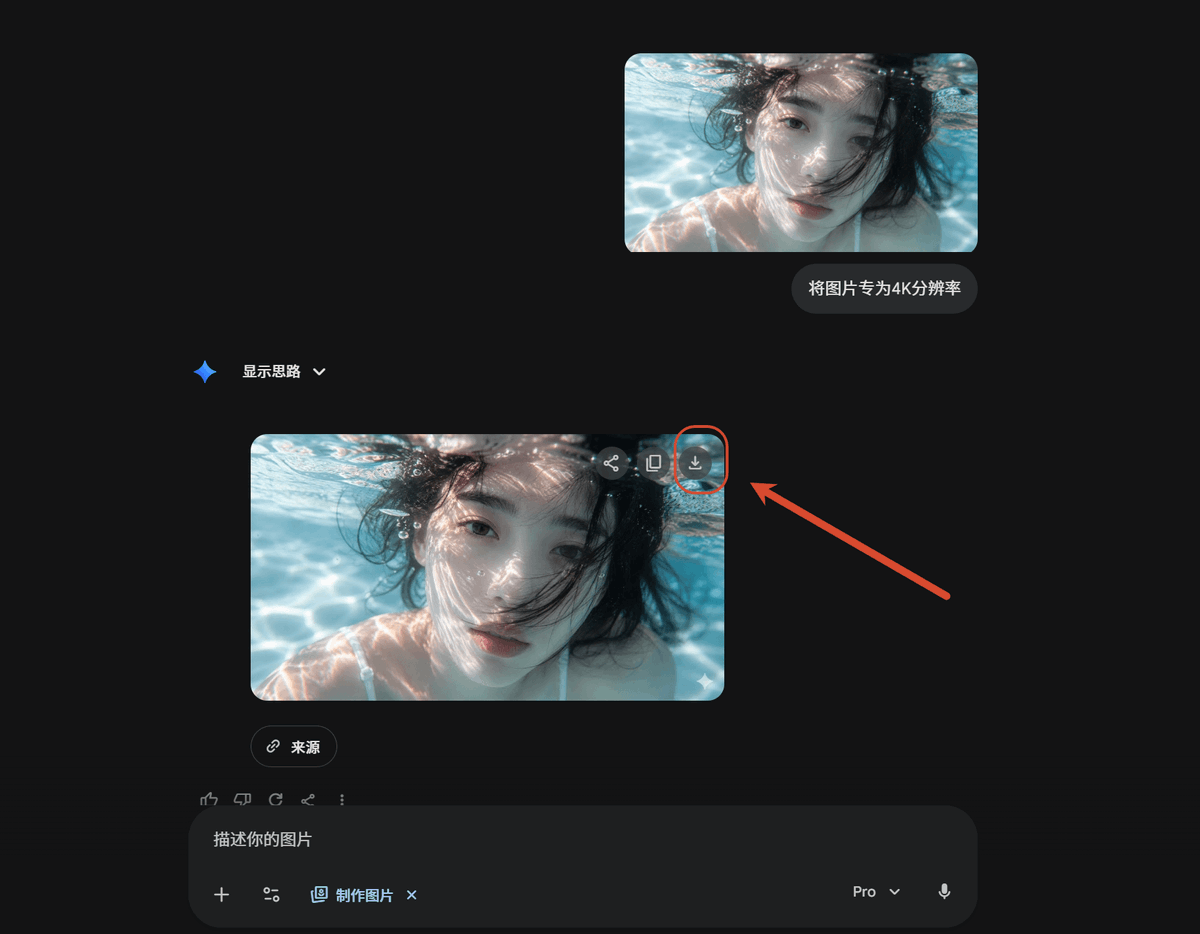
Prompt
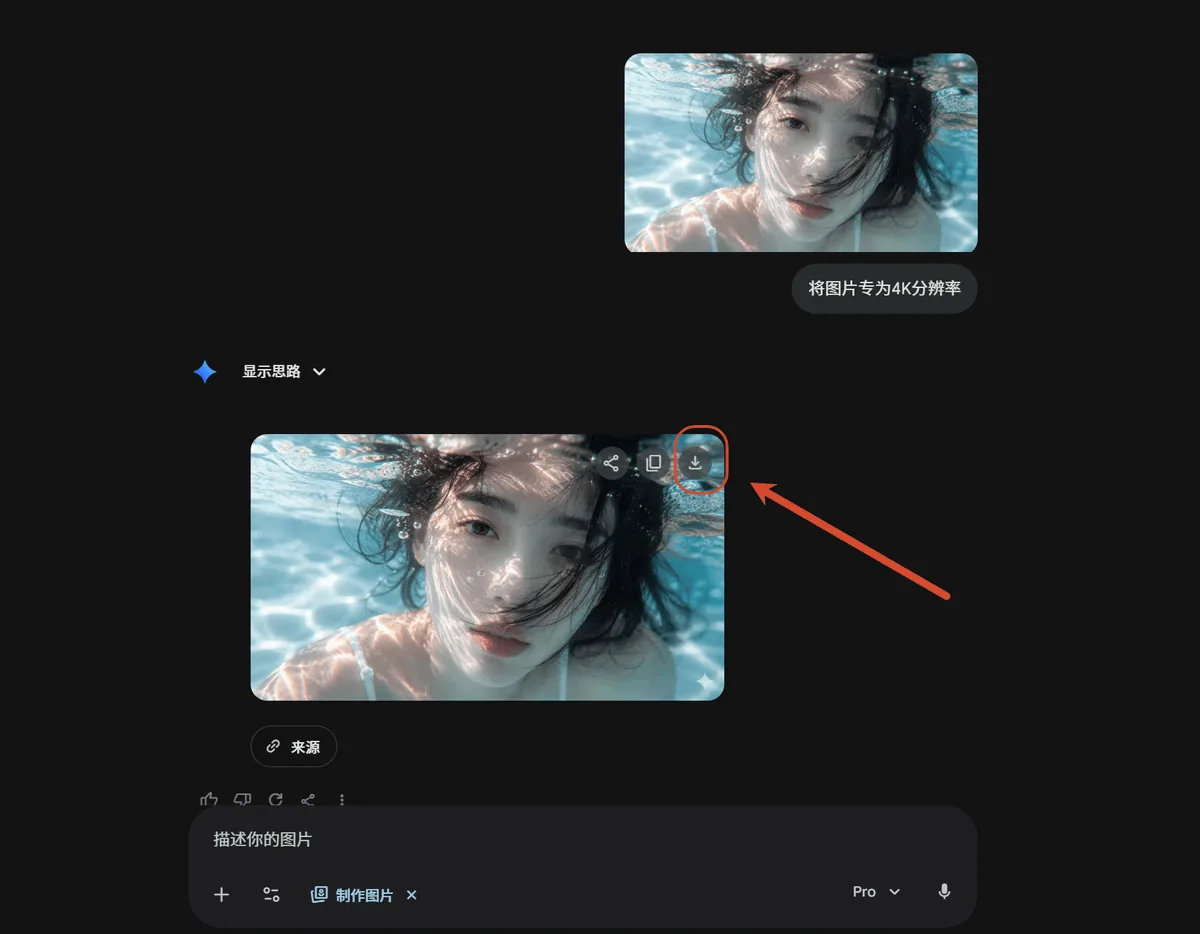
Using REFERENCE_0 as the source screenshot, create a clean dark-mode AI chat interface tutorial mockup that shows the same underwater photo being upscaled. Remove the Windows Photos app chrome, side information panel, filename details, and resolution callout from the reference; use only the underwater image content as the visual asset.

Layout: Place exactly 2 rounded-corner image previews of the underwater photo in the chat: 1 smaller uploaded-image preview near the upper right and 1 larger generated-result preview below it, slightly left of center. Keep the face-obscuring gray blur/block over the person in both previews.

Chat elements: Add exactly 1 user message bubble beside the upper preview with the Chinese text {argument name="user prompt text" default="将图片专为4K分辨率"}. Add exactly 1 assistant label reading “显示思路” with a small blue sparkle icon and a dropdown chevron. Under the larger image preview, add exactly 1 small rounded “来源” source button.

Callout: On the upper-right corner of the larger generated image preview, show the download icon and highlight it with exactly 1 red circular outline. Add exactly 1 thick red arrow pointing from the right side toward that circled download icon.

Bottom UI: Include a dark rounded message input bar at the bottom with placeholder text “描述你的图片”, small attachment/tool icons, a “制作图片” chip, a {argument name="model label" default="Pro"} dropdown, and a microphone icon.

Style and constraints: Match a modern Gemini/AI-chat dark theme with lots of empty black space, subtle gray UI controls, rounded corners, and a 16:9 screenshot composition. Do not add extra images, extra arrows, extra callouts, or additional explanatory text.37:T6dd,Using REFERENCE_0 as the source screenshot, create a clePrompt breakdown
- Subject
- Underwater photo upscaling in dark AI chat with two previews, user bubble in Chinese, assistant label '显示思路', and red download callout
- Style
- Modern Gemini dark theme with rounded corners and subtle gray UI elements
- Composition
- 16:9 screenshot layout with smaller preview upper right, larger one slightly left of center, and bottom message input bar
- Mood
- Clean tutorial interface with lots of empty black space
Remix ideas
- Swap the Chinese user text for an English 4K prompt
- Shift the larger preview farther left while keeping the red arrow on the download icon
- Change the source button label from '来源' to another short term
Reference images
How to use this AI Image prompt template
 1
1Copy the prompt — grab this template’s prompt and negative prompt.  2
2Pick a model — choose a recommended AI model for the best match.  3
3Generate — open the studio with one click and create your result.
Related templates
Cinematic Video Game Cutscene with Subtitles
Create a cinematic image of Cinematic Video Game Cutscene With Subtitles. Style: photorealistic. Composition: balanced and well-framed. Lighting: natural with cinematic mood. Category: cinematic-video. Reference: cinematic-video-game-cutscene-with-subtitles-13734.

Old Photo Restoration and Upscaling Prompt
Create a creative image of Old Photo Restoration And Upscaling Prompt. Style: photorealistic. Composition: balanced and well-framed. Lighting: natural with cinematic mood. Category: photography. Reference: old-photo-restoration-and-upscaling-prompt-9592.
Motivational rap lyrics video
Create a creative image of Motivational Rap Lyrics Video. Style: photorealistic. Composition: balanced and well-framed. Lighting: natural with cinematic mood. Category: photography. Reference: motivational-rap-lyrics-video-2464.

Cinematic 8K Photo Restoration
Create a cinematic image of Cinematic 8k Photo Restoration. Style: photorealistic. Composition: balanced and well-framed. Lighting: natural with cinematic mood. Category: cinematic-video. Reference: cinematic-8k-photo-restoration-25073.

Photorealistic Image Preservation Prompt
Create a creative image of Photorealistic Image Preservation Prompt. Style: photorealistic. Composition: balanced and well-framed. Lighting: natural with cinematic mood. Category: photography. Reference: photorealistic-image-preservation-prompt-23887.

FPS Custom Weapon Skin Screenshot
{ "type": "first-person shooter video game screenshot", "setting": { "environment": "{argument name=\"map background\" default=\"dusty middle eastern street resembling Dust II\"}", "details": "white buildings, green street sign reading 'HOTEL AURORE' with Arabic text and a red 'A' bombsite directional arrow" }, "perspective": "first-person view holding a weapon", "character_hands": "wearing {argument name=\"theme\" default=\"Spider-Man\"} suit gloves, red with black web patterns and blue forearms", "weapon": { "model": "{argument name=\"weapon name\" default=\"AK-47\"} assault rifle", "skin_design": "red and blue color block design with black web patterns", "decals": [ "large white spider logo on the receiver", "'CS2' in white on the blue section", "'MARVEL' in red on the blue magazine", "'SPIDER-MAN' in white stylized text on the red stock", "small yellow text 'F.R.3.4' near the trigger" ] }, "ui_overlay": { "top_center": { "icon": "black shield with red spider logo", "title": "{argument name=\"weapon name\" default=\"AK-47\"} | {argument name=\"skin name\" default=\"Web-Slinger\"}", "subtitle": "{argument name=\"collection text\" default=\"The CS2 Collection\"}", "divider": "red horizontal line" }, "bottom_left": { "count": 5, "description": "row of white interface icons", "icons": ["pistol", "spray can", "player silhouette", "info 'i'", "picture frame"] }, "bottom_right": { "text": "CLOSE" } } }
Explore more prompts
Browse more AI image and video prompts by category.
FAQ
- What text appears in the user message bubble?
- The Chinese text '将图片专为4K分辨率' is shown beside the smaller preview.
- Which elements are removed from the reference screenshot?
- Windows Photos app chrome, side information panel, filename details, and resolution callout are stripped away.