
Text to Image
Cinematic 8K Photo Enhancer — AI Image Prompt
Transforms a low-quality reference photo into a sharp, cinematic, photorealistic 8K version while preserving the original composition and key elements. - AIPinMaker
Prompt
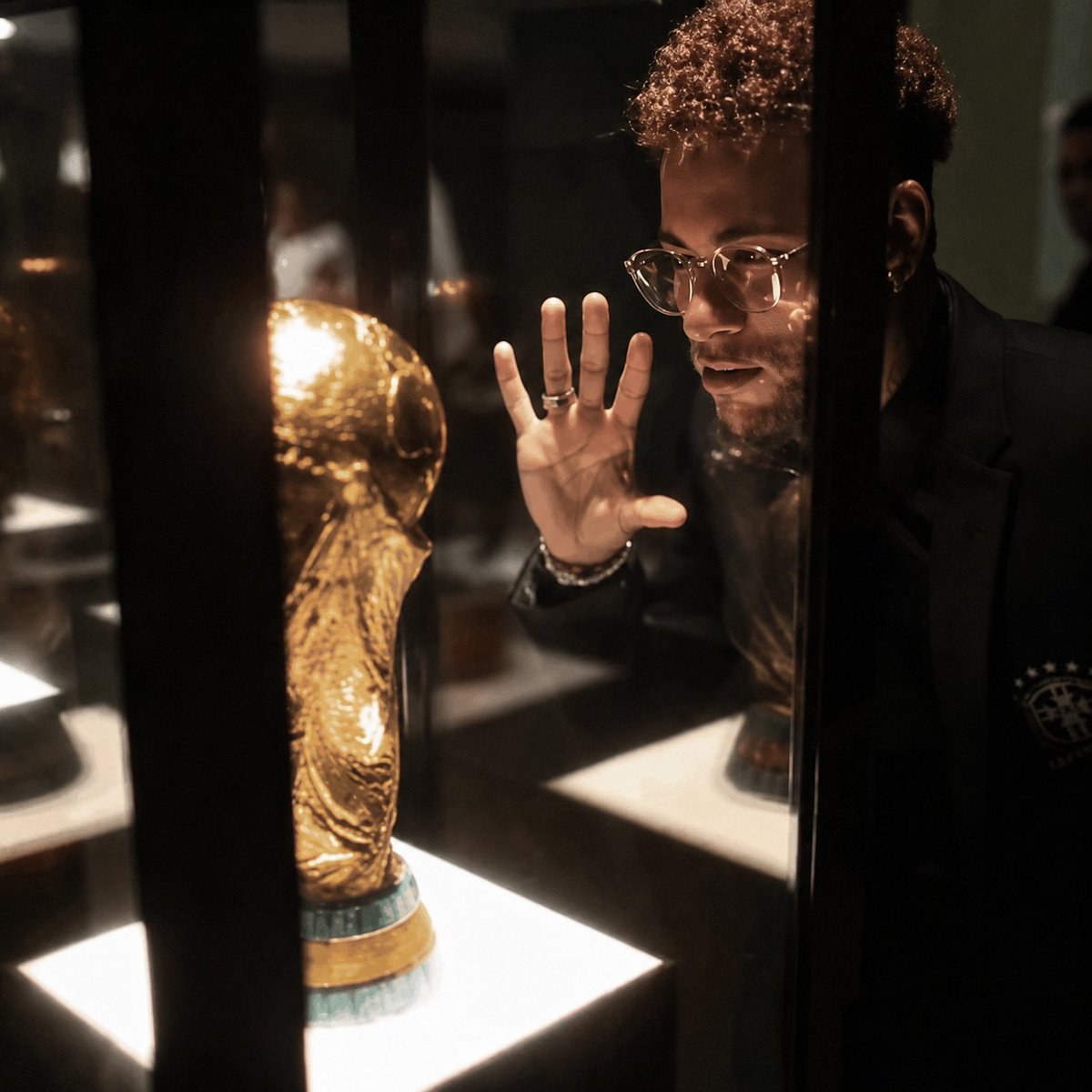
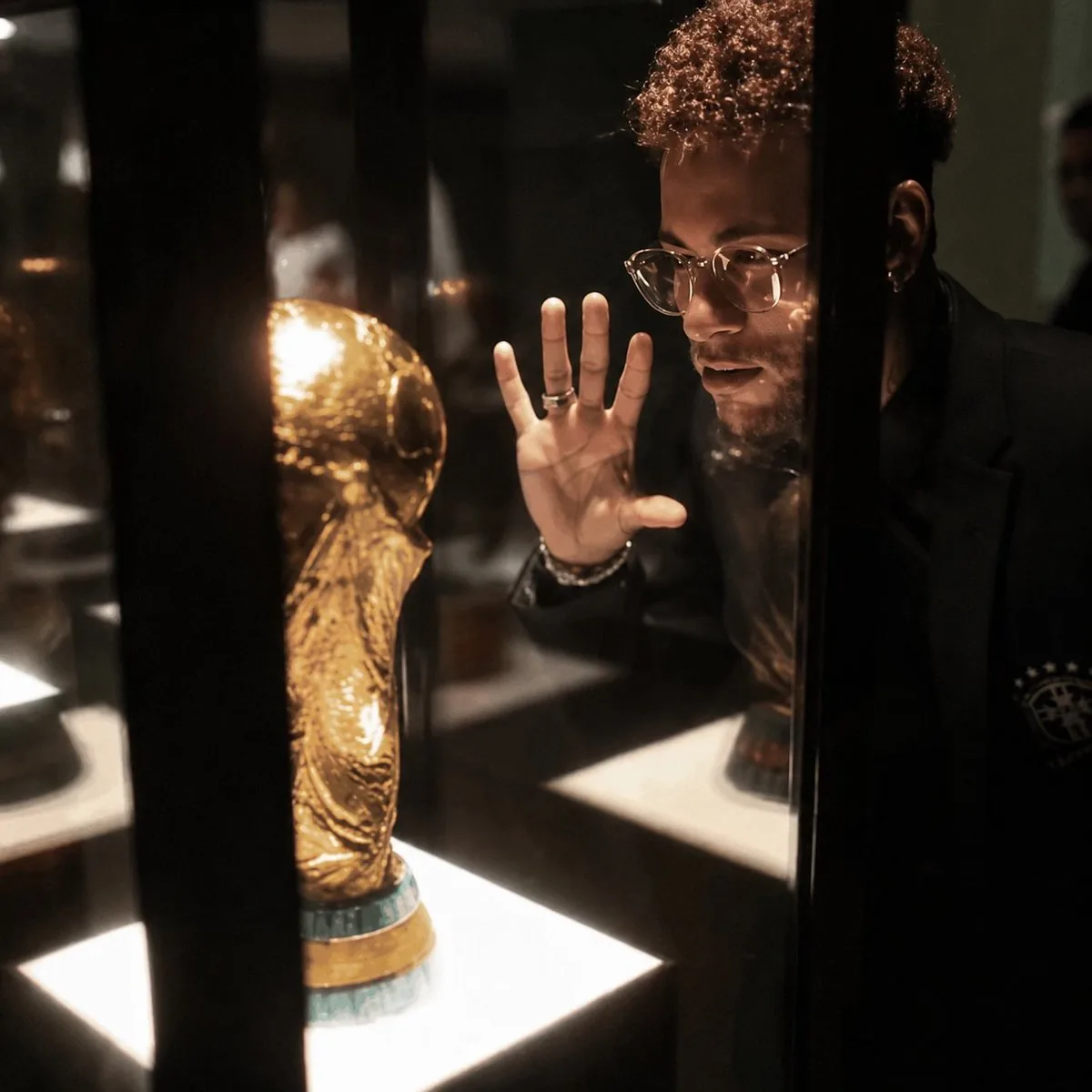
Using the provided reference image, enhance it into an ultra-premium cinematic 8K photo while preserving 100% of the original composition, pose, objects, lighting placement, and the face-obscuring censor block. Improve the image quality dramatically: recover sharp microdetails in the glass display case, the golden trophy, hair texture, hand, rings, clothing, reflections, and illuminated display bases. Make it photorealistic with studio-grade contrast, richer warm museum lighting, cleaner shadows, reduced blur and pixelation, crisp edges, realistic glass reflections, and a high-end editorial/cinema finish. Do not change the subject’s position, the trophy location, the black vertical display bars, or the overall framing. Use {argument name="output quality" default="ultra-premium 8K"}, {argument name="visual style" default="cinematic photorealism"}, {argument name="detail emphasis" default="sharp microdetails, realistic pores, hair, glass, and metal reflections"}, and {argument name="lighting mood" default="warm high-contrast museum display lighting"}.38Prompt breakdown
- Subject
- Figure with face hidden by censor block next to golden trophy inside glass display case with black vertical bars
- Style
- Cinematic photorealism at ultra-premium 8K with sharp microdetails and realistic glass-metal reflections
- Lighting
- Warm high-contrast museum display lighting with studio-grade contrast and cleaner shadows
- Composition
- 100% preserved original pose, trophy location, framing, and censor block placement
- Mood
- High-end editorial cinema finish emphasizing crisp edges and photorealistic texture
Remix ideas
- Slightly boost the specular highlights on the golden trophy while leaving the censor block unchanged
- Introduce a faint cool rim light along the glass edges for added depth without shifting pose
- Emphasize pore-level skin texture on visible hands while keeping all display-case reflections identical
Reference images
How to use this AI Image prompt template
 1
1Copy the prompt — grab this template’s prompt and negative prompt.  2
2Pick a model — choose a recommended AI model for the best match.  3
3Generate — open the studio with one click and create your result.
Related templates

Photorealistic 8K Photo Restoration
Using the provided reference image, restore and upscale it into an ultra-premium photorealistic 8K image. Keep 100% of the original identity, pose, framing, perspective, and composition unchanged: the dog remains centered close to the camera, holding the same flowers in its mouth, with the same yard and house setting behind it. Remove the heavy blur and pixelation, recover natural microdetails such as crisp eyes, realistic nose texture, individual whiskers, soft fur strands, flower petals, grass, house edges, and tree detail. Make the result look like a high-quality cinematic studio-grade photo with natural daylight, high contrast, rich but realistic colors, clean focus, and no artificial-looking reconstruction. Do not change the subject, do not add new objects, do not alter the expression, and do not stylize it as illustration or CGI. Enhancement strength: ultra-premium 8K cinematic restoration (enhancement strength). Detail priority: sharp eyes, realistic pores, whiskers, fur, and flower texture (detail priority). Color grade: natural sunny high-contrast photorealism (color grade).

Ultra-High Resolution Upscale and Skin Texture Transfer Prompt
Create a creative image of Ultra High Resolution Upscale And Skin Texture Transfer Prompt. Style: photorealistic. Composition: balanced and well-framed. Lighting: natural with cinematic mood. Category: photography. Reference: ultra-high-resolution-upscale-and-skin-texture-transfer-prompt-1622.

HD Photo Restoration Prompt
Create a creative image of Hd Photo Restoration Prompt. Style: photorealistic. Composition: balanced and well-framed. Lighting: natural with cinematic mood. Category: photography. Reference: hd-photo-restoration-prompt-16258.

Image Restoration and Upscale Prompt
Create a creative image of Image Restoration And Upscale Prompt. Style: photorealistic. Composition: balanced and well-framed. Lighting: natural with cinematic mood. Category: photography. Reference: image-restoration-and-upscale-prompt-9422.

Vintage Photo Digital Restoration
Create a creative image of Vintage Photo Digital Restoration. Style: photorealistic. Composition: balanced and well-framed. Lighting: natural with cinematic mood. Category: photography. Reference: vintage-photo-digital-restoration-23910.

Old Photo Restoration and Enhancement
Create a creative image of Old Photo Restoration And Enhancement. Style: photorealistic. Composition: balanced and well-framed. Lighting: natural with cinematic mood. Category: photography. Reference: old-photo-restoration-and-enhancement-12177.
Explore more prompts
Browse more AI image and video prompts by category.
FAQ
- What elements must remain completely unchanged?
- The subject position, trophy location, black vertical display bars, censor block, and overall framing stay fixed.
- Which microdetails receive the strongest enhancement?
- Glass reflections, golden trophy surfaces, hair texture, rings, clothing weave, and illuminated display bases are sharpened for photorealism.