
Text to Image
ChatGPT App Showing WeChat Moments Screenshot — AI Image Prompt
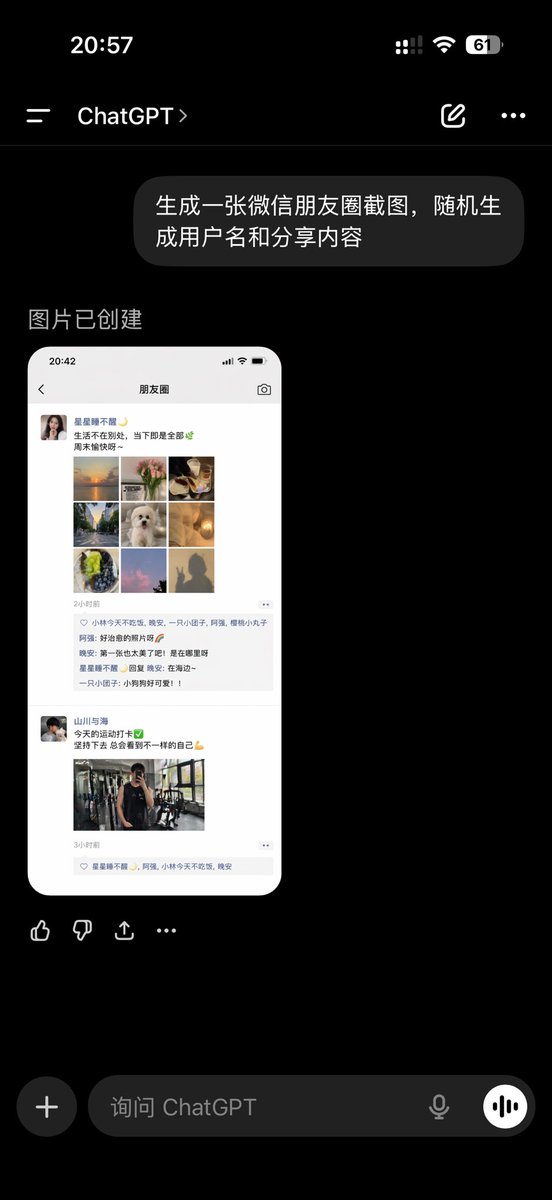
A realistic Chinese ChatGPT mobile app screenshot displaying a generated WeChat Moments mockup, suitable for social media UI demonstrations and AI image generation showcases. - AIPinMaker
Prompt
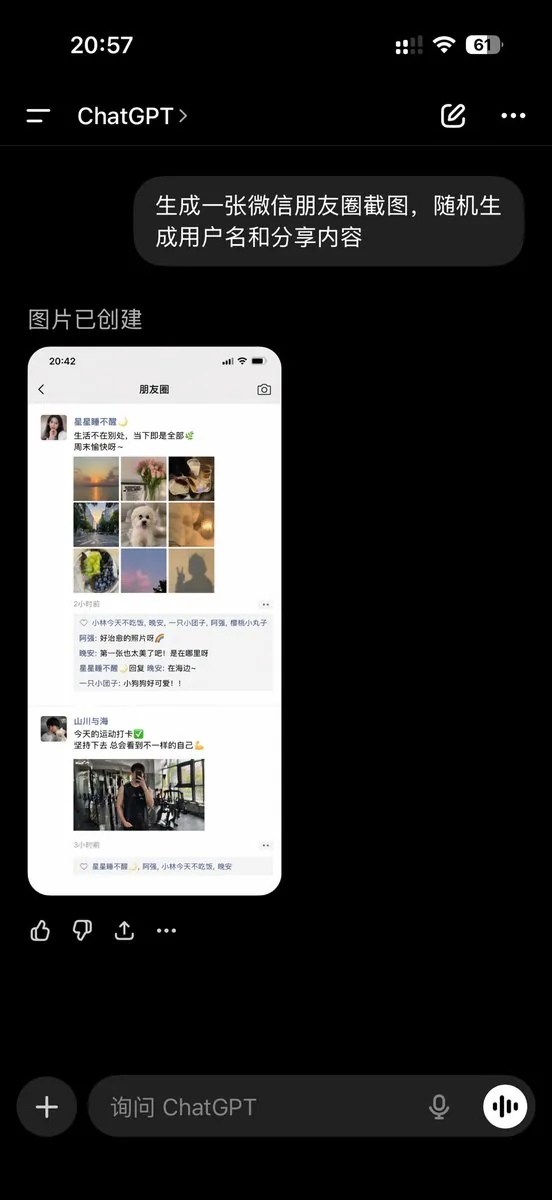
A realistic dark-mode smartphone screenshot of the ChatGPT mobile app in Chinese, shown full screen on a black background with an iPhone-style status bar. The top status bar shows the time 20:57 on the left, small cellular signal, Wi‑Fi, and battery icons on the right, with the battery reading 61. Below it is the ChatGPT conversation header with a left menu icon, the title ChatGPT, a pencil/edit icon, and a three-dot menu icon. In the chat area, show 1 user message bubble in Chinese reading “生成一张微信朋友圈截图,随机生成用户名和分享内容”, displayed as a rounded dark gray bubble aligned to the right. Beneath it, show an assistant response area with the Chinese text “图片已创建”. Under that, display 1 generated image preview: a tall rounded-rectangle screenshot mockup of a WeChat Moments page on a white phone screen. Inside the generated image, include a top bar with the time 20:42 and the title “朋友圈”. Show 2 separate Moments posts. The first post has a female profile photo and the username “星星都不醒”, followed by a short Chinese caption about life and weekends, then a 3x3 collage containing exactly 9 square images: sunset over water, flowers, plated food, a tree-lined road, a white fluffy dog, a warm glowing lamp, green fruit or dessert, pink clouds or sky, and a silhouette shadow photo. Below it, include a timestamp line “2小时前”, a likes row with exactly 3 usernames, and a comments block with exactly 3 short Chinese comments. The second post has a male profile photo and the username “山川与海”, followed by a short fitness-themed Chinese caption with a green check emoji and flexed biceps emoji, then exactly 1 gym mirror selfie image, and a timestamp line “3小时前” with a likes row beneath. Outside the generated image preview but still within the ChatGPT app screenshot, show a horizontal row of 4 action icons below the image: thumbs up, thumbs down, share/export, and more. At the bottom of the screen, include the ChatGPT input bar in dark mode with a circular plus button on the left, placeholder text “询问 ChatGPT”, a microphone icon, and a round voice button on the right. Use authentic mobile UI proportions, crisp typography, realistic Chinese app interface details, and photorealistic screenshot rendering so it looks like a genuine capture of the ChatGPT app displaying an AI-generated WeChat Moments screenshot.3e:T98c,A realistic dark-mode smartphone screenshot of the ChatGPT mobile app in Chinese, shown full screen on a black background wi
Prompt breakdown
- Subject
- ChatGPT mobile app screenshot in Chinese containing a generated WeChat Moments preview with usernames 星星都不醒 and 山川与海 plus a 3x3 collage of nine specific photos
- Style
- Photorealistic mobile UI capture with crisp Chinese typography and rounded bubbles inside an iPhone frame
- Lighting
- Dark-mode ChatGPT interface contrasted against the bright white phone screen of the embedded Moments screenshot
- Composition
- Full-screen layout with top status bar, right-aligned user bubble, assistant text, tall Moments image preview, four action icons, and bottom input bar
- Mood
- Functional and authentic app-interaction atmosphere
Remix ideas
- Change status bar time to 21:10 and battery to 38%
- Replace the 3x3 collage with one wide landscape photo
- Alter the second post caption to remove emojis and add a different fitness detail
- Swap the three Chinese comments under the first post for new short phrases
Reference images
How to use this AI Image prompt template
 1
1Copy the prompt — grab this template’s prompt and negative prompt.  2
2Pick a model — choose a recommended AI model for the best match.  3
3Generate — open the studio with one click and create your result.
Related templates
Early 2000s Digital Camera Snapshot Prompt - Nano Banana Pro AI Prompt for Social Media Post
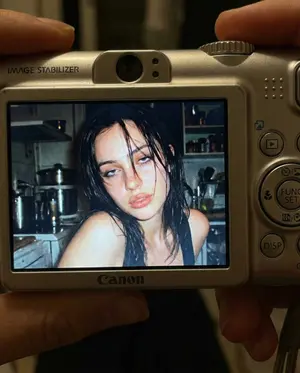
{ "meta": { "aspect_ratio": "4:5", "quality": "ultra_photorealistic", "render_style": "raw digital snapshot realism", "grain": "authentic early-2000s compact camera noise", "no_ai_artifacts": true }, "camera": { "device": "compact Canon digital camera", "lens_equivalent": "28–35mm", "aperture": "f/2.8", "iso": 400, "shutter_speed": "1/60 with flash", "white_balance": "auto flash", "display_effect": "LCD screen glow with slight pixel texture" }, "composition": { "shot_type": "close-up", "framing": "subject centered within camera LCD screen", "outer_frame": "Canon camera body visible around screen", "details_visible": [ "FUNC/SET wheel", "DISP button", "textured plastic surface", "\"IMAGE STABILIZER\" label on side" ], "perspective": "viewer looking directly at the camera screen" }, "scene": { "location": "indoor kitchen", "time": "night", "background": { "elements": [ "cluttered countertop", "metallic kitchen appliances", "open shelves with random items" ], "focus": "softly blurred", "lighting": "dim ambient, overpowered by flash" }, "atmosphere": "candid, raw, nostalgic, early-2000s digital camera vibe" }, "lighting": { "type": "harsh direct built-in flash", "effect": [ "strong facial highlights", "hard shadow falloff", "slight shine on lips and hair", "flattened but intimate flash look" ], "contrast": "high", "color_temperature": "cool flash tones" }, "subject": { "identity": { "gender": "female", "age_vibe": "early 20s", "face_reference": "use facial structure, eye shape, nose proportion, and mouth softness from the attached photo", "body": "curvy, tight waist, round hips, full chest", "skin": "wet, glowing, subtle pink flush as if from cold night air", "hair": { "color": "dark brown", "state": "slightly wet", "behavior": "loose strands falling across face and collarbone" } }, "expression": { "eyes": "heavy-lidded bedroom eyes looking directly into lens", "mouth": "slightly parted lips, relaxed and soft", "overall": "warm, wine-softened, flirtatious confidence without posing" }, "pose": { "head": "slight tilt toward flash", "shoulders": "relaxed, close to frame edge", "energy": "caught-in-the-moment, not performing" } }, "color_grading": { "palette": "slightly muted", "undertones": "cool", "contrast": "strong flash contrast", "screen_effect": "subtle LCD pixel grain and glow" }, "restrictions": { "no_text_inside_photo": true, "no_logos_on_screen": true, "no_watermarks": true, "no_studio_lighting": true, "no_ai_symmetry": true } }3f
Generating Images for Japanese Commemorative Days
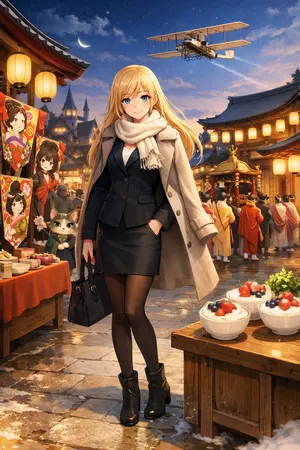
Create a creative image of Generating Images For Japanese Commemorative Days. Style: photorealistic. Composition: balanced and well-framed. Lighting: natural with cinematic mood. Category: photography. Reference: generating-images-for-japanese-commemorative-days-2365.
Documentary Style Image Generation with Nano Banana Pro
Create a creative image of Documentary Style Image Generation With Nano Banana Pro. Style: photorealistic. Composition: balanced and well-framed. Lighting: natural with cinematic mood. Category: photography. Reference: documentary-style-image-generation-with-nano-banana-pro-4579.

Santa's Switch Prank Multi-Angle Grid
Create a creative image of Santas Switch Prank Multi Angle Grid. Style: photorealistic. Composition: balanced and well-framed. Lighting: natural with cinematic mood. Category: photography. Reference: santas-switch-prank-multi-angle-grid-3523.

9-Panel Episode Continuation Prompt
Create a creative image of 9 Panel Episode Continuation Prompt. Style: photorealistic. Composition: balanced and well-framed. Lighting: natural with cinematic mood. Category: photography. Reference: 9-panel-episode-continuation-prompt-1162.
Douyin Live Stream UI Prompt
Create a creative image of Douyin Live Stream Ui Prompt. Style: photorealistic. Composition: balanced and well-framed. Lighting: natural with cinematic mood. Category: photography. Reference: douyin-live-stream-ui-prompt-13485.
Explore more prompts
Browse more AI image and video prompts by category.
FAQ
- What exact Chinese text appears in the user message bubble?
- 生成一张微信朋友圈截图,随机生成用户名和分享内容
- Which nine subjects appear in the first Moments post's 3x3 collage?
- Sunset over water, flowers, plated food, a tree-lined road, a white fluffy dog, a warm glowing lamp, green fruit or dessert, pink clouds or sky, and a silhouette shadow photo