
Text to Image
C4D-Style Finance App UI — AI Image Prompt
This prompt generates a modern 3D-style finance app UI with floating cards, glassmorphism buttons, and dynamic charts, great for UI designers seeking inspiration or showcasing concept designs. - AIPinMaker
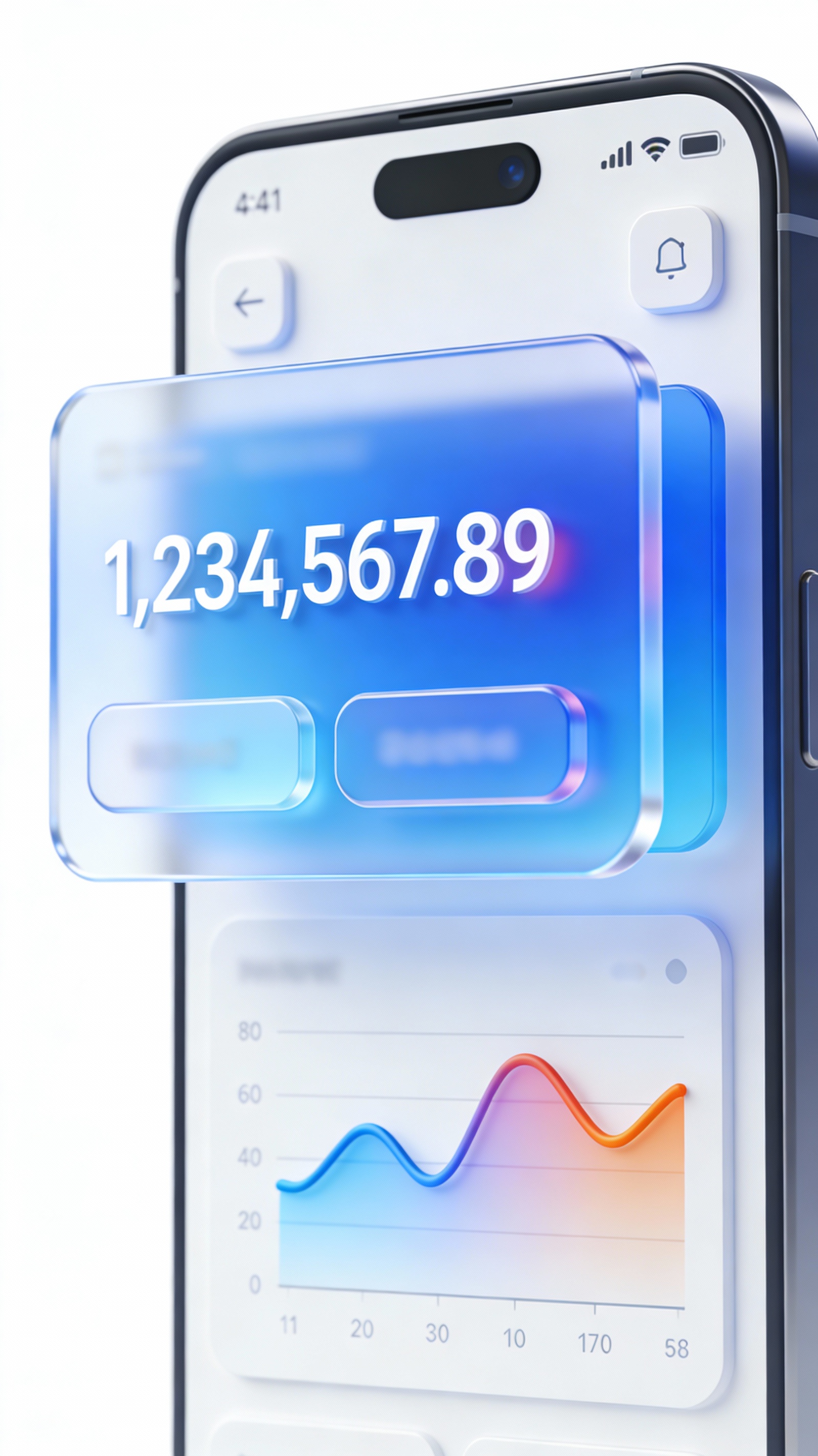
Prompt
Create a creative image of C4d Style Finance App Ui. Style: photorealistic. Composition: balanced and well-framed. Lighting: natural with cinematic mood. Category: photography. Reference: c4d-style-finance-app-ui-958.
Prompt breakdown
- Subject
- C4D Style Finance App UI
- Style
- photorealistic Cinema 4D rendering
- Lighting
- natural with cinematic mood
- Composition
- balanced and well-framed
- Mood
- cinematic
Remix ideas
- Replace standard charts with detailed candlestick graphs and portfolio allocation rings for added depth
- Shift to a cool blue-teal palette while keeping the same natural lighting direction
- Introduce subtle depth-of-field blur on peripheral UI panels to mimic real camera focus
How to use this AI Image prompt template
 1
1Copy the prompt — grab this template’s prompt and negative prompt.  2
2Pick a model — choose a recommended AI model for the best match.  3
3Generate — open the studio with one click and create your result.
Related templates
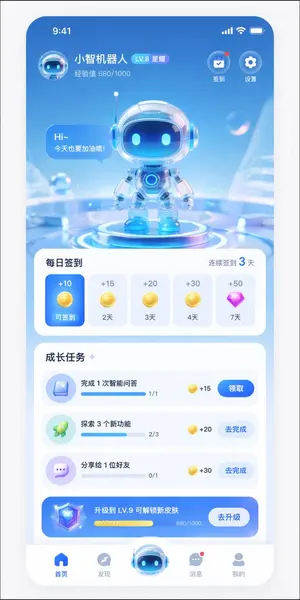
AI Assistant App UI Mockup
{ "type": "mobile app UI mockup", "theme": "futuristic AI assistant, 3D glassmorphism, light blue and white color palette", "header": { "user_profile": { "avatar": "small 3D robot head", "name": "{argument name=\"app name\" default=\"小智机器人\"}", "level_badge": "LV.8 星耀", "experience": "经验值 680/1000" }, "top_right_icons": { "count": 2, "labels": ["签到", "设置"] } }, "hero_display": { "subject": "cute 3D robot with glass helmet and glowing blue eyes", "pose": "standing on a glowing futuristic circular podium", "speech_bubble": "{argument name=\"robot greeting\" default=\"Hi~ 今天也要加油哦!\"}", "background": "abstract light blue tech environment with floating transparent bubbles" }, "layout": { "sections": [ { "title": "每日签到", "subtitle": "连续签到 3 天", "type": "horizontal scroll cards", "count": 5, "items": [ {"state": "active blue card", "reward": "+10 gold coin", "label": "可签到"}, {"state": "inactive white card", "reward": "+15 gold coin", "label": "2天"}, {"state": "inactive white card", "reward": "+20 gold coin", "label": "3天"}, {"state": "inactive white card", "reward": "+30 gold coin", "label": "4天"}, {"state": "inactive white card", "reward": "+50 purple diamond", "label": "7天"} ] }, { "title": "成长任务", "type": "vertical list", "count": 4, "items": [ {"icon": "blue book", "text": "{argument name=\"task 1 title\" default=\"完成 1 次智能问答\"}", "progress": "1/1", "reward": "+15", "button": "领取"}, {"icon": "green rocket", "text": "{argument name=\"task 2 title\" default=\"探索 3 个新功能\"}", "progress": "2/3", "reward": "+20", "button": "去完成"}, {"icon": "purple chat bubble", "text": "分享给 1 位好友", "progress": "0/1", "reward": "+30", "button": "去完成"}, {"style": "blue gradient banner", "icon": "3D diamond", "text": "{argument name=\"upgrade banner text\" default=\"升级到 LV.9 可解锁新皮肤\"}", "progress": "680/1000", "button": "去升级"} ] } ], "bottom_navigation": { "count": 5, "items": [ {"icon": "blue home", "label": "首页"}, {"icon": "grey compass", "label": "发现"}, {"icon": "large protruding 3D robot head", "label": ""}, {"icon": "grey chat bubble with red dot", "label": "消息"}, {"icon": "grey user profile", "label": "我的"} ] } } }

Business Character Sheet Gallery
Goal: Create a wide screenshot-style gallery view showing multiple generated variations of the same modern business illustration sheet. Canvas: Wide 16:9 image, 1792x1024 (canvas size), with a black application-like background and thin gutters between image tiles. At the very top, include a rounded black prompt bar containing small white monospaced text beginning with a visible JSON-style snippet: {argument name="visible prompt text" default="{\"size\": \"1792x1024\", \"prompt\": \"A modern illustration sheet displayed on a soft light grey background.\\nThe illustrations are arranged in a structured grid layout of 2 rows with 6 figures per row (12 figures total), ...\"}"}. Layout: Show exactly 16 rectangular thumbnail tiles arranged in a 4 by 4 grid beneath the prompt bar. Each tile has a soft light gray background and depicts a miniature illustration sheet. The thumbnails are similar but not identical, like generated variations. Use narrow black spacing between tiles and slightly rounded tile corners. Add a subtle small translucent circular play/arrow icon at the lower-right corner of many tiles, as if they are preview cards in a generation interface. Thumbnail content: Inside each of the 16 tiles, show exactly 12 stylized 3D business figures arranged as 2 rows with 6 figures per row. The people should be diverse in gender, skin tone, age, and clothing, wearing modern office attire such as navy suits, gray blazers, teal trousers, skirts, shirts, sweaters, and business shoes. Include business props throughout the figures: laptops, desks, office chairs, briefcases, clipboards, cardboard boxes, easel flip charts, whiteboards, markers, presentation boards, handshake poses, walking poses, seated computer-work poses, and standing discussion poses. Keep every figure isolated like a clean character-sheet element rather than a continuous scene. Visual style: Polished semi-realistic 3D illustration, soft studio lighting, subtle shadows under each character, clean corporate presentation aesthetic, muted colors with navy, gray, white, teal, tan, and small accent colors. The overall composition should look like a screen capture of an AI image generation results page, not a single poster. Constraints: Keep the top prompt bar legible enough to read the beginning, but it may truncate toward the right. Use exactly 16 gallery thumbnails, and within each thumbnail use exactly 12 business figure vignettes in a 2-row by 6-column arrangement. Do not add logos, watermarks, extra interface panels, or unrelated text beyond the top prompt bar.
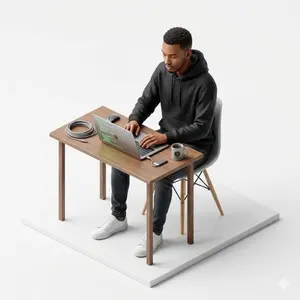
Isometric figurine generation prompt for Nano Banana Pro
Create a creative image of Isometric Figurine Generation Prompt For Nano Banana Pro. Style: photorealistic. Composition: balanced and well-framed. Lighting: natural with cinematic mood. Category: photography. Reference: isometric-figurine-generation-prompt-for-nano-banana-pro-5874.
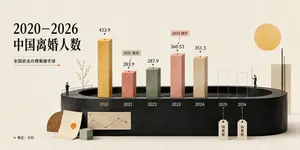
China Divorce Data 3D Infographic
Goal: Create an elegant editorial-style 3D infographic about 2020–2026 China divorce population (headline topic), using Chinese typography and a minimalist museum-display aesthetic. Canvas: Wide horizontal 16:9 composition on warm off-white textured paper, soft studio lighting, subtle shadows, muted cream background. Layout: Place a large black Chinese headline on the upper left reading “2020–2026\n中国离婚人数”. Beneath it, add a smaller subtitle “全国依法办理离婚手续” with a thin horizontal line ending in a small orange dot. The main visual is a dark charcoal oval/cylindrical podium spanning the lower middle, with a recessed oval opening at the top like a stage. Along the podium front, label the years from left to right: 2020, 2021, 2022, 2023, 2024, 2025, 2026. Chart elements: Use exactly 7 vertical year positions. Show 5 solid rectangular 3D bars and 2 dashed-outline placeholder bars. The 5 solid bars are: 2020 tall ochre-gold bar labeled “433.9”; 2021 shorter dusty coral bar labeled “283.9” with a small callout tag “2021 低点”; 2022 muted sage-green bar labeled “287.9”; 2023 taller salmon-pink bar labeled “360.53” with a small callout tag “2023 回升”; 2024 beige stone bar labeled “351.3”. The 2 future placeholders are dashed transparent bars for 2025 and 2026, each with a hanging tag below reading “待更新”. Put small black dots and leader lines above each numeric value. Decorative details: Add two tiny human figures for scale: one standing on the left edge of the podium near a simple railing and sparse delicate branch/tree, another standing on the right side near the future bars. Add a large flat golden sun circle in the upper right. Add a tall cream rectangular slab on the far right behind the podium with a thin black vertical line in front. At the lower left, place a wooden semicircle, a leaning paper sheet with a small orange circle, a small pale green cube, and a miniature beige line-chart card attached to the podium front. Text and legend: In the bottom-left corner add an orange dot followed by “单位:万对”. Keep all visible text in Chinese as specified, with crisp black type and no extra labels. Visual style: Refined data-visualization poster, tactile paper texture, 3D clay/paper-cut look, muted ochre coral sage beige palette, high-end magazine infographic, clean negative space, realistic soft shadows, precise alignment. Constraints: Use exactly the 7 year positions and exactly the 5 solid bars plus 2 dashed future bars described above. Do not add watermarks, logos, extra charts, or additional people.39:Ta6a,Goal: Create an elegant editorial-style 3D infographic about {argument name="headline topic" def
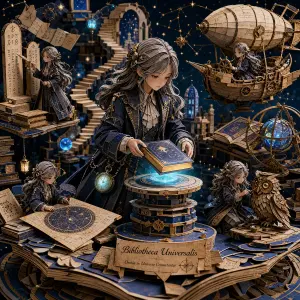
3D Papercraft Cosmic Library Diorama
A highly detailed 3D layered papercraft diorama set inside a floating cosmic library, blending fantasy and steampunk aesthetics. The composition centers on a thoughtful young explorer with long silver-streaked hair tied in a loose braid (character), wearing an elegant deep navy coat with brass accents (outfit) and a glowing pocket watch suspended on a chain. She is gently placing a glowing book onto a levitating pedestal, as if unlocking a hidden story of the universe.Surrounding her are miniature handcrafted versions of herself in different roles: one deciphering ancient runes on floating stone tablets, another navigating a tiny airship made of parchment and gears, one sketching constellations on a rolled-out star map, and another repairing a mechanical owl made of layered paper and copper textures.The environment is a vast, dreamlike library made of stacked floating books, spiral staircases that dissolve into starlight, and glowing orbs of knowledge hovering in mid-air. The background fades into deep indigo space filled with subtle nebula clouds and golden constellations forming abstract maps.The entire artwork has a premium handcrafted papercraft aesthetic with visible layered paper edges, soft cinematic rim lighting, intricate shadow depth, and a rich color palette of midnight blue, antique gold, glowing cyan, and parchment beige (color palette). The mood feels mystical, intellectual, and epic — like a secret archive of the universe.39
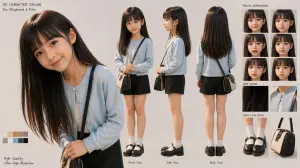
3D Schoolgirl Character Design Sheet
{"type":"3D character design sheet","style":"photorealistic stylized 3D character model presentation for storyboard and film development","subject":{"gender presentation":"young girl, elementary-school age","build":"slim, petite","ethnicity":"East Asian appearance","character role":"quiet everyday school-age character","face":"soft youthful features, natural skin, neutral expression","hair":{"color":"{argument name=\"hair color\" default=\"dark brown\"}","style":"very long, straight, smooth hair with a center part and subtle shine, reaching below the chest in front and to the upper back behind"},"outfit":{"count":6,"items":["light powder-blue cardigan with round neckline and small pearl-like buttons","white inner top visible at the collar","black shorts with a simple clean silhouette","white mid-calf socks","black leather Mary Jane shoes with thick soles and straps","small structured crossbody bag in beige and black with a dark strap"]}},"layout":{"background":"clean warm light gray studio backdrop","sections":[{"title":"main portrait","position":"left","count":1,"labels":["large close-up three-quarter portrait with head slightly tilted down"]},{"title":"turnaround views","position":"center","count":3,"labels":["Front View","Side View","Back View"]},{"title":"FACIAL EXPRESSIONS","position":"top-right","count":6,"labels":["neutral front","soft smile front","gentle concern front","subtle smile three-quarter","calm downcast gaze three-quarter","shy reserved look three-quarter"]},{"title":"HAIR DETAIL","position":"mid-right","count":2,"labels":["close-up of straight glossy hair strands","close-up of cardigan neckline and shoulder strap"]},{"title":"SHOES & BAG DETAIL","position":"bottom-right","count":2,"labels":["close-up of socks and Mary Jane shoes","close-up of structured crossbody bag"]},{"title":"color palette","position":"bottom-left","count":10,"labels":["cream","light beige","tan","camel","warm brown","olive gray","soft gray","dusty blue","charcoal","black"]}],"text elements":{"count":7,"labels":["3D CHARACTER DESIGN","For Storyboard & Film","FACIAL EXPRESSIONS","HAIR DETAIL","SHOES & BAG DETAIL","High Quality","Ultra High Resolution"]}},"composition":"large hero portrait on the left, three full-body turnaround renders across the middle, stacked reference panels on the right, small color swatches at the bottom left","lighting":"soft studio lighting, even illumination, gentle shadows, realistic material rendering","rendering notes":"high-resolution polished character-sheet presentation, realistic fabric texture, glossy hair strands, subtle skin shading, clean product-design layout, professional preproduction style","camera":"orthographic-like character sheet framing for full-body views, portrait lens feel for the close-up"}
Explore more prompts
Browse more AI image and video prompts by category.
FAQ
- Why does this prompt specify photorealistic C4D style for a finance app?
- It transforms typical flat UI mockups into objects with realistic materials, shadows, and reflections that feel photographed rather than designed on screen.
- How can the cinematic lighting be adjusted for different moods?
- Increase the light source angle for harsher shadows that emphasize metallic UI elements, or soften it further to create a calm daytime workspace atmosphere.