
Text to Image
Bauhaus Style Fashion Editorial Poster — AI Image Prompt
A sophisticated prompt for creating fashion posters using Bauhaus stage design, high-contrast primary colors, and a matte cardboard texture for a physical model look. - AIPinMaker
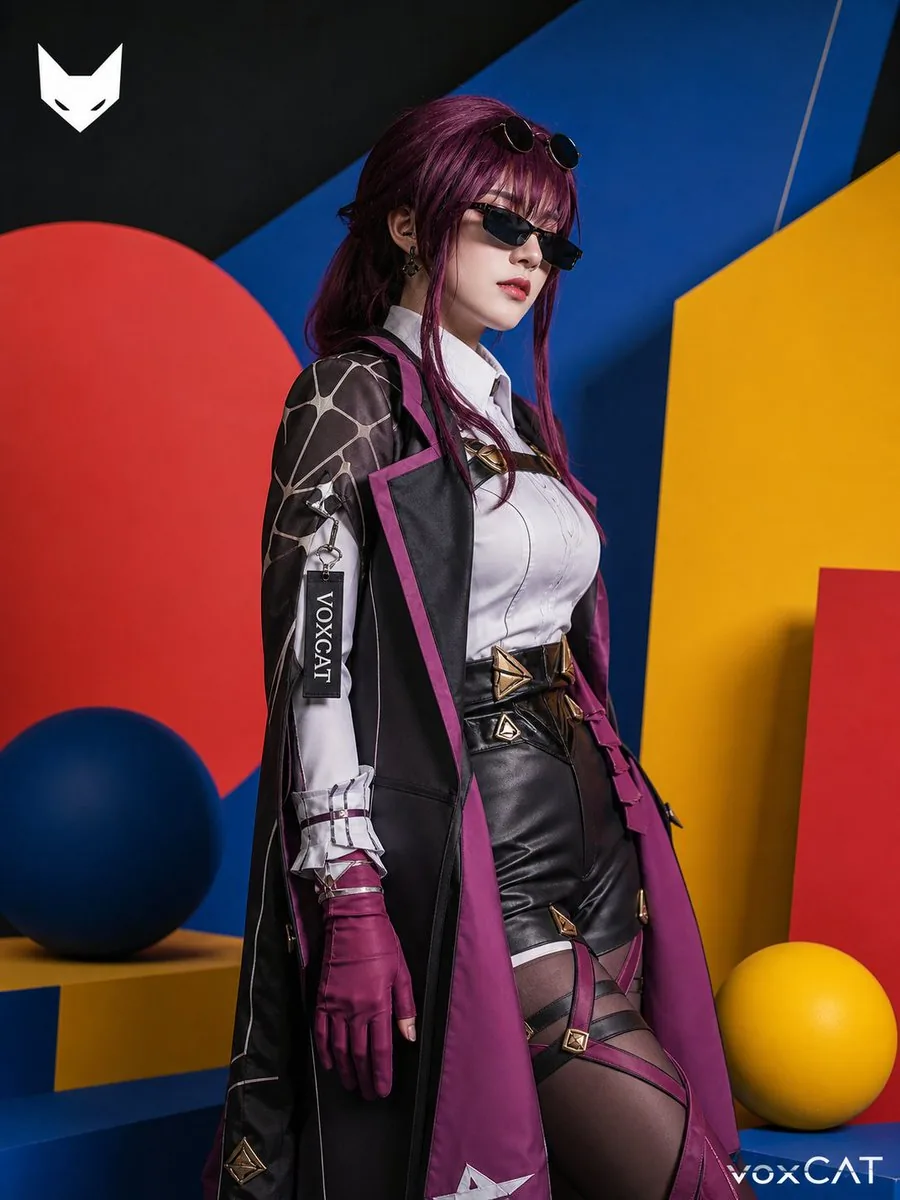
Prompt
Create a social-media image of Bauhaus Style Fashion Editorial Poster. Style: photorealistic. Composition: balanced and well-framed. Lighting: natural with cinematic mood. Category: poster. Reference: bauhaus-style-fashion-editorial-poster-24464.
Prompt breakdown
- Subject
- Bauhaus Style Fashion Editorial Poster with models, geometric shapes, and sans-serif typography
- Style
- photorealistic
- Lighting
- natural with cinematic mood
- Composition
- balanced and well-framed
- Mood
- cinematic
Remix ideas
- Shift the primary color blocks to emphasize yellow and black for a stronger 1920s Bauhaus contrast
- Replace the central model pose with a profile view while retaining the grid background
- Introduce a faint paper-grain texture on the poster edges to enhance the photorealistic print effect
Reference images
How to use this AI Image prompt template
 1
1Copy the prompt — grab this template’s prompt and negative prompt.  2
2Pick a model — choose a recommended AI model for the best match.  3
3Generate — open the studio with one click and create your result.
Related templates

Japanese Sales Book Infographic Ad
Goal: Create a premium Japanese business-book promotional infographic for 最強の営業 (book title), presenting the idea that sales is more beautiful the muddier it gets, with a luxury black-and-gold editorial design. Canvas: Wide 16:9 landscape advertisement, dark charcoal-black textured background with subtle diagonal fabric-like grain, sharp gold divider lines, high contrast white and metallic-gold typography. Overall feel: serious, authoritative, bestselling business book launch visual. Layout: Left two-thirds is a structured infographic; right one-third shows exactly 1 upright 3D-rendered book mockup standing on a glossy dark surface with a faint reflection. The book cover is white, black, and gold, with oversized Japanese title text and a vertical spine visible. Add small supporting Japanese cover text, including the main title 最強の営業 (book title), the phrase 営業に『センス』はいらない (sales phrase), and gold emphasis around the word キーエンス. Top headline area: Large Japanese headline in the upper left: 営業は、泥くさいほど美しい (headline text). Make “泥くさい” metallic gold and the rest white. Beneath it, add a thin gold line and a smaller subtitle: 売上1兆円企業キーエンスで学んだ『凡人が天才に勝つ技術』 (subtitle text). Middle section: A cream-colored horizontal panel titled 「この本のエッセンス」 on a black-and-gold ribbon. Include exactly 3 essence rows, each with a circular black icon at left and Japanese label plus explanation at right: 1) gear icon, 「仕組み」で勝つ: explanation about not relying on individual talent or intuition and pursuing reproducible systems anyone can sell with; 2) sunrise icon, 「未来」を売る: explanation about proposing the customer’s ideal future beyond the product; 3) bar chart icon, 「量」を科学する: explanation about breaking down behavior like physics and producing quality from overwhelming contact volume. Lower middle section: Black panel with gold borders titled 「明日から使える 3つの必殺型」. Include exactly 3 numbered method cards in a row: 1) 「セルフロープレ」 with a simple line icon of a person and speech bubble, describing repeating role-play alone before meeting clients; 2) 「インパクトデモ」 with a monitor/play icon, describing making the client experience convenience and internalize it; 3) 「ワンモア」 with an open-door arrow icon, describing making one more angle of proposal before giving up. Use gold numerals in small boxed labels. Bottom message strip: Add a small outlined label 「メッセージ」 at bottom left. Main sentence in large Japanese text: 『頑張ります』はいらない。必要なのは、結果を出すための『武器』と『防具』だ。 (bottom message) Highlight 「武器」 and 「防具」 in gold outlined boxes. At bottom right add a gold closing line: 「泥くさく、しかし最高に合理的な営業学がここに!」 Visual style: Japanese corporate advertising, bookstore poster, elegant typography mixing Mincho-style serif Japanese and bold Gothic Japanese, crisp grid alignment, metallic gold accents, off-white panels, subtle shadows, clean vector icons, realistic book mockup lighting. Constraints: Use exactly 1 book mockup, exactly 3 essence rows, and exactly 3 method cards. Keep all text legible, preserve the Japanese wording, avoid extra logos, avoid people, avoid clutter, no watermark.37:Te55,Goal: Create a premium Japanese business-book promotional infographic for 最強の営業 (book title), presenting the idea that sales is more beautiful the muddier it gets, with a luxury black-and-gold editorial design. Canvas: Wide 16:9 landscape advertisement, dark charcoal-black textured background with subtle diagonal fabric-like grain, sharp gold divider lines, high contrast white and metallic-gold typography. Ove
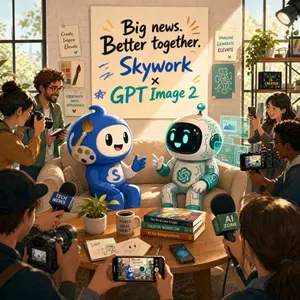
AI Partnership Launch Poster Scene
A warm, editorial-style announcement poster set inside a sunlit creative studio with a cozy startup office vibe. Center the composition on two cute mascots sitting side by side on a beige couch, surrounded by photographers, journalists, and content creators documenting the moment. Above them, place a large hand-painted poster on a light brick wall reading “Big news. Better together. Skywork (brand name) × GPT Image 2 (product name)” in oversized brush lettering, with playful colorful accent strokes around the text. The left mascot is a glossy blue chibi character with a round body, big black oval eyes, a smiling face, white face panel, a paintbrush-shaped crest on its head, a painter’s palette motif on its cheek, and a white “S” on its belly, gesturing happily with one hand. The right mascot is a small white-and-teal robot with a rounded helmet-like head, black face screen, glowing cyan eyes and smile, teal circuitry details across the body, and a teal spiral emblem on the chest, also smiling and gesturing as if in conversation. Put a wooden coffee table in front of them with exactly 8 visible items: 1 small potted plant, 1 white mug reading “PIXELS IDEAS IMPACT,” 3 stacked design books, 1 open sketchbook with concept drawings, 1 pen, 1 smartphone lying flat, and 1 smartphone held in the foreground capturing the mascots. Surround the scene with exactly 7 visible human figures partially entering frame, some holding DSLR cameras, one holding a video camera with a flip-out screen, and 3 microphones with cube flags labeled “TECH NEWS,” “AI ZONE,” and another media mic. Add translucent cyan holographic interface panels floating beside the robot, suggesting AI-generated visuals and design tools. Decorate the walls and shelves with creative studio details: pinned art prints and posters reading “Create Inspire Elevate,” “CREATIVITY MEETS INTELLIGENCE,” “IMAGINE GENERATE ELEVATE,” and “FUTURE IS CREATIVE,” plus a paintbrush illustration, a circuit diagram print, books, plants, and a studio light in the upper right corner. Lighting is golden-hour sunlight streaming through large industrial windows on both sides, creating a cinematic, optimistic launch-event mood. Style: polished 3D illustration mixed with commercial lifestyle photography, highly detailed, friendly, brand-forward, vibrant but tasteful colors, soft depth of field, premium poster composition, square format.3c:T9be,A warm, editorial-style announc

Microsoft Office Parody Banner
A clean corporate parody graphic on a plain light gray background, centered horizontally, styled like an official Microsoft product banner. On the left, show a layered cluster of 4 overlapping Microsoft Office-like app icons with glossy 3D depth and soft shadows: 1 large blue square tile in front with a bold white capital letter P, 1 orange rounded rectangle behind it at the upper left with a white pie-chart symbol, 1 white document sheet in the middle with a folded top-right corner, three blue horizontal text lines and a blue bar chart at the bottom, and 1 green spreadsheet tile behind on the right with a white grid pattern. On the right side, place the word Microsoft in small dark gray sans-serif type above a large product-name line that reads Power harassment Ex (headline text). Render the large title in a Microsoft-style multicolor gradient spanning warm orange-red into purple-blue and cyan, with a crisp modern sans-serif look. Keep the composition minimal, wide, and balanced, with lots of empty space, resembling a polished tech company branding image or fake software logo announcement.
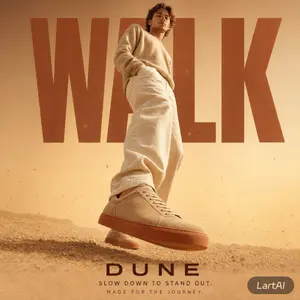
Warm Editorial Sneaker Poster
Create a social-media image of Warm Editorial Sneaker Poster. Style: photorealistic. Composition: balanced and well-framed. Lighting: natural with cinematic mood. Category: poster. Reference: warm-editorial-sneaker-poster-22851.

Energetic Pop Art Poster
Create a social-media image of Energetic Pop Art Poster. Style: photorealistic. Composition: balanced and well-framed. Lighting: natural with cinematic mood. Category: poster. Reference: energetic-pop-art-poster-20527.
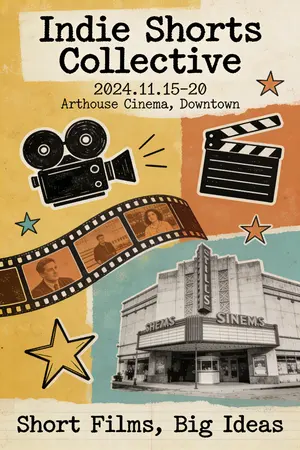
Quirky Independent Short Film Festival Poster
A quirky and independent-style poster for a short film festival. The design is a collage of hand-drawn doodles, film strips, and vintage photographs. The typography is a mix of different typewriter and handwritten fonts, giving it a DIY, zine-like feel. The color palette is limited and has a retro vibe. The poster should look creative, unconventional, and appeal to an arthouse audience. –ar 2:3
Explore more prompts
Browse more AI image and video prompts by category.
FAQ
- How does the prompt achieve a poster-within-an-image effect?
- By specifying a photorealistic render of the actual Bauhaus poster as the central subject, complete with its own typography and geometric layout, framed naturally for social media.
- Can the cinematic lighting be adjusted without losing the Bauhaus feel?
- Yes, keep the natural light direction but lower contrast slightly to soften shadows while preserving the clean geometric lines and primary colors.