
Text to Image
Anonymous Legends in Red Grid — AI Image Prompt
Creates a dramatic four-panel cinematic portrait grid of anonymous legendary figures with red lighting and face-obscuring censor blocks. - AIPinMaker
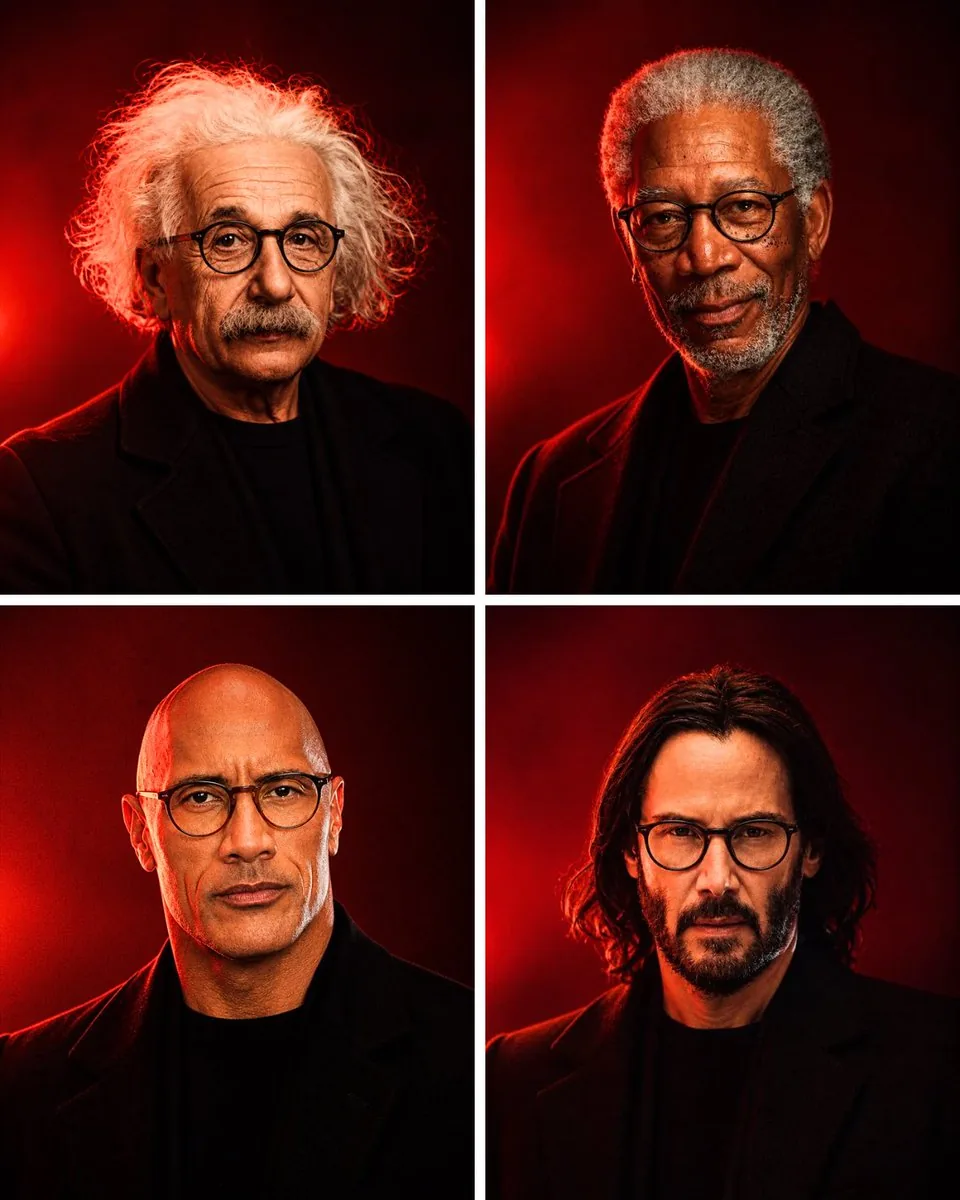
Prompt
Goal: Create a cinematic 2×2 portrait grid titled by mood only, showing four anonymous legendary figures in dramatic red lighting, with their faces intentionally hidden by opaque rectangular censor blocks so they are recognizable only by silhouette, hair, posture, and styling.

Canvas: Vertical 3:4 image, four equal panels separated by thick clean white gutters forming a cross. Each panel is a tight chest-up studio portrait against a dark crimson-to-black background with a vivid red rim light or glowing red spotlight behind the subject.

Layout: Exactly 4 portraits total: top-left, top-right, bottom-left, bottom-right. Keep all subjects centered, cropped from upper chest to just above the head, wearing dark black coats or jackets over black shirts. Use high-contrast shadows, moody editorial photography, shallow depth of field, realistic skin and hair texture, and a premium magazine-cover look.

Subject details: Top-left portrait: an elderly figure with wild, voluminous white curly hair spreading outward, black overcoat, red halo light behind the hair. Top-right portrait: an older figure with short gray hair, dark beard or facial hair visible around the lower face, black coat, strong red side light. Bottom-left portrait: a bald middle-aged figure with glasses partly visible at the edges of the censor block, black coat, red rim light on shoulders. Bottom-right portrait: a younger-to-middle-aged figure with shoulder-length dark wavy hair, black coat, red light glowing behind the head.

Face concealment: Place exactly 4 opaque rectangular blocks, one centered over each face. The blocks should be vertical rectangles in warm brown skin-tone colors, covering the eyes, nose, and mouth while leaving hair, ears, neck, and clothing partly visible. Make the censor blocks flat, untextured, and deliberately artificial.

Style: Photorealistic studio portrait photography, dramatic red and black color palette, cinematic contrast, subtle film grain, sharp clothing edges, glowing red backlight, serious and iconic mood, no typography, no logos, no watermark.

Customizable direction: Use {argument name="color theme" default="deep crimson red and black"}, {argument name="portrait count" default="4"}, {argument name="subject theme" default="anonymous legendary figures"}, {argument name="censor block color" default="warm brown skin-tone"}, and {argument name="lighting style" default="dramatic red rim lighting"}.3Prompt breakdown
- Subject
- Four anonymous legendary figures in black coats: elderly wild white curly hair top-left, older short gray hair with beard top-right, bald middle-aged with glasses edges bottom-left, younger shoulder-length dark wavy hair bottom-right
- Style
- Photorealistic studio portrait photography with realistic skin and hair texture, subtle film grain, sharp clothing edges, and premium magazine-cover finish
- Lighting
- Dramatic red rim lighting and glowing red spotlights creating vivid halos and side illumination against dark crimson-to-black backgrounds
- Composition
- Vertical 3:4 canvas with four equal panels in a cross layout separated by thick clean white gutters, each a tight centered chest-up crop
- Mood
- Serious and iconic with high-contrast moody editorial atmosphere
Remix ideas
- Swap the top-left wild white curls for a slicked-back style to shift silhouette recognition while keeping the red halo
- Change censor block color argument to a cooler taupe for a less skin-like artificial overlay effect
- Adjust lighting style argument to favor bottom-left rim light on the shoulders instead of balanced red glows across all panels
Reference images
How to use this AI Image prompt template
 1
1Copy the prompt — grab this template’s prompt and negative prompt.  2
2Pick a model — choose a recommended AI model for the best match.  3
3Generate — open the studio with one click and create your result.
Related templates

Censored Teal Fashion Portrait
Create a cinematic, moody fashion portrait of an androgynous young adult model (subject) in a dark sheer tulle garment with voluminous translucent fabric around the shoulders and chest. The subject is framed in a tight upper-body crop, slightly off-center, with slicked-back black (hair color) hair visible above and around a large opaque square censor block covering the entire face. The square sits centered over the face, extending from the forehead area down to the upper chest, with a subtle vertical gradient from dark charcoal teal at the top and bottom to muted gray-green in the center. Show one ear peeking out on the right side of the block and a small amount of hairline visible at the top. Use a cool cyan-teal studio background with soft misty texture, low contrast, and filmic grain. Lighting should be dim, atmospheric, and editorial, with blue-green color grading, shallow depth of field, soft shadows, and a high-fashion magazine look. No visible text, logos, or extra objects.

Dark Veiled Couture Portrait
Create a dark cinematic high-fashion editorial portrait of a mysterious veiled figure wearing an elaborate midnight navy and black (garment color) pleated couture gown with glossy wet-look fabric, long flowing draped sleeves, and a translucent veil cascading from the head and shoulders. The figure is centered slightly right, shown from the upper body, with the head and face deliberately covered by a flat opaque dark gray (face block color) rectangular censorship block placed over the face area. Add ornate metallic beadwork, tiny jewels, chains, and gold highlights along the veil and bodice, catching sparse light. Use a moody smoky charcoal blue-black (background color) studio background with low-key lighting, deep shadows, subtle film grain, and a dramatic chiaroscuro fashion-photography look. The fabric should fan outward in sweeping pleated arcs to the left and right, emphasizing texture, folds, shimmer, and movement. Wide horizontal composition, 16:9 aspect ratio, no text, no logo, no watermark.

Dark Veiled Couture Portrait
Create a portrait image of Dark Veiled Couture Portrait. Style: photorealistic. Composition: balanced and well-framed. Lighting: natural with cinematic mood. Category: portrait. Reference: dark-veiled-couture-portrait-20562.

Anonymous Teal Fashion Portrait
Create a cinematic fashion portrait of an androgynous young model (subject) from the shoulders up, centered slightly left, against a moody teal-blue studio background with soft haze and film grain. The model has slicked-back black hair (hair color), one ear partially visible on the right, and wears a dramatic sheer black tulle garment with voluminous translucent layers spreading across the lower half of the frame. Place a large opaque square block directly over the model’s face, centered and covering the eyes, nose, mouth, and most facial features; the block should be a muted dark teal-gray with a subtle vertical gradient, like an intentional anonymizing mask. Use cool diffused cinematic lighting (lighting style), shallow depth of field, high-fashion editorial composition, subdued contrast, blue-green color grading, realistic texture, and a widescreen 16:9 crop. No text, no logos, no extra objects, and keep the image minimal, atmospheric, and mysterious.39
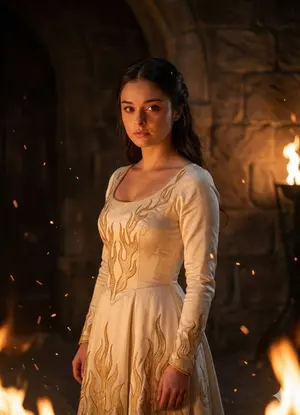
Contrasting Fantasy Portrait with Golden Flames
Create a portrait image of Contrasting Fantasy Portrait With Golden Flames. Style: photorealistic. Composition: balanced and well-framed. Lighting: natural with cinematic mood. Category: portrait. Reference: contrasting-fantasy-portrait-with-golden-flames-3792.
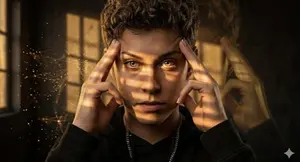
Chiaroscuro Psychic Concentration Portrait
Create a portrait image of Chiaroscuro Psychic Concentration Portrait. Style: photorealistic. Composition: balanced and well-framed. Lighting: natural with cinematic mood. Category: portrait. Reference: chiaroscuro-psychic-concentration-portrait-13162.
Explore more prompts
Browse more AI image and video prompts by category.
FAQ
- How do the censor blocks interact with the visible elements in each panel?
- Each vertical warm brown skin-tone rectangle sits centered over the face covering eyes nose and mouth while deliberately leaving hair ears neck and coat collars exposed for silhouette-based recognition.
- Why does the prompt specify exactly these four hair and age combinations?
- The distinct profiles—voluminous white curls, short gray with beard, bald with glasses edges, and shoulder-length dark waves—ensure each quadrant remains identifiable by posture and styling alone despite identical black coats and face concealment.