
Text to Image
Annotated Mountain Location Diagram — AI Image Prompt
Creates a clean planning-overlay diagram on a reference landscape photo while preserving the original scene quality. - AIPinMaker
Prompt
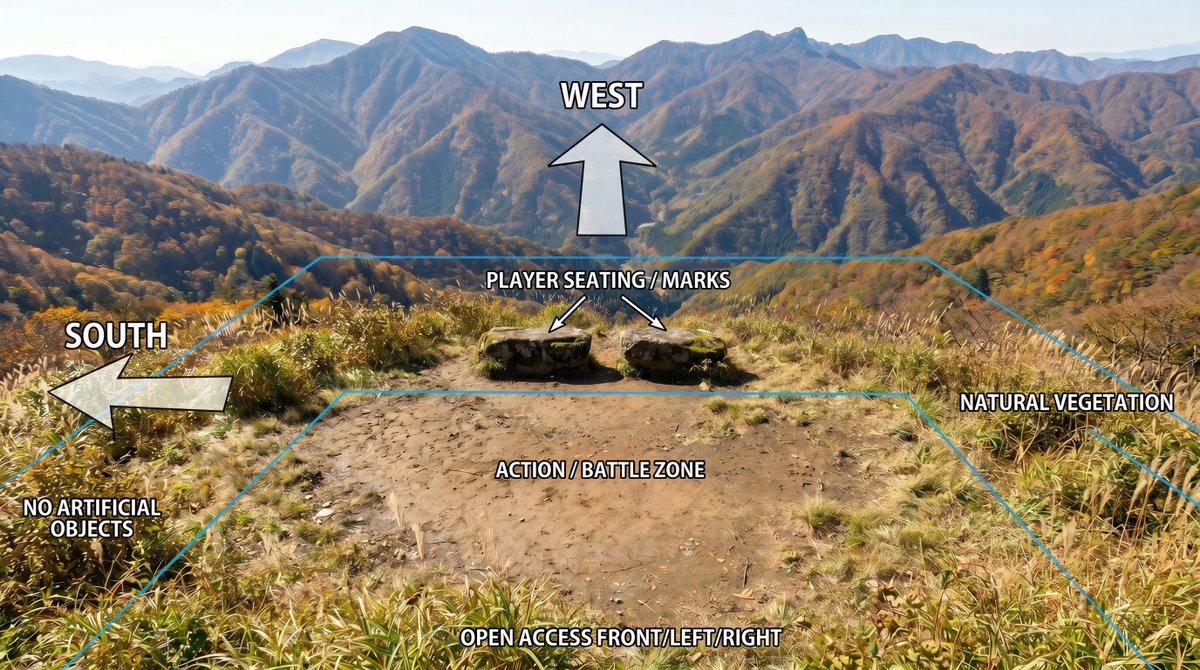
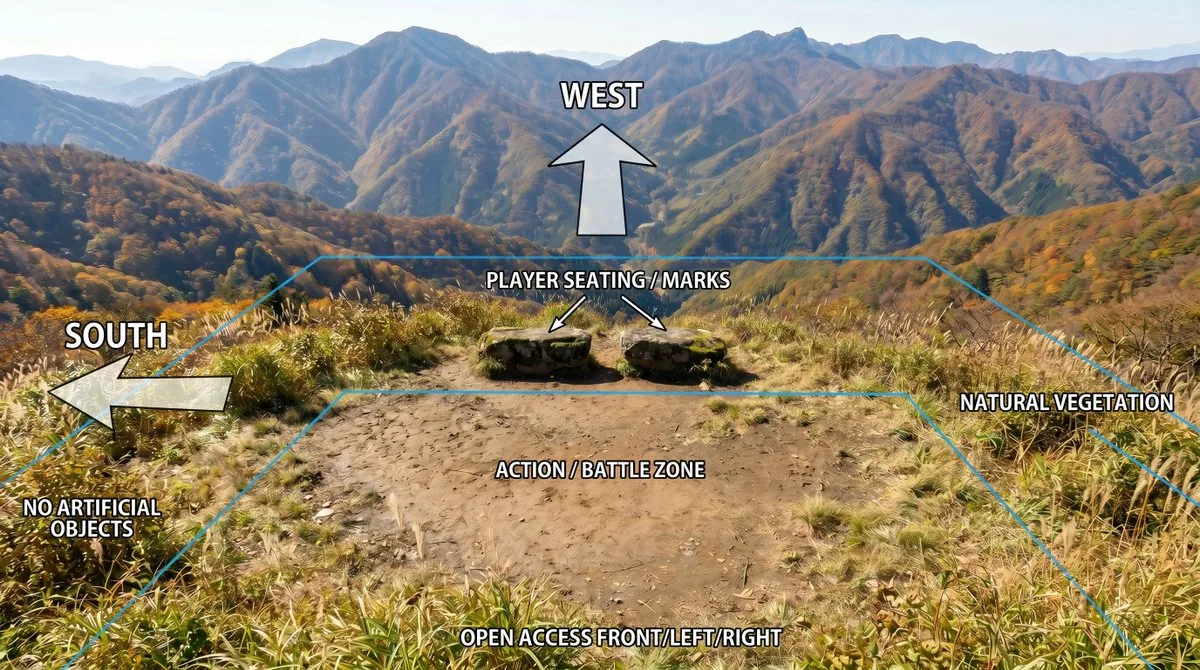
Using REFERENCE_0 as the base image, create an annotated location-planning diagram without altering or degrading the original mountain landscape photo. Keep the scenery, colors, detail, composition, vegetation, dirt clearing, rocks, and distant mountains as close to the reference as possible; only add clean overlay graphics and labels.

Add exactly 7 bold white uppercase labels with black outline/drop shadow: {argument name="west label" default="WEST"} at the upper center, {argument name="south label" default="SOUTH"} on the left, {argument name="seating label" default="PLAYER SEATING / MARKS"} above the two rocks, {argument name="zone label" default="ACTION / BATTLE ZONE"} centered on the dirt clearing, {argument name="front access label" default="OPEN ACCESS FRONT/LEFT/RIGHT"} along the bottom edge, plus "NO ARTIFICIAL OBJECTS" near the lower-left vegetation and "NATURAL VEGETATION" on the right side.

Add exactly 4 semi-transparent white arrows with black outlines: one large upward arrow under the WEST label, one large left-pointing arrow beside the SOUTH label, and two small diagonal arrows from the seating label pointing to the two stone seats/marks. Add thin cyan perspective guide lines outlining the usable area: a large trapezoid/field boundary following the clearing and vegetation edges, with a smaller inner trapezoid around the action/battle zone. Make the overlay look like a clear outdoor scene breakdown diagram, while preserving the original photographic quality and avoiding any extra objects, people, buildings, icons, or new scenery.Prompt breakdown
- Subject
- Mountain landscape photo with central dirt clearing, two rocks, vegetation edges, and distant peaks
- Style
- Realistic photograph with clean semi-transparent diagram overlays including bold labels and cyan guide lines
- Composition
- Large trapezoid boundary around the full clearing plus smaller inner trapezoid on the action zone, with labels at upper center, left, bottom edge, and near vegetation
- Mood
- Functional and instructional for scene or event location planning
Remix ideas
- Swap the PLAYER SEATING / MARKS label text while keeping the two small diagonal arrows aimed at the rocks
- Tighten the inner cyan trapezoid to hug only the dirt clearing edges more closely
- Relocate the NO ARTIFICIAL OBJECTS label slightly rightward along the lower-left vegetation line
Reference images
How to use this AI Image prompt template
 1
1Copy the prompt — grab this template’s prompt and negative prompt.  2
2Pick a model — choose a recommended AI model for the best match.  3
3Generate — open the studio with one click and create your result.
Related templates
Dark Fantasy Route Map
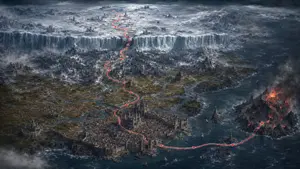
Create an epic dark fantasy cartographic panorama in a cinematic realistic digital painting style. The scene is a vast medieval coastal world viewed from a very high aerial three-quarter angle, like a game map or fantasy strategy map. In the foreground center is a huge fortified harbor city packed with stone buildings, cathedral towers, walls, docks, small ships, and bridges, surrounded by blue-black ocean and river deltas. A thin bright red route line with small arrowheads is drawn over the landscape, starting at the harbor city, curving across the sea to the right toward a volcanic island, then continuing back through the city and winding northward through forests, rivers, ruined keeps, mountain passes, and finally climbing a monumental vertical ice wall into a frozen northern wasteland. Count exactly 1 continuous red travel path, with multiple visible arrowheads along it. On the right, show a jagged black volcanic island with glowing orange lava, fire, smoke, and ash clouds. In the middle distance, show dark pine forests, scattered castles, villages, roads, rocky mountains, marshy river channels, and mist. Across the upper third, show a colossal icy cliff or glacier wall spanning the entire width of the land, with a frozen plateau beyond it containing snowfields, ancient ruins, spires, distant mountains, and storm clouds. Use cold desaturated blues, grays, charcoal, icy whites, muted browns, and small accents of fiery orange lava and vivid red for the route. Lighting is dramatic and overcast, with heavy clouds, fog banks, sea spray, and high-detail worldbuilding. No labels, no UI, no border, no watermark, no readable text. Aspect ratio 16:9, ultra-wide cinematic composition, highly detailed, sharp, atmospheric, epic scale.
Python-Scripted Hidden Logo Landscape
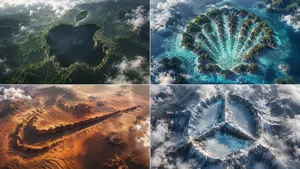
2x2 grid, think hard and find different input as and bs that work: class HiddenLogoLandscape: def __init__(self, logo="{Input A} (logo name)", biome="{Input B} (biome)"): self.logo = logo self.biome = biome self.scene = self.__infer__() def __infer__(self): s = Scene() s.terrain = Terrain() # Carving rule: main logo shape is a negative space drop in the biome's surface s.terrain.negative_carve = self.logo.main_body s.terrain.negative_altitude = -150 # meters drop s.terrain.negative_texture = f"dark {self.biome.material} (shadowed forest, void canyon)" # Floating islands for detached parts s.terrain.floating_islands = [{ "shape": part, "material": f"{self.biome.material} floating landmass", "altitude": +200, "position": "suspended above main shape" } for part in self.logo.detached_elements] s.atmosphere = "swirling clouds, mist, god rays backlight" s.pareidolia = "edges formed organically by trees, cliffs, snow—no smooth vectors" s .camera = "aerial drone, 1:1 framing, high contrast, cinematic" return s def render(self): return NationalGeographicAerial(self.scene) exec(HiddenLogoLandscape().render())3a
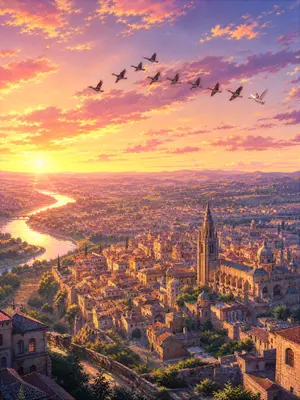
Sunset Ancient Spanish City Landscape
Create a creative image of Sunset Ancient Spanish City Landscape. Style: photorealistic. Composition: balanced and well-framed. Lighting: natural with cinematic mood. Category: photography. Reference: sunset-ancient-spanish-city-landscape-24627.
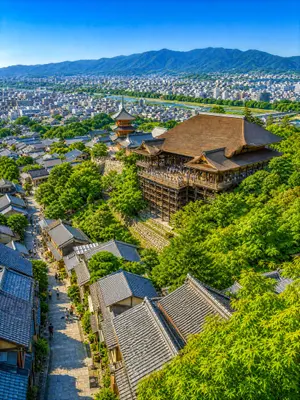
Summer Kyoto Temple Overlook
Create a highly detailed photorealistic summer travel landscape of Kyoto viewed from an elevated hillside, looking down over a lively traditional slope toward a grand wooden temple stage. The scene centers on Kiyomizu-dera (temple name): a large historic Japanese temple hall with a broad brown cypress-bark roof, ornate eaves, and a dramatic wooden veranda supported by tall timber pillars, crowded with tiny sightseeing visitors. Slightly left of the main hall, include a three-story pagoda with red-orange accents and layered dark roofs. In the foreground and lower left, show a steep stone-paved pedestrian lane lined with traditional machiya-style houses and many gray-blue tiled roofs, with small groups of tourists walking upward and downward. Surround the temple and street with dense fresh green summer trees, including bright maple leaves framing the lower right foreground. Beyond the temple, reveal a wide city panorama with countless low-rise white and gray buildings, a green river corridor cutting horizontally across the middle distance, and blue forested mountains spanning the horizon under a clear vivid blue sky. Use a vertical 3:4 (aspect ratio) composition, high vantage point, deep depth of field, crisp architectural detail, vibrant natural colors, warm midday sunlight, gentle shadows, no text, no border, no watermark, and an inviting “imaginary travel scenery” atmosphere that makes the viewer want to visually wander from the rooftops to the river and distant mountains.38:T
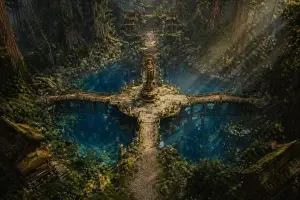
Ancient Forest Shrine Over Blue Spring
A cinematic high-fantasy environment scene of an ancient sacred forest sanctuary viewed from a slightly elevated wide angle. In the center is a circular stone platform rising from a vivid turquoise-blue spring, with a tall weathered golden stone statue or shrine monument standing on a pedestal. Four narrow stone bridges extend from the circle in a cross formation, with the front bridge leading toward the viewer and the left and right bridges curving gently over the water; the rear path continues straight through the forest toward a steep staircase. Surrounding the pool are gigantic redwood-like trees with massive trunks, dense moss, tangled roots, ferns, vines, rocks, and deep green undergrowth. The water is crystal clear, dark teal to sapphire, with 2 visible clusters of lily pads floating near the lower left and lower right areas. In the distant background at the top center, place 2 small symmetrical shrine buildings flanking the stone staircase, partially hidden by foliage. In the lower foreground corners, include 2 old wooden temple rooftops, one at bottom left and one at bottom right, both partly obscured by shadow and vegetation. Strong sunbeams stream diagonally from the upper right through mist and canopy gaps, creating god rays across the trees, bridge, and water. The mood is mystical, ancient, tranquil, and slightly forgotten, with rich cinematic contrast, ultra-detailed textures, moss-covered stone, subtle ruin decay, realistic natural lighting, epic fantasy concept art, photorealistic matte painting quality, no people.
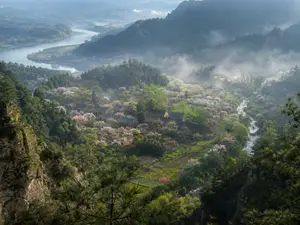
Misty Spring Mountain Village
Create a museum-quality realistic landscape photograph inspired by an ancient Chinese poetic description of a hidden spring mountain village (source material). Show a high, elevated viewpoint from a rocky pine-covered cliff looking down into a secluded valley village in early spring (season). The composition features layered blue-green mountains receding into mist, a broad winding river in the far left background, and a smaller clear stream curving through the right side of the valley. In the middle ground, place a small traditional rural Chinese settlement with dark tiled roofs, scattered farm plots, footpaths, and orchards filled with pale pink and white blossoms. Count the visible major landscape elements as exactly 6: one foreground rocky cliff with pine branches, one central village, one blossom-filled orchard belt, one small winding valley stream, one distant broad river, and one layered misty mountain backdrop. Use soft morning light after rain, drifting low fog, luminous haze, wet greenery, and a tranquil atmosphere as if captured by a top National Geographic landscape photographer. The image should feel like a real, collectible fine-art photograph rather than an illustration: natural colors, deep depth, atmospheric perspective, crisp foreground texture, delicate highlights on the blossoms, no people, no animals, no modern buildings, no roads, no power lines, no text or watermark. Use a wide horizontal frame, approximately 4:3 (aspect ratio), with cinematic realism and subtle Chinese shanshui sensibility.
Explore more prompts
Browse more AI image and video prompts by category.
FAQ
- How many arrows are added and where do they point?
- Exactly four semi-transparent white arrows with black outlines: one large upward under WEST, one large leftward beside SOUTH, and two small diagonals from the seating label to the stone marks.
- What stays completely unchanged from the reference image?
- The mountain scenery, colors, detail, composition, vegetation, dirt clearing, rocks, and distant mountains remain identical with only overlay graphics added.