
Text to Image
Anime Summer Wallpaper Device Mockup — AI Image Prompt
Creates a polished three-device mockup showcasing a cheerful anime-style summer street wallpaper for desktop, tablet, and phone promotion. - AIPinMaker
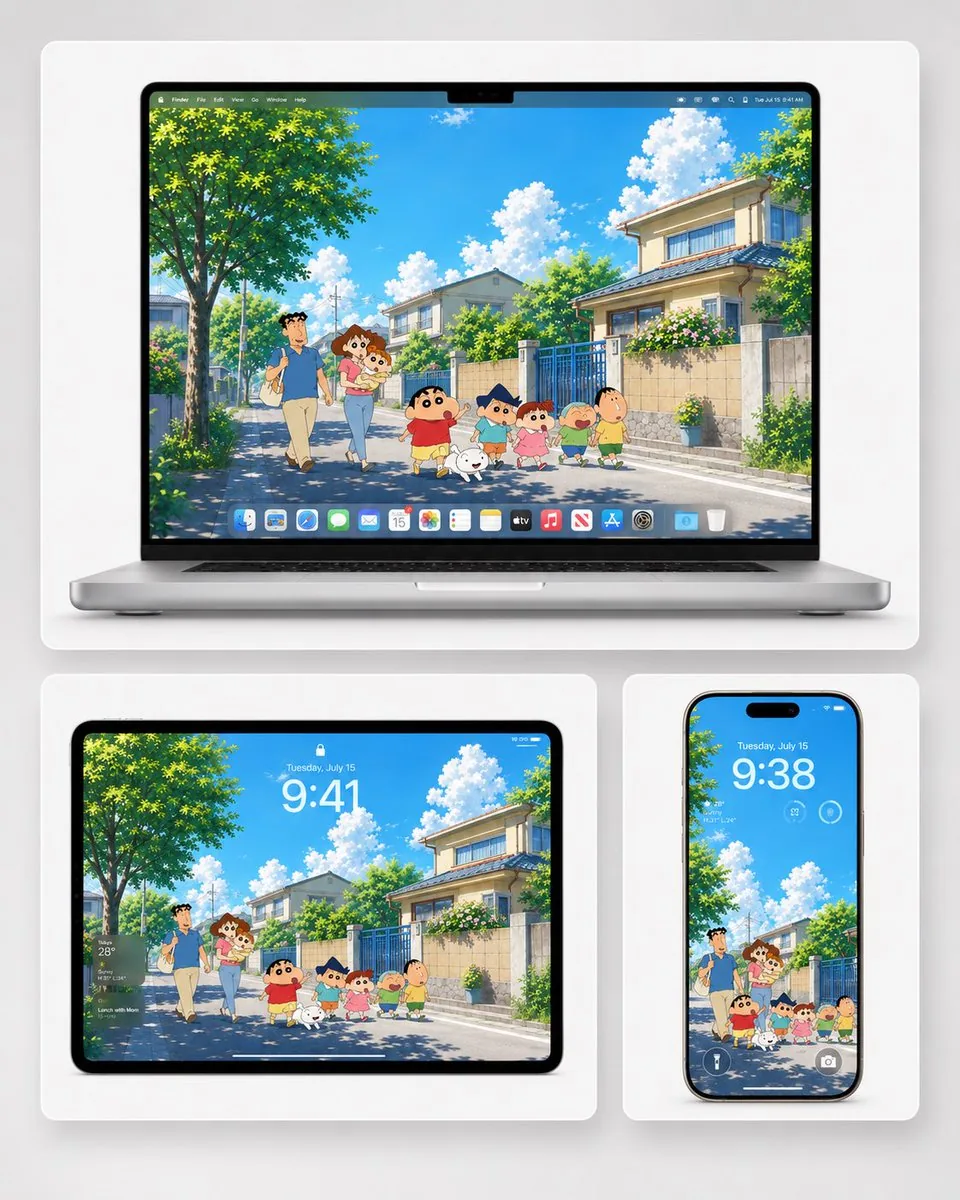
Prompt
Goal: Create a clean promotional mockup showing a summer anime-style wallpaper displayed across three Apple-style devices, suitable for phone, tablet, and desktop wallpaper advertising.

Canvas: Square 1:1 composition on a soft light-gray studio background with rounded white display cards and subtle shadows.

Layout: Use exactly 3 device mockups arranged in a grid: 1 large laptop across the top, 1 tablet at bottom left, and 1 smartphone at bottom right. The laptop should be open and centered, the tablet should be horizontal, and the smartphone should be vertical. Each device displays the same cheerful wallpaper artwork, cropped appropriately for its screen.

Wallpaper scene: A bright Japanese suburban summer street in a nostalgic hand-drawn anime style, inspired by {argument name="anime inspiration" default="Crayon Shin-chan"}. Show a clear vivid blue sky with fluffy white clouds, strong midday sunlight, leafy green trees casting dappled shadows, quiet residential houses, tiled walls, blue metal gates, flowering shrubs, and a clean neighborhood road receding into the distance.

Characters: Include exactly 8 visible characters/mascots walking together in the street wallpaper: 1 tall father in a blue shirt and beige pants, 1 mother holding a baby, 1 baby in the mother’s arms, 1 small boy in a red shirt and yellow shorts, 1 small white dog, 1 boy in a blue top with a triangular blue hairstyle/hat shape, 1 little girl in a pink dress, and 1 round-faced boy in a green shirt. Keep them cute, simplified, expressive, and family-friendly.

Device screen details: On the laptop, show a macOS-like desktop with a thin top menu bar and a bottom dock containing exactly 17 small colorful app icons. On the tablet, show a lock-screen overlay with a small lock icon, the date text “Tuesday, July 15,” and the large time {argument name="tablet time" default="9:41"}; also include a small weather widget on the left. On the phone, show a lock-screen overlay with the date “Tuesday, July 15,” the large time {argument name="phone time" default="9:38"}, small circular widgets near the top, and flashlight/camera icons at the bottom.

Visual style: Premium Apple product presentation, crisp realistic device hardware, glossy black bezels, silver laptop body, soft ambient lighting, high-resolution wallpaper art with saturated summer colors, polished social-media-ready composition.

Text and customization: Use no headline text outside the devices. The wallpaper should feel like {argument name="season and mood" default="sunny summer vacation"}. The main sky color should be {argument name="sky color" default="bright cyan blue"}. The neighborhood should feel like {argument name="setting" default="a quiet Japanese residential street"}.

Constraints: Keep the composition uncluttered, preserve the exact count of 3 devices and 8 wallpaper characters/mascots, avoid watermarks, avoid extra captions, avoid photorealistic human faces inside the wallpaper, and keep all visible UI text small and secondary except the lock-screen times.39:Tbec,GoPrompt breakdown
- Subject
- Three Apple-style devices showing the same anime summer wallpaper: open laptop on top, horizontal tablet bottom left, vertical smartphone bottom right
- Style
- Nostalgic hand-drawn anime inspired by Crayon Shin-chan with premium realistic device hardware
- Lighting
- Strong midday sunlight with soft ambient studio lighting on light-gray background
- Composition
- Square 1:1 grid layout on soft light-gray studio background with rounded white display cards
- Mood
- Cheerful sunny summer vacation on a quiet Japanese suburban street
Remix ideas
- Swap the triangular blue hairstyle boy for a different mascot while keeping the other seven characters
- Change tablet time to 14:20 and add a second weather widget on the right
- Shift the wallpaper perspective so the road curves left instead of centering straight
Reference images
How to use this AI Image prompt template
 1
1Copy the prompt — grab this template’s prompt and negative prompt.  2
2Pick a model — choose a recommended AI model for the best match.  3
3Generate — open the studio with one click and create your result.
Related templates

Water Breathing Device Wallpaper Mockup
Goal: Create a clean Apple-style device wallpaper showcase featuring an anime-inspired water-breathing scene starring Tanjiro Kamado (character name), suitable for phone, tablet, and desktop wallpaper previews. Canvas: Square 1:1 promotional mockup on a soft light-gray background with subtle shadows. Place three rounded white display cards arranged in a neat grid: one large card across the top and two smaller cards below. Layout: Show exactly 3 device mockups. 1) Top: a large silver laptop centered inside a wide rounded white card, open front-facing, with a thin black bezel and small top notch. 2) Bottom left: a landscape tablet inside a rounded white card. 3) Bottom right: a vertical smartphone inside a rounded white card. Keep generous spacing, soft drop shadows, and a premium minimal presentation. Wallpaper artwork: The same blue water vortex in a misty river valley (wallpaper scene) appears on all three screens. The scene shows a small back-facing anime swordsman wearing a dark green and black checkered haori, standing ankle-deep in reflective water, facing a huge spiraling wave tunnel. Use dramatic Water Breathing energy: layered circular blue waves, splashes, foam, spray, and a bright pale center in the vortex. The environment is cold and misty, with rocky river shallows, dark stones, pine-covered cliffs, foggy mountains, and a blue-white winter palette. Make the wallpaper painterly, cinematic, detailed, and high contrast, with no gore and no extra characters. Device screen details: Add subtle iOS/macOS lock-screen style overlays. On every device show the large white time 9:38 (time). Add small date text above it reading Tuesday, May 20 (date text). Laptop screen includes small Wi-Fi and battery icons at the top right and a thin white home indicator near the bottom. Tablet screen includes the same large time plus a right-side widget stack with exactly 3 visible widgets: a circular battery widget marked 100, a weather widget showing 72°, and a small calendar/reminder style widget. Phone screen includes the time and date, faint widgets near the top, and exactly 2 bottom lock-screen buttons: flashlight on the left and camera on the right. Visual style: Ultra-clean product mockup, realistic device hardware, crisp black glass bezels, rounded corners, soft ambient studio lighting, shallow shadows, high-resolution wallpaper art, cool blue tones, premium tech advertising composition. Constraints: Use exactly 3 device mockups and exactly 3 white cards. Do not add logos, watermarks, captions, Chinese text, or extra promotional text outside the device screens. Keep the character small relative to the giant wave vortex so the scene feels epic and wallpaper-ready.3

Shin-chan Winter Device Wallpaper Mockup
Goal: Create a clean promotional device mockup showing a cozy Crayon Shin-chan winter snow scene (wallpaper theme) wallpaper adapted across laptop, tablet, and phone screens. Canvas: Square 1:1 composition, soft light-gray studio background, rounded white display cards with subtle shadows, high-resolution product-ad style. Layout: Show exactly 3 devices in a balanced grid: 1 large silver laptop centered across the top, 1 black-bezel tablet at bottom left, and 1 black-edged smartphone at bottom right. Each device sits inside its own rounded white rectangular card. The laptop card is widest; the tablet and phone cards are smaller and aligned beneath it with a narrow gap between them. Wallpaper scene: A soft watercolor/anime winter landscape with a snowy forest, pale misty sky, snow-covered evergreen trees, bushes, and a white snowy field. The scene should feel gentle, nostalgic, and cute, with falling snow and cool blue-white tones. In the foreground include exactly 6 cartoon figures from left to right: 1 bundled child in a dark blue winter hat and blue coat holding snow, 1 small girl in a pink winter outfit, 1 central mischievous boy in a red sweater and yellow shorts running happily with arms raised, 1 small blond child in a green outfit, 1 stocky child in a yellow shirt walking at the right, and 1 small white dog running near the center-right. Keep the characters in a playful Crayon Shin-chan anime style with simple rounded features and expressive poses. Device details: The laptop is open front-facing with a thin black bezel, centered notch at the top of the screen, silver keyboard and trackpad visible. The tablet is landscape orientation with thick black bezel and rounded corners. The smartphone is vertical with a pill-shaped dynamic-island cutout and slim black frame. Lock-screen overlays: Add subtle translucent iOS-style lock-screen UI on the devices. Use the time 9:38 (lock screen time) prominently in white or light gray. Use the date Friday, November 15 (lock screen date) above the time. On the tablet, include a translucent weather widget block at upper left showing Cupertino 45° Clear (weather text) and three small circular widget icons beneath it. On the phone, include three small circular widgets under the time and two lock-screen icons near the bottom. Keep all UI text soft and semi-transparent so the wallpaper remains the focus. Visual style: Premium Apple-like presentation, realistic device mockup lighting, soft shadows, rounded white cards, crisp screens, gentle winter palette, charming watercolor background, cute anime characters, no harsh contrast. Constraints: Use exactly 3 devices and exactly 6 wallpaper characters/animals. Do not add extra characters, logos, watermarks, captions, or promotional text outside the device screens. The wallpaper must be visibly the same scene adapted to desktop, tablet, and phone crops.3
Rainy Tokyo Tower Device Mockup
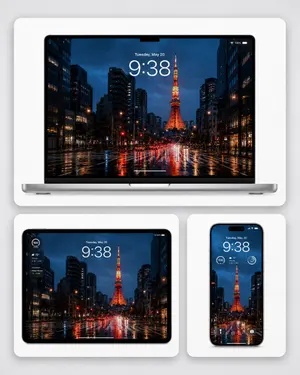
Goal: Create a polished device wallpaper showcase for Tokyo Tower on a rainy night in Tokyo (wallpaper subject), presented as a premium tech mockup. Canvas: Square 1:1 composition on a soft light-gray studio background, with three rounded white display cards casting subtle shadows. Layout: Show exactly 3 devices: 1 large open laptop centered across the top card, 1 tablet on the bottom-left card, and 1 smartphone on the bottom-right card. The top card is the widest and contains the laptop front-on; the two bottom cards are smaller and aligned side by side with even spacing. All devices should display the same wallpaper image. Wallpaper scene: A cinematic rainy Tokyo street at night, looking straight down a wet boulevard toward Tokyo Tower glowing bright orange in the center distance. Tall dark office buildings line both sides, with lit windows, streetlights, red traffic lights, car headlights, and vivid red-orange-blue reflections stretching across the rain-slick road. Deep blue stormy evening sky, high contrast, realistic photography style, symmetrical urban perspective. Device details: The laptop is silver with a black bezel and a small top-center notch, seen frontally with a thin base visible. The tablet has a black rounded bezel in landscape orientation. The smartphone has a black rounded frame in portrait orientation with a pill-shaped dynamic island at the top. Screen overlays: Add realistic lock-screen UI to all 3 devices. The laptop and tablet show the date text "Tuesday, May 20" above a large white time reading 9:38 (lock screen time). The laptop also has small Wi-Fi and 100% battery indicators in the top-right and a thin white home indicator near the bottom. The tablet includes a compact weather widget on the left showing circular "100", "72°", "Cloudy", and small forecast text. The smartphone shows "Tuesday, May 20" above the large time, a small weather widget with "100" and "72° Cloudy", a circular widget icon on the right, plus flashlight and camera icons near the bottom. Visual style: Ultra-clean Apple-like product presentation, realistic device render, glossy screens, soft ambient lighting, crisp edges, subtle depth, no people, no extra logos, no watermark, no surrounding clutter.38
Winter Campfire Wallpaper Device Mockup
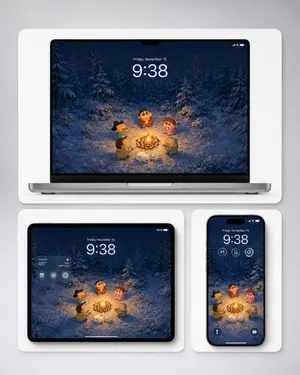
Create a polished product mockup showing a cozy winter campfire wallpaper adapted across three Apple-style devices. The wallpaper illustration should resemble a cute Japanese crayon-anime style without logos: five small cartoon children and one small white dog gathered around a bright campfire in a snowy pine forest at night, with falling snow, deep navy-blue trees, warm orange firelight illuminating the characters and snow, and a soft magical winter atmosphere. The main character is a round-faced child in a red winter sweater standing behind the fire, surrounded by four friends: one with dark spiky hair on the left, one in a brown coat at lower left, one curly-haired child in pink on the right, and one child in a green hood at lower right; the white dog sleeps or curls up near the fire in front. Show exactly three devices on a light gray studio background, each inside a rounded white display card with soft shadows: one large laptop mockup centered at the top, one tablet mockup at bottom left, and one smartphone mockup at bottom right. On all screens, display the same wallpaper composition, cropped appropriately. Add realistic lock-screen UI overlays: large time 9:38 (time), date Friday, November 15 (date), small status icons, and subtle translucent widgets. The tablet should include a translucent weather widget on the upper left showing Cupertino (weather location) and 45° (temperature); the phone should include three circular widgets below the time and two small bottom lock-screen icons. Use clean high-end Apple product rendering, black bezels, thin device frames, rounded corners, soft ambient shadows, sharp screen detail, and a balanced wallpaper-preview layout suitable for desktop, tablet, and mobile backgrounds. Avoid brand logos, watermarks, extra text, or additional devices.3
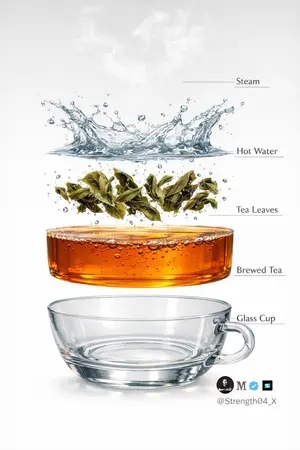
Hyper-realistic Tea Photography Prompts (Still Life and Exploded View) - Nano Banana Pro AI Prompt for Product Marketing
Create a hyper-realistic studio photograph of a freshly brewed tea in a transparent glass cup. The cup is filled with rich amber-colored tea, with loose tea leaves clearly visible settled at the bottom. Soft aromatic steam gently rising from the surface, realistic and natural. Tiny bubbles suspended inside the tea, subtle reflections on the glass, and accurate glass thickness. Clean pure white background with soft studio lighting and a gentle shadow beneath the cup. Ultra-detailed DSLR photography style, macro realism, sharp focus, natural color tones, realistic liquid physics, 8K resolution. Minimal, clean aesthetic. Image 2 - Create a hyper-realistic exploded vertical infographic of tea brewing on a pure white background. At the very top, soft aromatic steam wisps floating naturally in the air. Below it, a dynamic clear hot water splash frozen mid-motion with realistic liquid physics and droplets. Under the water, fresh green tea leaves unfurling and suspended mid-brew with tiny air bubbles around them. Below that, a smooth amber-colored brewed tea liquid layer, rich and transparent with subtle bubbles and reflections. At the bottom, a crystal-clear transparent glass tea cup base, realistic glass thickness and soft shadow beneath. Clean studio lighting, minimal aesthetic, evenly spaced floating layers, thin subtle infographic guide lines (no text labels). Ultra-detailed DSLR photography style, macro realism, sharp focus, natural reflections, soft shadows, 8K resolution.
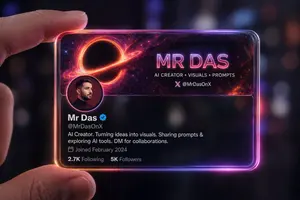
Futuristic Glass Profile ID Card
Create a portrait image of Futuristic Glass Profile Id Card. Style: photorealistic. Composition: balanced and well-framed. Lighting: natural with cinematic mood. Category: portrait. Reference: futuristic-glass-profile-id-card-16485.
Explore more prompts
Browse more AI image and video prompts by category.
FAQ
- How many app icons sit in the laptop dock?
- The macOS-style dock holds exactly 17 small colorful icons beneath the thin menu bar.
- Which characters are included in the wallpaper scene?
- The eight mascots are a tall father in blue, mother holding a baby, the baby, small boy in red shirt with yellow shorts, white dog, blue-top boy with triangular hairstyle, girl in pink dress, and round-faced boy in green.