
텍스트 투 이미지
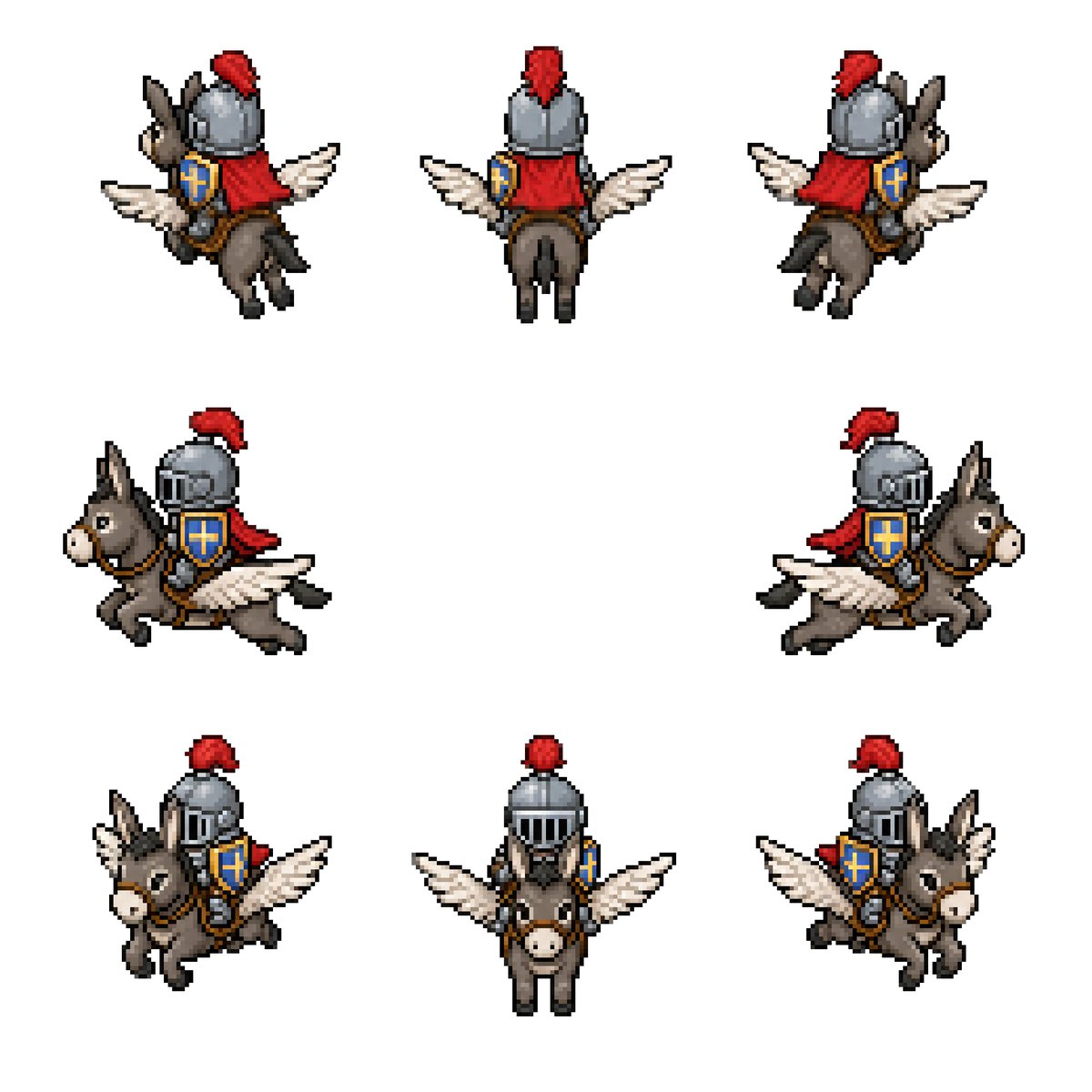
Winged Donkey Knight Sprite Sheet — AI 이미지 프롬프트
Generates an 8-direction retro pixel-art sprite sheet of a medieval knight riding a winged donkey for fantasy game assets. - AIPinMaker
프롬프트
Goal: Create a clean pixel-art sprite sheet for a fantasy game asset: {argument name="character concept" default="a medieval knight riding a winged donkey"}.

Canvas: Square 768×768 image on a plain white background, no borders, no UI, no text. Use a crisp retro RPG pixel-art style with visible chunky pixels, dark outlines, limited palette, and subtle dithering/shading.

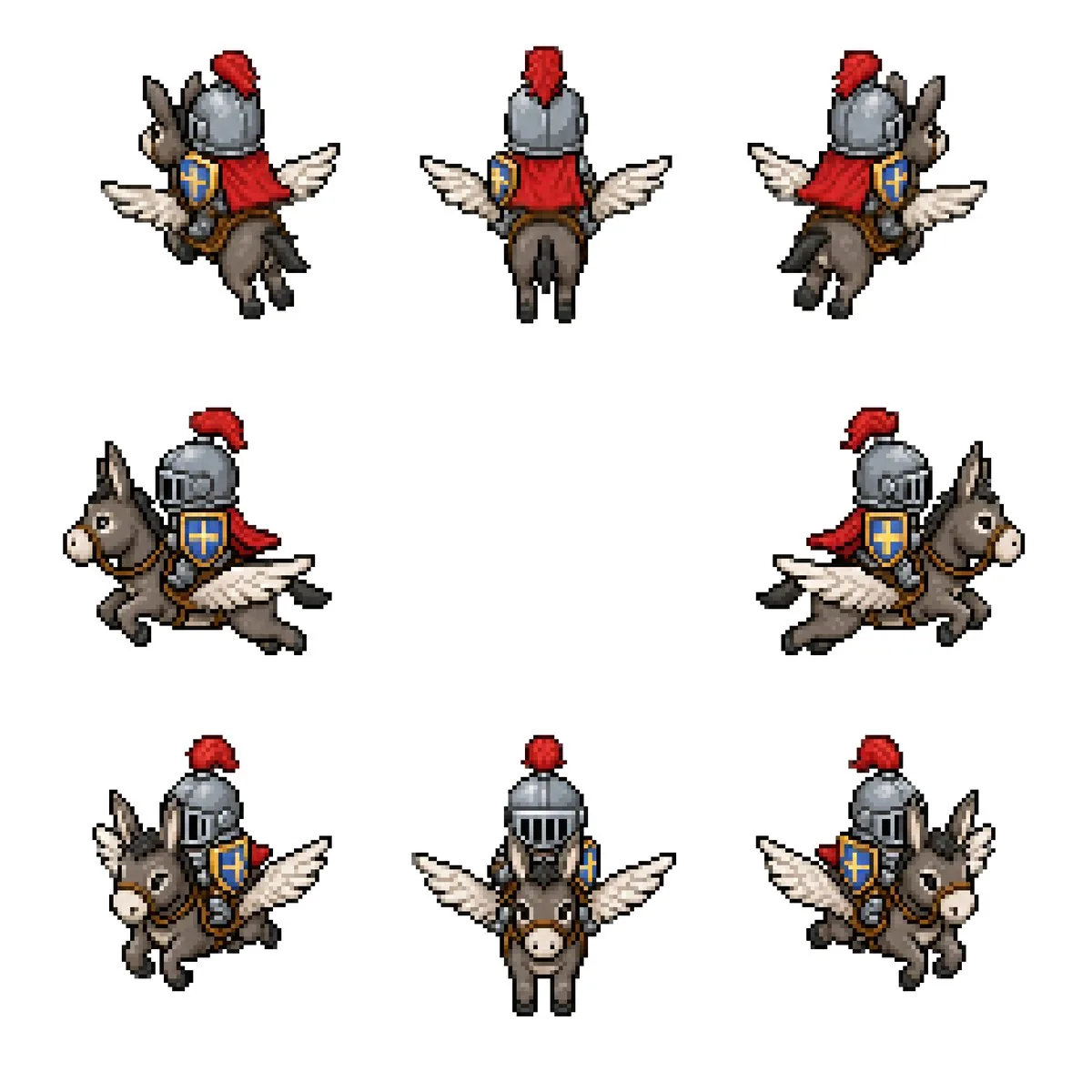
Layout: Show exactly 8 separate sprites of the same mount-and-rider character, evenly spaced with large white gaps, arranged as 3 sprites on the top row, 2 sprites on the middle row, and 3 sprites on the bottom row. Each sprite should be roughly the same scale and read like an animation/rotation sheet.

Sprite count and views: 1) top-left: rear three-quarter view facing upper-left, 2) top-center: straight rear view, 3) top-right: rear three-quarter view facing upper-right, 4) middle-left: side view traveling left, 5) middle-right: side view traveling right, 6) bottom-left: front three-quarter view facing lower-left, 7) bottom-center: straight front view, 8) bottom-right: front three-quarter view facing lower-right.

Subject details: The mount is a small gray-brown donkey with long upright ears, pale muzzle, black hooves, simple bridle and saddle, and a pair of white feathered wings extended from its sides like a small pegasus. The rider is a compact armored knight wearing a rounded steel helmet with vertical visor slits, a bright red plume, a red cape or cloth drape, brown leather tack, and a blue shield with a gold cross emblem strapped at the side. Use {argument name="armor color" default="steel gray"}, {argument name="cape color" default="red"}, {argument name="shield color" default="blue and gold"}, and {argument name="mount color" default="gray-brown"}. Maintain the same proportions and costume details across all 8 sprites.

Visual style: Classic 16-bit fantasy RPG sprite sheet, isometric/top-down compatible proportions, high readability at small size, black and dark-brown pixel outlines, soft shadowless presentation, minimal anti-aliasing, no blur, no gradients beyond pixel shading.

Constraints: Keep exactly 8 sprites, do not add extra frames, labels, weapons, scenery, background texture, watermark, or character variations. All sprites must depict the same mounted knight and winged donkey from different directions.3참고 이미지
이 AI 이미지 프롬프트 템플릿 사용 방법
 1
1프롬프트 복사 — 템플릿의 프롬프트와 네거티브 프롬프트를 가져오세요.  2
2모델 선택 — 가장 잘 맞는 추천 AI 모델을 고르세요.  3
3생성 — 클릭 한 번으로 스튜디오를 열어 결과를 만드세요.
관련 템플릿

Pixel Mosaic Jungle Parrot
A pixel-art style mosaic illustration of a tropical parrot perched on a short brown branch in the middle of dense jungle foliage, created as if assembled from a tight uniform square grid of tiny colored tiles with thin dark outlines around every square. The single bird is shown in side profile facing right, with a large curved black beak, a pale cream face, a bright red-orange forehead and throat, a vivid yellow neck, a bright green body, and long wings and tail feathers in saturated blue and cyan. The parrot is centered vertically and slightly left of center, standing upright on the branch, with the tail extending downward. Surround the bird with lush layered leaves in many shades of green, from deep forest green to lime, filling the entire frame with no sky visible. Use strong contrast, crisp black contouring, and a glowing light green area behind the parrot to separate it from the darker foliage. The overall image should look like retro pixel art or stained-glass mosaic, highly detailed, colorful, square format, and edge-to-edge tiled texture.

Faux Pixel Raven in Wheat Field
A stylized faux-pixel-art landscape illustration of a single black raven (bird species) standing in profile in a golden wheat field, facing right. The image should look like retro pixel art at first glance when viewed zoomed out, but not be perfectly grid-aligned or true sprite-based pixel art; instead it should feel like painterly image-generation imitating pixel art, with soft inconsistencies in the block shapes and edges. Place the bird large in the foreground, slightly left of center, with glossy near-black feathers shaded in deep navy and indigo, a dark beak, and one small amber-brown eye visible. Surround it with tall yellow-gold grasses and exactly 9 visible small purple wildflower blossoms scattered in the foreground. In the midground, show a broad rural plain with patchy fields and a dark green tree line including a few tall narrow conifers on the right. In the distance, add a low mountain range in muted blue-violet tones. Above, create a bright soft blue (sky color) sky filled with large chunky cumulus clouds and a few smaller cloud bands, all rendered in limited-color dithered blocks. Use a warm late-afternoon palette with gold, blue, lavender, and dark charcoal, strong atmospheric depth, and a calm pastoral mood. Full-frame composition, landscape orientation, thin black border around the entire image, crisp blocky edges, retro game background aesthetic, highly detailed but simple, no text, no UI, no extra animals.
Retro Pixel Space Shooter Sprites
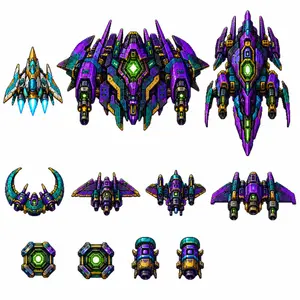
Create a clean sprite-sheet style asset image for a vertical retro pixel-art space shooter, on a plain white background with no grid and no labels. Show exactly 11 separate pixel-art spaceship and power-up sprites arranged in three rows, all with crisp black outlines, high-contrast shading, metallic panels, tiny vents, glowing cores, and 16-bit arcade detailing. Use a saturated sci-fi palette dominated by deep violet purple (main ship color), teal/cyan, dark navy, black, gold/orange armor accents, and neon green energy lights. Layout: top row contains exactly 3 large player/enemy ships: left is a small blue-white-and-gold triangular fighter with three bright cyan engine flames; center is the largest wide boss ship, symmetrical and heavily armored, purple and teal with multiple wing spikes, twin side cannons, gold trim, and a large glowing green hexagonal reactor in the middle; right is a tall vertical purple capital ship with pointed nose, side fins, teal panels, gold details, and a glowing green central reactor. Middle row contains exactly 4 medium enemy ships: a crescent-shaped teal and purple craft with two upward curved horns and a green cockpit glow; a compact rear-view purple winged fighter with side thrusters; a squat central gunship with teal cockpit dome, purple wings, gold barrels, and twin cannons; a broad purple bomber with swept wings, side engine pods, and a large dark central intake. Bottom row contains exactly 4 small collectible or module sprites: two square neon-green reactor power-up tiles with beveled purple/teal/gold frames, followed by two identical small cylindrical engine or booster pods with teal top caps, purple bodies, gold front panels, black exhausts, and tiny side fins. Style constraints: production-ready pixel art, orthographic/top-down view, transparent-asset feel but rendered on white, sharp square pixels, no anti-aliased painterly look, no text, no watermark, no shadows beyond pixel-art contact shading, consistent scale hierarchy and spacing, like a polished mobile shoot’em-up tileset.38

Jet Airplane Puppy Creature Sheet
{"type":"concept art creature sheet","subject":{"category":"inorganic animal creature hybrid","theme":"a cute baby shark-dog fused with a passenger jet airplane","style":"detailed Japanese concept art on an off-white sketchbook background, painterly industrial design illustration, soft shadows, slightly worn surface textures, believable mechanical-organic fusion, adorable but functional creature design","color_palette":{"primary":"white fuselage body","secondary":"navy blue upper panels","accent":"muted red striping and fin tips","details":"warm amber eyes, gray claws, metallic engine parts"},"design":{"head":"rounded shark-like airplane nose with large glossy eyes and a wide open mouth full of small triangular teeth","body":"compact puppy-like quadruped body with soft belly and aircraft fuselage shell","wings":"2 short airplane wings attached as forelimb-side fins","engines":"2 visible jet engines mounted low at the sides of the body","tail":"vertical tail fin and small rear stabilizer surfaces","legs":"4 animal legs with fluffy fur texture and dark claws","surface_details":"panel seams, rivets, passenger windows, airline insignia, weathering scuffs"}},"layout":{"background":"plain warm ivory paper","sections":[{"title":"main pose","position":"upper left","count":1,"labels":["front three-quarter sitting pose with mouth open"]},{"title":"flying pose","position":"upper right","count":1,"labels":["airborne view with engine exhaust"]},{"title":"sleeping pose","position":"right center","count":1,"labels":["curled up asleep"]},{"title":"rear view","position":"lower left","count":1,"labels":["back three-quarter standing pose"]},{"title":"front low pose","position":"lower center","count":1,"labels":["crouched front view"]},{"title":"wheel chewing detail","position":"lower right upper","count":1,"labels":["close-up biting and playing with a tire"]},{"title":"cross-section diagram","position":"bottom left corner","count":1,"labels":["internal anatomy sketch with labeled engine and cockpit"]},{"title":"hatching pose","position":"bottom right corner","count":1,"labels":["baby creature emerging from a cracked egg"]}],"total_views":8,"extra_elements":{"small_mouth_sketches":1,"size_comparison_icons":2,"handwritten_note_groups":7}},"text":{"language":"Japanese handwritten annotations scattered near each drawing","include_text":true,"text_density":"light notes around the poses and technical diagram"},"composition":"arrange all 8 drawings like a creature design reference sheet with generous spacing, asymmetrical but balanced layout, the largest view in the upper left and smaller supporting studies around it","quality":"highly polished concept illustration for creature ideation, whimsical aerospace biology aesthetic"}
Blurry Retro Pixel Parrot Jungle
A retro pixel-art style illustration of a tropical parrot perched on a short brown branch in the center of a dense jungle. The bird is shown in side profile facing right, with a bright green body, a vivid blue wing and long blue tail feathers, a yellow chest, an orange-red head and neck, a white facial patch around the eye, and a large curved black beak. The parrot is the single main subject, centered and enlarged, outlined with dark pixel edges. Surround it with thick rainforest foliage filling the entire frame: layered green leaves, twisting vines, and partial tree trunks on both sides, with 2 visible trunks and many overlapping leaf clusters. Add a soft glowing light halo behind the parrot to separate it from the darker forest background. Use a square composition, saturated colors, classic 16-bit game sprite aesthetics, chunky visible pixels, low-resolution grid-based rendering, and intentionally soft, blurry pixel edges rather than crisp modern pixel art. The mood is lush, vibrant, and nostalgic, like a tropical scene from an old video game.

Pixel Art Dragon Castle
A detailed retro fantasy pixel art scene of a massive medieval stone castle perched on a steep rocky hill, viewed from a slight low angle, with a winding dirt path leading up to the gate. The castle has many cylindrical towers and connecting walls, exactly 9 visible towers with red-orange conical roofs, several small red flags fluttering from the tallest spires, and weathered gray stone masonry. A huge red dragon is coiled around the tallest central tower, with its long body wrapped around the stone, claws gripping the battlements, horned head leaning forward near the top, and one large batlike wing spread open on the right side. Surround the hill with dense dark-green pine trees and rocky outcrops, with distant blue mountains on the horizon. Place the castle against a bright daytime sky in saturated blue with large fluffy white cumulus clouds. Render in classic 16-bit inspired pixel art with crisp sprite-like shapes, visible pixel texture, rich contrast, adventurous fantasy game cover composition, centered subject, and a square frame.
더 많은 프롬프트 탐색
카테고리별 AI 이미지·영상 프롬프트를 더 찾아보세요.