
텍스트 투 이미지
Vintage North America Stamp Grid — AI 이미지 프롬프트
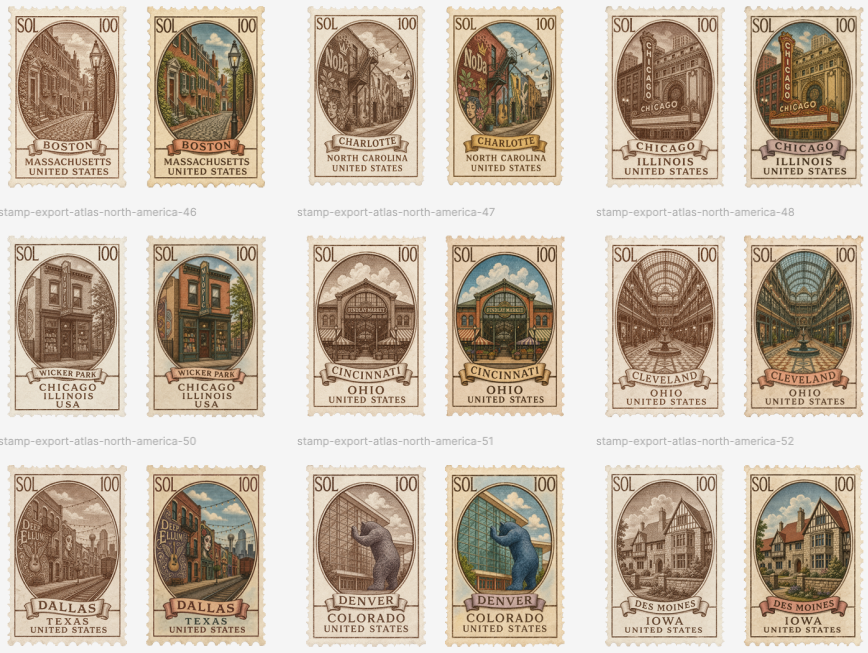
Generates a collectible sheet of 18 vintage city postage stamps, useful for atlas-style onboarding, travel UI assets, or decorative software experience graphics. - AIPinMaker
프롬프트
Goal: Create a clean gallery sheet of vintage illustrated postage-stamp designs for an atlas-style North American city collection, presented as collectible UI/export assets.

Canvas: Landscape canvas, about 870×653 px, off-white background with generous margins and even spacing. Arrange the stamps in a precise 3-row by 6-column grid, for exactly 18 stamps total. Each city appears as a pair: first a sepia monochrome stamp, then a muted full-color version.

Layout: Use three horizontal rows with six stamps per row. Leave wide white space between stamp pairs and rows. Add faint small gray export filename captions under the paired groups, aligned near the lower left of each pair, such as “stamp-export-atlas-north-america-46”, “stamp-export-atlas-north-america-47”, “stamp-export-atlas-north-america-48”, continuing through the visible groups.

Stamp design: Every stamp is vertical with cream perforated edges, aged paper texture, thin ornate border, and an oval or arched central illustration window. Put “SOL” in the top-left corner and “100” in the top-right corner of every stamp. At the bottom of each stamp, include a ribbon banner with the city or neighborhood name, then stacked location text below it. Use engraved linework, antique travel-poster composition, soft shadows, and slightly worn ink.

Exact stamp count and labels: Include exactly 18 individual stamps in this order, left to right, top to bottom: 1 sepia Boston, Massachusetts, United States with a narrow historic street scene; 2 color Boston, Massachusetts, United States with red-brick buildings and a streetlamp; 3 sepia Charlotte, North Carolina, United States with a cozy storefront street and a “Noda” sign; 4 color Charlotte, North Carolina, United States with colorful buildings, plants, and blue sky; 5 sepia Chicago, Illinois, United States with a vertical “Chicago” theater sign and urban architecture; 6 color Chicago, Illinois, United States with the same theater sign in warm gold and teal tones; 7 sepia Wicker Park, Chicago, Illinois, USA with a storefront facade; 8 color Wicker Park, Chicago, Illinois, USA with an orange-brick storefront and teal sign; 9 sepia Cincinnati, Ohio, United States with a historic market building; 10 color Cincinnati, Ohio, United States with the same market in brick orange, green trim, and sky-blue background; 11 sepia Cleveland, Ohio, United States showing a grand arched arcade interior; 12 color Cleveland, Ohio, United States with teal glass ceiling and warm interior perspective; 13 sepia Dallas, Texas, United States with skyline and a “Deep Ellum” sign; 14 color Dallas, Texas, United States with lively street colors, teal sky, and Deep Ellum sign; 15 sepia Denver, Colorado, United States with a blue bear statue form against a glass building; 16 color Denver, Colorado, United States with a bright blue bear and green glass facade; 17 sepia Des Moines, Iowa, United States with a Tudor-style house; 18 color Des Moines, Iowa, United States with red roof, cream walls, green lawn, and blue sky.

Text content: Keep the stamp typography uppercase and vintage serif. Use the customizable collection mark {argument name="stamp currency text" default="SOL"}, denomination {argument name="stamp value" default="100"}, and export caption prefix {argument name="export filename prefix" default="stamp-export-atlas-north-america"}. Preserve the city labels as readable English, but allow the overall series theme to be {argument name="atlas region" default="North America"} and the visual finish to be {argument name="stamp finish" default="alternating sepia engraving and muted full color"}.

Visual style: Antique engraved postal ephemera, travel stamp sheet, cream paper, scalloped perforations, subtle drop shadows, fine hatch shading, warm browns, faded inks, muted teal, rust, ochre, brick red, and sky blue. Make the colored stamps look hand-tinted rather than modern digital. Keep all stamps consistent in size and framing.

Constraints: Do not add people, logos, watermarks, or extra stamps. The key requirement is exactly 18 stamps in a 3×6 grid, with paired sepia/color variants for the 9 listed places, readable city/state/country labels, “SOL” and “100” on every stamp, and faint gray export filenames beneath the groups.37:T10d3,Goal: Create a clean gallery shee참고 이미지
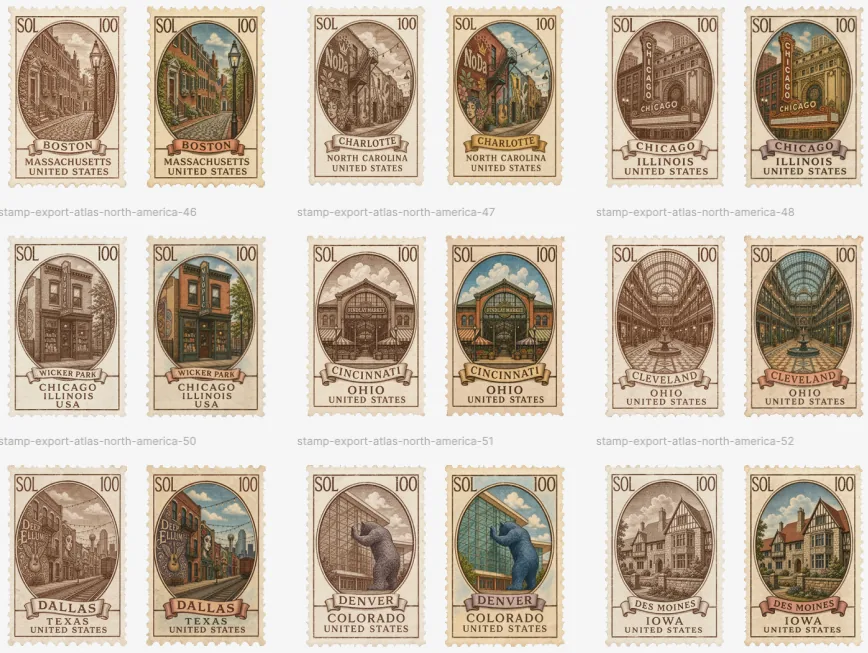
이 AI 이미지 프롬프트 템플릿 사용 방법
 1
1프롬프트 복사 — 템플릿의 프롬프트와 네거티브 프롬프트를 가져오세요.  2
2모델 선택 — 가장 잘 맞는 추천 AI 모델을 고르세요.  3
3생성 — 클릭 한 번으로 스튜디오를 열어 결과를 만드세요.
관련 템플릿
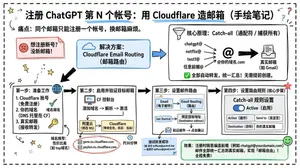
Cloudflare Catch-All Email Routing Infographic
Goal: Create a landscape hand-drawn notebook-style Chinese infographic explaining how to register multiple ChatGPT accounts by using Cloudflare Email Routing to create catch-all mailbox aliases. Canvas: Wide 16:9 whiteboard page, clean off-white background, surrounded by a thick black dashed rounded border. Use a casual marker-and-pen sketch style with slightly imperfect lines, doodle arrows, stars, question marks, pins, and small expressive icons. Title and intro: At the top center, write the bold headline 注册 ChatGPT 第 N 个账号:用 Cloudflare 造邮箱(手绘笔记) (headline text). Underline “Cloudflare” in blue. Beneath it on the left, write the pain point line: “痛点:同个邮箱只能注册一个账号,换邮箱麻烦。” Add a small curved arrow doodle and star near the title. Main layout: Use exactly 7 main content boxes/cards plus decorative doodles. Arrange them left-to-right as a process with bold black arrows connecting sections. The 7 cards are: 1 pain card, 1 solution card, 1 core-principle card, and 4 numbered step cards. Card 1, pain card: A red outlined sticky-note box on the upper left with a sad red face icon. Text: “想注册新号?没新邮箱!” Make it look like a folded-corner note. Card 2, solution card: A blue rounded rectangle in the upper middle with a blue cloud icon. Text: “解决方案:Cloudflare Email Routing(邮箱路由)”. Put a blue arrow pointing toward the core principle box. Card 3, core principle card: A large black-outlined rounded rectangle in the upper right. Header text: “核心原理:Catch-all(通配符 / 捕获所有)”. Include a funnel icon. Show exactly 4 example incoming aliases on the left: “chatgpt@”, “netflix@”, “test1@”, and “任意前缀@”. Draw arrows from all four into a large “@” symbol and “@你的域名.com”, then a thick black arrow to a mailbox icon labeled “真实邮箱(如 Gmail)”. Bottom line with green check icon: “全部自动转发,统一汇总!无需提前创建。” Step cards along the bottom: Use exactly 4 numbered boxes. Step 1 card, bottom left: Title “第一步:准备工作”. Include exactly 3 numbered requirements: “1. Cloudflare 账号(免费注册)”, “2. 你的域名(DNS 托管在 CF)”, “3. 真实邮箱(接收转发)”. Add a globe icon, a green check mark, and a yellow key icon. Below it add small text: “域名推荐:性价比高(如 top域名)”. Step 2 card, bottom center-left: Title “第二步:启用并验证目标邮箱”. Include a small computer icon labeled “CF 控制台”. Text flow: “添加域名 → 解析 → 激活”. Draw an arrow down to a mini DNS nameserver panel with two columns: left “阿里云(修改 NS)”, right “Cloudflare(等待生效,状态:活动)”. Beneath the card, draw a red circled nameserver list with exactly 2 entries: “gene.ns.cloudflare.com” and “peyton.ns.cloudflare.com”. Add a small clock icon and text “约30分钟”. Step 3 card, bottom center-right: Title “第三步:设置邮件路由”. Show a mini Cloudflare UI mockup with exactly 2 top tabs/boxes: “Email(电子邮件)” and “Email Routing(路由)”. Include a small “Get Started” button pointing to “绑定目标地址(Destination address)”. At the bottom add an envelope icon and text: “验证邮件 → 点击确认”. Under this card place a small blue status note titled “测试转发成功” with two arrow lines showing an alias forwarding to a Gmail address. Step 4 card, bottom right: Title “第四步:设置路由规则(核心步骤)”. Show a UI panel titled “Catch-all 规则设置”. Include a blue toggle switch labeled “Active(启用)”. Include a two-row table with headers and values: row 1 “Action(操作)” to “Send to(发送至)”; row 2 “Destination(目标)” to “你的真实邮箱”. Add a red star near the corner. Final result box: At the bottom right below Step 4, add a green rounded rectangle with a smiling face icon. Text: “效果:注册时随意编造前缀(例如 chatgpt@yourdomain.com)邮件全部统一汇总到真实邮箱,实现「邮箱自由」!全程免费!” Visual style: Handwritten Chinese typography, thick black marker outlines, simple vector doodles, blue/red/green/yellow accent colors, informal classroom note-taking feel. Keep all arrows bold and directional, with minor sketchy imperfections. Constraints: Keep the entire infographic in Chinese as specified, use no photorealism, no 3D rendering, no watermark, no extra sections beyond the 7 cards and final result box, and make the text legible.3b:T12a5,Goal: Create a landscape hand-drawn notebook-style Chinese infographic explaining how to register multiple ChatGPT accounts by using Cloudflare Email Routing to create catch-all mailbox aliases. Canvas: Wide 16:9 whiteboard page, clean off-white background, surrounded by a thick black dashed rounded border. Use a casual marker-and-pen sketch style with slightly imperfect lines, doodle arrows, stars, question marks, pins, and small expressive icons. Title and intro: At the top center, write the bold headline 注册 ChatGPT 第 N 个账号:用 Cloudflare 造邮箱(手绘笔记) (headline text). Underline “Cloudflare” in blue. Beneath it on the left, write the pain point line: “痛点:同个邮箱只能注册一个账号,换邮箱麻烦。” Add a small curved arrow doodle and star near the title. Main layout: Use exactly 7 main content boxes/cards plus deco

Stylized Tech Illustration Template
Create a creative image of Stylized Tech Illustration Template. Style: photorealistic. Composition: balanced and well-framed. Lighting: natural with cinematic mood. Category: photography. Reference: stylized-tech-illustration-template-8777.
Visually Stunning Slide Generation from Content
Create a infographic image of Visually Stunning Slide Generation From Content. Style: photorealistic. Composition: balanced and well-framed. Lighting: natural with cinematic mood. Category: illustration. Reference: visually-stunning-slide-generation-from-content-1776.

Soft UI Style Illustration Generator
Soft minimal illustration of [SUBJECT] (subject), rounded shapes, gentle gradients, calming tones, modern UI illustration style, friendly, clean, and contemporary.

Japanese Branding Strategy Infographic
{"type":"Japanese branding infographic","style":{"visual":"clean corporate flat design, website-brand-consistent explainer graphic, teal and dark navy color palette, soft off-white background, thin mint-green outlines, rounded cards, minimal vector icons, generous spacing, editorial layout","mood":"professional, trustworthy, educational, easy to understand"},"canvas":{"aspect_ratio":"16:9","background":"light warm gray"},"header":{"badge":{"text":"まとめ","shape":"rounded hexagon badge","color":"teal"},"title":"記憶のショートカットを作る戦い"},"intro":{"position":"below header","shape":"large rounded rectangle","text":"『ブランディングの科学 独自のブランド資産構築篇』を読み解くと、ブランディングとは決してポエムや雰囲気作りではなく、『消費者の記憶の構造を理解し、購買という行為の摩擦を極限まで減らすための科学』であることが分かります。","emphasis":"the quoted sentence in teal and slightly bolder"},"layout":{"sections":[{"title":"1","position":"left middle","count":3,"labels":["バラバラな施策","ブリッジ(つなぐ)","アンカー(記憶に定着)"],"heading":"ブリッジとアンカーを機能させ、すべての活動を資産に変える。","graphics":{"icon_count":5,"icons":["speech bubble with card","brochure or folded leaflet","display stand or signboard","suspension bridge","anchor with small waves"],"connector":"dotted line connecting the sequence toward bridge and anchor"},"footer":"一貫した独自のブランド資産が、あらゆる施策をつなぎ、消費者の記憶という海にしっかりと錨を下ろします。"},{"title":"2","position":"center middle","count":5,"labels":["ギフト","お土産","自分へのご褒美","出張","家族旅行"],"heading":"狭いポジショニングに逃げず、CEP(思い出すきっかけ)の数を愚直に増やす。","graphics":{"center":"teal filled circle labeled ブランド","outer_icon_count":5,"outer_icons":["gift box","shopping bag","sparkles in circle","briefcase","group of people"],"extra_icon":"coffee cup at left as daily-use cue","connector":"dotted radial lines from center brand circle to each surrounding cue"},"footer":"CEPの数=思い出す入口の数。多くのシーンで思い出してもらえるブランドが、市場シェアを拡大します。"},{"title":"3","position":"right middle","count":3,"labels":["5秒","独自のブランド資産(視覚的・感覚的シグナル)","色・形・ロゴ"],"heading":"5秒で選ばれるための『独自のブランド資産(視覚的・感覚的シグナル)』を研ぎ澄ます。","graphics":{"icon_count":4,"icons":["stopwatch with large text たった5秒","eye symbol","bottle on shelf","two cartons or packaged products on shelf"],"accent":"short motion lines around stopwatch and eye"},"footer":"遠くからでも一瞬で認識される『色』『形』『ロゴ』といった強烈なシグナルが、わずか数秒の勝負を制します。"}],"bottom_band":{"count":2,"left_block":{"graphics":"waist-up illustration of a thinking businessman in suit, hand on chin, simplified flat vector style","text":"『良いものを作れば売れる』という時代はとうの昔に終わり、今は『思い出され、すぐに見つけられるものが売れる』時代です。 自社のブランドは、お客様の記憶の中でどんな『入り口』を持ち、どんな『記号』で認識されているのか。"},"right_block":{"graphics":"circular badge containing an open book icon","text":"ローカルビジネスを一段上のステージへ引き上げるためのバイブルとして、手元に置いておきたい一冊です。 ぜひ、自社のブランド資産を棚卸しするきっかけにしてみてください。"}}},"typography":{"language":"Japanese","title_weight":"bold heavy sans-serif","body_weight":"clean sans-serif","number_badges":"white numerals inside teal circles"},"composition":{"grid":"three evenly spaced rounded cards across the middle row, with a full-width intro panel above and a full-width concluding panel below","alignment":"balanced, centered, spacious","shadow":"very subtle or none"}}3c:T10cd,{"type":"Japanese branding infographic","style":{"visual":"clean corporate flat design, website-brand-consistent explainer graphic, teal and dark navy color palette, soft off-white background, thin mint-green outlines, rounded cards, minimal vector icons, generous spacing, editorial layout","mood":"professional, trustworthy, educational, easy to understand"},"canvas":{"aspect_ratio":"16:9","background":"light warm gray"},"header":{"badge":{"text":"まとめ","shape":"rounded hexagon badge","color":"teal"},"title":"記憶のショートカットを作る戦い"},"intro":{"position":"below header","shape":"large rounded rectangle","text":"『ブランディングの科学 独自のブランド資産構築篇』を読み解くと、ブランディングとは決してポエムや雰囲気作りではなく、『消費者の記憶の構造を理解し、購買という行為の摩擦を極限まで減らすための科学』であることが分かります。","emphasis":"the quoted sentence in teal and slightly bolder"},"layout":{"sections":[{"title":"1","position":"left middle","count":3,"labels":["バラバラな施策","ブリッジ(つなぐ)","アンカー(記憶に定着)"],"heading":"ブリッジとアンカーを機能させ、すべての活動を資産に変える。","graphics":{"icon_count":5,"icons":["speech bubble with card","brochure or folded leaflet","display stand or signboard","suspension bridge","anchor with small waves"],"connector":"dotted line connecting the sequence toward bridge and anchor"},"footer":"一貫した独自のブランド資産が、あらゆる施策をつなぎ、消費者の記憶という海にしっかりと錨を下ろします。"},{"title":"2","position":"center midd
3D Abstract Data Pipeline Visualization
Goal: Create a clean Korean prompt-collection webpage/card showcasing an example GPT Image 2 prompt for a modern ice cream shop interior. Canvas: Vertical 9:16 off-white page, warm cream background, generous margins, editorial web layout. Use crisp black typography and a realistic architectural render as the central visual. Layout: At the top left, show a small breadcrumb with exactly 3 items: "프롬프트", "이미지프롬프트", and "GPT IMAGE 2", separated by chevrons. Below it, place a large bold Korean headline: 모던한 아이스크림 매장 인테리어 (headline text). Under the headline, place one large rounded-corner image frame with a thin dark border, containing a realistic modern ice cream cafe interior. Below the image, add one short Korean description paragraph. At the bottom, add one large bordered prompt box with a header bar and a pale yellow text area. Main image subject: A photorealistic modern minimalist ice cream shop named Some ice (shop name). The interior has warm late-afternoon sunlight casting leaf shadows on the wall, cream plaster walls, gray concrete flooring, gray textured back wall, white square-tile counter, warm wood canopy ceiling, hidden cove lighting, a large gray shop logo above the counter, and a single female employee behind the counter wearing a cream shirt and beige apron. Include exactly 6 round cafe tables: 2 near the left foreground, 2 along the left middle wall, and 2 toward the right side. Include about 10 visible chairs, mostly bentwood chairs with chrome legs, plus one black accent chair on the right. Include exactly 4 small illustrated menu boards behind the counter, one desktop computer on the counter, cream storage boxes and beige shopping bags on shelves to the right, 3 framed ice-cream posters on the left wall, a narrow staircase or corridor receding in the back left, and no customers. Prompt box details: The box has a thick dark outline and slightly rounded corners. The header strip is off-white with the label "프롬프트" on the left. On the right side of the header, include exactly 3 controls: a black button labeled "무료로 이미지 생성" with a right arrow, a white outlined button labeled "번역 전" with a small translation icon, and a small square copy icon button. The large body area is pale yellow and filled with dense Korean paragraph text describing the image prompt. Highlight exactly 4 inline terms with rounded blue selection-style backgrounds: "Some ice", "어플리케이션", "Have Someice Day", and "3:2". Text content: The paragraph under the image should read: 브랜드 간판, 메뉴판, 좌석, 햇살이 어우러진 따뜻하고 미니멀한 아이스크림 카페 인테리어의 사실적인 건축 시각화 프롬프트입니다. (description text) The prompt body should be Korean prose beginning with a request for a warm late-afternoon sunlit modern ice cream shop interior and should mention the shop name, app-style signage, cream plaster walls, gray concrete floor, wood canopy ceiling, 4 menu boards, 6 round tables, 10 chairs, 3 framed posters, and a 3:2 horizontal composition. Visual style: Minimal Korean web UI, high-end prompt gallery aesthetic, black and charcoal text, cream paper background, realistic architectural photography in the image area, subtle shadows, clean alignment, no clutter. Constraints: Use only one main photo, one description paragraph, and one prompt card. Keep all Korean text legible. Do not add watermarks, logos outside the shop sign, extra people, or extra UI panels.73:Te2e,Goal: Create a clean Korean prompt-collection webpage/card showcasing an example GPT Image 2 prompt for a modern ice cream shop interior. Canvas: Vertical 9:16 off-white page, warm cream ba
더 많은 프롬프트 탐색
카테고리별 AI 이미지·영상 프롬프트를 더 찾아보세요.