
텍스트 투 이미지
Toy Keychain vs Real Life Comparison — AI 이미지 프롬프트
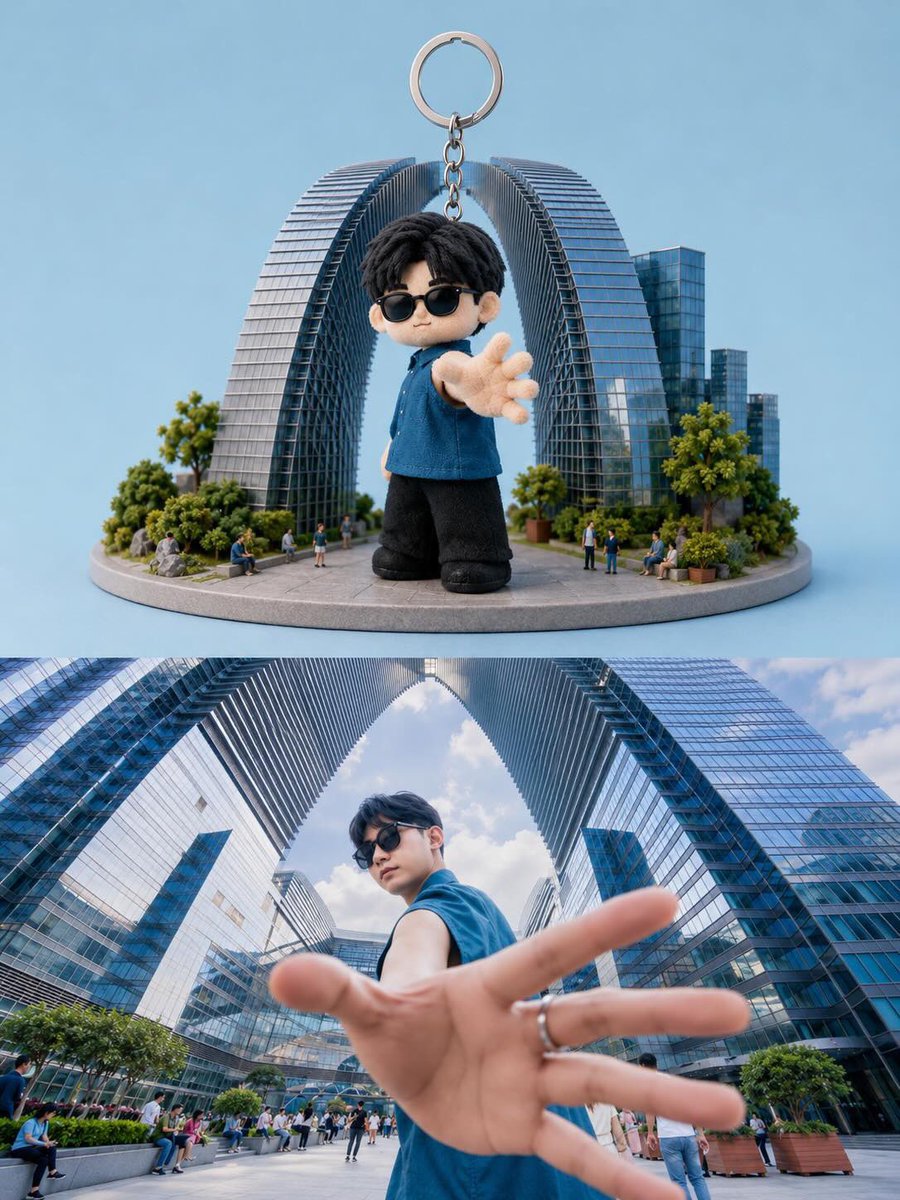
A creative split-screen prompt that compares a 3D chibi-style keychain figure with its real-life human inspiration in an urban setting. - AIPinMaker
프롬프트
Create a split-screen composition showing a realistic collectible keychain figure and its real-life inspiration. Top half: a cute chibi-style 3D miniature keychain character with {argument name="character look" default="oversized head, black messy hair, black sunglasses, blue sleeveless shirt, black pants, and soft plush-texture details"}. The character is standing with one hand reaching toward the camera in a dynamic perspective pose. Attach a metallic keyring chain above the figure. Place the toy on a circular miniature city platform with {argument name="miniature environment" default="tiny people, trees, and modern futuristic skyscrapers forming a giant arch structure"} behind him. Clean pastel blue studio background, soft lighting, highly detailed toy photography, premium collectible aesthetic, shallow depth of field. Bottom half: realistic cinematic wide-angle photo of the {argument name="subject" default="same young man in the exact same pose and outfit"}, standing between giant modern glass skyscrapers with arch-shaped architecture. Extreme perspective with the hand close to the lens, dramatic low-angle composition, natural daylight, urban luxury atmosphere, ultra realistic photography, vibrant reflections on glass buildings, depth and realism. Style contrast between adorable stylized toy render and real-life cinematic photography. Ultra detailed, high quality, 9:16 vertical composition.참고 이미지
이 AI 이미지 프롬프트 템플릿 사용 방법
 1
1프롬프트 복사 — 템플릿의 프롬프트와 네거티브 프롬프트를 가져오세요.  2
2모델 선택 — 가장 잘 맞는 추천 AI 모델을 고르세요.  3
3생성 — 클릭 한 번으로 스튜디오를 열어 결과를 만드세요.
관련 템플릿
Three.js survival-mode replica of Minecraft
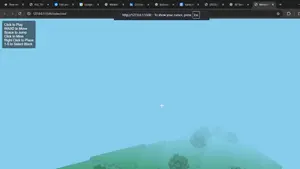
design a full survival mode replica of minecraft (game_name) with threejs (tech_stack)
Cinematic Game UI Mockup
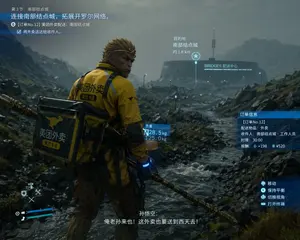
{ "type": "video game screenshot mockup", "style": "cinematic, realistic 3D graphics, overcast, rainy, desolate rocky landscape reminiscent of Death Stranding", "character": { "identity": "{argument name=\"character identity\" default=\"Sun Wukong\"}", "features": "monkey face, golden headband, holding a golden staff", "outfit": "yellow delivery jacket with black accents, large square black and yellow delivery backpack", "branding": "kangaroo logo and text {argument name=\"delivery company\" default=\"美团外卖\"} on jacket and backpack" }, "environment": { "foreground": "rocky terrain with a flowing stream", "background": "futuristic circular building with a tall antenna, glowing text {argument name=\"building name\" default=\"BRIDGES 配送中心\"}" }, "layout": { "ui_elements": 7, "sections": [ { "position": "top-left", "type": "mission objective", "text": "第3节:南部结点城 / {argument name=\"mission objective\" default=\"连接南部结点城,拓展开罗尔网络。\"} / [订单No.12] 美团外卖配送:南部结点城 / 将外卖送达给收件人。" }, { "position": "center-right", "type": "destination marker", "text": "目的地 / 南部结点城 / 约 1.8 km", "icon": "star" }, { "position": "center", "type": "weight info", "text": "负重 / 28.5 kg / 125.0 kg", "attached_to": "backpack" }, { "position": "middle-right", "type": "order info", "text": "订单信息 / [订单No.12] / 配送物品:外卖 / 收件人:南部结点城·工作人员 / 时限:30:00 / 报酬:+198 ¥520" }, { "position": "bottom-right", "type": "controls", "text": "移动 / 保持平衡 / 切换视角 / 打开终端", "icons": "controller buttons" }, { "position": "bottom-center", "type": "subtitles", "text": "孙悟空: / {argument name=\"subtitle text\" default=\"俺老孙来也!这外卖也要送到西天去!\"}" }, { "position": "bottom-left", "type": "HUD", "elements": "blue health/stamina bars, D-pad tool icons" } ] } }
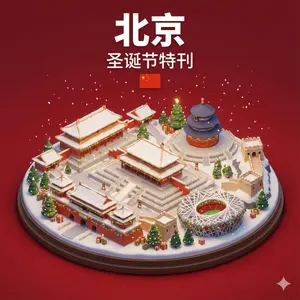
Isometric 3D Miniature City Diorama with Holiday Theme
Create a creative image of Isometric 3d Miniature City Diorama With Holiday Theme. Style: photorealistic. Composition: balanced and well-framed. Lighting: natural with cinematic mood. Category: photography. Reference: isometric-3d-miniature-city-diorama-with-holiday-theme-3360.
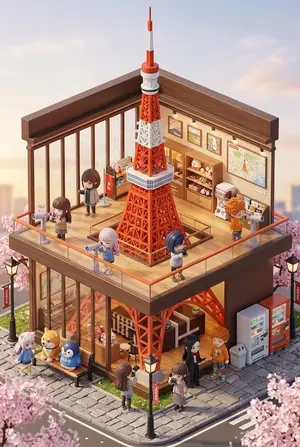
3D chibi miniature travel spot concept prompt
Create a creative image of 3d Chibi Miniature Travel Spot Concept Prompt. Style: photorealistic. Composition: balanced and well-framed. Lighting: natural with cinematic mood. Category: photography. Reference: 3d-chibi-miniature-travel-spot-concept-prompt-769.

3D brick builder app with Gemini and React
Act as a world-class Frontend Engineer and UX Designer. Build a 3D Brick Builder Application (app_name) using React, Three.js (@react-three/fiber), Tailwind CSS, and the Google Gemini API (@google/genai). ## Design Philosophy - **Theme**: White Base (theme) Modern Aesthetics.
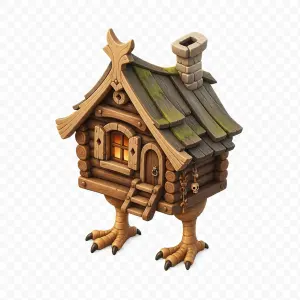
Stylized Baba Yaga Hut
Create a high-quality stylized 3D game asset of a Baba Yaga chicken-leg hut (subject), centered on a transparent checkerboard background. The hut is an isometric three-quarter view facing slightly left, built from warm brown rounded log walls with visible circular log ends, a small arched wooden door on the front-right with a metal ring handle, and a small front window glowing orange from inside with open plank shutters. Add a short wooden ladder with three steps leading to the entrance. The roof is steep and whimsical, made of dark weathered wooden planks with green moss patches, curved golden-brown carved trim, an ornate peaked gable, and a chunky stone chimney near the back-right. The house stands on exactly two large bird-like legs with tan scaly texture, each ending in three forward toes and one rear toe with dark claws. Include small hanging charms on the right wall, including beads, bones, and a tiny skull. Use a polished fantasy miniature style, rounded shapes, hand-painted textures, soft ambient occlusion, subtle shadows, warm lighting, crisp edges, and no text.
더 많은 프롬프트 탐색
카테고리별 AI 이미지·영상 프롬프트를 더 찾아보세요.