
텍스트 투 이미지
Mid-Century Minimalist Travel Poster — AI 이미지 프롬프트
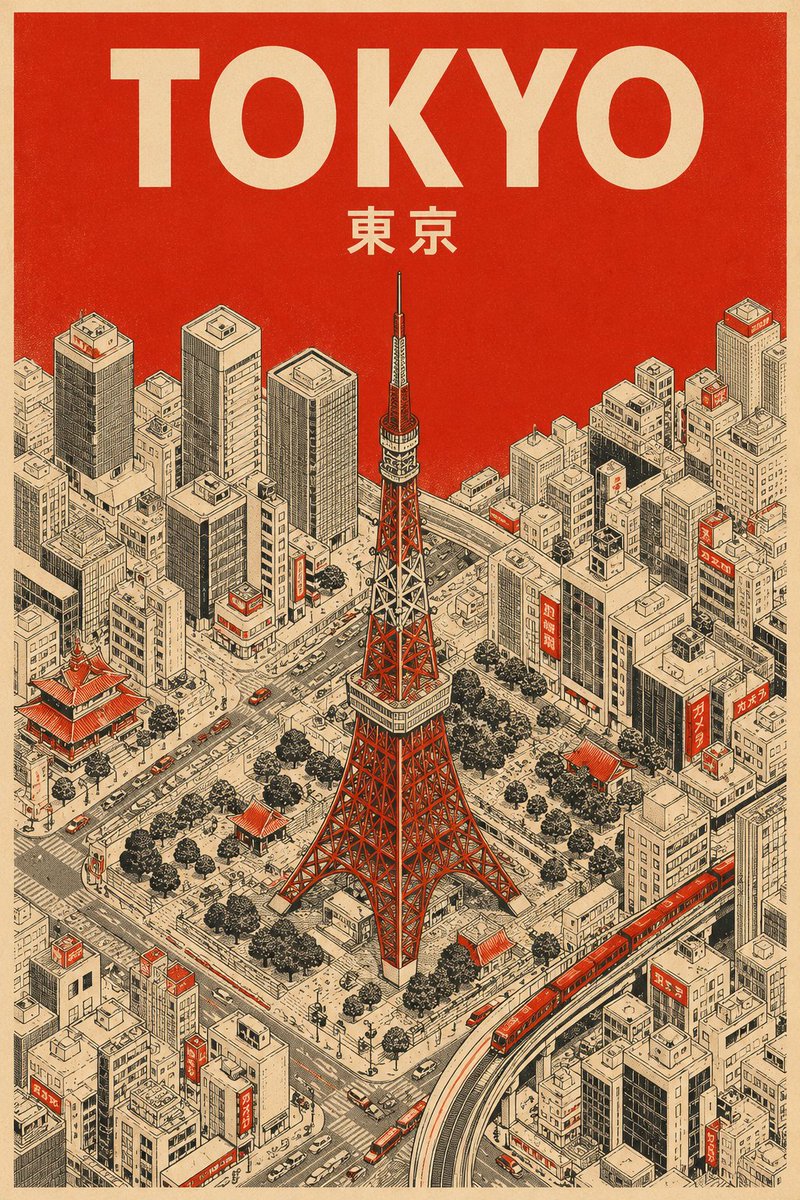
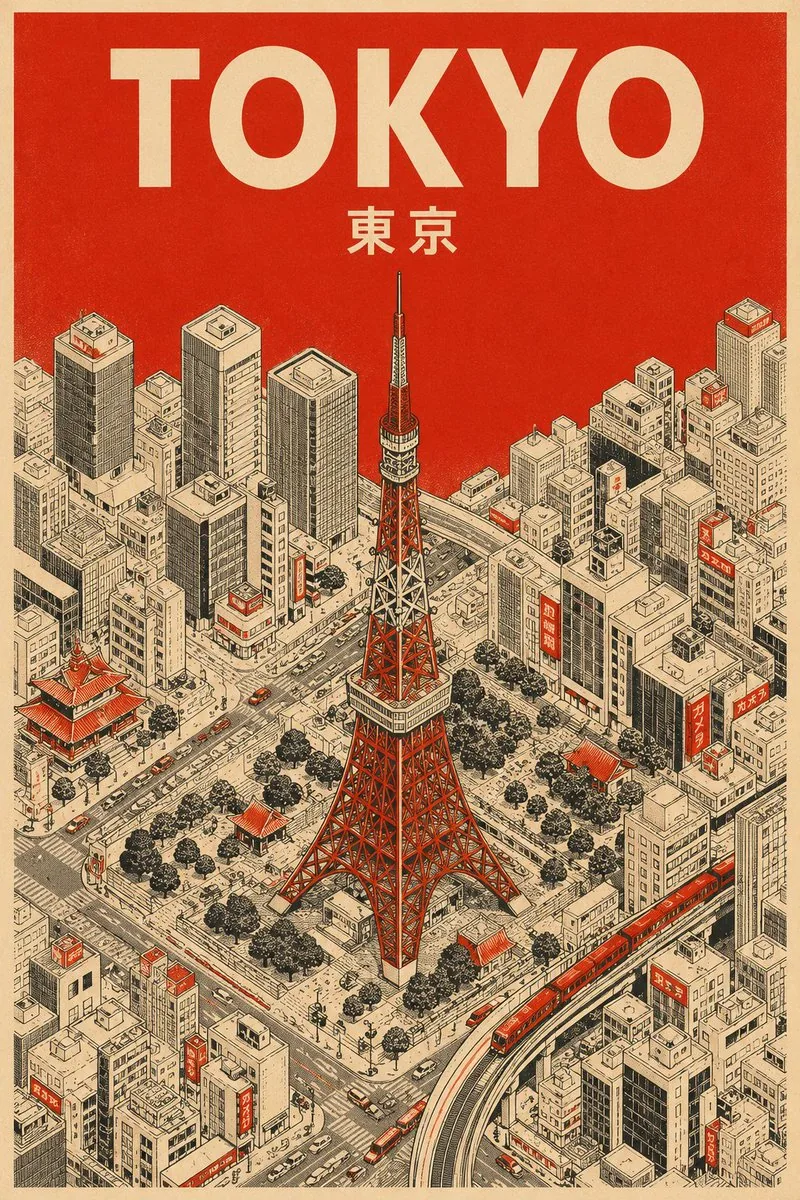
A minimalist mid-century travel poster template using an isometric bird's-eye view and a specific three-color limited palette. - AIPinMaker
프롬프트
Create a social-media image of Mid Century Minimalist Travel Poster. Style: photorealistic. Composition: balanced and well-framed. Lighting: natural with cinematic mood. Category: poster. Reference: mid-century-minimalist-travel-poster-19822.
참고 이미지
이 AI 이미지 프롬프트 템플릿 사용 방법
 1
1프롬프트 복사 — 템플릿의 프롬프트와 네거티브 프롬프트를 가져오세요.  2
2모델 선택 — 가장 잘 맞는 추천 AI 모델을 고르세요.  3
3생성 — 클릭 한 번으로 스튜디오를 열어 결과를 만드세요.
관련 템플릿

Seedance 2.0 Waiting Line Poster
Create a clean vertical promotional poster in a bright minimalist 3D isometric style on a warm off-white background. At the top, place a large bold rounded sans-serif headline reading Seedance 2.0 No More Waiting (headline text), split across two lines, with a smooth gradient from blue and violet on the left through magenta to orange on the right. Below the headline, show a stylized miniature scene of a long queue of exactly 96 tiny diverse people waiting in line, forming a wide U-shaped curve that starts near the lower center foreground, bends to the right, and continues diagonally far into the left background. The people should wear casual clothing in muted oranges, blues, tans, browns, whites, and grays, with toy-like proportions and shallow depth of field so distant figures become softly blurred. Along the queue are exactly 14 simple white cubic booth-like buildings with flat roofs, small rectangular windows, and open doors, receding in perspective from the lower right foreground to the upper left background; the closest booth on the right has a small group entering. Place exactly 1 purple-uniformed staff member near the middle-right doorway, gesturing toward the entrance as if directing the crowd. Use soft studio lighting, gentle shadows, a premium tech-advertising look, lots of white space, and a subtle tilt-shift miniature effect. At the bottom center, place the HailuoAI (brand name) logo: a colorful circular spiral icon in pink, orange, purple, and blue followed by black modern wordmark text.

Japanese AI Case Study Slide
Goal: Create a polished Japanese corporate presentation slide for Galirage (company name) showing support achievements and case studies for AI implementation and AIX consulting. Canvas: 16:9 widescreen slide, white to very pale blue gradient background with subtle translucent curved wave shapes. Clean SaaS-consulting aesthetic, generous spacing, blue and teal accent colors, rounded cards, soft shadows, crisp vector icons. Header and title area: At top left, place a vertical blue accent bar followed by the small black headline 「支援実績【事例紹介】」. Below it, add a blue subheading 「多様な業界の大手企業を支援」 and a large bold main title in bright blue: AI導入・AIX支援で\n豊富な実績 (main title). To the upper center-right, place a short Japanese paragraph in black: 「製造・金融・保険・製薬・IT・通信など、多岐にわたる業界の大手企業を幅広くご支援してきました。特に『上場企業を中心とした大手企業向けのAI導入・AIX支援』において、豊富な実績を有しています。」 Logo and industry panel: At the top right, show a small abstract blue-and-red circular logo mark and the wordmark Galirage (company name). Beneath it, create a rounded rectangular outlined panel with a small blue pill label 「対応業界」 centered on its top border. Inside the panel, show exactly 6 evenly spaced blue line icons with Japanese labels, separated by thin vertical dividers: 1) factory icon labeled 「製造」, 2) bank building icon labeled 「金融」, 3) hands/heart insurance icon labeled 「保険」, 4) capsule icon labeled 「製薬」, 5) monitor with code icon labeled 「IT」, 6) radio tower icon labeled 「通信」. Main layout: Bottom two-thirds of the slide contains exactly 6 rounded white case-study cards in a 3-column by 2-row grid. Each card has a soft shadow, a diagonal numbered ribbon in the upper-left corner, a pale circular icon area on the left, a bold Japanese client-title heading on the right, three small rounded tag pills below the heading, and a short Japanese description paragraph. Use alternating blue and teal accents. Case cards, exact count and content: 1. Card number 1, title 「国内メガバンクグループ」, icon: blue bank building in a pale circle, tags: 「社内AI」 「AI駆動開発」 「研修」, description: 「グループ社員向けの社内AIシステム開発をご支援。AI駆動開発の社内標準化では、社内ツールの開発からエンジニア研修まで、一気通貫で対応しました。」 2. Card number 2, title 「大手化学メーカー」, icon: chemistry flask with bubbles, tags: 「PoC支援」 「データ分析AI」 「業務データ正規化」, description: 「研究開発部門の業務データ正規化および分析AIのPoC支援を担当。課題整理、仮説立案からシステム構築、成果物検証まで、一気通貫で対応しました。」 3. Card number 3, title 「大手製薬メーカー」, icon: medicine bottle and pill, tags: 「RAG」 「AIエージェント」 「業務効率化」, description: 「社内の業務効率化・高度化を目的としたRAG・AIエージェントのシステム開発をご支援。要件定義から本格的なシステム開発まで、一貫して担当しました。」 4. Card number 4, title 「大手保険持株会社」, icon: shield with check mark, tags: 「AIツール選定」 「セキュリティ準拠」 「ナレッジ提供」, description: 「社内セキュリティポリシーに準拠したAIツールの選定を支援。生成AI最新動向のインサイト付き定期配信とナレッジ提供を、継続的に実施しました。」 5. Card number 5, title 「大手重工メーカー」, icon: robotic arm, tags: 「ナレッジ継承」 「AIシステム構築」 「業務知識の体系化」, description: 「熟練社員が持つ暗黙知を次世代へ継承するためのAIシステム構築をご支援。現場の業務知識をデジタル化・体系化する仕組みを、設計から実装まで担当しました。」 6. Card number 6, title 「大手通信グループのIT会社」, icon: headset, tags: 「業務効率化」 「リスキリング研修」 「人材育成」, description: 「コールセンターシステムの業務効率化を支援。別案件として、社内AI人材育成に向けたリスキリング研修の設計・実施にも、幅広く対応しました。」 Typography and details: Use modern Japanese sans-serif typography, with large heavy blue title text, black section titles, small gray body copy, and blue/teal tag outlines. Add small footer copyright at bottom left: © Galirage Inc. (footer text). Keep the slide information-dense but readable, with no photos, no people, no extra cards, no extra icons, and no watermark.38:T13a2,Goal: Create a polished Japanese corporate presentation slide for Galirage (company name) showing support achievements and case studies for AI implementation and AIX consulting. Canvas: 16:9 widescreen slide, white to very pale blue gradient background with subtle translucent curved wave shapes. Clean SaaS-consulting aesthetic, generous spacing, blue and teal accent colors, rounded cards, soft shadows, crisp vector icons. Header and title area: At top left, place a vertical blue accent bar followed by the small black headline 「支援実績【事例紹介】」. Below it, add a blue subheading 「多様な業界の大手企業を支援」 and a large bold main title in bright blue: AI導入・AIX支援で\n豊富な実績 (main title). To the upper center-right, place a short Japanese paragraph in black: 「製造・金融・保険・製薬・IT・通信など、多岐にわたる業界の大手企業を幅広くご支援してきました。特に『上場企業を中心とした大手企業向けのAI導入・AIX支援』において、豊富な実績を有しています。」 Logo and industry panel: At the top right, show a small abstract blue-and-red circular logo mark and the wordmark Galirage (company name). Beneath it, create a rounded rectangular outlined panel with a small blue pill label 「対応業界」 centered on its top border. Inside the panel, show exactly 6 evenly spaced blue line icons with Japanese labels, separated by thin vertical dividers: 1) factory icon labeled 「製造」, 2) bank building icon labeled 「金融」, 3) hands/heart insurance icon labeled 「保険」, 4) capsule icon labeled 「製薬」, 5) monitor with code icon labeled 「IT」, 6) radio tower icon labeled 「通信」.

Minimalist Mid-Century Travel Poster
Create a social-media image of Minimalist Mid Century Travel Poster. Style: photorealistic. Composition: balanced and well-framed. Lighting: natural with cinematic mood. Category: poster. Reference: minimalist-mid-century-travel-poster-19660.

AI Coding Assistant Promo Infographic
{ "type": "app promotional infographic poster", "style": "clean, modern, glassmorphism, soft shadows, 3D icons", "theme": "{argument name=\"primary color theme\" default=\"blue and white\"}", "header": { "title": "{argument name=\"app name\" default=\"CodePilot\"}", "subtitle": "{argument name=\"subtitle\" default=\"你的 AI 编程副驾驶\"}", "features_list": "智能补全 · 代码生成 · 问答调试 · 代码解析", "main_icon": "glossy 3D rounded square, blue gradient, white {argument name=\"main icon symbol\" default=\"</>\"} and sparkles" }, "layout": { "sections": [ { "title": "feature_cards", "position": "middle grid", "count": 4, "items": [ { "label": "智能代码补全", "icon": "blue lightning bolt", "description": "上下文感知, 精准补全 让编码更快一步", "ui_element": "macOS style code window with Python calculate_total function" }, { "label": "AI 代码生成", "icon": "purple magic wand", "description": "根据自然语言描述 一键生成函数 & 脚本", "ui_element": "chat prompt bubble and code window with Python quick_sort function" }, { "label": "对话 & 调试助手", "icon": "green chat bubble", "description": "自然语言提问、定位 Bug 边聊边改, 高效解决问题", "ui_element": "chat interface with user question and green AI resolution bubble" }, { "label": "代码解析 & 注释", "icon": "orange document with magnifying glass", "description": "快速理解复杂代码 自动生成注释与说明", "ui_element": "code window with JS fetchData function and 3 floating action tags: 自动注释, 逻辑解析, 一键复制" } ] }, { "title": "为什么选择 CodePilot?", "position": "bottom left", "count": 4, "labels": ["提升效率", "精准可靠", "隐私安全", "易于集成"], "icons": ["clock", "checkmark", "shield", "puzzle piece"] }, { "title": "立即体验", "position": "bottom right", "count": 1, "elements": ["GitHub 开源项目", "{argument name=\"github link\" default=\"github.com/op7418/CodePilot\"}", "QR code"] } ] } }3c:T9b5,{ "type": "app promotional infographic poster", "style": "clean, modern, glassmorphism, soft shadows, 3D icons", "theme": "{argument name=\"primary color theme\" default=\"blue and white\"}", "header": { "title": "{argument name=\"app name\" default=\"CodePilot\"}", "subtitle": "{argume

Japanese Codex Workshop Slide Deck Grid
Goal: Create a high-density presentation overview image showing exactly 9 miniature slides from a Japanese business training deck about Codex slide creation workshop (course topic). The slides should look like a polished AI-generated corporate consulting deck, arranged as a 3 by 3 grid on a white background with thin gaps between slides, each slide in 16:9 landscape format. Canvas: Wide rectangular collage, approximately 2:1 aspect ratio, crisp vector-like slide thumbnails, white and navy color palette with small accents in blue, cyan, red, and gray. Use clean Japanese corporate typography, tiny but structured text blocks, charts, cards, icons, and slide numbers. Add a subtle professional workshop identity, like a small square “CX” logo and the label “CODEX SLIDE WORKSHOP” on multiple slides. Layout: Include exactly 9 distinct slides: 1. Title slide: minimalist white slide with a navy “CX” logo at left, small spaced text “CODEX SLIDE WORKSHOP,” bold Japanese title 「誰でも出来る!Codex スライド作成講座」, date 「2026.05.31」, and a small subtitle about AI workflow / slide production. 2. Skills slide: title 「SKILLとは?目的を達成するための“技伝のタレ”」 with dense analytical layout, left vertical icon strip, numbered skill list, two small scatter/line charts, one donut chart, and multiple navy callout boxes. 3. Formula slide: title 「キレイ式AIスライド作成実践開始」 showing a process framework with icon cards, a comparison table, a small bar chart, and a dark navy bottom message banner. 4. Workflow slide: title 「Codexの使い方の簡単な流れ」 with a horizontal sequence of exactly 8 process cards using simple icons such as target, folder, cube, document, CX logo, chat bubble, circular arrows, and checkmark; include small tables, a donut chart, and a dark navy side memo box. 5. Goal slide: title 「本日のゴール」 with three numbered goal blocks on the left, a radar chart in the middle, progress bars on the right, and a bottom section containing a checklist table and navy callout box. 6. Simple creation slide: title 「Codexで、簡単に色々出来ちゃう!」 with a left column of three icon cards, a central bar chart, a donut chart at right, and a row of six small capability cards along the bottom. 7. Usage confusion slide: title 「けど、どう使えばいいか分からない」 with a large slanted funnel/pyramid chart on the left containing four stages and percentages, plus a donut chart, a vertical bar chart, a bottom table, and a dark navy quote card. 8. Efficiency slide: title 「本当はCodexをゴリゴリ使って、いろんなことを効率化したい」 with several horizontal bar charts, a line chart trending upward, four lower KPI cards with red negative percentages, and a navy recommendation box. 9. Explanation slide: title 「Codex使ってますか?」 with three explanatory bullet sections on the left, a central donut chart, a right-side bar chart, and a bottom row of KPI cards showing large figures such as -45%, -38%, 1日→90分, and +52%. Visual style: Japanese management-consulting slide aesthetic, dense information design, crisp dark navy headers, thin gray grid lines, rounded cards, small monochrome icons, data visualization elements, and consistent spacing. Use realistic slide thumbnails rather than a single readable slide; the text may be tiny but should feel authentic and structured. Text content: Preserve the main Japanese titles exactly where visible, especially 誰でも出来る!Codex スライド作成講座 (main title), CODEX SLIDE WORKSHOP (workshop label), and section titles containing Codex (product name). Japanese body text can be small pseudo-realistic business copy, but keep headings, percentages, and chart labels consistent with the deck theme. Constraints: Show exactly 9 slides, no people, no photographs, no watermark, no browser UI, no mockup device frame. The final image should look like a screenshot of an impressive complete slide deck generated for a workshop announcement.38:T1071,Goal: Create a high-density presentation overview image showing exactly 9 miniature slides from a Japanese business training deck about Codex slide creation workshop (course topic). The slides should look like a polished AI-generated corporate consulting deck, arranged as a 3 by 3 grid on a white background

LEGO Parts List Inventory Page
{"type":"LEGO parts list infographic page","subject":"clean printed inventory sheet for a custom LEGO build","style":"minimalist instruction-manual graphic, flat white background, crisp black sans-serif typography, subtle light gray row dividers, editorial layout","page":{"orientation":"portrait","background":"white","margin":"generous"},"header":{"icon_count":2,"icons":["small cardboard package emoji/icon at top left","small brown square color swatch icon before section title"],"title":"PARTS LIST (with LEGO / BrickLink IDs)","section_title":"{argument name=\"section title\" default=\"Base & Ground\"}"},"table":{"columns":["Part","Description","Color","Qty"],"row_count":8,"rows":[{"Part":"3811","Description":"Plate 12×12","Color":"Tan","Qty":"1"},{"Part":"3024","Description":"Plate 1×1","Color":"Dark Green","Qty":"12"},{"Part":"3023","Description":"Plate 1×2","Color":"Dark Green","Qty":"10"},{"Part":"3022","Description":"Plate 2×2","Color":"Dark Tan","Qty":"8"},{"Part":"3068b","Description":"Tile 2×2","Color":"Light Bluish Gray","Qty":"6"},{"Part":"3070b","Description":"Tile 1×1","Color":"Light Bluish Gray","Qty":"10"},{"Part":"4073","Description":"Plate Round 1×1","Color":"Green","Qty":"8"},{"Part":"6064","Description":"Plant Leaves 6×5","Color":"Green","Qty":"2"}]},"customization":{"title":"{argument name=\"headline text\" default=\"PARTS LIST (with LEGO / BrickLink IDs)\"}","section":"{argument name=\"section title\" default=\"Base & Ground\"}","accent_color":"{argument name=\"accent color\" default=\"brown\"}","page_style":"{argument name=\"document style\" default=\"LEGO instruction manual inventory sheet\"}"},"composition":"title aligned upper left, section label directly below, large 4-column table centered below with evenly spaced rows, all text left-aligned except quantity column visually narrow at right","quality":"high-resolution print-ready mockup, sharp vector-like text rendering"}
더 많은 프롬프트 탐색
카테고리별 AI 이미지·영상 프롬프트를 더 찾아보세요.