
텍스트 투 이미지
LEGO Mountain Flood Rescue Scene Prompt — AI 이미지 프롬프트
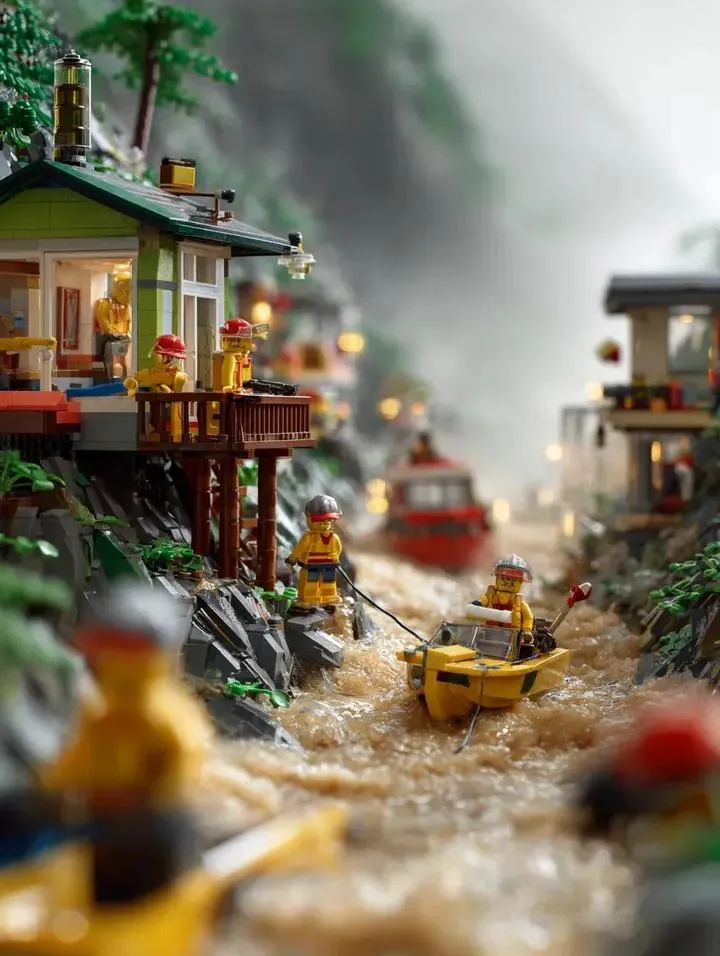
A prompt for generating a dramatic, cinematic image of a LEGO mountain village disaster scene. The scene involves torrential rain, river overflow, LEGO firefighters using rescue boats and ropes, houses on slopes, and misty mountains in the background, emphasizing intense realism and dramatic lighting. - AIPinMaker
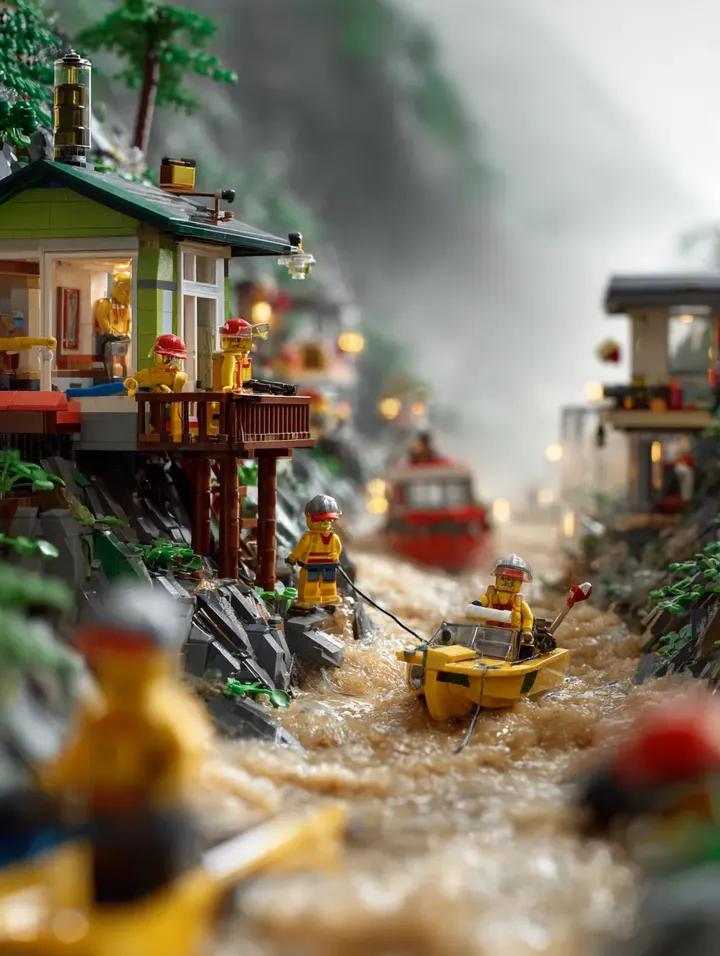
프롬프트
Create a cinematic image of Lego Mountain Flood Rescue Scene Prompt. Style: photorealistic. Composition: balanced and well-framed. Lighting: natural with cinematic mood. Category: cinematic-video. Reference: lego-mountain-flood-rescue-scene-prompt-7553.
참고 이미지
이 AI 이미지 프롬프트 템플릿 사용 방법
 1
1프롬프트 복사 — 템플릿의 프롬프트와 네거티브 프롬프트를 가져오세요.  2
2모델 선택 — 가장 잘 맞는 추천 AI 모델을 고르세요.  3
3생성 — 클릭 한 번으로 스튜디오를 열어 결과를 만드세요.
관련 템플릿
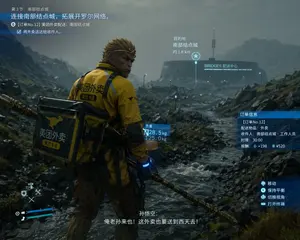
Cinematic Game UI Mockup
{ "type": "video game screenshot mockup", "style": "cinematic, realistic 3D graphics, overcast, rainy, desolate rocky landscape reminiscent of Death Stranding", "character": { "identity": "{argument name=\"character identity\" default=\"Sun Wukong\"}", "features": "monkey face, golden headband, holding a golden staff", "outfit": "yellow delivery jacket with black accents, large square black and yellow delivery backpack", "branding": "kangaroo logo and text {argument name=\"delivery company\" default=\"美团外卖\"} on jacket and backpack" }, "environment": { "foreground": "rocky terrain with a flowing stream", "background": "futuristic circular building with a tall antenna, glowing text {argument name=\"building name\" default=\"BRIDGES 配送中心\"}" }, "layout": { "ui_elements": 7, "sections": [ { "position": "top-left", "type": "mission objective", "text": "第3节:南部结点城 / {argument name=\"mission objective\" default=\"连接南部结点城,拓展开罗尔网络。\"} / [订单No.12] 美团外卖配送:南部结点城 / 将外卖送达给收件人。" }, { "position": "center-right", "type": "destination marker", "text": "目的地 / 南部结点城 / 约 1.8 km", "icon": "star" }, { "position": "center", "type": "weight info", "text": "负重 / 28.5 kg / 125.0 kg", "attached_to": "backpack" }, { "position": "middle-right", "type": "order info", "text": "订单信息 / [订单No.12] / 配送物品:外卖 / 收件人:南部结点城·工作人员 / 时限:30:00 / 报酬:+198 ¥520" }, { "position": "bottom-right", "type": "controls", "text": "移动 / 保持平衡 / 切换视角 / 打开终端", "icons": "controller buttons" }, { "position": "bottom-center", "type": "subtitles", "text": "孙悟空: / {argument name=\"subtitle text\" default=\"俺老孙来也!这外卖也要送到西天去!\"}" }, { "position": "bottom-left", "type": "HUD", "elements": "blue health/stamina bars, D-pad tool icons" } ] } }

3D gaming scene with bodyguard
Create a cinematic image of 3d Gaming Scene With Bodyguard. Style: photorealistic. Composition: balanced and well-framed. Lighting: natural with cinematic mood. Category: cinematic-video. Reference: 3d-gaming-scene-with-bodyguard-17320.

Futuristic Nanchatte-Machine Hangar
Goal: Create a highly detailed futuristic maintenance-bay scene for a fictional flying robot aircraft branded Nanchatte-Machine (machine name), combining clean Japanese sci-fi design, industrial realism, and playful “fake future tech” charm. Canvas: Vertical 3:4 composition, high-resolution cinematic concept art, slightly elevated wide-angle view looking down into a bright laboratory hangar. Use crisp focus across the whole image, photorealistic rendering with intricate mechanical detail. Main subject: A large white humanoid-faced VTOL air robot parked diagonally from lower left to upper right. It has a sleek transparent cockpit canopy on the top-front, an elegant pale android face integrated into the nose, two thin articulated robotic arms extending forward, and exposed internal machinery along the side. The body is mostly glossy white with turquoise, orange, yellow, black, and red accent panels, fine panel seams, rivets, labels, cables, pistons, vents, and engine components. Discrete major elements: Include exactly 1 main flying robot aircraft, exactly 2 huge circular ducted-fan rotor pods mounted left and right above the fuselage, exactly 1 detached rounded cockpit or pod module on the lower right, exactly 1 human technician, exactly 1 wall blueprint poster labeled “H-2025”, exactly 1 large title on the wall, and exactly 4 hanging pendant lights near the ceiling. Human technician: A single mechanic wearing a teal-blue work uniform and matching hard hat stands on the right side of the main aircraft, leaning forward while using tools on the exposed engine area. Scale the person small compared with the machine to emphasize the aircraft’s size. Workshop environment: Clean futuristic aerospace workshop with white walls, glossy pale floor, ceiling-hung cables, cabinets, shelves full of bottles and parts, teal tool chests, orange drawers, small electronics boxes, metal trays, scattered maintenance panels, bolts, wires, wrenches, screwdrivers, calipers, rulers, and technical drawings on the floor. Arrange the foreground like an active repair scene with open blue tool bins and organized parts trays. Text content: Put the large wall headline in the upper left reading “Nanchatte-Machine (headline text)”, with “Nanchatte-” in blue and “Machine” in red. Add a thin cyan bracket-like graphic line to the left of the headline and a short red-yellow-cyan color bar beneath it. On the back wall, include a technical schematic poster reading “H-2025” with small blueprint drawings. Color and lighting: Bright clean studio lighting with soft shadows and glossy reflections on the floor. Dominant palette is white, teal, cyan, orange, red, yellow, metallic gray, and black. Add a bold diagonal teal stripe and orange vertical architectural panel high on the back wall. Style constraints: Ultra-detailed futuristic industrial concept art, realistic materials, no cartoon styling, no extra people, no extra aircraft, no watermark, no illegible gibberish text except tiny technical markings, keep the machine name clearly readable.38:Tc41,Goal: Create a hig

Retro 80s Action Figure Aesthetic
Create a cinematic image of Retro 80s Action Figure Aesthetic. Style: photorealistic. Composition: balanced and well-framed. Lighting: natural with cinematic mood. Category: cinematic-video. Reference: retro-80s-action-figure-aesthetic-25020.
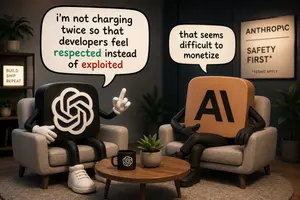
Satirical AI Mascot Lounge Debate
Create a polished 3D cartoon editorial scene in a cozy modern interview lounge, formatted as a wide 16:9 image. Two anthropomorphic AI-logo mascot characters sit facing each other in beige upholstered armchairs around a round wooden coffee table. On the left, a black rounded-square mascot body with a large white OpenAI knot logo on its front has black tube arms and legs, white gloved hands, and oversized white sneakers; it is gesturing with one raised index finger as if making a point. On the right, a tan rounded-square mascot body with large black letters “AI” on its front sits with crossed legs and black gloves/boots, leaning back skeptically. Add exactly 2 speech bubbles: the left large bubble says “i’m not charging twice so that developers feel respected instead of exploited”, with “respected” colored green and “exploited” colored red; the right smaller bubble says “that seems difficult to monetize”. Include exactly 3 visible text signs: a small lit shelf sign on the left reading “BUILD SHIP REPEAT”, a framed wall poster on the right reading “ANTHROPIC / SAFETY FIRST* / *TERMS APPLY”, and the black mug logo mark on the table. The coffee table should contain exactly 2 objects: a black mug with a white OpenAI-style logo and a small potted succulent. Background details include dark charcoal walls, warm studio lighting, a bookshelf with plants on the left, a large potted plant on the right, a soft round rug, and shallow depth of field. Use a satirical tech-industry tone, premium toy-like 3D rendering, soft global illumination, expressive body language, clean readable lettering, and no extra characters or additional text. The left speech bubble text may be customized as i’m not charging twice so that developers feel respected instead of exploited (left speech bubble); the right speech bubble text may be customized as that seems difficult to monetize (right speech bubble); the wall poster headline may be customized as ANTHROPIC / SAFETY FIRST* / *TERMS APPLY (wall poster text); the left character logo may be customized as OpenAI knot logo (left mascot logo); the right character label may be customized as AI (right mascot label).37:T916,Create a polished 3D car
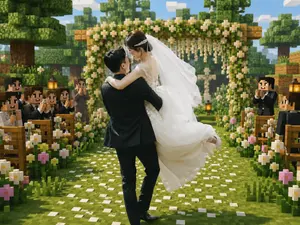
Minecraft Voxel Wedding Ceremony
Create a cinematic Minecraft-inspired voxel wedding scene that blends realistic newlyweds with a blocky game world. In the center foreground, show a groom in a black suit lifting and carrying a bride in a flowing white lace wedding dress; the couple should be the only mostly realistic photographic figures, with softly anonymized/blurred faces, while the environment and guests are fully voxel/block-style. The bride wears a long white veil, delicate hair accessory, sleeveless lace bodice, and voluminous skirt lifted by motion; the groom faces away slightly, holding her romantically. Place them on a grassy aisle covered with scattered white flower petals, leading toward a square wooden floral wedding arch decorated with dense green leaves, white blossoms, and hanging flower strands. Surround the aisle with exactly two rows of wooden benches, one row on the left and one on the right, filled with blocky Minecraft-style wedding guests in dark formal suits and white shirts, clapping and smiling; include visible lanterns on posts near the seating. Add abundant blocky flowers along both sides of the aisle, mostly white daisies with a few pink blossoms. The background should show cubic trees, layered voxel foliage, wooden blocks, a bright blue sky with rectangular clouds, warm daylight, soft depth of field, and a joyful romantic atmosphere. Use a square-to-landscape 4:3 composition, centered perspective down the aisle, high-detail voxel textures, vibrant greens, warm highlights, realistic fabric detail on the bride and groom, and a seamless blend of real wedding photography with Minecraft game-map aesthetics. No text, no watermark, no UI elements.
더 많은 프롬프트 탐색
카테고리별 AI 이미지·영상 프롬프트를 더 찾아보세요.