
텍스트 투 이미지
Japanese Romance App Ad Panels — AI 이미지 프롬프트
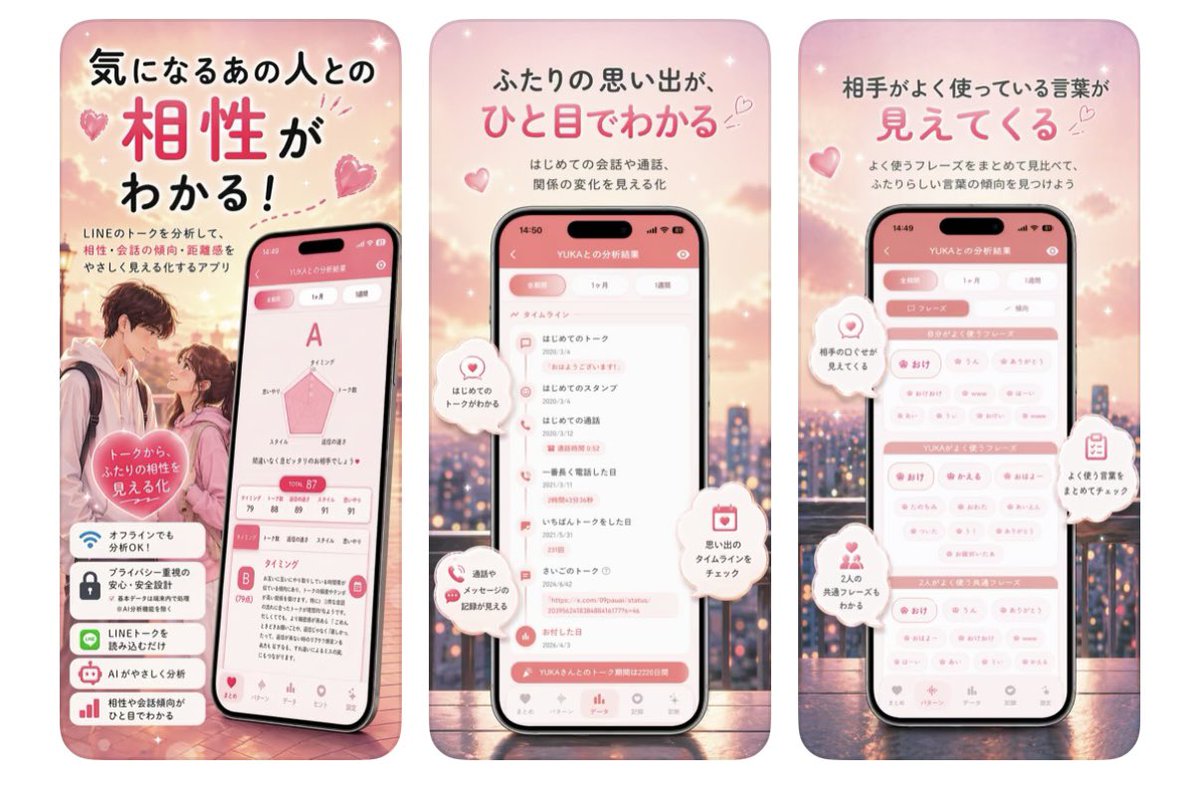
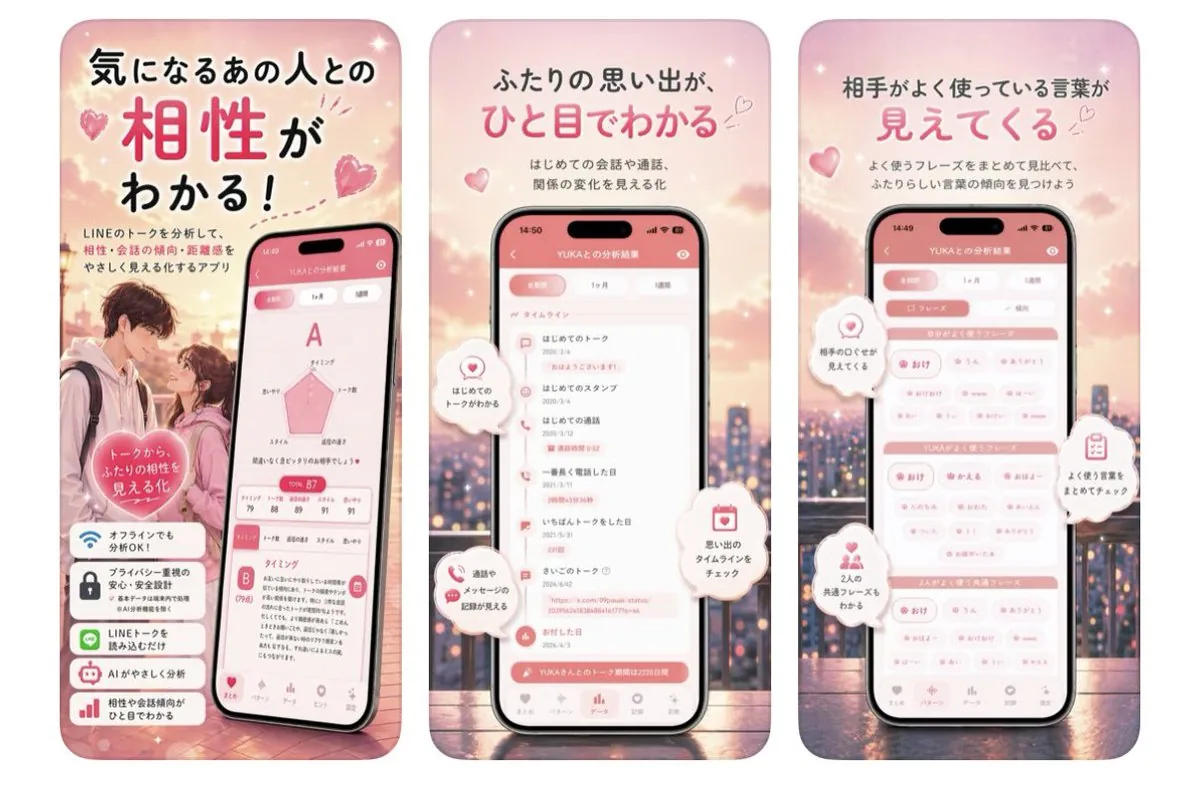
A three-panel pink Japanese mobile app advertisement showcasing relationship compatibility, timeline memories, and frequently used words. - AIPinMaker
프롬프트
Goal: Create a three-panel vertical Japanese app promotion graphic for a romantic LINE-chat analysis app, using a soft pink dating aesthetic.

Canvas: Wide horizontal composition containing exactly 3 tall rounded-rectangle poster panels side by side, each like a smartphone ad card. Use a dreamy sunset cityscape background with pink clouds, bokeh lights, sparkles, floating hearts, and a warm romantic glow. Overall palette is blush pink, coral, white, and soft peach.

Panel 1: Left panel introduces compatibility analysis. Large Japanese headline at top: 「気になるあの人との 相性が わかる!」 with 「相性」 oversized in bright pink. Smaller copy below: 「LINEのトークを分析して、相性・会話の傾向・距離感をやさしく見える化するアプリ」. Show a blurred-face young couple standing close at lower left, and a tilted smartphone at lower right displaying a compatibility result screen with a large grade “A”, a pink radar chart, a score around 87, and detailed analysis cards. Add a pink heart badge over the couple reading 「トークから ふたりの相性を 見える化」. Add exactly 4 stacked feature cards at the bottom-left with icons and Japanese text: 1) Wi-Fi icon 「オフラインでも分析OK!」, 2) lock icon 「プライバシー重視の安心・安全設計」, 3) LINE chat icon 「LINEトークを読み込むだけ」, 4) robot icon 「AIがやさしく分析」.

Panel 2: Center panel focuses on relationship timeline. Large Japanese headline: 「ふたりの思い出が、ひと目でわかる」 with 「ひと目でわかる」 in bright pink. Smaller copy: 「はじめての会話や通話、関係の変化を見る化」. Center a front-facing smartphone showing an app screen titled like 「YUKAとの分析結果」 with a pink header and a vertical timeline list. Include exactly 4 floating white speech-bubble callouts with pink icons: 1) heart icon 「はじめてのトークがわかる」, 2) chat/phone icon 「通話やメッセージの記録が見える」, 3) calendar icon 「思い出のタイムラインをチェック」, 4) small heart/spark icon near the screen indicating memories. Keep the phone UI legible but stylized, with bottom navigation icons.

Panel 3: Right panel focuses on frequently used words. Large Japanese headline: 「相手がよく使っている言葉が 見えてくる」 with 「見えてくる」 in bright pink. Smaller copy: 「よく使うフレーズをまとめて見比べて、ふたりらしい言葉の傾向を見つけよう」. Center a front-facing smartphone showing a pink-and-white keyword dashboard with grouped pill tags and section bars for the user and partner. Add exactly 4 floating white callout bubbles with pink icons: 1) heart icon 「相手のことが見えてくる」, 2) clipboard icon 「よく使う言葉をまとめてチェック」, 3) two-person icon 「2人の共通フレーズもわかる」, 4) small heart bubble as decorative accent.

Visual style: Polished Japanese mobile app advertisement, cute romantic UI design, glossy smartphone mockups, rounded corners, soft shadows, subtle sparkles, hearts, and bokeh. Use a clean rounded Japanese sans-serif font; emphasize key headline words in hot pink while other text is dark charcoal. Faces in the couple photo should be intentionally blurred for privacy.

Constraints: Use exactly 3 poster panels, exactly 3 smartphones, exactly 4 feature cards in the first panel, and exactly 4 floating callouts in each of the second and third panels. Do not add extra panels, watermarks, QR codes, or brand logos beyond the LINE mention in the Japanese copy.37:Te66,Goal: Create a three-panel vertical Japanese app promotion graphic for a romantic LINE-chat analysis app, using a soft pink dating aesthetic.

Canvas: Wide horizontal composition containing exactly 3 tall rounded-rectangle poster panels side by side, each like a smartphone ad card. Use a dreamy sunset cityscape background with pink clouds, bokeh lights, sparkles, floating hearts, and a warm romantic glow. Overall palette is blush pink, coral, white, and soft peach.

Panel 1: Left panel introduces compatibility analysis. Large Japanese headline at top: 「気になるあの人との 相性が わかる!」 with 「相性」 oversized in bright pink. Smaller copy below: 「LINEのトークを分析して、相性・会話の傾向・距離感をやさしく見える化するアプリ」. S
참고 이미지
이 AI 이미지 프롬프트 템플릿 사용 방법
 1
1프롬프트 복사 — 템플릿의 프롬프트와 네거티브 프롬프트를 가져오세요.  2
2모델 선택 — 가장 잘 맞는 추천 AI 모델을 고르세요.  3
3생성 — 클릭 한 번으로 스튜디오를 열어 결과를 만드세요.
관련 템플릿

Energetic Pop Art Poster
Create a social-media image of Energetic Pop Art Poster. Style: photorealistic. Composition: balanced and well-framed. Lighting: natural with cinematic mood. Category: poster. Reference: energetic-pop-art-poster-20527.
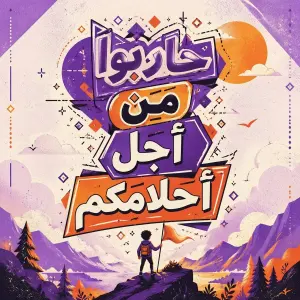
Calligraphic Dreamy Risograph Poster
Create a social-media image of Calligraphic Dreamy Risograph Poster. Style: photorealistic. Composition: balanced and well-framed. Lighting: natural with cinematic mood. Category: poster. Reference: calligraphic-dreamy-risograph-poster-25381.
Streetwear Brand Drop Collage Poster
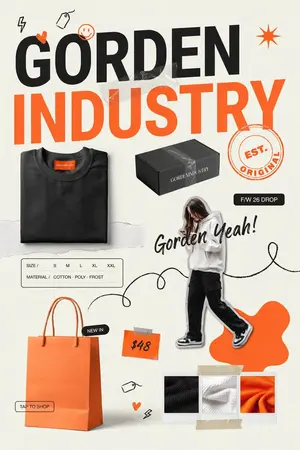
Goal: Create a vertical fashion brand launch collage poster for GORDEN INDUSTRY (brand name), with a bold streetwear e-commerce look, mixing product photography, paper textures, handwritten doodles, and orange-black typography. Canvas: Portrait 2:3 poster, off-white warm paper background with subtle grain and light wrinkles. Use a modern editorial layout with cutout objects, taped paper scraps, scribbles, and sticker-like labels. Layout: At the top, place a huge two-line headline: the first line reads “GORDEN” in heavy black uppercase sans serif, and the second line reads “INDUSTRY” in oversized bright orange uppercase sans serif. The headline should dominate the upper half and slightly overlap a translucent taped paper strip. Keep the design airy but energetic, with asymmetrical spacing. Main visual elements: Include exactly 5 product/lifestyle elements: 1 folded black sweatshirt at lower left-middle with a small orange neck label, 1 black rectangular shipping box near the center-right under the headline with the brand name printed in white, 1 cutout full-body fashion model wearing a white hoodie, black cargo pants, and black-and-white sneakers on the right side, 1 large orange shopping bag at bottom left with handles, and 1 three-swatch fabric sample strip at bottom right. The model’s face may be softly blurred or obscured for an editorial mockup look. Text and labels: Add exactly 7 visible text components: 1 main headline “GORDEN INDUSTRY”, 1 circular orange stamp reading “EST. ORIGINAL”, 1 black pill label reading “F/W 26 DROP”, 1 handwritten script slogan reading Gorden Yeah! (script slogan), 1 size/material card reading “SIZE / S M L XL XXL” and “MATERIAL / COTTON · POLY · FROST”, 1 black pill near the shopping bag reading “NEW IN”, 1 orange price tag reading $48 (price text), and 1 small outlined button near the bag reading “TAP TO SHOP”. Use clean readable English typography for all printed text. Doodles and decorative details: Add exactly 8 small hand-drawn accent doodles: 1 black lightning bolt in the upper left, 1 black hanging price-tag sketch near the top, 1 orange smiley face above the headline, 1 small orange heart on the G, 1 orange starburst in the upper right, 1 long black looping scribble line running through the middle and around the model, 1 tiny price-tag sketch near the bottom center, and 1 small orange heart plus black lightning accent near the lower center. Include transparent tape pieces over the headline area and above/below the fabric swatches, plus torn-paper strips behind the sweatshirt and along the center. Color palette and style: Use primarily black, bright orange, cream white, and charcoal gray. Make the typography bold and high-contrast, with realistic product mockup lighting and soft shadows. The overall style should feel like a trendy streetwear drop announcement, Instagram fashion shop poster, magazine collage, clean but playful. Constraints: Preserve the exact count of 5 product/lifestyle elements, 7 text components, and 8 doodle accents. Keep all text sharp and legible. Do not add extra logos, watermarks, people, products, or unreadable filler text.37:Tcca,Goal: Create a vertical fashion

Sports Streaming Social Media Image
Create a social-media image of Sports Streaming Social Media Image. Style: photorealistic. Composition: balanced and well-framed. Lighting: natural with cinematic mood. Category: poster. Reference: sports-streaming-social-media-image-22144.

Urban Streetwear Collage Poster System
TITLE: URBAN STREETWEAR COLLAGE FASHION POSTER SYSTEM TOPIC: [STREETWEAR FASHION / URBAN APPAREL / CASUALWEAR COLLECTION / Y2K FASHION / GEN-Z CLOTHING / SWEATSHIRT CAMPAIGN / DENIM COLLECTION / TRENDY OUTFITS / YOUTH FASHION / MODERN STREET STYLE] (fashion topic) STYLE & ART DIRECTION: Modern urban fashion-collage aesthetics, Gen-Z apparel campaign design, layered editorial streetwear composition, dynamic social-media fashion visuals, trendy Y2K-inspired branding, sticker-style fashion poster system, high-energy commercial clothing design, premium youth-fashion advertising. MAIN SUBJECT: ONE fashion model repeated in multiple stylish poses, wearing coordinated streetwear outfit, casual oversized fashion styling, premium ecommerce photography, dynamic editorial body language, modern youth-fashion attitude. LAYOUT & COMPOSITION: Vertical fashion-poster composition. The structure MUST preserve: oversized headline typography at top central dominant model placement multiple supporting poses around composition sticker-cutout model borders layered collage hierarchy dynamic brush-stroke graphics urban editorial balance asymmetrical fashion composition energetic visual rhythm Include: giant condensed typography handwritten brush-style text fashion-catalog collage layout dynamic geometric accents layered cutout effects oversized apparel visibility editorial fashion spacing streetwear visual hierarchy TYPOGRAPHY: Use: oversized bold condensed sans-serif typography urban uppercase lettering handwritten brush-style secondary text dynamic editorial hierarchy modern streetwear typography treatment trendy fashion-poster spacing DEPTH & LIGHTING: Soft commercial fashion lighting, smooth apparel highlights, premium studio shadows, clean editorial skin rendering, high-end ecommerce realism, modern urban-fashion exposure. EXTRA DESIGN DETAILS: thick cutout borders paint-brush graphic strokes layered collage composition dynamic geometric shapes editorial poster effects fashion-catalog arrangement trendy visual layering subtle texture overlays COLOR PALETTE: Chocolate brown, beige cream, denim blue, electric blue accents (primary colors), white, warm neutral tones. QUALITY: 8k (resolution) commercial fashion rendering.

Bus Guide Tourism Poster Prompt
Create a social-media image of Bus Guide Tourism Poster Prompt. Style: photorealistic. Composition: balanced and well-framed. Lighting: natural with cinematic mood. Category: poster. Reference: bus-guide-tourism-poster-prompt-16292.
더 많은 프롬프트 탐색
카테고리별 AI 이미지·영상 프롬프트를 더 찾아보세요.