
텍스트 투 이미지
Four-Panel Icon Style Catalog — AI 이미지 프롬프트
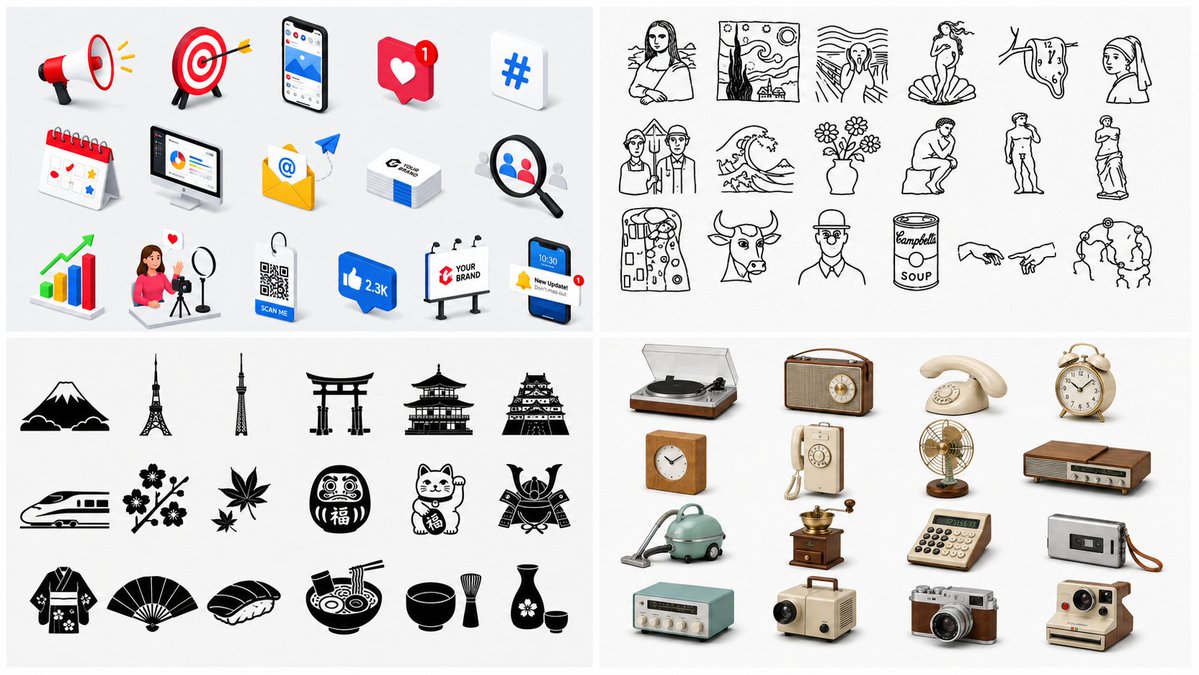
Creates a wide 2×2 catalog image comparing colorful 3D marketing icons, art line icons, Japanese silhouettes, and retro gadget icons. - AIPinMaker
프롬프트
Goal: Create a clean 2×2 showcase collage presenting four different icon material styles on a white background, like a prompt collection preview for GPT Images. Use thin pale-gray dividers between quadrants and consistent generous spacing. The overall image should feel like a catalog sheet of ready-to-use icon styles.

Canvas: Wide horizontal canvas, 16:9 ratio, white background, four equal rectangular panels arranged in a 2×2 grid with subtle light-gray gutters.

Top-left panel: Render exactly 15 colorful 3D digital marketing and social media icons, arranged in three neat rows of five on a white studio background with soft shadows. Include these 15 items: 1 red-and-white megaphone, 1 red target with arrow, 1 smartphone showing an app screen, 1 red heart notification card with a small badge, 1 blue hashtag tile, 1 desk calendar, 1 desktop analytics monitor, 1 yellow email envelope with an @ symbol and paper plane, 1 stack of business cards, 1 magnifying glass over profile avatars, 1 upward growth bar chart with green arrow, 1 female influencer filming with ring light and floating heart, 1 blue QR code tag reading “SCAN ME,” 1 blue thumbs-up speech bubble reading “2.3K,” and 1 billboard reading “YOUR BRAND.” Use glossy rounded 3D shapes, bright red, blue, yellow, and green accents, and soft realistic drop shadows.

Top-right panel: Render exactly 20 black hand-drawn line-art icons inspired by famous art motifs, arranged in four rows of five on a white background. Include these 20 items: 1 seated Mona Lisa-like portrait, 1 starry-night landscape frame, 1 screaming figure with wavy background, 1 birth-of-Venus shell figure, 1 melting clock, 1 veiled woman portrait bust, 1 American Gothic-style couple, 1 great wave, 1 vase of flowers, 1 seated thinker figure, 1 classical standing male statue, 1 classical robed female statue, 1 abstract patterned dress figure, 1 bull head, 1 faceless bust portrait, 1 pop-art soup can labeled “Campbell’s SOUP,” 1 two hands nearly touching, 1 circle of dancing figures, and two additional simple museum-sketch portrait heads to complete the grid. Use expressive monochrome ink lines, slightly imperfect sketch strokes, no color fills.

Bottom-left panel: Render exactly 20 black Japanese-themed flat silhouette icons, arranged in four rows of five on a white background. Include these 20 items: 1 Mount Fuji with clouds, 1 Eiffel Tower silhouette, 1 Tokyo Skytree-like tower, 1 torii gate, 1 multi-tier pagoda, 1 Japanese castle, 1 bullet train, 1 cherry blossom branch, 1 pair of maple leaves, 1 Daruma doll with the character “福,” 1 maneki-neko lucky cat with the character “福,” 1 samurai helmet, 1 patterned kimono, 1 folding fan, 1 sushi nigiri, 1 ramen bowl with chopsticks, 1 tea bowl, 1 bamboo whisk, 1 sake bottle with cup, and 1 small cup. Use solid black vector silhouettes with crisp edges and minimal internal white cutouts.

Bottom-right panel: Render exactly 15 retro household and gadget objects as realistic 3D icons, arranged in three rows of five on a white studio background with soft shadows. Include these 15 items: 1 vinyl record player, 1 vintage tabletop radio, 1 cream rotary telephone, 1 brass twin-bell alarm clock, 1 wooden square clock, 1 wall-mounted rotary telephone, 1 brass desk fan, 1 wood-grain stereo receiver, 1 turquoise canister vacuum cleaner, 1 antique coffee grinder, 1 gray calculator, 1 portable cassette player, 1 mint-green tabletop radio, 1 vintage slide projector, 1 silver-and-brown camera, and 1 instant camera if needed only by replacing another item so the visible count stays exactly 15. Use nostalgic beige, brown, brass, mint, and gray colors with realistic materials and soft shadows.

Visual style: This is a polished icon-series comparison board. Keep all panels bright, high-key, uncluttered, and evenly spaced. Avoid captions, watermarks, logos outside the tiny icon details, extra panels, or background texture. Make the icon theme customizable as {argument name="collection theme" default="icon material styles"}, while preserving the four-panel catalog layout.36:T1014,Goal: Create a clean 2×참고 이미지
이 AI 이미지 프롬프트 템플릿 사용 방법
 1
1프롬프트 복사 — 템플릿의 프롬프트와 네거티브 프롬프트를 가져오세요.  2
2모델 선택 — 가장 잘 맞는 추천 AI 모델을 고르세요.  3
3생성 — 클릭 한 번으로 스튜디오를 열어 결과를 만드세요.
관련 템플릿
Soft 3D App Feature Icon Grid
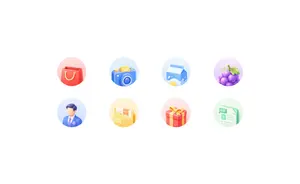
Goal: Create a clean light-neumorphic app shortcut icon set on a white background, suitable for a mobile app feature grid or homepage “king kong area”. Canvas: Wide horizontal canvas, approximately 16:9, pure white background with generous empty margins. Center the icon group horizontally and vertically with lots of whitespace. Layout: Arrange exactly 8 circular feature icons in a 4-column by 2-row grid. Use even spacing, with each icon inside a soft pastel circular disc about the same size. No titles under the icons. Icon style: Soft 3D clay/neumorphic rendering, rounded edges, glossy highlights, subtle ambient occlusion, gentle shadows, pastel gradients, miniature toy-like objects, clean commercial UI style. Each circular background should be a faint pastel gradient matching the icon color. Use high-key lighting from the upper left, no harsh outlines, no dark background. Icon count and subjects, left to right: 1. Red shopping bag with yellow rope handles on a pale pink circle. 2. Blue camera with yellow shutter button and circular lens on a pale blue circle. 3. Blue-and-white milk carton with a yellow splash graphic on a pale blue circle. 4. Purple grapes with green leaves and tendril on a pale lavender circle. 5. Faceless male professional avatar wearing a blue suit, white shirt, purple tie, and small circular badge on a pale blue circle. 6. Yellow document folder containing papers, one paper visibly labeled 「合同」, on a pale yellow circle. 7. Red gift box with yellow ribbon and bow on a pale pink circle. 8. Mint-green document sheet with checklist lines, a tab visibly labeled 「摘要」, on a pale green circle. Customization: The icon set should represent general lifestyle and services (app category); keep the visible Chinese labels exactly as 合同 (folder label) and 摘要 (document label) if text is included. Constraints: Generate only the 8 icons described above, no extra icons, no captions, no watermark, no frame, no mockup device, no people beyond the single faceless avatar icon, and preserve the airy white composition.37:T872,Goal: Create a clean
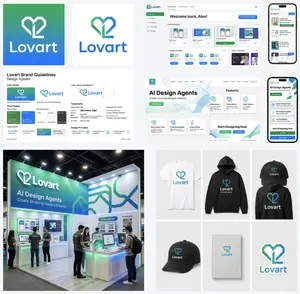
Multi-Step Design Generation for 'Lovart' Brand Identity
Create a creative image of Multi Step Design Generation For Lovart Brand Identity. Style: photorealistic. Composition: balanced and well-framed. Lighting: natural with cinematic mood. Category: photography. Reference: multi-step-design-generation-for-lovart-brand-identity-9639.
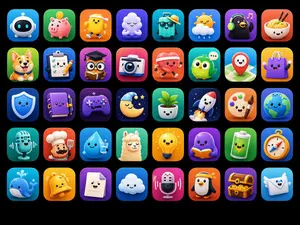
Cute 3D App Mascot Icon Grid
Goal: Create a polished app-store mascot icon showcase featuring 40 (icon count) unique cute 3D mascot icons, designed as ASO-friendly mobile app icon concepts. Canvas: Horizontal 4:3 image on a pure black background, with a neat grid of rounded-square app icons. Use exactly 5 rows and 8 columns, evenly spaced with consistent margins. Each tile is a glossy rounded square with a soft gradient background, subtle inner glow, and soft drop shadow. No text, no labels, no watermark. Visual style: High-end 3D clay/toy mascot style, kawaii expressions, big friendly eyes, tiny smiles, smooth rounded shapes, vibrant saturated colors, app icon lighting, soft studio shadows, crisp edges, premium iOS icon aesthetic. Every icon should feel like a distinct standalone app mascot. Icon grid details: Include exactly 40 discrete icons, arranged left to right, top to bottom: 1. white robot head mascot on blue gradient 2. pink piggy bank with coin on green gradient 3. smiling yellow character wearing a sun visor on orange gradient 4. sleepy white cloud hugging itself on purple gradient 5. turquoise travel suitcase wearing sunglasses and a straw hat on teal gradient 6. cute sun partly behind a cloud with raindrops on blue gradient 7. black penguin or bird wearing green headphones with music notes on purple gradient 8. smiling bowl of noodles with chopsticks on red-orange gradient 9. happy corgi dog on green gradient 10. checklist clipboard with pencil on blue gradient 11. graduation cap over a document/card silhouette on purple-pink gradient 12. cute instant camera on pink-red gradient 13. red heart character running with headphones on orange-red gradient 14. green owl with chat bubble on teal gradient 15. red map pin mascot on map background on cyan gradient 16. purple shopping bag mascot on yellow gradient 17. blue shield mascot on deep blue gradient 18. purple notebook mascot with pen on violet gradient 19. purple game controller mascot on dark purple gradient 20. sleeping crescent moon with nightcap, stars, and dark night background 21. smiling potted plant in white pot on green gradient 22. white rocket launching on navy starry gradient 23. painter palette mascot with paintbrush on orange gradient 24. smiling Earth globe on blue gradient 25. vintage microphone mascot on teal gradient 26. chef mascot with white chef hat and spatula on red-orange gradient 27. smiling water droplet holding a glass of water on cyan gradient 28. fluffy llama or alpaca mascot on green gradient 29. glowing yellow lightbulb mascot on yellow-orange gradient 30. purple octopus or blob reading an orange book on violet gradient 31. green battery mascot with lightning symbol on green gradient 32. compass mascot on blue-orange gradient 33. blue whale mascot with water splash on cyan gradient 34. yellow bell mascot on orange gradient 35. smiling white document/page mascot on purple gradient 36. happy white cloud mascot on blue gradient 37. pink microphone mascot with sound waves on magenta gradient 38. penguin mascot wearing a yellow visor on orange gradient 39. treasure chest full of gold coins on purple gradient 40. smiling envelope mascot with wings on light blue gradient Constraints: Keep all icons consistent in size and visual quality; use charming rounded toy-like geometry; ensure each mascot has a simple cute face where appropriate; preserve the exact 5-by-8 layout and exactly 40 icons.
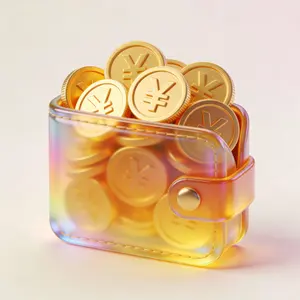
3D Glass Wallet and Coins Icon
UI图标,钱包里面装满了金币,一堆金币,金币上面是人民币 (货币类型)符号,3D效果,玻璃质感,柔和的金色渐变,半透明材质光晕效果,浅色背景衬托色彩流动,3D渲染风格,画面充满呼吸感

Professional Corporate Logo Generator
Create a creative image of Professional Corporate Logo Generator. Style: photorealistic. Composition: balanced and well-framed. Lighting: natural with cinematic mood. Category: photography. Reference: professional-corporate-logo-generator-21911.

Isometric Security Icon Grid
Create a modern isometric illustration sheet on a clean light gray background, showing a seamless grid of cybersecurity, privacy, and compliance icons with soft shadows, glossy 3D materials, rounded edges, and a blue, white, gray, red, and orange accent palette. Use a wide horizontal canvas, evenly spaced rows and columns, with no border or watermark. Include exactly 15 discrete icons arranged in a 3-row by 5-column grid: top row: 1) a blue padlock with silver shackle and black keyhole, 2) a blue shield badge with a white check mark and metallic rim, 3) a silver key angled diagonally, 4) a dark smartphone-like biometric panel showing a glowing blue fingerprint scan line, 5) a desktop monitor login screen with a lock icon, password dots, and a blue button labeled “LOGIN”; middle row: 6) a white document page with folded corner, blue lock icon, and label “ENCRYPTED”, 7) a red brick firewall with an orange flame in front, 8) a white surveillance camera with blue lens mounted on a small wall bracket, 9) an ID badge with clip, portrait thumbnail, text lines, and barcode, 10) a red triangular warning sign with black exclamation mark; bottom row: 11) a dark server stack with colored status lights and a blue shield check badge in front, 12) a clipboard checklist labeled “COMPLIANCE” with green checkboxes, 13) a dark smartphone facial-recognition screen showing a wireframe face, scan brackets, and “VERIFYING...” text, 14) an alert dashboard card labeled “ALERT” with a magnifying glass inspecting the list, 15) a gray safe/vault box with round combination dial beside a white policy document labeled “POLICY” with gray lines and green check mark. Keep all icons consistent in isometric perspective, miniature object scale, polished SaaS/security branding style, crisp edges, ambient occlusion, and subtle contact shadows. Text should be minimal and legible only where specified. Theme customization: security and compliance (theme); primary color customization: deep blue (primary color); background customization: light gray (background color).37:T872,Create a modern
더 많은 프롬프트 탐색
카테고리별 AI 이미지·영상 프롬프트를 더 찾아보세요.