
텍스트 투 이미지
Energy field barrier VFX and pose adjustment YAML prompt - Nano Banana Pro AI Prompt for Social Media Post — AI 이미지 프롬프트
A detailed YAML Nano Banana Pro prompt that changes a character’s pose to extend both arms forward and adds concentric octagonal energy-field barriers in front of the hands, while preserving all original character and background details. - AIPinMaker
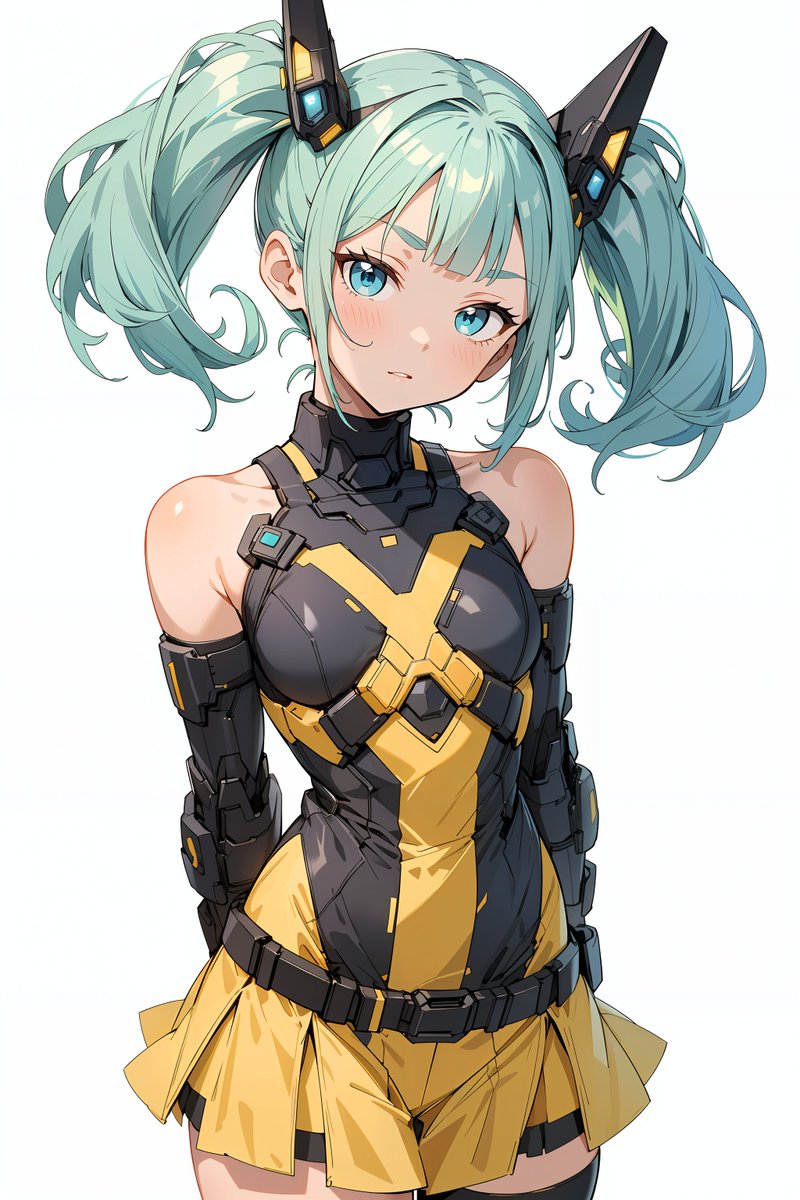
프롬프트
task: "pose-and-barrier-vfx"

reference_image:
  keep_original: true

subject:
  keep_character_design: true

rules:
  - do not change the character’s face, expression, hairstyle, anatomy, or proportions
  - do not change outfit, colors, lineart, or art style
  - do not change background, composition, shading, or lighting
  - all modifications occur only through the defined steps

steps:

  - step: "pose-adjustment"
    action:
      - extend both arms forward toward the viewer
      - rotate both palms to face directly toward the camera
      - fingers naturally spread
    constraints:
      forbidden:
        - altering facial expression
        - modifying outfit
        - adding props or new items
        - introducing glow or VFX

  - step: "energy-barrier-vfx"
    vfx:
      type: "concentric-octagonal-barrier"
      placement: "in front of both palms"

      geometry:
        shape: "regular octagon"
        structure: "multiple concentric octagonal surfaces"
        alignment:
          - all surfaces share the same center
          - all surfaces are parallel to the camera plane
          - no curvature or spherical distortion
        forbidden:
          - outline-only shapes
          - hollow frames
          - hexagonal shapes
          - domed or warped surfaces

      surface:
        fill: "center-to-edge radial gradient"
        colors:
          center: "white-yellow"
          mid: "orange-gold"
          edge: "transparent orange"
        glow:
          - strong center luminosity
          - soft bloom
          - refractive shimmer
        opacity: "semi-transparent"

      layering:
        count: {argument name="number of barrier layers" default="8"}
        direction: "stacked forward"

  - step: "text-overlay"
    text:
      content: "Prompt by てんねん@ munou_ac"
      position: "bottom-left"
      font_color: "white"
      font_size: "small"
      opacity: "0.9"

composition:
  camera:
    angle: "frontal"
    distance: "medium shot"
    focus: "hands and barrier surface"
  lighting:
    keep_original: true
  placement:
    barrier_position: "centered between both palms"
size: "large frontal barrier"3f:T880,ta참고 이미지
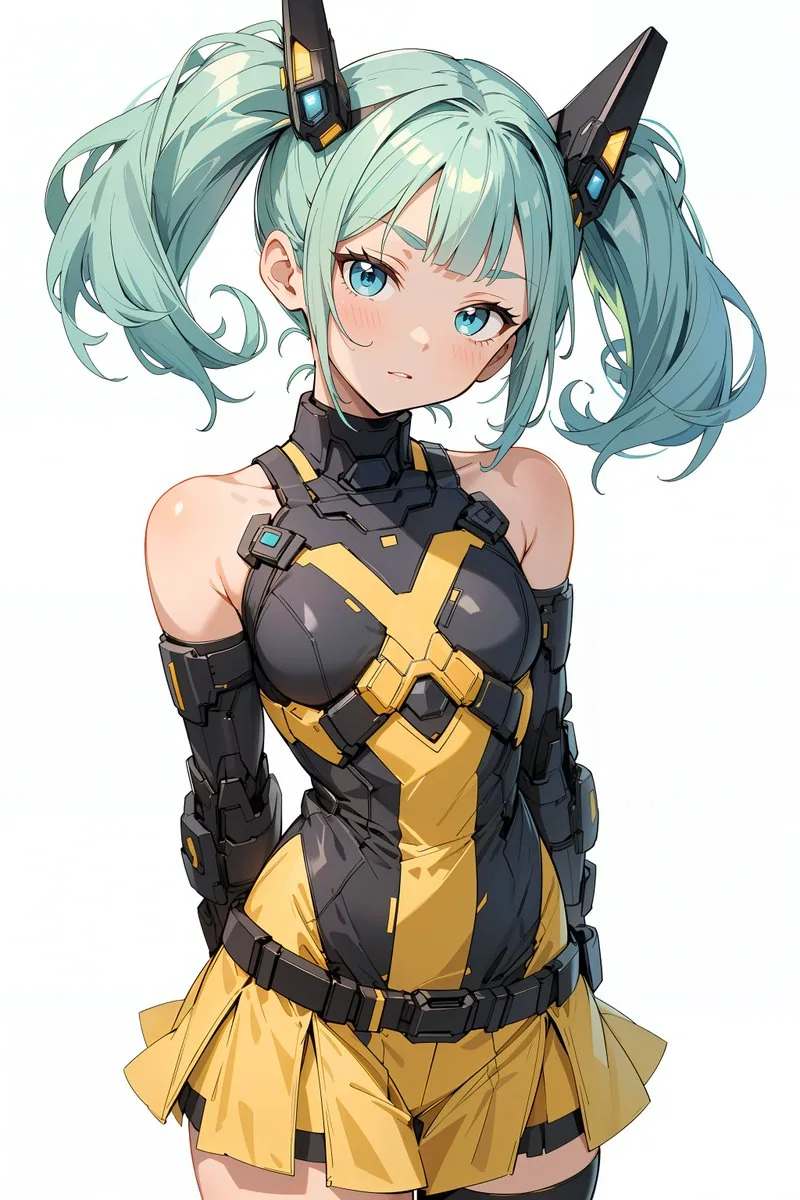
이 AI 이미지 프롬프트 템플릿 사용 방법
 1
1프롬프트 복사 — 템플릿의 프롬프트와 네거티브 프롬프트를 가져오세요.  2
2모델 선택 — 가장 잘 맞는 추천 AI 모델을 고르세요.  3
3생성 — 클릭 한 번으로 스튜디오를 열어 결과를 만드세요.
관련 템플릿
Laser eye effect web demo with Mediapipe and Three.js
Use the computer's front-facing camera Use `mediapipe` lib to capture facial landmarks Use `threejs` to apply a LASER EYE effect to the face captured by the camera based on the real-time 3D landmark information provided by `mediapipe`

High-Speed Kinetic Typography 'Nekozamurai' Motion Graphics
画像の猫がレイヤーの一番後ろで、音に合わせて何度も刀を振るう。参照画像の背景は完全に無視する。 超高速キネティックタイポグラフィ(全15秒)、未来的ミニマリズムのモーショングラフィックス、ハイエンドなAfter Effectsスタイル。カラーパレットは黒・白・赤の3色構成。極めてハイテンポなスタッカートリズム、精密制御されたモーション、スピード感あふれる表現、洗練されたデジタルエネルギー。 0–3秒: イントロダクション。「猫侍」の断片が, 極細ラインと幾何マーカーとして散在し、超高速のグリッチフラッシュと共に出現と消失を繰り返す。黒⇄白の背景がフレーム単位で切り替わり、赤のラインが座標ガイドのように走る。スキャンライン、ノイズフリッカー、オフセットテキストの残像、瞬間的な分割スライスで“構築前のデータ状態”を表現。 3–6秒: 「参上」が、超高速の矩形ワイプ、分割パネル、縦横スライドカット、フリッカーフレーム、グリッチ同期リビールで完全出現。赤のコーナーガイドや細線が精密に位置を示し、マイクロストロボトランジションとスナップ的な位置補正で、情報が“確定”する感覚を演出。 6–9秒: 「参上」が崩壊し、文字が粒子化・ライン化して画面外へ射出。そこから円形マスク、回転アーク、同心円リングが高速生成され、空間を再構築。グラフ的ラインやHUDオーバーレイが重なり、次のテキスト出現への“エネルギー蓄積”を表現。 9–12秒: 「Nao」が激しいズーム、スナップスケール、瞬間収縮→再出現で表示。拡張する円、ベクターアーク、高速パルスと完全同期。サークルマットワイプ、回転マスク、斜めカット、ライン拡張を多用し、タイポグラフィの間隔がダイナミックに変化。視覚的リズムがピークへ向かう。 12–15秒: 「Nekozamurai」がフレーム内を高速移動し、振動、位置ジャンプ、スキュー歪み、グリッド再構築を伴う。太線、アウトラインボックス、モジュラーグリッド、プラスマーカー、境界ガイドを密にレイヤー。幾何要素が爆発的に展開した後、一瞬で整理され、黒背景に赤の中央タイトルロックアップでフィニッシュ。 ビジュアルスタイル: ラグジュアリーでミニマル、極めてクリーン、シャープな幾何形状、デジタルUI的洗練、高コントラスト、クリスプなタイポグラフィ、モーションブラー、硬質エッジ、8K品質、制御されたグリッチ、放送用プレミアムパッケージの質感、高度なAfter Effectsアニメーション言語、リズミカルな視覚構造。40:T9e8,The cat in the image is at the back of the layer and swings a sword repeatedly in sync with the sound. Completely ignore the background of the reference image. Ultra-fast kinetic typography (15 seconds total), futuristic minimalist motion graphics, high-end After Effects style. Color palette is black, white, and red. Extremely high-tempo staccato rhythm, precisely controlled motion, sense of speed, and sophisticated digital energy. 0–3 seconds: Introduction. Fragments of 'Nekozamurai' are scattered as ultra-fine lines and geometric markers, appearing and disappearing with ultra-fast glitch flashes. Black/white backgrounds switch frame by frame, and red lines run like coordinate guides. Scan lines, noise flicker, offset text afterimages, and momentary split slices represent the 'data state before construction.' 3–6 seconds: 'Sanjou' appears completely with ultra-fast rectangular wipes, split panels, vertical/horizontal slide cuts, flicker frames, and glitch-sync reveals. Red corner guides and thin lines precisely indicate the position, creating a sense of 'confirmed' information through micro-strobe transitions and snap-like position corrections. 6–9 seconds: 'Sanjou' collapses, characters particleize/lineate and exit the frame. From there, circular masks, rotating arcs, and concentric rings are generated at high speed, reconstructing the space. Graph lines and HUD overlays overlap, representing 'energy accumulation' for the next text appearance. 9–12 seconds: 'Nao' is displayed with intense zoom, snap scaling, and instantaneous contraction/re-appearance. Perfectly synchronized with expanding circles, vector arcs, and high-speed pulses. Frequent use of circle matte wipes, rotation masks, diagonal cuts, and line expansions, with typography spacing changing dynamically. Visual rhythm reaches its peak. 12–15 seconds: 'Nekozamurai' moves at high speed within the frame, accompanied by vibration, position jumps, skew distortion

Cybernetic Motion Graphic Logo Reveal
Create a creative video of Cybernetic Motion Graphic Logo Reveal. Style: photorealistic. Composition: balanced and well-framed. Lighting: natural with cinematic mood. Category: cinematic-video. Reference: cybernetic-motion-graphic-logo-reveal-3301.

Military Thriller Typography Animation
Ultra-clean Hollywood military thriller typography animation on black background. The text: SECTOR 14 Animation style: Distorted Frequency Reveal mixed with Classified HUD motion graphics. The text should NOT appear instantly. Start with: faint signal interference fragmented waveform distortions subtle digital frequency noise low-opacity fragmented symbols soft corrupted scan lines Then: individual letter fragments slowly begin assembling through signal distortion. Letters briefly glitch and warp as if affected by an unstable transmission frequency. A thin horizontal scanning line passes through the center of the text while it stabilizes. Typography style: thin modern military font cinematic typography cold white text with extremely subtle red interference accents restrained animation Motion behavior: smooth cinematic easing synchronized to deep bass pulses subtle digital instability Background: pure black. Sound design: deep atmospheric bass pulse, dark cinematic drone, The sound and animation must synchronize precisely together like a high-end movie trailer title card.

High-Tempo 9-Image Glitch Edit
15秒・9枚画像ハイテンポ編集プロンプト 使用画像はimage1、image2、image3、image4、image5、image6、image7、image8、image9のみ。指定以外の画像は生成しない。映像全体はMV・CMレベルのテンポ感と編集密度を重視し、常に画面が変化し続ける構成とする。 0〜2秒 0.1秒ごとに高速切り替え。 表示順 image1→image2→image3→image4→image5→image6→image7→image8→image9→以降ランダム。 Flash Cut、Smash Cut、Glitch、RGB Split、White Flash、Strobe、Film Burn、Motion Blurをランダム使用。 --- 2〜4秒 3×3グリッド表示。 9マスに image1 image2 image3 image4 image5 image6 image7 image8 image9 を配置。 0.3〜0.5秒ごとに各マスが独立してランダム入れ替えされ、全マス同時ではなくバラバラに更新される。 Split Screen、Sliding Panel、Tile Shuffle、Push、Pull、Flip、Mask Revealを使用。 --- 4〜6秒 画面を多数の小さなタイルへ分割。 各タイルにはimage1〜image9をランダム表示。 タイルは高速でシャッフルされ、Checker、Random Block、Diagonal、Crossパターンへ次々変化する。 --- 6〜8秒 円形グリッド演出。 image1〜image9を円周上へ均等配置。 高速回転しながら配置順がランダムに入れ替わる。 Rotate、Spin、Circular Wipe、Radial Blurを組み合わせる。 --- 8〜10秒 縦9分割、横9分割、ストライプ分割を高速で切り替える。 各帯にはimage1〜image9をランダム表示。 帯は左右・上下からスライドし、絶えず画像が入れ替わる。 --- 10〜12秒 コラージュ演出。 大小さまざまな矩形へimage1〜image9をランダム配置。 出現・消失・拡大・縮小・回転を高速で繰り返し、画面全体が絶えず再構成される。 Grid Animation、Mosaic Reveal、Tile Shuffle、Alpha Dissolveを使用。 --- 12〜14秒 9枚を同時表示。 グリッド配置→円形配置→横一列→縦一列→ランダム配置を高速で切り替える。 各レイアウト間はFlash Cut、Glitch、Sliding Panelで接続する。 --- 14〜15秒 9枚が高速シャッフルされながら一瞬ずつ全面表示。 最後に最も印象的な1枚を画面いっぱいに表示し、 White Flash →Bloom →Light Leak →Freeze Frame で締める。 使用推奨トランジション・編集効果 Flash Cut、Smash Cut、Jump Cut、Match Cut、Glitch、RGB Split、Strobe、Film Burn、White Flash、Split Screen、Grid Animation、Tile Shuffle、Mosaic Reveal、Sliding Panel、Push、Pull、Flip、Rotate、Spin、Circular Wipe、Diagonal Wipe、Checker Wipe、Random Block、Mask Reveal、Alpha Dissolve、Motion Blur、Radial Blur、Zoom Cut、Freeze Frame、Echo Frame。 同じ演出を連続使用せず、15秒間を通して画面構成が絶えず変化する、情報量と勢いのある映像として表現する。3b:Tb66,15-Second / 9-Image High-Tempo Editing Prompt Use only image1, image2, image3, image4, image5, image6, image7, image8, and image9. Do not generate images other than those specified. The overall video should emphasize an MV/CM-level sense of tempo and editing density, with a composition that constantly changes the screen. 0–2 seconds: High-speed switching every 0.1 seconds. Display order: image1→image2→image3→image4→image5→image6→image7→image8→image9→random thereafter. Use Flash Cut, Smash Cut, Glitch, RGB Split, White Flash, Strobe, Film Burn, and Motion Blur randomly. --- 2–4 seconds: 3x3 grid display. Place image1 through image9 in the 9 slots. Each slot independently and randomly switches every 0.3 to 0.5 seconds; slots update separately rather than all at once. Use Split Screen, Sliding Panel, Tile Shuffle, Push, Pull, Flip, and Mask Reveal. --- 4–6 seconds: Split the screen into many small tiles. Randomly display image1 through image9 in each tile. Tiles are shuffled at high speed, changing through Checker, Random Block, Diagonal, and Cross patterns. --- 6–8 seconds: Circular grid effect. Arrange image1 through image9 evenly on a circumference. Rotate at high speed while the arrangement order switches randomly. Combine Rotate, Spin, Circular Wipe, and Radial Blur. --- 8–10 seconds: High-speed switching between

Motion Graphics Intro: Chaos Unit
Based on the three characters in the reference images. High definition, Unreal Engine rendering, cinematic quality, candy-colored palette, Japanese-style aesthetics, artistic, with strong sense of rhythm. 0–2s: Empty scene, a small dot at the center, thin-line UI frame, subtle particles. Text: “STATUS: STANDBY” “SYSTEM: INIT”. 2–4s: The fox on the left from image2 appears, riding a hovering skateboard, waves toward the camera. Curved motion trails behind. Text: “ID: 01” “CODENAME: RED” “ROLE: TACTICIAN”. 4–6s: The rabbit on the right from image1 appears, swings a carrot weapon and takes a combat stance. Circular motion trails. Text: “ID: 02” “CODENAME: KANA” “ROLE: EXECUTIONER” “WEAPON: CARROT”. 6–8s: The corgi from image3 appears, looks left and right, showing a simple, friendly smile. Concentric circle UI under its feet. Text: “ID: 03” “CODENAME: Arthur” “ROLE: COMMANDER”. 8–15s: The three characters align horizontally, from left to right: FIREBIRD, SAGE, MAD RABBIT. Snap alignment, unified circular platform beneath. Text: “SYSTEM SYNC COMPLETE” “UNIT READY”. Add UI overlay to each character: tracking frames, data bars, simplified charts. Text: “TRACKING” “ANALYSIS” “LOCKED”. Large title “CHAOS UNIT” appears, breaking into geometric fragments that expand outward. Text: “SYSTEM ERROR” “DATA BREAK”. The fragments then reassemble into “CHAOS UNIT”, centered layout with subtle circular guide lines. Text: “REBUILD COMPLETE” “SYSTEM ONLINE” “KANAWORKS_AI”. Final frame: “CHAOS UNIT” at the top, the three characters standing side by side below, with a clean circular platform at the bottom. Text: “STATUS: LOCKED” “UNIT: ACTIVE”.3d:T6ec,Based on the three characters in the reference images. High definition, Unreal Engine rendering, cinematic qua
더 많은 프롬프트 탐색
카테고리별 AI 이미지·영상 프롬프트를 더 찾아보세요.