
텍스트 투 이미지
Concept to Stop-Motion Puppet — AI 이미지 프롬프트
A detailed prompt for transforming 2D character concepts into realistic, handcrafted wooden stop-motion puppets with visible grain and mechanical joints. - AIPinMaker
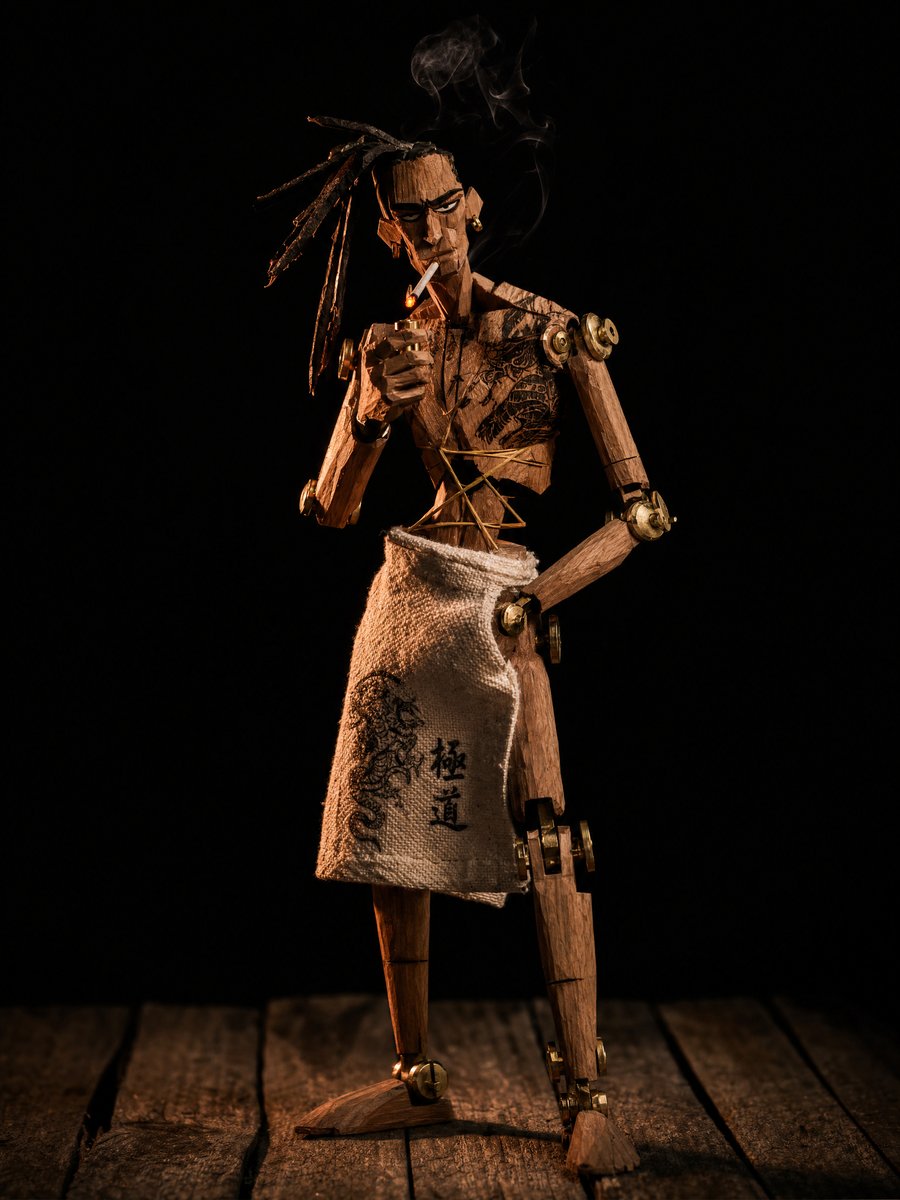
프롬프트
transform this 2D character concept into a real photographed stop-motion puppet, as if shot on a physical miniature film set. The {argument name="character type" default="yakuza"} character must become an actual hand-carved wooden puppet: raw unsanded wood with visible chisel facet cuts catching the light, real wood grain, exposed mechanical ball-and-socket joints at shoulders, elbows and knees, brass screws, metal washers and eyelets, yellow string ligatures threaded through the torso like tendons. His {argument name="body art" default="irezumi chest tattoos"} are woodburned pyrography engravings etched directly into the wooden surface, slightly charred dark brown. Long ponytail made of frayed black fiber rope. Black suit trousers in real ragged matte fabric, torn and frayed, draped naturally over the wooden legs. He lights a cigarette, tiny practical ember glow, thin real smoke. Photography: macro lens, shallow depth of field, the puppet stands on worn wooden stage planks against an absolute black void background. Lighting: single hard warm tungsten key light from the side, extreme theatrical chiaroscuro, deep shadows, amber rim light carving the silhouette and revealing every chisel mark and wood grain detail. The image must look like a frame from a handcrafted stop-motion samurai film: tangible, tactile, imperfect, physical. No 3D render look, no smooth CGI surfaces, no digital painting feel — real materials, real light, real miniature set photography39참고 이미지
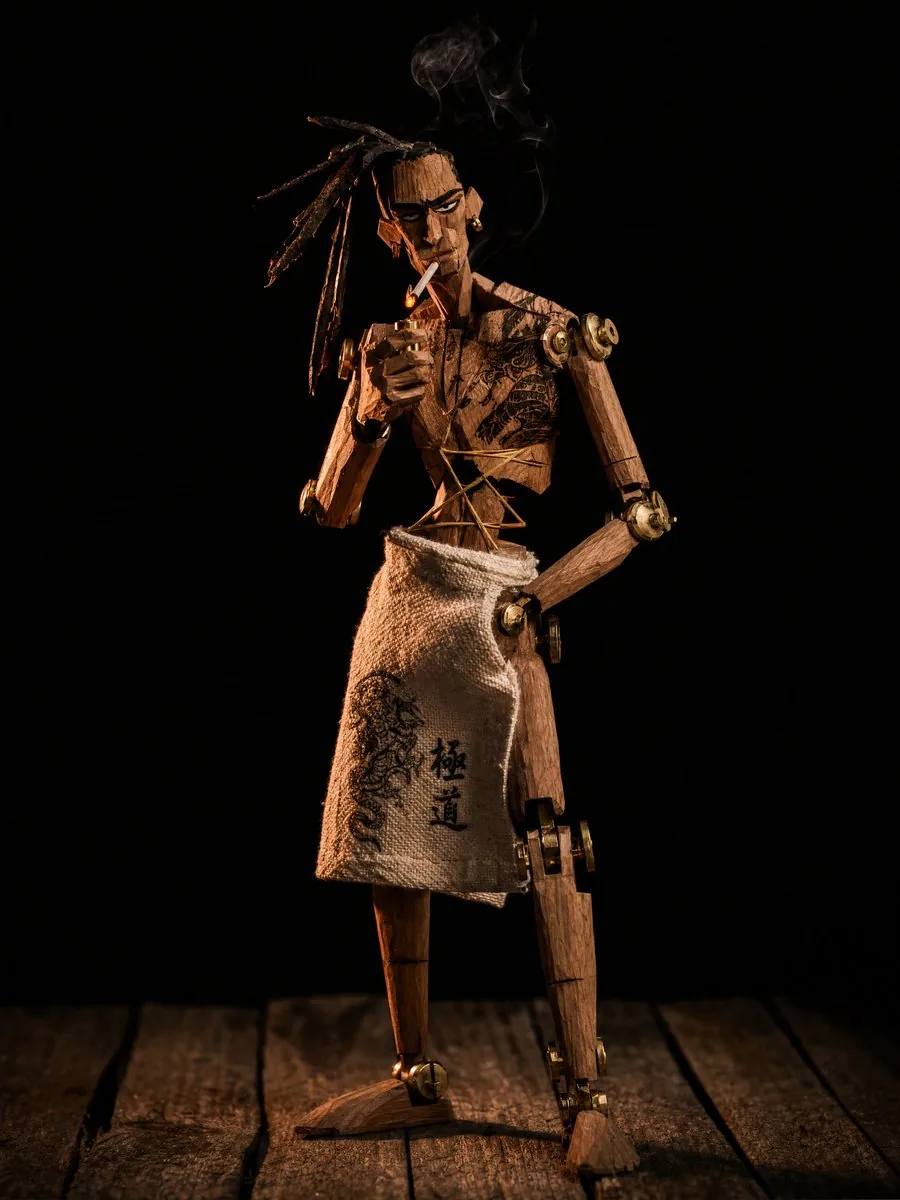
이 AI 이미지 프롬프트 템플릿 사용 방법
 1
1프롬프트 복사 — 템플릿의 프롬프트와 네거티브 프롬프트를 가져오세요.  2
2모델 선택 — 가장 잘 맞는 추천 AI 모델을 고르세요.  3
3생성 — 클릭 한 번으로 스튜디오를 열어 결과를 만드세요.
관련 템플릿

Origami Paper Craft Movie Poster Transformation
Create a social-media image of Origami Paper Craft Movie Poster Transformation. Style: photorealistic. Composition: balanced and well-framed. Lighting: natural with cinematic mood. Category: poster. Reference: origami-paper-craft-movie-poster-transformation-12721.

3D Claymation Character Transformation
Create a anime image of 3d Claymation Character Transformation. Style: photorealistic. Composition: balanced and well-framed. Lighting: natural with cinematic mood. Category: anime. Reference: 3d-claymation-character-transformation-10921.

Life-Size Figure Transformation
Create a cinematic image of Life Size Figure Transformation. Style: photorealistic. Composition: balanced and well-framed. Lighting: natural with cinematic mood. Category: cinematic-video. Reference: life-size-figure-transformation-24520.
Modern Paper Sculpture Style Transformation
Create a cinematic image of Modern Paper Sculpture Style Transformation. Style: photorealistic. Composition: balanced and well-framed. Lighting: natural with cinematic mood. Category: cinematic-video. Reference: modern-paper-sculpture-style-transformation-20218.

Realistic White Paper Craft Style Conversion
Create a creative image of Realistic White Paper Craft Style Conversion. Style: photorealistic. Composition: balanced and well-framed. Lighting: natural with cinematic mood. Category: photography. Reference: realistic-white-paper-craft-style-conversion-18582.

Fragmented Stone 3D Style Transfer
{ "task": "image_to_image_style_transfer", "input_image": "{{USER_IMAGE}}", "prompt": "Create a hyper-real 3D studio composition that recreates the main subject from the provided image as a fragmented stone assemblage. The subject must be built from separate, clearly detached rock pieces with small visible gaps between shards (no pieces merging). Material look: fragmented slate + sandstone shards with chiseled edges, crisp fractures, visible stone grain, micro-scratches, and realistic roughness. Color palette: predominantly dark slate with subtle warm-ochre sandstone accents. Lighting: soft studio key light from top-left, gentle fill, subtle contact shadows under each shard, realistic ambient occlusion in crevices, clean reflections kept minimal. Background: minimal off-white seamless backdrop, no texture. Framing: centered, clean, straight-on, subject fully readable. Add a few tiny debris chips floating or resting near the base for depth. Preserve the subject’s identity, proportions, and recognizable silhouette from the input image while transforming all surfaces into stone fragments. Hyper-real, high detail, sharp focus, 8k render quality.", "negative_prompt": "text, typography, logo, watermark, signature, extra props, busy background, fog, heavy bloom, cartoon, illustration, lowpoly, plastic, metal, glossy paint, melted shapes, merged fragments, unreadable subject, blur, noise, low resolution, oversharpening halos, distorted face/body, extra limbs, deformed geometry", "output": { "aspect_ratio": "use_input_aspect_ratio", "background": "off_white", "camera": { "angle": "straight_on", "framing": "centered", "distance": "medium" } }, "params": { "style_strength": 0.75, "identity_preservation": 0.9, "detail_level": "very_high", "lighting_preset": "soft_studio_top_left", "shadow_intensity": "subtle", "gap_visibility": "clear", "debris_chips": "few_tiny", "no_text": true } }39
더 많은 프롬프트 탐색
카테고리별 AI 이미지·영상 프롬프트를 더 찾아보세요.