
텍스트 투 이미지
Comic Page for GPT Image 2 Capabilities — AI 이미지 프롬프트
A polished comic-style promotional page highlighting multiple image-generation strengths, ideal for product marketing, social posts, or feature showcase graphics. - AIPinMaker
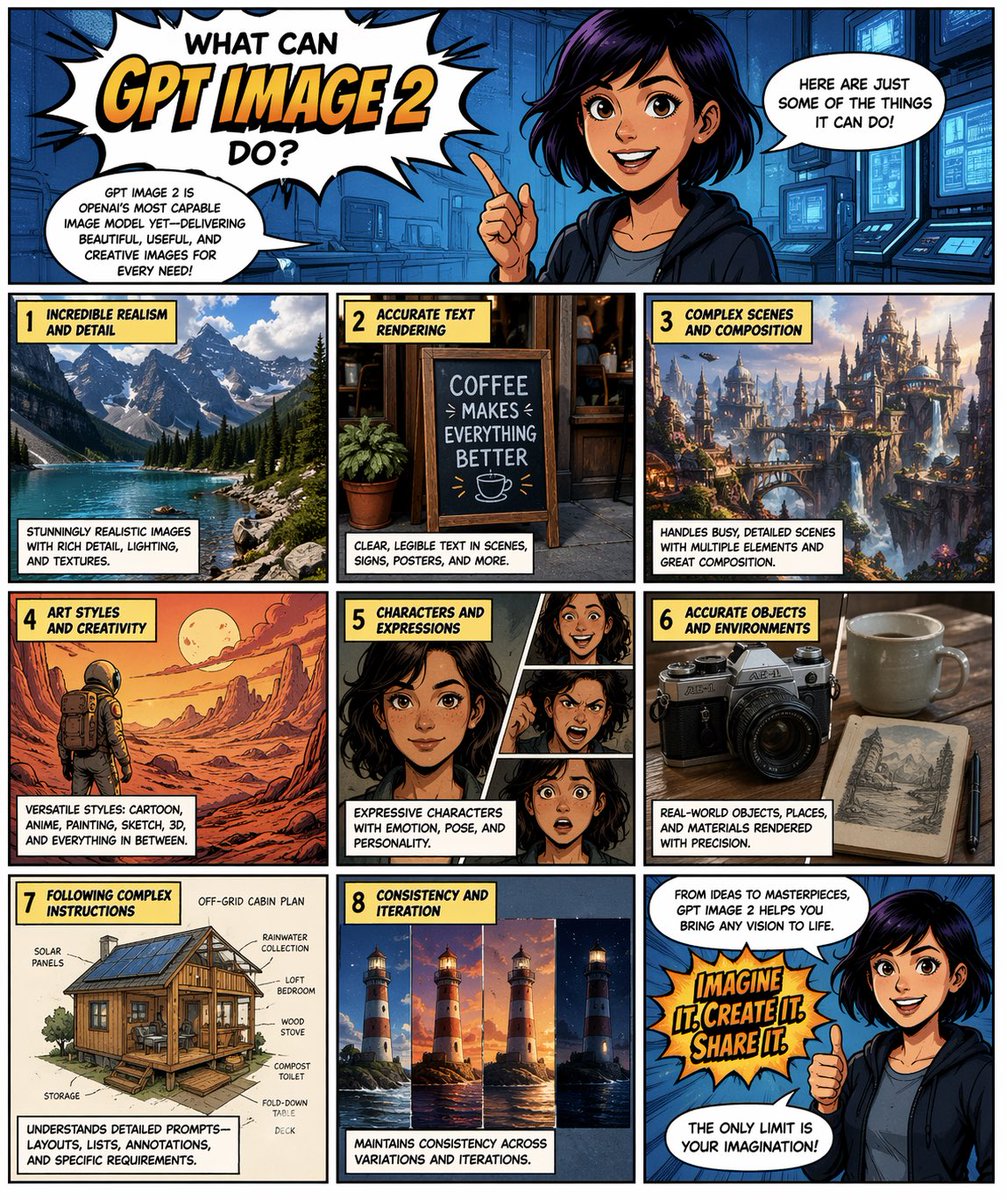
프롬프트
{"type":"comic book page promotional infographic","style":"bold modern comic-book art with thick black panel borders, saturated colors, halftone shading, dynamic speech bubbles, yellow caption boxes with black uppercase lettering, polished digital illustration","format":"portrait page","theme":"showcase what {argument name=\"product name\" default=\"GPT IMAGE 2\"} can do","layout":{"grid":{"columns":3,"rows":4},"sections":[{"title":"header hero panel","position":"top full width","count":4,"labels":["WHAT CAN GPT IMAGE 2 DO?","GPT IMAGE 2 IS OPENAI'S MOST CAPABLE IMAGE MODEL YET—DELIVERING BEAUTIFUL, USEFUL, AND CREATIVE IMAGES FOR EVERY NEED!","HERE ARE JUST SOME OF THE THINGS IT CAN DO!","main character pointing upward"]},{"title":"1","position":"row 2 left","count":3,"labels":["INCREDIBLE REALISM AND DETAIL","photoreal alpine lake with rocky shore, pine forest, and snowy mountains","STUNNINGLY REALISTIC IMAGES WITH RICH DETAIL, LIGHTING, AND TEXTURES."]},{"title":"2","position":"row 2 center","count":3,"labels":["ACCURATE TEXT RENDERING","coffee shop sandwich board sign reading \"COFFEE MAKES EVERYTHING BETTER\" with a small coffee cup icon","CLEAR, LEGIBLE TEXT IN SCENES, SIGNS, POSTERS, AND MORE."]},{"title":"3","position":"row 2 right","count":3,"labels":["COMPLEX SCENES AND COMPOSITION","elaborate fantasy city of towers, bridges, cliffs, and waterfalls at sunset","HANDLES BUSY, DETAILED SCENES WITH MULTIPLE ELEMENTS AND GREAT COMPOSITION."]},{"title":"4","position":"row 3 left","count":3,"labels":["ART STYLES AND CREATIVITY","retro sci-fi desert scene with a lone astronaut under a huge moon, orange-red palette","VERSATILE STYLES: CARTOON, ANIME, PAINTING, SKETCH, 3D, AND EVERYTHING IN BETWEEN."]},{"title":"5","position":"row 3 center","count":4,"labels":["CHARACTERS AND EXPRESSIONS","one large portrait plus 3 smaller portrait variations","EXPRESSIVE CHARACTERS WITH EMOTION, POSE, AND PERSONALITY.","4 total face/expression panels"]},{"title":"6","position":"row 3 right","count":3,"labels":["ACCURATE OBJECTS AND ENVIRONMENTS","vintage camera beside a ceramic mug and an open illustrated book on a wooden table","REAL-WORLD OBJECTS, PLACES, AND MATERIALS RENDERED WITH PRECISION."]},{"title":"7","position":"row 4 left","count":9,"labels":["FOLLOWING COMPLEX INSTRUCTIONS","off-grid cabin plan illustration","SOLAR PANELS","RAINWATER COLLECTION","LOFT BEDROOM","WOOD STOVE","COMPOST TOILET","STORAGE","FOLD-DOWN TABLE + DESK"]},{"title":"8","position":"row 4 center","count":3,"labels":["CONSISTENCY AND ITERATION","4 lighthouse image variations shown side-by-side from day to night lighting consistency","MAINTAINS CONSISTENCY ACROSS VARIATIONS AND ITERATIONS."]},{"title":"closing panel","position":"row 4 right","count":4,"labels":["FROM IDEAS TO MASTERPIECES, GPT IMAGE 2 HELPS YOU BRING ANY VISION TO LIFE.","IMAGINE IT! CREATE IT! SHARE IT!","THE ONLY LIMIT IS YOUR IMAGINATION!","main character giving thumbs up"]}]},"character":{"role":"friendly comic host","appearance":"young woman with short dark hair, dark hoodie over a gray shirt, expressive pose","placements":["top header panel, half-body, pointing upward","bottom-right closing panel, half-body, thumbs up"]},"typography":{"headline":"large explosive comic title in a white starburst with black outline and orange gradient emphasis on {argument name=\"headline wordmark\" default=\"GPT IMAGE 2\"}","caption_boxes":"yellow rectangular boxes with black borders and uppercase comic lettering","speech_bubbles":"white speech bubbles with black outline and uppercase comic text"},"color_palette":{"primary":"comic blue, yellow, orange, black, and white","accents":"warm sunset fantasy tones, cool photoreal blues, sepia object-study browns"},"text":{"main_title":"WHAT CAN {argument name=\"product name\" default=\"GPT IMAGE 2\"} DO?","intro_bubble":"GPT IMAGE 2 IS OPENAI'S MOST CAPABLE IMAGE MODEL YET—DELIVERING BEAUTIFUL, USEFUL, AND CREATIVE IMAGES FOR EVERY NEED!","top_right_bubble":"HERE ARE JUST SOME OF THE THINGS IT CAN DO!","closing_box":"FROM IDEAS TO MASTERPIECES, GPT IMAGE 2 HELPS YOU BRING ANY VISION TO LIFE.","burst_text":"{argument name=\"callout text\" default=\"IMAGINE IT! CREATE IT! SHARE IT!\"}","final_bubble":"THE ONLY LIMIT IS YOUR IMAGINATION!"},"rendering_notes":"clean readable embedded text, balanced comic page composition, each panel visually distinct, high detail, professional editorial poster/comic hybrid, no watermarks"}3c:T참고 이미지
이 AI 이미지 프롬프트 템플릿 사용 방법
 1
1프롬프트 복사 — 템플릿의 프롬프트와 네거티브 프롬프트를 가져오세요.  2
2모델 선택 — 가장 잘 맞는 추천 AI 모델을 고르세요.  3
3생성 — 클릭 한 번으로 스튜디오를 열어 결과를 만드세요.
관련 템플릿

Fan Reaction Sticker Set
Create a cinematic image of Fan Reaction Sticker Set. Style: photorealistic. Composition: balanced and well-framed. Lighting: natural with cinematic mood. Category: cinematic-video. Reference: fan-reaction-sticker-set-18083.

Cute Chinese LLM Training Infographic
{"type":"cute educational infographic poster","topic":"{argument name=\"headline text\" default=\"大语言模型的训练过程\"}","subtitle":"{argument name=\"subtitle text\" default=\"从海量数据中学习,变成\"超会聊天\"的小助手!\"}","style":{"overall":"adorable Chinese explainer poster, pastel classroom infographic, rounded panels, soft cream background, hand-drawn cartoon aesthetic, clean vector-like illustration, warm friendly educational tone","palette":["cream","lavender","sky blue","mint green","yellow-orange","pink","soft brown"],"rendering":"high-quality flat illustration with subtle shading, crisp Chinese typography, sticker-like accents, tiny stars, hearts, arrows, and speech bubbles"},"layout":{"format":"horizontal poster","grid":{"rows":2,"columns":4,"count":8},"sections":[{"title":"1. 数据收集","position":"top-left","count":1,"labels":["网页","新闻","对话"]},{"title":"2. 数据预处理","position":"top row, second column","count":1,"labels":["今天 天气 真不错!!","今天|天气|真|不错!!"]},{"title":"3. 预训练","position":"top row, third column","count":1,"labels":["今天气","很好","不错","?","......"]},{"title":"4. 监督微调(SFT)","position":"top-right","count":1,"labels":["问:太阳为什么会发光?","答:因为……","好回答!"]},{"title":"5. 奖励模型训练(RM)","position":"bottom-left","count":1,"labels":["回答A 更好!","回答B 一般般"]},{"title":"6. 强化学习(RLHF)","position":"bottom row, second column","count":1,"labels":["奖励 +1","惩罚 -1"]},{"title":"7. 评估与测试","position":"bottom row, third column","count":1,"labels":["知识能力","推理能力","安全性","稳定性"]},{"title":"8. 部署与应用","position":"bottom-right","count":1,"labels":["聊天","写代码","写文章"]}],"topDecorations":{"count":4,"items":["small sparkle at upper left","pink confetti strokes around title","cute white mascot at upper right holding star wand","speech bubble saying 冲鸭!"]},"bottomDecorations":{"count":4,"items":["small white mascot with bow tie at lower left","summary strip with 7 rounded mini boxes and arrows","centered closing sentence at bottom","sticky note at lower right with encouraging text and heart"]}},"characters":{"main mascots":{"count":4,"types":["white chubby bear-like mascot with pink cheeks","small round robot with dark face screen and green antenna","human teacher girl with ponytail","fluffy white character with magnifying glass"]},"recurring_robot_design":"short cute robot, rounded body, pale green and cream shell, navy face display with glowing eyes, tiny limbs"},"sectionDetails":[{"title":"1. 数据收集","panelColor":"lavender","scene":"a white mascot wearing a purple cap uses a laptop while sitting beside a stack of colorful books; floating rounded labels represent internet sources","caption":"数据越多,知识越丰富!"},{"title":"2. 数据预处理","panelColor":"sky blue","scene":"the mascot in a blue cap sweeps scattered paper scraps into a bucket; a messy sentence is transformed into segmented clean text with an arrow","caption":"把脏乱差,变得整整齐齐~"},{"title":"3. 预训练","panelColor":"mint green","scene":"the robot reads an open green book while speech bubbles around it show simple tokens and responses, suggesting language learning","caption":"像小朋友学习说话一样!"},{"title":"4. 监督微调(SFT)","panelColor":"golden yellow","scene":"a teacher points to a labeled QA card while a cute mascot listens; emphasis on human-labeled high-quality question-answer pairs","caption":"老师带着学,回答更靠谱!"},{"title":"5. 奖励模型训练(RM)","panelColor":"pink","scene":"the robot stands between a green check mark and a red X, comparing two answer options to learn which is better","caption":"学会\"挑好答案\"!"},{"title":"6. 强化学习(RLHF)","panelColor":"lavender-blue","scene":"the robot holds tools while a reward board shows positive and negative score feedback with arrows","caption":"鼓励好的,改掉不好的!"},{"title":"7. 评估与测试","panelColor":"blue","scene":"a fluffy white examiner character holds a magnifying glass beside a clipboard checklist with four green check marks","caption":"全方位体检,确保质量过关!"},{"title":"8. 部署与应用","panelColor":"soft red-pink","scene":"the robot appears surrounded by application icons for chat, writing, coding, and documents, showing real-world deployment","caption":"正式上岗,陪你聊天写作啦!"}],"bottomSummary":{"title":"总结一下:","count":7,"steps":["数据收集 打好基础","预处理 整理数据","预训练 学知识","监督微调 学会回答","奖励模型 学会评判","强化学习 对齐人类偏好","评估测试 质量把关"],"closingText":"{argument name=\"closing sentence\" default=\"这就是大语言模型从\"啥也不懂\"到\"超级学霸\"的成长之路!٩(๑^o^๑)۶\"}"},"language":"Simplified Chinese","quality":"polished social-media-ready infographic, balanced spacing, legible Chinese text, charming and highly shareable"}
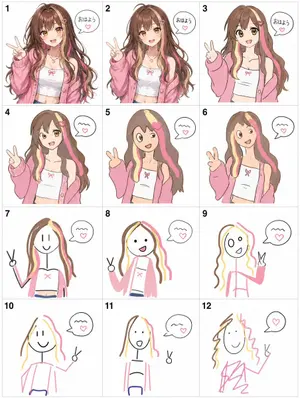
Visual Telephone Game Grid
Create a game image of Visual Telephone Game Grid. Style: photorealistic. Composition: balanced and well-framed. Lighting: natural with cinematic mood. Category: illustration. Reference: visual-telephone-game-grid-20512.

Humorous Caricature of a Professional
Create a creative image of Humorous Caricature Of A Professional. Style: photorealistic. Composition: balanced and well-framed. Lighting: natural with cinematic mood. Category: photography. Reference: humorous-caricature-of-a-professional-10707.
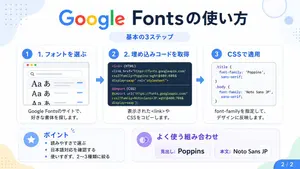
Google Fonts Japanese Tutorial Infographic
{"type":"Japanese infographic","topic":"How to use Google Fonts","style":"clean modern flat design, white background, soft pastel blue and mint corner blobs, rounded cards with subtle shadows, tech tutorial aesthetic, crisp vector typography and UI illustrations","canvas":{"aspect_ratio":"16:9"},"headline":{"main":"Google Fontsの使い方","sub":"基本の3ステップ"},"layout":{"sections":[{"title":"1. フォントを選ぶ","position":"left","count":1,"labels":["1. フォントを選ぶ"],"card_style":"rounded white panel with light blue border/shadow","icon":"blue numbered circle with 1","illustration":"browser window showing a font search interface, 3 visible font preview rows with large Aa あ samples, a search bar at top, small colored window buttons, light gray interface lines and blue accent dashes","body_text":"Google Fontsのサイトで、好きな書体を探します。"},{"title":"2. 埋め込みコードを取得","position":"center","count":1,"labels":["2. 埋め込みコードを取得"],"card_style":"rounded white panel with light blue border/shadow","icon":"blue numbered circle with 2","illustration":"dark code panel with two labeled code examples separated by a thin divider","code_blocks":{"count":2,"labels":["<link> (HTML)","@import (CSS)"],"content":["<link href=\"https://fonts.googleapis.com/css2?family=Poppins:wght@400;600&display=swap\" rel=\"stylesheet\">","@import url('https://fonts.googleapis.com/css2?family=Noto+Sans+JP:wght@400;700&display=swap');"]},"body_text":"表示された<link>やCSSをコピーします。"},{"title":"3. CSSで適用","position":"right","count":1,"labels":["3. CSSで適用"],"card_style":"rounded white panel with light blue border/shadow","icon":"blue numbered circle with 3","illustration":"white code card containing CSS with two selectors and font-family rules","code_blocks":{"count":2,"labels":[".title","body"],"content":[".title { font-family: 'Poppins', sans-serif; }","body { font-family: 'Noto Sans JP', sans-serif; }"]},"body_text":"font-familyを指定して、デザインに反映します。"},{"title":"ポイント","position":"bottom-left","count":3,"labels":["読みやすさで選ぶ","日本語対応を確認する","使いすぎず、2〜3種類に絞る"],"card_style":"rounded white panel with pale blue tint","icon":"blue star in a circle","body_format":"bullet list"},{"title":"よく使う組み合わせ","position":"bottom-center-right","count":2,"labels":["見出し: Poppins","本文: Noto Sans JP"],"card_style":"rounded white panel with pale lavender tint","icon":"purple linked-rings symbol","body_format":"two pill-shaped example boxes"}],"connectors":{"count":2,"style":"large blue right-pointing arrows between the 3 top cards"},"pagination":{"text":"2 / 2","position":"bottom-right","style":"blue rounded corner tab"}},"text_language":"Japanese","color_palette":{"primary_blue":"#2f80ff","navy":"#0f2b5b","google_colors":["#4285F4","#DB4437","#F4B400","#0F9D58"],"lavender":"#8b6cff","background":"#ffffff"}}3a:Tbd9,{"type":"Japanese infographic","topic":"How to use Google Fonts","style":"clean modern flat design, white background, soft pastel blue and mint corner blobs, rounded cards with subtle shadows, tech tutorial aesthetic, crisp vector typography and UI illustrations","canvas":{"aspect_ratio"
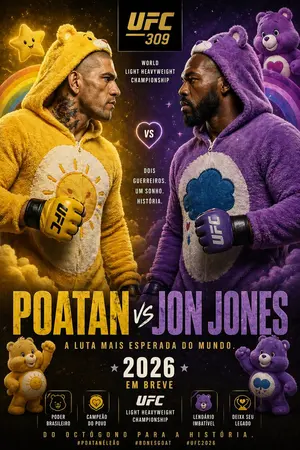
Jon Jones vs Poatan Care Bears Style
Create a creative image of Jon Jones Vs Poatan Care Bears Style. Style: photorealistic. Composition: balanced and well-framed. Lighting: natural with cinematic mood. Category: photography. Reference: jon-jones-vs-poatan-care-bears-style-15591.
더 많은 프롬프트 탐색
카테고리별 AI 이미지·영상 프롬프트를 더 찾아보세요.