
텍스트 투 이미지
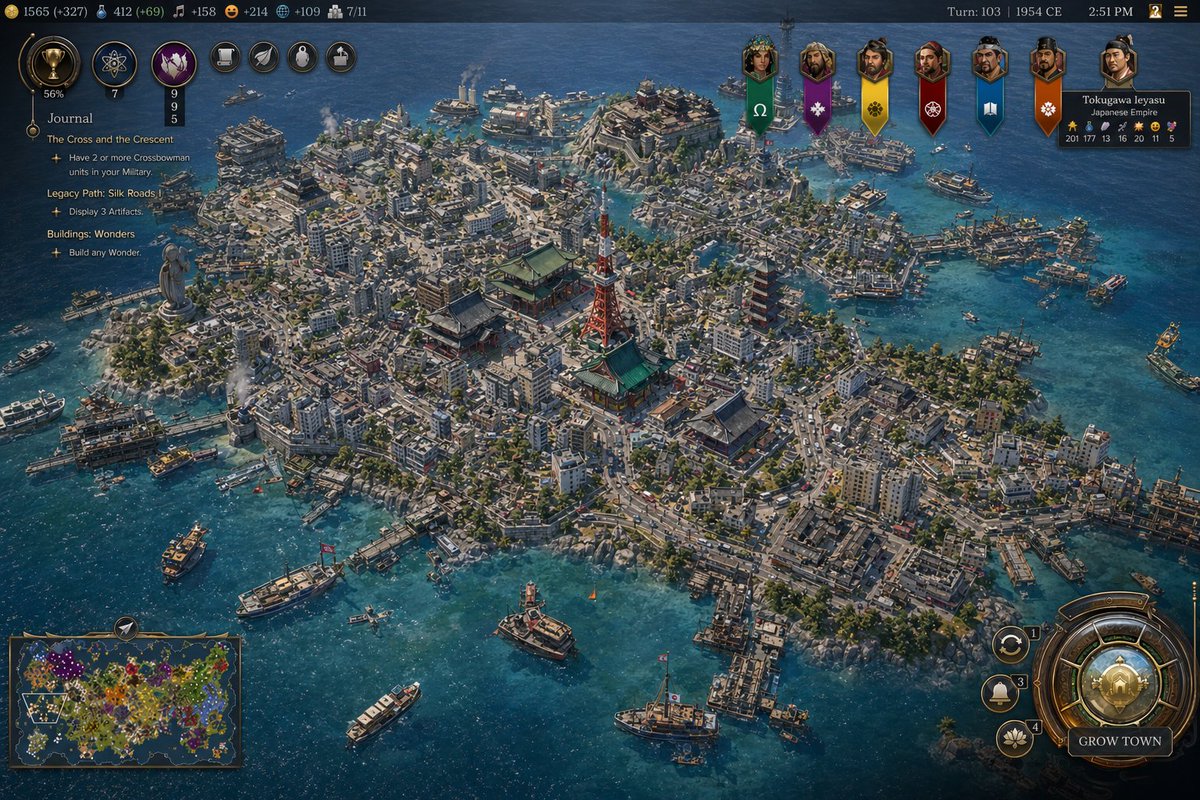
Civ-Style 1954 Tokyo Harbor Screenshot — AI 이미지 프롬프트
This prompt generates a polished Civilization-style strategy game screenshot of a dense mid-century Japanese harbor city with a full 4X game interface, ideal for fictional historical game mockups and location-guessing posts. - AIPinMaker
프롬프트
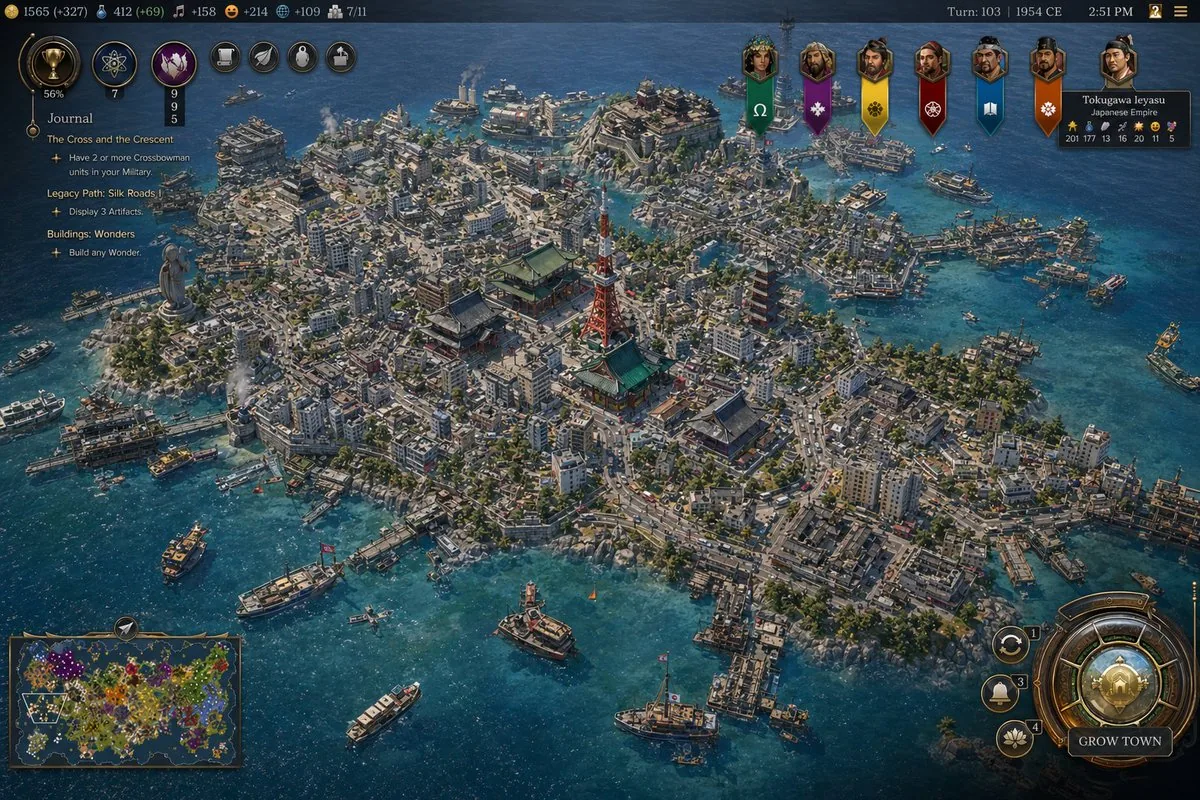
A high-detail grand strategy game screenshot in the style of a modern Civilization VII interface, showing an isometric aerial view of a dense coastal island metropolis inspired by {argument name="city location" default="Tokyo, Japan"} in {argument name="year" default="1954 CE"}. The city fills a compact island and several connected reclaimed islets in a bright blue harbor, with intricate urban density, narrow streets, mid-century low- and mid-rise concrete buildings, docks, ferries, cargo boats, patrol vessels, and small ships scattered across the water. At the visual center, include a cluster of iconic Japanese landmarks: a red-and-white lattice broadcast tower resembling Tokyo Tower, a large traditional temple complex with green roofs, and a multi-tier pagoda, surrounded by tightly packed neighborhoods. Add a large waterfront statue on the left side of the island, industrial smoke stacks near the shoreline, bridges, piers, seawalls, and layered districts climbing gentle hills. The architecture should mix postwar urban Japan with traditional shrines and temples, conveying a believable historical city simulation with accurate transportation details and harbor infrastructure. Use crisp strategy-game rendering, cinematic sunlight, realistic water reflections, tiny moving vehicles and ships, and rich texture detail across roads, rooftops, trees, and coastlines.

Overlay a complete 4X strategy game UI: a dark top bar with resource counters on the left, exactly 7 circular action or technology icons near the upper left, turn and date text at the top right reading {argument name="turn label" default="Turn: 103 | 1954 CE"}, and a small time readout. On the left side, add a journal panel titled {argument name="journal title" default="Journal"} with 3 visible quest sections: "The Cross and the Crescent", "Legacy Path: Silk Roads", and "Buildings: Wonders", each with short objective lines beneath. Across the upper center-right, place exactly 7 vertical civilization banners with portrait medallions. On the upper right, include a leader info card for "Tokugawa Ieyasu" and "Japanese Empire" with small stat values. On the bottom left, include a minimap framed in bronze showing a colorful world map. On the bottom right, add a large ornate circular command dial with smaller adjacent buttons and a prominent button labeled "GROW TOWN". The whole image should look like an authentic in-game screenshot rather than concept art, with polished UI, readable but small text, and the composition focused on the spectacular cityscape and harbor.참고 이미지
이 AI 이미지 프롬프트 템플릿 사용 방법
 1
1프롬프트 복사 — 템플릿의 프롬프트와 네거티브 프롬프트를 가져오세요.  2
2모델 선택 — 가장 잘 맞는 추천 AI 모델을 고르세요.  3
3생성 — 클릭 한 번으로 스튜디오를 열어 결과를 만드세요.
관련 템플릿
Civilization-Style Tokyo Bay Screenshot
A highly detailed grand-strategy game screenshot in the visual style of a modern Civilization-like city view, showing an isometric aerial perspective of a dense coastal Japanese metropolis built on a compact island surrounded by deep blue ocean. The city should feel like late-20th-century Tokyo Bay, with a believable mix of real-world-inspired landmarks and stylized strategy-game worldbuilding. In the center, place a red-orange steel broadcast tower resembling Tokyo Tower, surrounded by several traditional temple and pagoda complexes with green-tiled roofs, embedded seamlessly inside a forest of tightly packed mid-rise and high-rise concrete and glass buildings. Include exactly 1 red lattice tower, exactly 3 prominent traditional temple or shrine complexes, exactly 2 multi-tier pagodas, exactly 1 large waterside stadium near the upper center shoreline, and exactly 1 monumental statue on a headland at the left edge of the island. The urban fabric should be extremely dense, with narrow streets, elevated roads, billboards, rooftop details, cherry blossom trees scattered through districts, commercial signage, docks, piers, warehouses, and mixed residential and office blocks. The shoreline must be irregular and heavily developed with harbors and ferry terminals, and the surrounding water should contain exactly 12 visible vessels of mixed types: ferries, small motorboats, workboats, yachts, and 1 tall-masted sailing ship near the lower right. Render the water in rich teal-to-navy gradients with shallow coastal transparency and detailed wakes. Present it explicitly as a video game interface screenshot. Add a thin top status bar with resource counters and turn information; the upper right should read Turn: 103, 1992 CE, 2:51 PM. Place exactly 7 leader banners across the upper right, each with a different color and emblem, and include a diplomacy panel naming Tokugawa Ieyasu (leader name) of the Japanese Empire (civilization name). On the left side, add a vertical journal panel titled Journal with 3 quest entries and small circular icons. In the lower left, include exactly 1 minimap framed in ornate UI styling. In the lower right, include a large circular command interface with metallic bronze-and-gold ornamentation and a button labeled GROW TOWN (button text); around it place exactly 3 smaller circular action buttons. The overall interface should feel premium, intricate, and historically flavored rather than futuristic. The city itself should evoke Tokyo, Japan (location) in 1992 CE (era), recreated as a lush, polished, slightly idealized 4X strategy game screenshot with cinematic lighting, crisp miniature-like detail, realistic urban density, authentic Japanese transportation and waterfront infrastructure, and a color palette of ocean blue, concrete gray, greenery, copper UI metals, and pops of neon signage. Use a high-angle three-quarter camera, sharp focus across the whole city, and richly textured, painterly-realistic rendering consistent with gpt-image-2 game concept screenshot output.
Testing Strict Prompt Adherence in GPT Image 1.5 vs. Gemini
Create a creative image of Testing Strict Prompt Adherence In Gpt Image 15 Vs Gemini. Style: photorealistic. Composition: balanced and well-framed. Lighting: natural with cinematic mood. Category: photography. Reference: testing-strict-prompt-adherence-in-gpt-image-15-vs-gemini-2364.
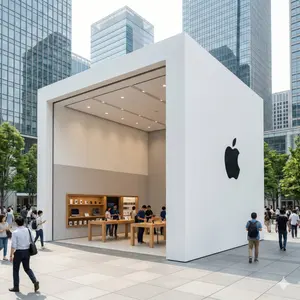
Ultra-Photorealistic Luxury Pop-Up Store Prompt - Nano Banana Pro AI Prompt for Product Marketing
{ "type": "image_generation", "style": "ultra_photorealistic", "aspect_ratio": "1:1", "resolution": "8K", "quality": "high_detail_realism", "scene": { "location": "modern city business district", "environment": "open plaza surrounded by glass skyscrapers", "atmosphere": "busy urban lifestyle, premium commercial vibe" }, "subject": { "structure": "luxury brand pop-up store", "design": "minimalist modern architecture with bold geometric shape", "material": "wood, glass, metal finishes", "branding": "large clean logo on outer wall", "interior": "well-lit showroom with product displays" }, "people": { "crowd": "realistic people walking, shopping, interacting", "style": "casual urban clothing", "motion": "natural movement, candid poses" }, "lighting": { "type": "natural daylight", "quality": "soft cinematic lighting", "shadows": "realistic soft shadows", "reflections": "glass and metal reflections visible" }, "camera": { "device": "DSLR", "lens": "24mm wide angle", "aperture": "f/4", "iso": 100, "focus": "sharp foreground with deep clarity", "depth_of_field": "natural depth" }, "rendering_details": { "texture": "high-detail materials and surfaces", "color_grading": "clean, premium, realistic", "sharpness": "ultra clear", "noise": "none", "artifacts": "none" }, "mood": "premium brand experience, futuristic yet realistic", "negative_prompt": [ "cartoon", "anime", "illustration", "cgi look", "low quality", "blur", "distorted buildings", "fake lighting", "over-saturated colors" ] }
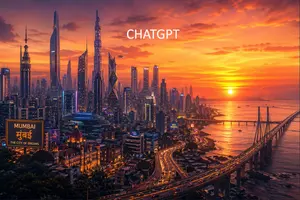
Futuristic Mumbai Sunset Skyline
A cinematic ultra-detailed wide-angle cityscape of Mumbai (city name) reimagined as a futuristic megacity at sunset, viewed from an elevated overlook above the coastline. The skyline is packed with dozens of towering futuristic skyscrapers of varied silhouettes, including 6 especially prominent supertall towers with sleek glass facades, sharp angular forms, and neon accents, mixed with dense mid-rise urban buildings below. On the right side, a long sea bridge resembling the Bandra-Worli Sea Link curves dramatically from the foreground into the distance over calm coastal water, with flowing streams of headlights and taillights. The sun sits low near the horizon over the Arabian Sea, casting glowing golden reflections across the water and bathing the scene in intense orange, amber, pink, and magenta light under richly layered clouds. In the lower left foreground, include a grand historic domed building inspired by South Mumbai heritage architecture, warmly illuminated, juxtaposed against the futuristic skyline; above it, add a hovering circular UFO-like platform with blue light. Also place 2 visible illuminated billboards in the lower-left and center-right urban area: one large sign reading "MUMBAI", "मुंबई", and "THE CITY OF DREAMS", and one smaller sign reading "NAVI MUMBAI". Add 1 small flying vehicle or drone near the central towers. Place large clean white uppercase text near the top center reading CHATGPT (top text). The overall mood is epic, aspirational, glossy, highly detailed, vibrant, cinematic sci-fi urban fantasy, with atmospheric haze, glowing windows, reflective glass, dramatic contrast, and a polished concept-art finish.39:T6bc,A
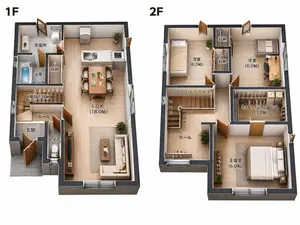
Two-Story Japanese House Floor Plan
{"type":"clean 3D isometric residential floor plan rendering","scene":"two separate cutaway floor plans of a compact two-story Japanese house on a plain white background, presented side by side like a real-estate layout diagram","style":"high-resolution architectural visualization, realistic miniature model, orthographic/isometric top-down view, cutaway exterior walls with dark charcoal thickness, light wood flooring, warm natural lighting, crisp shadows, furniture and fixtures included, readable Japanese room labels in black","layout":{"section_count":2,"sections":[{"title":"1F","position":"left","description":"first-floor plan with entrance, bathroom area, storage, stair hall, toilet, and open living dining kitchen","visible_labels_count":7,"visible_labels":["洗面所","浴室","収納","階段下収納","ホール","玄関","トイレ","L.D.K (18.0帖)"],"rooms_and_features":"gray tiled genkan entrance at lower left, small toilet room beside entrance, hall and stairs with numbered stair markings, bath with blue water tub, washroom with sink and laundry machine, narrow storage closet, large open LDK occupying the right side with white kitchen island/counter, dining table for four, sofa, coffee table, TV console, plants, sliding glass openings"},{"title":"2F","position":"right","description":"second-floor plan with three bedrooms, two storage closets, walk-in closet, hall, and stairs","visible_labels_count":7,"visible_labels":["洋室 (6.0帖)","収納","収納","洋室 (6.0帖)","ウォークインクローゼット (3.0帖)","ホール","主寝室 (6.0帖)"],"rooms_and_features":"upper left bedroom with single bed, upper middle two vertical storage closets, upper right bedroom with desk and chair, central stair void with numbered steps and arrow, hall at lower left with plant and railing, large walk-in closet at mid-right with hanging clothes and shelves, lower right master bedroom with double bed, nightstands, plants, and wide window"}]},"text_requirements":"Use exact Japanese labels as shown, with bold large floor labels 1F and 2F above each plan. Keep all labels legible and placed inside their corresponding rooms.","customization":{"house type":"{argument name=\"house type\" default=\"compact two-story Japanese house\"}","floor label style":"{argument name=\"floor label style\" default=\"large bold black 1F and 2F labels\"}","flooring material":"{argument name=\"flooring material\" default=\"light natural wood flooring\"}","wall color":"{argument name=\"wall color\" default=\"white interior walls with dark charcoal exterior wall edges\"}","background":"{argument name=\"background\" default=\"plain white background\"}"},"camera":"top-down isometric orthographic architectural view, both floors fully visible with no perspective distortion","quality":"sharp, professional real-estate brochure quality, realistic scale, neat composition, no people, no watermark"}

Historical Era Bedroom Interior Map
Create a creative image of Historical Era Bedroom Interior Map. Style: photorealistic. Composition: balanced and well-framed. Lighting: natural with cinematic mood. Category: photography. Reference: historical-era-bedroom-interior-map-18763.
더 많은 프롬프트 탐색
카테고리별 AI 이미지·영상 프롬프트를 더 찾아보세요.