
텍스트 투 이미지
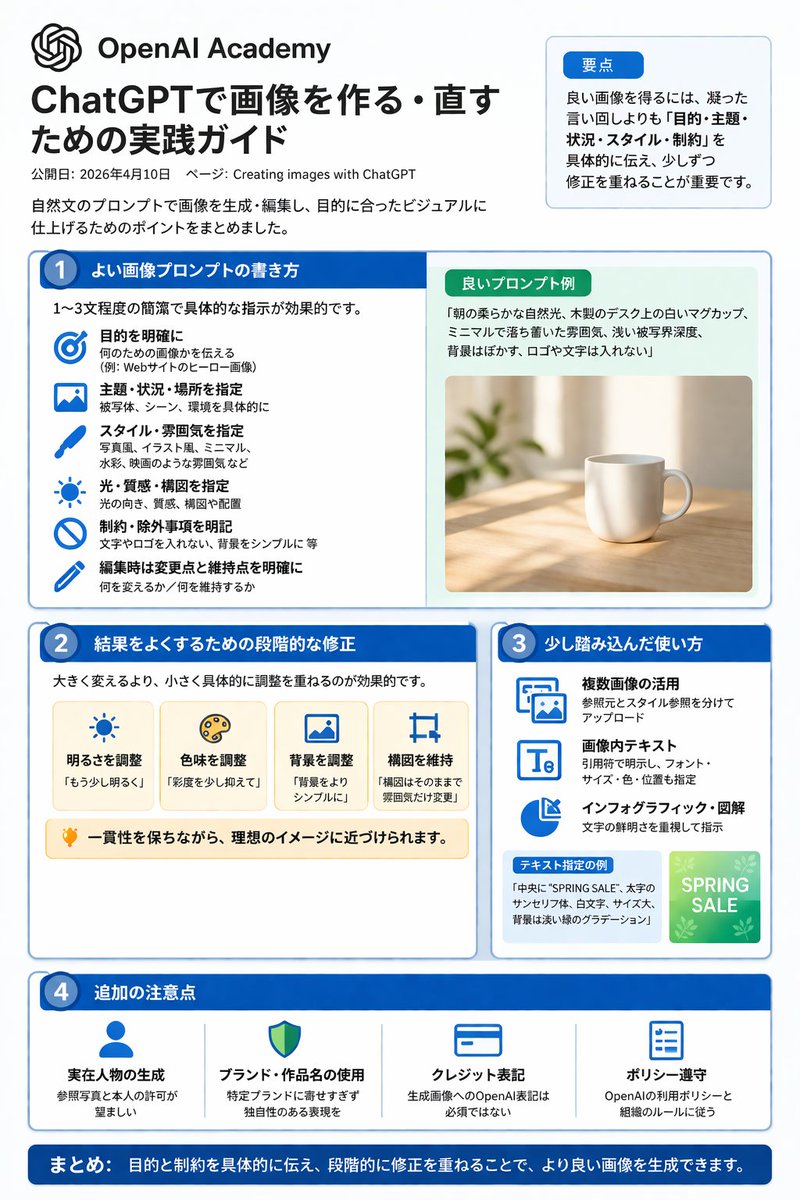
ChatGPT Image Generation Guide Infographic — AI 이미지 프롬프트
A structured, multi-section infographic outlining best practices for generating and editing images, featuring icons, example graphics, and step-by-step tips. - AIPinMaker
프롬프트
{"type":"infographic","style":"clean, corporate, flat design, pastel accents, dark blue primary color","header":{"logo":"swirl icon","academy_name":"{argument name=\"academy name\" default=\"OpenAI Academy\"}","main_title":"{argument name=\"main title\" default=\"ChatGPTで画像を作る・直すための実践ガイド\"}","metadata":"date and page info","summary_box":{"title":"要点","content":"paragraph about key points"}},"layout":{"sections":[{"number":1,"title":"{argument name=\"section 1 title\" default=\"よい画像プロンプトの書き方\"}","layout":"two columns","left_column":{"count":6,"items":[{"icon":"target","label":"目的を明確に"},{"icon":"landscape","label":"主題・状況・場所を指定"},{"icon":"brush","label":"スタイル・雰囲気を指定"},{"icon":"sun","label":"光・質感・構図を指定"},{"icon":"prohibition","label":"制約・除外事項を明記"},{"icon":"pencil","label":"編集時は変更点と維持点を明確に"}]},"right_column":{"box_title":"良いプロンプト例","image":"{argument name=\"example image subject\" default=\"white mug on a wooden desk\"}"}},{"number":2,"title":"結果をよくするための段階的な修正","cards":{"count":4,"items":[{"icon":"sun","label":"明るさを調整"},{"icon":"palette","label":"色味を調整"},{"icon":"landscape","label":"背景を調整"},{"icon":"crop","label":"構図を維持"}]},"bottom_banner":"lightbulb icon with text"},{"number":3,"title":"少し踏み込んだ使い方","list":{"count":3,"items":[{"icon":"multiple images","label":"複数画像の活用"},{"icon":"text 'Te'","label":"画像内テキスト"},{"icon":"pie chart","label":"インフォグラフィック・図解"}]},"example_box":{"title":"テキスト指定の例","graphic":"green box with 'SPRING SALE'"}},{"number":4,"title":"追加の注意点","items":{"count":4,"items":[{"icon":"person","label":"実在人物の生成"},{"icon":"shield","label":"ブランド・作品名の使用"},{"icon":"id card","label":"クレジット表記"},{"icon":"checklist","label":"ポリシー遵守"}]}}],"footer":{"style":"dark blue banner","text":"{argument name=\"footer summary\" default=\"まとめ: 目的と制約を具体的に伝え、段階的に修正を重ねることで、より良い画像を生成できます。\"}"}}}3b:T91f,{"type":"infographic","style":"clean, corporate, flat design, pastel accents, dark blue primary color","header":{"logo":"swirl icon","academy_name":"{argument name=\"academy name\" default=\"OpenAI Academy\"}","main_title":"{argument name=\"main title\" default=\"ChatGPTで画像を作る・直すための実践ガイド\"}","metadata":"date and page info","summary_box":{"title":"要点","content":"paragraph about key points"}},"layout":{"sections":[{"number":1,"title":"{argument name=\"section 1 title\" default=\"よい画像プロンプトの書き方\"}","layout":"two columns","참고 이미지
이 AI 이미지 프롬프트 템플릿 사용 방법
 1
1프롬프트 복사 — 템플릿의 프롬프트와 네거티브 프롬프트를 가져오세요.  2
2모델 선택 — 가장 잘 맞는 추천 AI 모델을 고르세요.  3
3생성 — 클릭 한 번으로 스튜디오를 열어 결과를 만드세요.
관련 템플릿
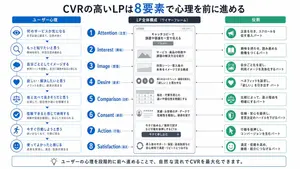
Japanese LP Psychology 8-Step Infographic
{"type":"Japanese marketing infographic","topic":"high-converting landing page structure guided by user psychology","style":{"look":"clean flat business infographic","palette":{"primary":"blue","secondary":"green","neutral":"white and light gray","accent":"dark navy headline with one highlighted blue numeral"},"background":"plain white","lines":"thin gray connectors and borders","icons":"simple circular line icons in blue and green","aspect_ratio":"16:9 landscape"},"headline":{"text":"CVRの高いLPは{argument name=\"number of elements\" default=\"8\"}要素で心理を前に進める","position":"top center","emphasis":"the numeral is large and bright blue"},"layout":{"columns":3,"sections":[{"title":"ユーザー心理","position":"left column","count":8,"items":[{"index":1,"icon":"eye","label":"何のサービスか気になる","subtext":"まずは目に留まり、注意が向く"},{"index":2,"icon":"magnifying glass","label":"もっと知りたいと思う","subtext":"興味を持ち、内容を読み進める"},{"index":3,"icon":"thought cloud","label":"自分ごととしてイメージする","subtext":"利用シーンを想像し、自分に関係があると感じる"},{"index":4,"icon":"heart","label":"欲しい・解決したいと思う","subtext":"メリットを感じ、欲求が高まる"},{"index":5,"icon":"balance scale","label":"他と比べて良さそうだと思う","subtext":"比較して、優位性や違いを理解する"},{"index":6,"icon":"check mark badge","label":"信頼できると感じて納得する","subtext":"根拠や実績を確認し、安心して決められる"},{"index":7,"icon":"running person","label":"今すぐ行動しようと思う","subtext":"迷いがなくなり、行動に移る"},{"index":8,"icon":"smiling face","label":"使ってよかったと感じる","subtext":"成果を実感し、満足・信頼が深まる"}]},{"title":"LP全体構成(ワイヤーフレーム)","position":"center column","count":8,"items":[{"index":1,"label":"Attention(注意)","wireframe":"logo at top, main hero block with headline and CTA button","text":"キャッチコピーで課題や価値を一言で伝える"},{"index":2,"label":"Interest(興味)","wireframe":"image placeholder and text block","text":"サービス・商品の特徴や課題の解決方法を紹介"},{"index":3,"label":"Image(想像)","wireframe":"wide image placeholder","text":"利用シーン・導入後の未来をイメージできる構成"},{"index":4,"label":"Desire(欲求)","wireframe":"three small circular icons and text","text":"得られるベネフィット/価値を提示し『欲しい』と思わせる"},{"index":5,"label":"Comparison(比較)","wireframe":"comparison table grid","text":"他社・代替手段との違いや優位性を明確にする"},{"index":6,"label":"Consent(納得)","wireframe":"star rating, avatar, testimonial lines","text":"実績・お客様の声・データで信頼性を補強し、納得を促す"},{"index":7,"label":"Action(行動)","wireframe":"large CTA area with dark button","text":"今すぐ始める/無料で試すなど行動を後押しするCTA"},{"index":8,"label":"Satisfaction(満足)","wireframe":"circular arrow support icon and text","text":"導入後のサポート・保証・返金制度など安心材料で満足・リピートにつなげる"}],"extra_labels":["LOGO","CTAボタン","今すぐ申し込む"]},{"title":"役割","position":"right column","count":8,"items":[{"index":1,"icon":"megaphone","text":"注意を引き、スクロールを促す導入パート"},{"index":2,"icon":"open book","text":"興味を持たせ、読み進める動機をつくるパート"},{"index":3,"icon":"picture frame","text":"自分ごと化を促し、利用イメージを具体化するパート"},{"index":4,"icon":"heart","text":"ベネフィットを訴求し、『欲しい』を引き出すパート"},{"index":5,"icon":"balance scale","text":"比較によって、選ぶ理由を明確にするパート"},{"index":6,"icon":"shield","text":"信頼・安心を提供し、意思決定のハードルを下げるパート"},{"index":7,"icon":"cursor arrow","text":"行動を後押しし、コンバージョンを生むパート"},{"index":8,"icon":"smile face","text":"満足・信頼を高め、継続・紹介につなげるパート"}]}],"connectors":"dotted horizontal guide lines connect each of the 8 center stages to matching items in the left and right columns; small downward arrows connect stacked cards in the left column"},"footer":{"style":"rounded rectangular note bar with light background and thin blue outline","icon":"light bulb","text":"ユーザーの心理を段階的に前へ進めることで、自然な流れでCVRを最大化できます。"},"composition":"top headline, three evenly spaced vertical columns beneath it, eight aligned horizontal rows across the page, symmetrical educational slide design for a landing page optimization manual","quality":"sharp vector text, presentation-slide clarity, polished corporate training material"}3d:T1407,{"type":"Japanese marketing infographic","topic":"high-converting landing page structure guided by user psychology","style":{"look":"clean flat business infographic","palette":{"primary":"blue","secondary":"green","neutral":"white and light gray","accent":"dark navy headline with one highlighted blue numeral"},"background":"plain white","lines":"thin gray connectors and borders","icons":"simple circular line icons in blue and green","aspect_ratio":"16:9 landscape"},"headline":{"text":"CVRの高いLPは{argument name=\"number of elements\" default=\"8\"}要素で心理を前に進める","position":"top center","emphasis":"the numeral is large and bright blue"},"layout":{"columns":3,"sections":[{"title":"ユーザー心理","position":"left column","count":8,"items":[{"index":1,"icon":"eye","label":"何のサービスか気になる","subtext":"まずは目に留まり、注意が向く"},{"index":2,"icon":"magnifying glass","label":"もっと知りたいと思う","subtext":"興味を持ち、内容を読み進める"},{"index":3,"icon":"thought cloud","label":"自分ごととしてイメージする","subtext":"利用シーンを想像し、自分に関係があると感じる"},{"index":4,"icon":"heart","label":"欲しい・解決したいと思う","subtext":"メリットを感じ、欲求が高まる"},{"index":5,"icon":"balance scale","label":"他と比べて良さそうだと思う","subtext":"比較して、優位性や違いを理解する"},{"index":6,"icon":"check mark badge","label":"信頼できると感じて納得する","subtext":"根拠や実績を確認し、安心して決められる"},{"index":7,"icon":"running person","label":"今すぐ行動しようと思う","subtext":"迷いがなくなり、行動に移る"},{"index":8,"icon":"smiling face","label":"使ってよかったと感じる","subtext":"成果を実感し、
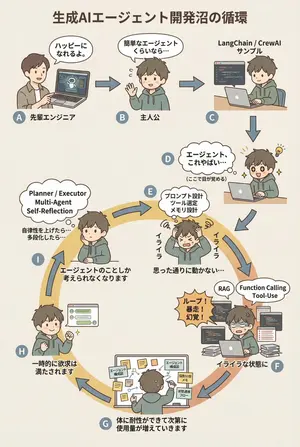
AI Agent Development 'Swamp' Diagram Prompt - Nano Banana Pro AI Prompt for Infographic / Edu Visual
diagram: title: "生成AIエージェント開発沼の循環 (図のタイトル)" style: character: "simple_editorial_cute" tone: "light_like_original" line: "soft_round" shading: "flat_minimal" palette: "muted_editorial" background: "light_beige_or_white" rule: first_character_only: "最初の人物のみ別人" others_same_character: "それ以外は全て同一人物" anxiety_requires_tech_terms: true dialogue_tone: "元図の短く軽い言い回しを維持" layout: intro_track: "上段は直線(左→右)、その後に下へ落ちて円環へ合流" loop_track: "円環(輪)として配置し、矢印は円周に沿って時計回りにカーブ" nodes: # ===== 上段:直線導入 ===== - id: A zone: "intro" position: "upper_left" actor: "別人(先輩エンジニア)" visual: "ラップトップを指差す" item: "AIエージェントのデモ画面" says: "ハッピーになれるよ。" arrow_to: { id: B, shape: "straight", direction: "right" } - id: B zone: "intro" position: "upper_center" actor: "主人公(同一人物)" visual: "軽く手を振る" says: "簡単なエージェントくらいなら…" arrow_to: { id: C, shape: "straight", direction: "right" } - id: C zone: "intro" position: "upper_right" actor: "主人公(同一人物)" visual: "サンプルコードを実行" item: "LangChain / CrewAI サンプル" arrow_to: { id: D, shape: "straight", direction: "down" } # ===== D:覚醒ポイント ===== - id: D zone: "connector" position: "right_outer_before_loop" actor: "主人公(同一人物)" visual: face: "目が見開く(かわいい)" effect: "小さなひらめき線" posture: "前のめり" state: "覚醒" says: "エージェント、これやばい…" micro_text: "(ここで目が覚める)" arrow_to: id: E shape: "gentle_curve" direction: "down_into_ring" # ===== 円環開始(必ずここから回る)===== - id: E zone: "loop" position: "loop_right_upper" actor: "主人公(同一人物)" visual: "頭を抱える(かわいい)" state: "不安・イライラ開始" says: "イライラ" thought_terms: - "プロンプト設計" - "ツール選定" - "メモリ設計" thought_text: "思った通りに動かない…" arrow_to: { id: F, shape: "curved_along_ring", direction: "clockwise" } - id: F zone: "loop" position: "loop_right_lower" actor: "主人公(同一人物)" visual: "コードとログに囲まれる" state: "イライラが定着" says: "イライラな状態に" callout: "ループ!暴走!幻覚!" thought_terms: - "RAG" - "Function Calling" - "Tool-Use" arrow_to: { id: G, shape: "curved_along_ring", direction: "clockwise" } - id: G zone: "loop" position: "loop_bottom" actor: "主人公(同一人物)" visual: "付箋と構成図だらけ" says: "体に耐性ができて次第に使用量が増えていきます" items: - "エージェント構成図" - "役割分担メモ" - "状態遷移フロー" arrow_to: { id: H, shape: "curved_along_ring", direction: "clockwise" } - id: H zone: "loop" position: "loop_left_lower" actor: "主人公(同一人物)" visual: "うまく動いて小さくガッツポーズ" state: "一時的満足" says: "一時的に欲求は満たされます" arrow_to: { id: I, shape: "curved_along_ring", direction: "clockwise" } - id: I zone: "loop" position: "loop_left_upper" actor: "主人公(同一人物)" visual: "また考え込む" state: "執着・思考占有" says: "エージェントのこと3f:Teea,diagram: title: "The Cycle of the Generative AI Agent Development Swamp (diagram title)" style: character: "simple_editorial_cute" tone: "light_like_original" line: "soft_round" shading: "flat_minimal" palette: "muted_editorial" background: "light_beige_or_white" rule: first_character_only: "Only the first person is different" others_same_character: "All others are the same person" anxiety_requires_tech_terms: true dialogue_tone: "Maintain the short, light phrasing of the original diagram" layout: intro_track: "The upper section is a straight line (left to right), then drops down to join the loop" loop_track: "Arranged as a loop (ring), with arrows curving clockwise along the circumference" nodes: # ===== Upper Section: Straight Introduction ===== - id: A zone: "intro" position: "upper_left" actor: "Different person (Senior Engineer)" visual: "Pointing at a laptop" item: "AI Agent Demo Screen" says: "It'll make you happy." ar
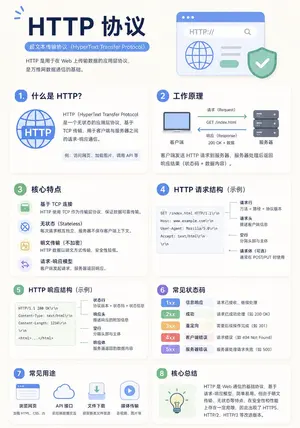
Minimalist Educational Infographic Template
Create a infographic image of Minimalist Educational Infographic Template. Style: photorealistic. Composition: balanced and well-framed. Lighting: natural with cinematic mood. Category: illustration. Reference: minimalist-educational-infographic-template-16270.
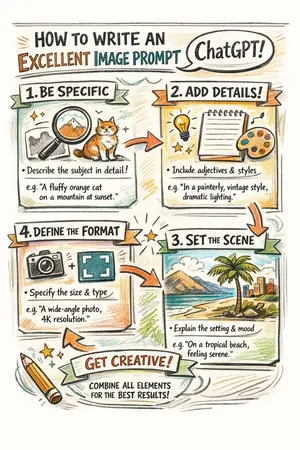
Hand-drawn infographic on writing image prompts
Create a infographic image of Hand Drawn Infographic On Writing Image Prompts. Style: photorealistic. Composition: balanced and well-framed. Lighting: natural with cinematic mood. Category: illustration. Reference: hand-drawn-infographic-on-writing-image-prompts-1853.

Mathematical Visualization Infographic Prompt
Create a infographic image of Mathematical Visualization Infographic Prompt. Style: photorealistic. Composition: balanced and well-framed. Lighting: natural with cinematic mood. Category: illustration. Reference: mathematical-visualization-infographic-prompt-16260.

Image Generation Prompt for HTML/CSS Explanation Diagram
Create a creative image of Image Generation Prompt For Htmlcss Explanation Diagram. Style: photorealistic. Composition: balanced and well-framed. Lighting: natural with cinematic mood. Category: photography. Reference: image-generation-prompt-for-htmlcss-explanation-diagram-1844.
더 많은 프롬프트 탐색
카테고리별 AI 이미지·영상 프롬프트를 더 찾아보세요.