
텍스트 투 이미지
Business Character Sheet Gallery — AI 이미지 프롬프트
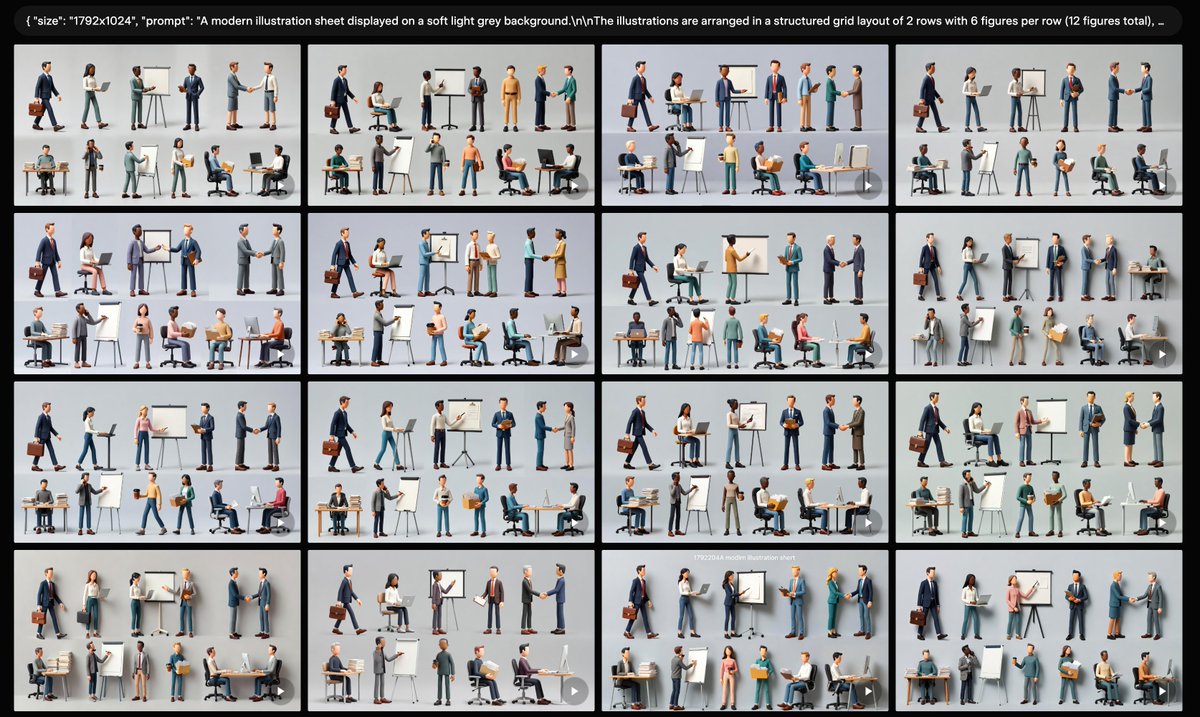
Creates a wide AI-gallery screenshot filled with 16 thumbnail variations of modern 3D business character sheets for presentation or UI mockup use. - AIPinMaker
프롬프트
Goal: Create a wide screenshot-style gallery view showing multiple generated variations of the same modern business illustration sheet.

Canvas: Wide 16:9 image, {argument name="canvas size" default="1792x1024"}, with a black application-like background and thin gutters between image tiles. At the very top, include a rounded black prompt bar containing small white monospaced text beginning with a visible JSON-style snippet: {argument name="visible prompt text" default="{\"size\": \"1792x1024\", \"prompt\": \"A modern illustration sheet displayed on a soft light grey background.\\nThe illustrations are arranged in a structured grid layout of 2 rows with 6 figures per row (12 figures total), ...\"}"}.

Layout: Show exactly 16 rectangular thumbnail tiles arranged in a 4 by 4 grid beneath the prompt bar. Each tile has a soft light gray background and depicts a miniature illustration sheet. The thumbnails are similar but not identical, like generated variations. Use narrow black spacing between tiles and slightly rounded tile corners. Add a subtle small translucent circular play/arrow icon at the lower-right corner of many tiles, as if they are preview cards in a generation interface.

Thumbnail content: Inside each of the 16 tiles, show exactly 12 stylized 3D business figures arranged as 2 rows with 6 figures per row. The people should be diverse in gender, skin tone, age, and clothing, wearing modern office attire such as navy suits, gray blazers, teal trousers, skirts, shirts, sweaters, and business shoes. Include business props throughout the figures: laptops, desks, office chairs, briefcases, clipboards, cardboard boxes, easel flip charts, whiteboards, markers, presentation boards, handshake poses, walking poses, seated computer-work poses, and standing discussion poses. Keep every figure isolated like a clean character-sheet element rather than a continuous scene.

Visual style: Polished semi-realistic 3D illustration, soft studio lighting, subtle shadows under each character, clean corporate presentation aesthetic, muted colors with navy, gray, white, teal, tan, and small accent colors. The overall composition should look like a screen capture of an AI image generation results page, not a single poster.

Constraints: Keep the top prompt bar legible enough to read the beginning, but it may truncate toward the right. Use exactly 16 gallery thumbnails, and within each thumbnail use exactly 12 business figure vignettes in a 2-row by 6-column arrangement. Do not add logos, watermarks, extra interface panels, or unrelated text beyond the top prompt bar.참고 이미지
이 AI 이미지 프롬프트 템플릿 사용 방법
 1
1프롬프트 복사 — 템플릿의 프롬프트와 네거티브 프롬프트를 가져오세요.  2
2모델 선택 — 가장 잘 맞는 추천 AI 모델을 고르세요.  3
3생성 — 클릭 한 번으로 스튜디오를 열어 결과를 만드세요.
관련 템플릿
AI Assistant App UI Mockup
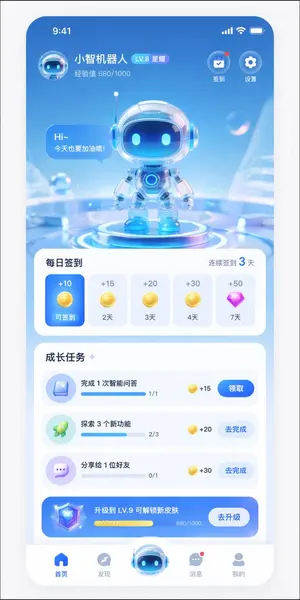
{ "type": "mobile app UI mockup", "theme": "futuristic AI assistant, 3D glassmorphism, light blue and white color palette", "header": { "user_profile": { "avatar": "small 3D robot head", "name": "{argument name=\"app name\" default=\"小智机器人\"}", "level_badge": "LV.8 星耀", "experience": "经验值 680/1000" }, "top_right_icons": { "count": 2, "labels": ["签到", "设置"] } }, "hero_display": { "subject": "cute 3D robot with glass helmet and glowing blue eyes", "pose": "standing on a glowing futuristic circular podium", "speech_bubble": "{argument name=\"robot greeting\" default=\"Hi~ 今天也要加油哦!\"}", "background": "abstract light blue tech environment with floating transparent bubbles" }, "layout": { "sections": [ { "title": "每日签到", "subtitle": "连续签到 3 天", "type": "horizontal scroll cards", "count": 5, "items": [ {"state": "active blue card", "reward": "+10 gold coin", "label": "可签到"}, {"state": "inactive white card", "reward": "+15 gold coin", "label": "2天"}, {"state": "inactive white card", "reward": "+20 gold coin", "label": "3天"}, {"state": "inactive white card", "reward": "+30 gold coin", "label": "4天"}, {"state": "inactive white card", "reward": "+50 purple diamond", "label": "7天"} ] }, { "title": "成长任务", "type": "vertical list", "count": 4, "items": [ {"icon": "blue book", "text": "{argument name=\"task 1 title\" default=\"完成 1 次智能问答\"}", "progress": "1/1", "reward": "+15", "button": "领取"}, {"icon": "green rocket", "text": "{argument name=\"task 2 title\" default=\"探索 3 个新功能\"}", "progress": "2/3", "reward": "+20", "button": "去完成"}, {"icon": "purple chat bubble", "text": "分享给 1 位好友", "progress": "0/1", "reward": "+30", "button": "去完成"}, {"style": "blue gradient banner", "icon": "3D diamond", "text": "{argument name=\"upgrade banner text\" default=\"升级到 LV.9 可解锁新皮肤\"}", "progress": "680/1000", "button": "去升级"} ] } ], "bottom_navigation": { "count": 5, "items": [ {"icon": "blue home", "label": "首页"}, {"icon": "grey compass", "label": "发现"}, {"icon": "large protruding 3D robot head", "label": ""}, {"icon": "grey chat bubble with red dot", "label": "消息"}, {"icon": "grey user profile", "label": "我的"} ] } } }
C4D-Style Finance App UI (Variant)
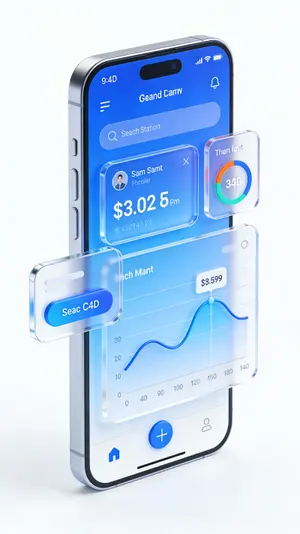
金融理财APP手机UI设计,C4D风格高级UI,3D立体数据图表,蓝色渐变界面,悬浮卡片设计,玻璃拟态按钮,动态余额数字显示,市场趋势曲线图,纯白色背景,杰作,高细节
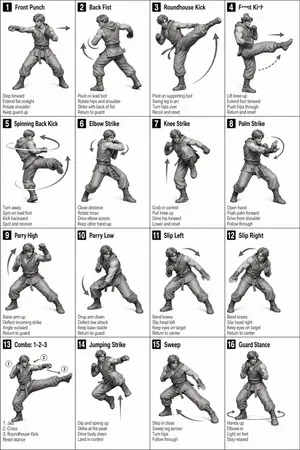
Instructional Martial Arts Movement Sheet
[STYLE] Monochrome grayscale illustration, 3D-rendered character, clean instructional reference sheet, white background, comic-style cell grid layout, technical diagram aesthetic. [LAYOUT] 4×4 grid layout with a total of 16 panels. Each panel is separated by thin black border lines. Cells are numbered from 1 to 16, with consistent panel sizes. [CHARACTER] image1 (the same character appears consistently in all panels) [PANEL STRUCTURE – per cell] Top-left: bold number badge + English title text Center: full-body character pose illustration Bottom-left: English description text (3–4 lines) Overlay: directional arrows indicating movement [ARROWS / MOTION INDICATORS] Curved arrows, straight arrows, and circular rotation indicators placed around the character to show motion flow and direction. [RENDERING STYLE] Highly detailed 3D sculpted style, soft studio lighting, subtle shadows, no color, grayscale shading, clean linework, game concept art quality. [NEGATIVE] No background scenery, no color tones, no additional characters, no complex background.3c:T4
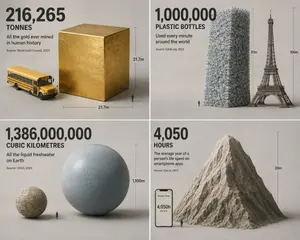
Isometric Statistic Visualization Render
Create a infographic image of Isometric Statistic Visualization Render. Style: photorealistic. Composition: balanced and well-framed. Lighting: natural with cinematic mood. Category: illustration. Reference: isometric-statistic-visualization-render-25899.

C4D-Style Finance App UI
Create a creative image of C4d Style Finance App Ui. Style: photorealistic. Composition: balanced and well-framed. Lighting: natural with cinematic mood. Category: photography. Reference: c4d-style-finance-app-ui-958.
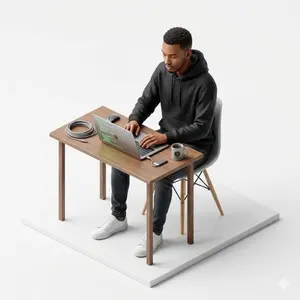
Isometric figurine generation prompt for Nano Banana Pro
Create a creative image of Isometric Figurine Generation Prompt For Nano Banana Pro. Style: photorealistic. Composition: balanced and well-framed. Lighting: natural with cinematic mood. Category: photography. Reference: isometric-figurine-generation-prompt-for-nano-banana-pro-5874.
더 많은 프롬프트 탐색
카테고리별 AI 이미지·영상 프롬프트를 더 찾아보세요.