
텍스트 투 이미지
Bold Japanese AI Design Tool Ad — AI 이미지 프롬프트
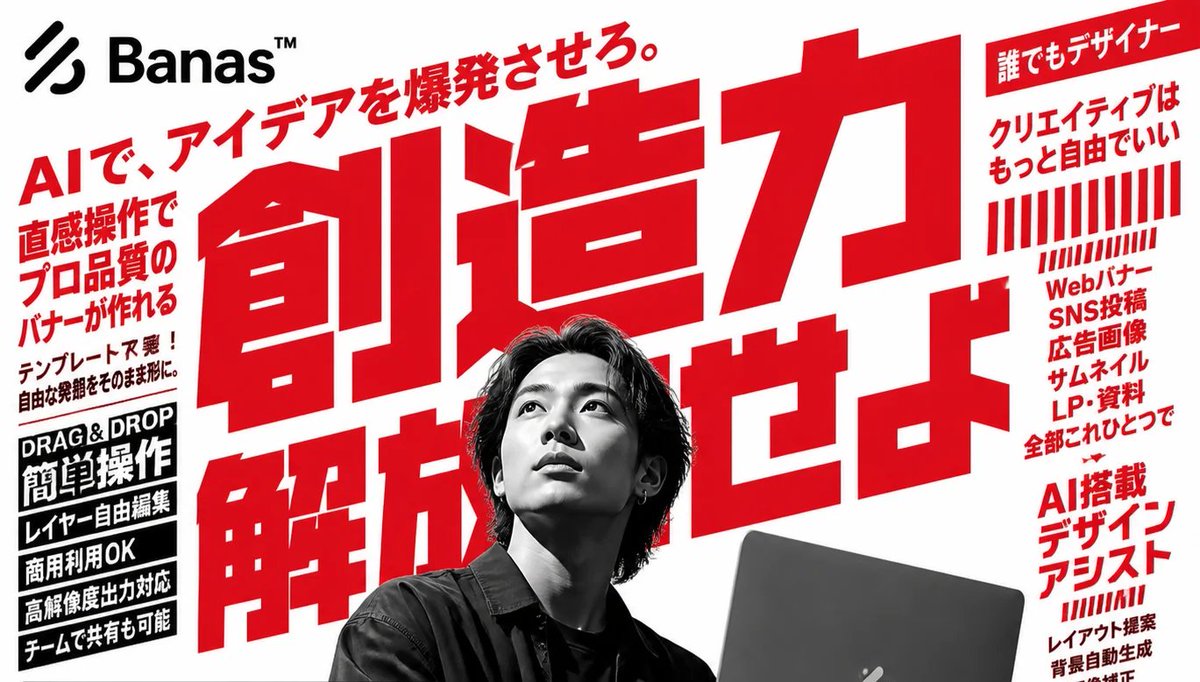
Generates a high-impact Japanese SaaS advertising banner for an AI-powered design tool with oversized red typography and a grayscale designer portrait. - AIPinMaker
프롬프트
Goal: Create a bold Japanese advertising poster for an AI design tool called {argument name="brand name" default="Banas™"}, with aggressive red typography, black-and-white photography, and a high-energy startup SaaS feel.

Canvas: Wide horizontal 16:9 banner, white background, slightly cropped at the edges like a web hero image or social media ad. Use a limited palette of pure white, vivid red, black, and grayscale.

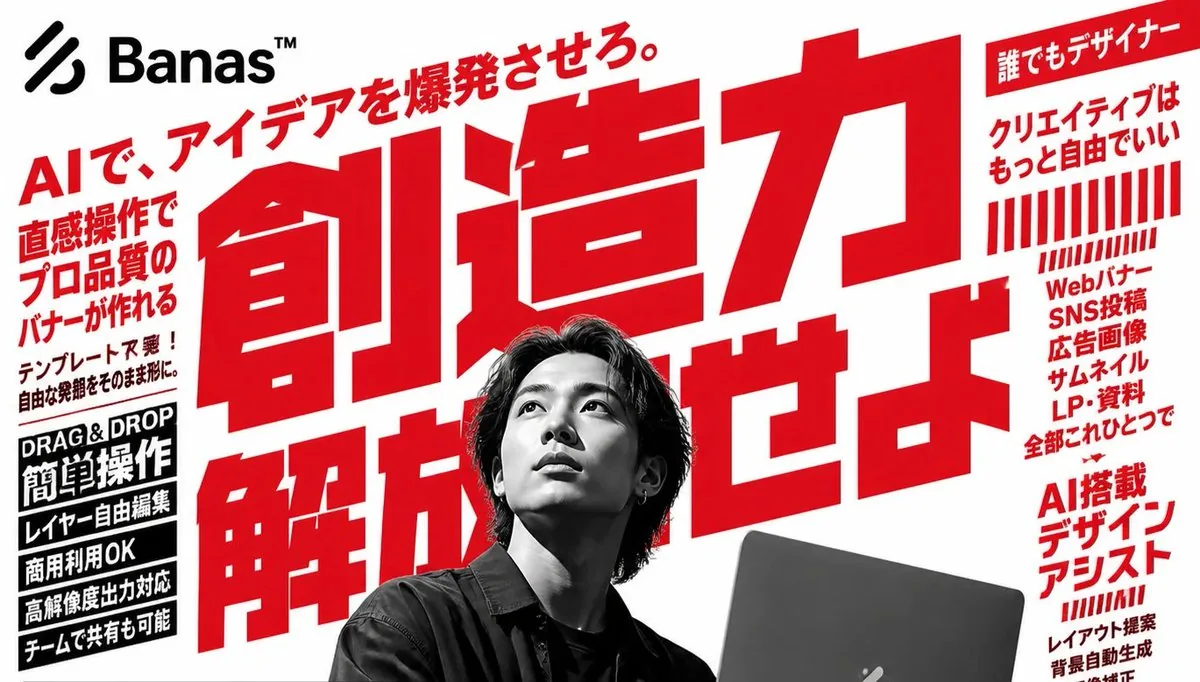
Layout: Place a black abstract three-stripe logo mark and the brand name {argument name="brand name" default="Banas™"} in the top-left corner. Fill the center with one enormous red Japanese headline, tilted slightly upward and layered behind the person, reading {argument name="main headline" default="創造力 解放せよ。"}. Add a smaller red diagonal tagline above it reading {argument name="top tagline" default="AIで、アイデアを爆発させろ。"}. Put a grayscale photo of a young Japanese male designer in the lower center foreground, seated with medium-length dark hair, wearing a dark shirt, holding or working behind a dark laptop at the lower right. Cover his face with a square gray pixelated blur censor block. The laptop should be partly cropped by the bottom edge.

Left sidebar content: Include exactly 6 left-side text elements. 1) A large red vertical-ish block of Japanese sales copy: 「直感操作で プロ品質の バナーが作れる」. 2) A smaller black note below it: 「テンプレート不要! 自由な発想をそのまま形に。」. 3) A black rectangular label with white English text: “DRAG & DROP”. 4) A black rectangular label with large white Japanese text: 「簡単操作」. 5) Three stacked black feature bars with white Japanese text: 「レイヤー自由編集」, 「商用利用OK」, 「高解像度出力対応」. 6) A final black feature bar: 「チームで共有も可能」.

Right sidebar content: Include exactly 5 right-side groups. 1) A red top ribbon label with white Japanese text: 「誰でもデザイナー」. 2) Red Japanese copy below it: 「クリエイティブは もっと自由でいい」. 3) A decorative block of exactly 22 red vertical barcode-like stripes, arranged in two rows, with the lower row shorter and slanted. 4) A red stacked list: 「Webバナー SNS投稿 広告画像 サムネイル LP・資料 全部これひとつで」. 5) A lower red heading: 「AI搭載 デザイン アシスト」, with smaller red supporting lines beneath suggesting features such as layout proposal, automatic background generation, and image correction.

Visual style: Use oversized condensed gothic Japanese lettering, extremely bold and geometric, with tight kerning and dramatic scale contrast. The central headline should dominate the image and extend behind the portrait. Use hard-edged rectangular text blocks, no gradients except the face blur, no soft shadows, and a clean print-ad composition. Make the photography high-contrast monochrome while all marketing typography is red or black.

Constraints: Preserve the exact count of the main visible components: 1 logo/brand area, 1 huge central headline, 1 diagonal top tagline, 1 grayscale person, 1 laptop, 1 square face blur, 6 left-side text elements, and 5 right-side groups. Keep the composition crowded but readable, like a Japanese tech advertisement. Do not add extra people, extra logos, watermarks, or unrelated icons.37:Td4b,Goal: Create a bold Japanese advertising poster for an AI design tool called {argument name="brand name" default="Banas™"}, with aggressive red typography, black-and-white photography, and a high-energy startup SaaS feel.

Canvas: Wide horizontal 16:9 banner, white background, slightly cropped at the edges like a web hero image or social media ad참고 이미지
이 AI 이미지 프롬프트 템플릿 사용 방법
 1
1프롬프트 복사 — 템플릿의 프롬프트와 네거티브 프롬프트를 가져오세요.  2
2모델 선택 — 가장 잘 맞는 추천 AI 모델을 고르세요.  3
3생성 — 클릭 한 번으로 스튜디오를 열어 결과를 만드세요.
관련 템플릿
Japanese AI Creator Studio Banner
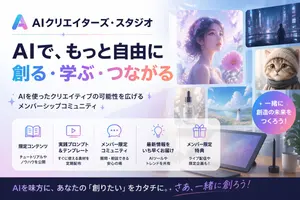
Create a polished Japanese promotional website hero banner for an AI creator community, in a clean modern tech-advertising style with a soft pastel blue, lavender, pink, and white palette. Wide 16:9 composition. On the left, place a gradient triangular abstract logo and the Japanese brand name AIクリエイターズ・スタジオ (brand name) at the top, followed by a thin horizontal divider line with a small sparkle in the middle. Below that, a very large bold Japanese headline in 2 lines: first line in dark navy, 「AIで、もっと自由に」, second line in large gradient letters from cyan to purple to pink, 「創る・学ぶ・つながる」. Under the headline, add a short Japanese subheadline with sparkle marks, 「AIを使ったクリエイティブの可能性を広げるメンバーシップコミュニティ」. On the right half, create a collage of 6 rounded-rectangle visual cards showing AI-generated creative examples: 1 large dreamy portrait of a woman in profile surrounded by flowers and butterflies in ethereal purple light, 1 small cyberpunk city nightscape with a lone figure, 1 small close-up portrait of a fluffy cat, 1 small luxury cosmetic bottle labeled “AI STUDIO”, 1 small bright seascape or flower-field landscape with a woman in white, and 1 large tablet drawing device on a desk with a stylus, plus a coffee mug and plant nearby. Add a circular gradient badge overlapping the right side with bold white Japanese text 一緒に創造の未来をつくろう! (badge text). Across the lower middle, place a translucent white rounded feature panel containing exactly 5 equal columns with thin separators and pastel line icons. Each column has an icon, a bold Japanese title, and a smaller 2-line description. The 5 titles are: 「限定コンテンツ」, 「実践プロンプト&テンプレート」, 「メンバー限定コミュニティ」, 「最新情報をいち早くお届け」, 「メンバー限定特典」. Use fitting icons for book, monitor, chat bubble, light bulb, and gift. Add concise Japanese descriptions beneath each title. At the very bottom, add a dark navy footer strip with a large Japanese call-to-action sentence in white and pink-purple gradient accent text, AIを味方に、あなたの『創りたい』をカタチに。さあ、一緒に創ろう! (footer text). Overall look: premium startup landing page, glossy soft lighting, subtle sparkles, glassmorphism panels, clean typography, Japanese text rendered accurately, highly legible, visually balanced, professional social media thumbnail quality.3a:Ta71,Create a polished Japanese promotional website hero banner for an AI creator community, in a clean modern tech-advertising style with a soft pastel blue, lavender, pink, and white palette. Wide 16:9 composition. On the left, place a gradient triangular abstract logo and the Japanese brand name AIクリエイターズ・スタジオ (brand name)

Nano Banana Pro brand hero image (duplicate prompt)
Create a creative image of Nano Banana Pro Brand Hero Image Duplicate Prompt. Style: photorealistic. Composition: balanced and well-framed. Lighting: natural with cinematic mood. Category: photography. Reference: nano-banana-pro-brand-hero-image-duplicate-prompt-228.

Nano Banana Pro brand hero image (variant tweet)
Create a creative image of Nano Banana Pro Brand Hero Image Variant Tweet. Style: photorealistic. Composition: balanced and well-framed. Lighting: natural with cinematic mood. Category: photography. Reference: nano-banana-pro-brand-hero-image-variant-tweet-214.

Japanese Company Setup Landing Page
{"type":"full-page Japanese landing page design mockup","format":"tall mobile-first web page screenshot","brand":{"name":"{argument name=\"brand name\" default=\"カケル スタジオ\"}","romanized_subtitle":"KAKERU STUDIO","logo":"simple blue abstract K mark at top left"},"theme":{"service":"online company incorporation support service","visual_style":"clean modern SaaS landing page, friendly Japanese startup aesthetic, rounded cards, soft shadows, white background with bright blue accents, yellow highlight accents, small confetti shapes, pale city skyline silhouette in the hero background","palette":"royal blue, sky blue, white, pale gray, yellow, coral pink","typography":"bold rounded Japanese sans-serif headings, readable compact body text"},"layout":{"sections":[{"title":"Header","position":"top","count":3,"elements":["brand logo and name at top left","hamburger menu icon at top right","small blue pill badge reading 完全オンラインで完結!"]},{"title":"Hero","position":"top main area","count":2,"elements":["large Japanese headline: {argument name=\"headline text\" default=\"会社設立を、もっとカンタンに、もっとワクワクに!\"}","right-side flat illustration of a faceless businessman in blue jacket and yellow pants running while holding a smartphone and laptop"]},{"title":"Hero benefit cards","position":"under hero","count":3,"labels":["完全オンライン","安心・安全","最短3日で設立"],"details":["desktop monitor icon, says document preparation can be completed online","blue shield check icon, says handled by expert staff with solid support","yellow clock icon, says speedy company setup from as fast as 3 days"]},{"title":"Introduction card","position":"upper middle","count":1,"elements":["heading: はじめての会社設立でも迷わず完了!","body copy explaining that entering information step by step makes documents easy to create","large laptop and smartphone UI mockup on the right","small potted plant illustration"]},{"title":"Metrics row","position":"inside introduction card bottom","count":4,"labels":["累計利用者数 10,000社以上","お客様満足度 98.6%","最短設立スピード 最短3日で登記完了","対応エリア 全国対応"]},{"title":"ご利用の流れ","position":"middle","count":3,"labels":["STEP 1 会社情報の入力","STEP 2 書類の作成・確認","STEP 3 申請・完了"],"details":["form document icon with check mark","document and pen icon","paper airplane icon"]},{"title":"カケル スタジオが選ばれる理由","position":"middle lower","count":3,"labels":["完全オンラインで完結","専門家がサポート","最短3日で設立"],"details":["woman using laptop illustration","male specialist holding documents illustration","calendar and clock illustration"]},{"title":"お客様の声","position":"below reasons","count":1,"elements":["testimonial card with circular blurred male portrait","large blue quotation mark","Japanese review text about being nervous about doing everything online but support was careful and incorporation finished quickly","customer name and title line"]},{"title":"Primary CTA banner","position":"lower middle","count":1,"elements":["large blue rounded rectangle with confetti","headline: {argument name=\"cta headline\" default=\"まずは無料で相談してみませんか?\"}","subtext: 専門スタッフが丁寧にサポートします!","wide coral-pink button reading 無料で相談する with right arrow","small yellow pill reading 平日 10:00〜18:00","woman at laptop illustration on the right"]},{"title":"Input form sample","position":"lower","count":5,"labels":["テキスト入力(デフォルト)","テキスト入力(フォーカス)","セレクトボックス","チェックボックス","ラジオボタン"],"details":["white rounded form panel","blue focused input border","checked square checkbox","two radio buttons with one selected","blue next button labeled 次へ進む with arrow"]},{"title":"UI component kit","position":"near bottom","count":3,"labels":["チップ","アイコン","ボタン"],"details":["8 pastel rounded chips including 人気No.1, 無料3日, オンライン完結, 合同会社, 株式会社, 個人事業主OK, 全国対応","18 thin-line blue icons arranged in a grid, including monitor, smartphone, home, shield, document, bar chart, user, globe, check marks, calendar, yen, paper airplane, lock","4 button styles: Primary, Icon Button, Ghost Button, and secondary arrow/download variations"]},{"title":"Service feature cards","position":"bottom above footer","count":3,"labels":["完全オンラインで完結","専門家がサポート","全国どこでも対応"],"details":["three compact rounded cards with small illustrations and text"]},{"title":"Footer","position":"bottom","count":4,"elements":["blue footer with logo and company information","three columns of footer links","social media icons","yellow mini CTA box on the right with pink consultation button and business hours"]}],"total_distinct_sections":13},"composition":"single continuous long-scroll landing page captured as one vertical screenshot, centered content column with generous rounded white cards and consistent spacing, all text in Japanese, no browser chrome, high fidelity polished UI mockup","image_quality":"crisp vector-style interface, clean alignment, soft gradients and shadows, professional conversion-focused LP design","customization_notes":"Keep the overall Japanese text-heavy landing page structure and exact counted section organization while allowing the brand, headline, CTA headline, and service focus to be customized.","service_focus":"{argument name=\"service focus\" default=\"online company incorporation support\"}"}

Japanese AI Coding Training Banner
Create a clean Japanese corporate training banner in a wide horizontal web-header format with a white background and deep navy blue branding. The layout is a single unified promotional banner for an AI programming course. On the left, place a small headline in bold Japanese text reading "AIを使いこなす開発者へ" above a very large dominant title reading "ClaudeCode研修 (main title)" in heavy sans-serif dark navy lettering, with "ClaudeCode" especially large and the final Japanese word attached on the right in the same style. Beneath the title, add a long horizontal blue gradient bar from medium blue to very light blue containing white bold Japanese text: "AI時代の開発を、あなたの武器に。 (subheadline text)". Along the bottom left, arrange exactly 3 circular navy icon badges in a horizontal row, each with a short two-line caption in Japanese to the right of the icon. Badge 1 shows a code symbol </> and the text "Claude Codeの 基本から実践まで". Badge 2 shows a light bulb and the text "業務効率を高める AI活用スキル". Badge 3 shows an upward bar chart and the text "すぐに使える 実践的な内容". On the right half, place a confident Japanese businessman from the waist up with arms crossed, wearing a dark navy suit, white shirt, and blue striped tie, facing forward; his face is intentionally soft-focused or anonymized. Behind him, add layered geometric navy and blue diagonal shapes sweeping in from the top right and bottom right, plus a dark blue tech-themed panel with faint code lines and a glowing curly-braces symbol {}. Use a polished B2B seminar advertisement style, crisp typography, strong negative space, subtle gradients, high contrast, and a professional AI/engineering training atmosphere.39:T725,Create a clean Japanese corporate training banner in a wide horizontal web-header format with a white background a

Nano Banana Pro-themed hero image (duplicate Chinese prompt)
Create a creative image of Nano Banana Pro Themed Hero Image Duplicate Chinese Prompt. Style: photorealistic. Composition: balanced and well-framed. Lighting: natural with cinematic mood. Category: photography. Reference: nano-banana-pro-themed-hero-image-duplicate-chinese-prompt-235.
더 많은 프롬프트 탐색
카테고리별 AI 이미지·영상 프롬프트를 더 찾아보세요.