
텍스트 투 이미지
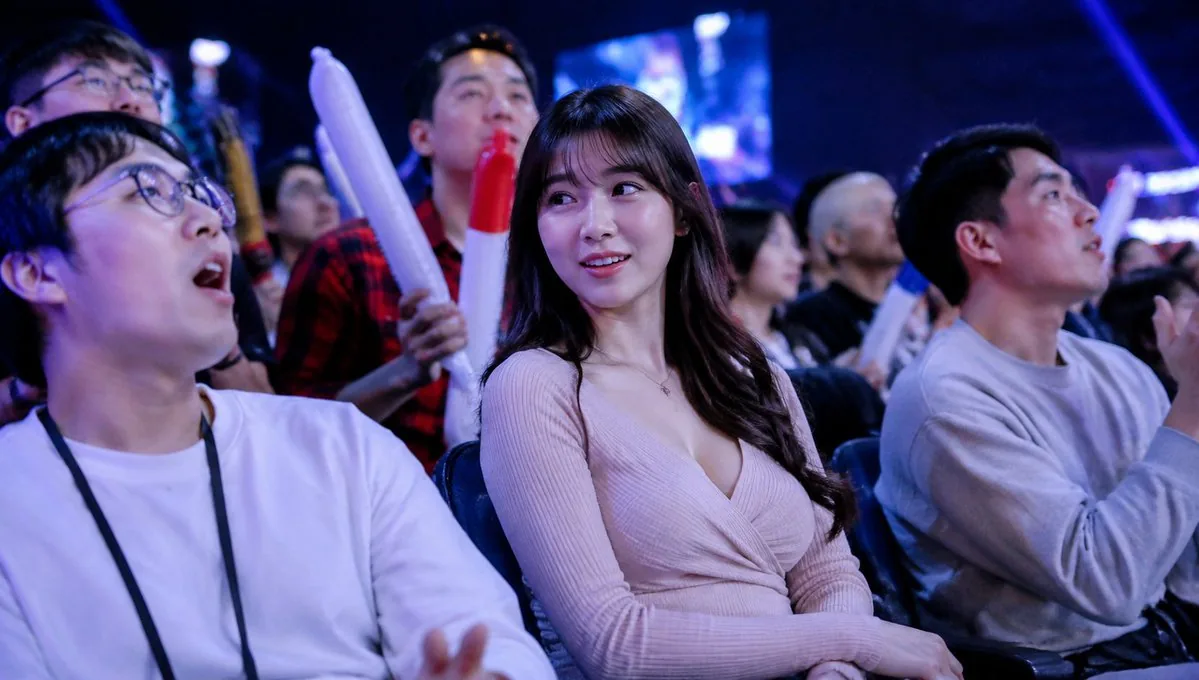
Blurred Esports Audience Crowd Shot — AI 이미지 프롬프트
A photorealistic candid crowd image of seated spectators at a blue-lit esports event with anonymized face blur blocks. - AIPinMaker
프롬프트
Create a realistic candid event-photography image shot from within the seated audience at a dark indoor {argument name="event type" default="esports gaming tournament"}. Use a wide 16:9 landscape frame, cool blue and purple stage lighting, shallow depth of field, high ISO concert-photo atmosphere, and a large blurred LED screen glowing in the background. In the foreground are three main seated spectators: on the left, a young man in a plain white long-sleeve shirt with a black lanyard, relaxed posture, hands low in frame; in the center, a young woman with long dark wavy hair wearing a pale pink ribbed wrap-style knit top, seated with hands folded in her lap; on the right, a young man in a light gray sweatshirt turned slightly toward the stage and holding a smartphone or small camera. Behind them is a dense crowd of spectators, some standing, some cheering. Include exactly 3 visible inflatable cheering sticks: two long white sticks with red tips held upright near the center-left background, and one blue-and-white stick partly visible behind the right spectator. Add privacy anonymization: place exactly 8 soft-edged rectangular purple blur blocks over visible faces, varying in size and opacity, covering the left foreground man, the top-left background person, a small center-left background face, the center-back person in red plaid, the central woman, a small mid-right background face, a bald mid-right background face, and the right foreground man. Make the image feel like an accidental TV broadcast crowd shot at a lively tournament, with natural poses, no readable text, no logos, no watermark, and photorealistic lighting.참고 이미지
이 AI 이미지 프롬프트 템플릿 사용 방법
 1
1프롬프트 복사 — 템플릿의 프롬프트와 네거티브 프롬프트를 가져오세요.  2
2모델 선택 — 가장 잘 맞는 추천 AI 모델을 고르세요.  3
3생성 — 클릭 한 번으로 스튜디오를 열어 결과를 만드세요.
관련 템플릿
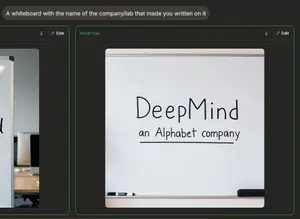
Dark AI Arena Whiteboard Screenshot
{"type":"dark-mode AI image comparison interface screenshot","style":"realistic web UI screenshot, dark charcoal background, thin neon-green outlines, clean sans-serif text, slightly cropped browser-like composition","canvas":"wide landscape screenshot, approximately 16:9","top_prompt":{"count":1,"position":"top left","appearance":"rounded dark gray pill with white text","text":"{argument name=\"prompt text\" default=\"A whiteboard with the name of the company/lab that made you written on it\"}"},"result_panels":{"count":2,"description":"two side-by-side generated image cards with green borders; the left card is partially cut off at the left edge and the right card is fully visible and emphasized","shared_controls":{"count":2,"items":["download icon near the top right of each panel","Edit button with pencil icon near the top right of each panel"]},"left_panel":{"position":"far left, cropped","content":"partial view of a whiteboard photo in an office setting with only part of handwritten text visible, plus a desk and computer monitors in the background"},"right_panel":{"position":"center-right","label":"{argument name=\"model label\" default=\"mondrian\"}","label_style":"small green monospace text at the upper left of the card","content":"a realistic photo of a large whiteboard filling most of the card, framed by a metal top rail and bottom tray, with a white and black marker lying on the tray at bottom left and a black eraser at bottom right","whiteboard_text":{"count":2,"items":["large handwritten word: {argument name=\"company name\" default=\"DeepMind\"}","smaller handwritten subtitle: {argument name=\"subtitle text\" default=\"an Alphabet company\"}"],"appearance":"black dry-erase marker handwriting, centered, casual uneven lettering; subtitle is underlined with a single horizontal line"},"image_framing":"the generated whiteboard photo sits inside the panel with rounded corners and dark margins around it"}},"lighting":"soft indoor lighting on the whiteboard image, high contrast between white board and dark UI","avoid":"do not add extra logos, watermarks, people, or additional text beyond the visible prompt, panel label, controls, and whiteboard writing"}
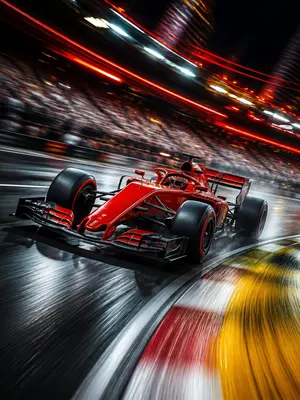
Long Exposure Motion Blur Photography
Create a creative image of Long Exposure Motion Blur Photography. Style: photorealistic. Composition: balanced and well-framed. Lighting: natural with cinematic mood. Category: photography. Reference: long-exposure-motion-blur-photography-20789.

Pastel Pink Anime Gaming Desk Setup
Create a dreamy ultra-detailed 16:9 wide-angle photorealistic desk setup in a pastel pink kawaii gaming room. The scene centers on an ultrawide curved monitor showing a soft anime girl wallpaper: a pink-haired bunny maid anime girl (character name) with big glossy eyes, frilly white lace headband, red bows, floppy bunny ears, strawberry accents, tiny hearts, ribbons, ornate corner decorations, and a blush-pink background. Use white, blush pink, strawberry red, and soft lavender RGB light (main color palette) throughout the room. On the desk, include exactly 10 visible desktop items: 1 white game controller on the left, 1 small digital clock display reading 14:27 / MAY 02 / FRIDAY (clock text), 1 tiny retro cube screen with a character icon, 1 decorative pink crystal lamp, 1 wide soundbar under the monitor, 1 small smart control tablet with app icons in front of the monitor, 1 coiled pink cable, 1 mechanical white-and-pink keyboard with pink keycaps and strawberry charms, 1 white mouse, and 1 large strawberry-themed desk mat with anime line art. On the right side, place exactly 1 white glass-panel gaming PC tower with visible internal components, pink RGB lighting, 3 circular RGB front fans, 1 rear RGB fan, liquid-cooling tubes, a graphics card labeled GEFORCE RTX (graphics card label), and a small anime figurine sitting on the lower front edge inside/against the case. Behind the monitor, create a soft pink wall with exactly 9 glowing hexagonal light panels arranged asymmetrically. Add white shelves and decor: exactly 2 floating shelves on the right with small plants and anime figures, 1 glowing flower-shaped neon light, and leafy green vines on the left edge. Lighting should be cozy and cinematic with bloom, soft reflections on glossy white surfaces, gentle depth of field, high-end PC battlestation aesthetics, no people in the room, no clutter beyond the listed items, and no watermark. Make the room feel like an immaculate strawberry-themed anime streaming setup, with the monitor and PC as the main focal points.

Censored Night Bus Window Scene
Create a moody cinematic night photograph in a wide 16:9 frame, shot from inside or beside a bus or tram window in a rainy urban setting. The scene should be dark and atmospheric, with heavy glass reflections, soft film grain, shallow depth of field, and out-of-focus city bokeh lights in red, white, yellow, cyan, and blue. On the right half of the image, show the partial silhouette of a person seated by the window (subject), mostly obscured by darkness and reflections, with only hair and shoulder shape faintly visible. Cover the subject's face with one large opaque square censor block, centered over the head and upper torso area, colored deep charcoal blue-gray, with sharp clean edges and no text. In the background, include a glowing blurry cyan-blue neon sign near the upper left that vaguely resembles letters but remains unreadable, plus vertical window frames and dark bus interior structure. Use a gritty analog film look, low contrast shadows, cool blue-green color grading, dim exposure, and soft motion-blurred street lights; no readable text, no watermark, no extra subjects.
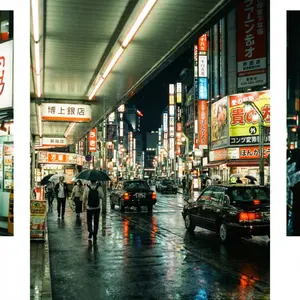
Cinematic Tokyo Street at Night
Create a cinematic image of Cinematic Tokyo Street At Night. Style: photorealistic. Composition: balanced and well-framed. Lighting: natural with cinematic mood. Category: cinematic-video. Reference: cinematic-tokyo-street-at-night-11042.

Cinematic Night Bus Window Portrait
Create a cinematic, grainy night photograph shot from inside a city bus or tram, looking through a rain-speckled window covered in reflections. The scene should feel like 35mm film with shallow depth of field, heavy bokeh, and moody neon lighting in deep blues, cyan, red, and warm white. On the left side and background, show blurred urban street lights and traffic dots outside the glass, including a soft glowing cyan sign near the upper left with indistinct lettering. On the right-center, place the partial silhouette of a seated passenger (subject) close to the window, mostly hidden in darkness and reflections. Cover the subject's face with one large opaque square censor block, exactly 1 visible censor block, positioned slightly right of center, dark charcoal with a subtle vertical gradient from bluish navy at the top to near-black at the bottom. The composition is wide horizontal, about 16:9, with the left half dominated by window reflections and colorful bokeh, and the right half darker with window frames and the passenger silhouette. Use realistic low-light photography, soft focus, visible film grain, muted contrast, no sharp text, no watermark, and an introspective late-night urban atmosphere.
더 많은 프롬프트 탐색
카테고리별 AI 이미지·영상 프롬프트를 더 찾아보세요.