
텍스트 투 이미지
9/11 Twin Towers Street Photo — AI 이미지 프롬프트
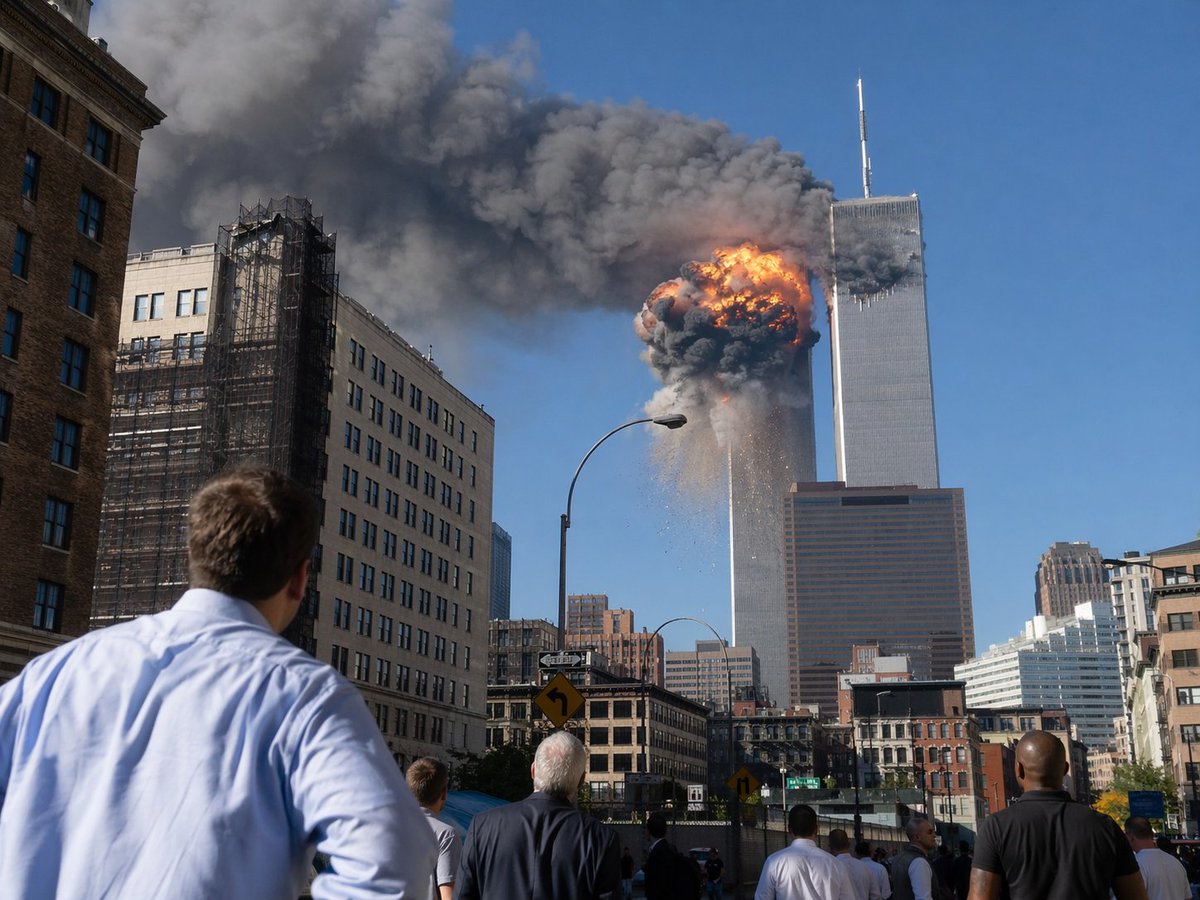
This prompt generates a realistic documentary-style image of the World Trade Center attack as seen by onlookers from a Manhattan street, suitable for historical or editorial visualizations. - AIPinMaker
프롬프트
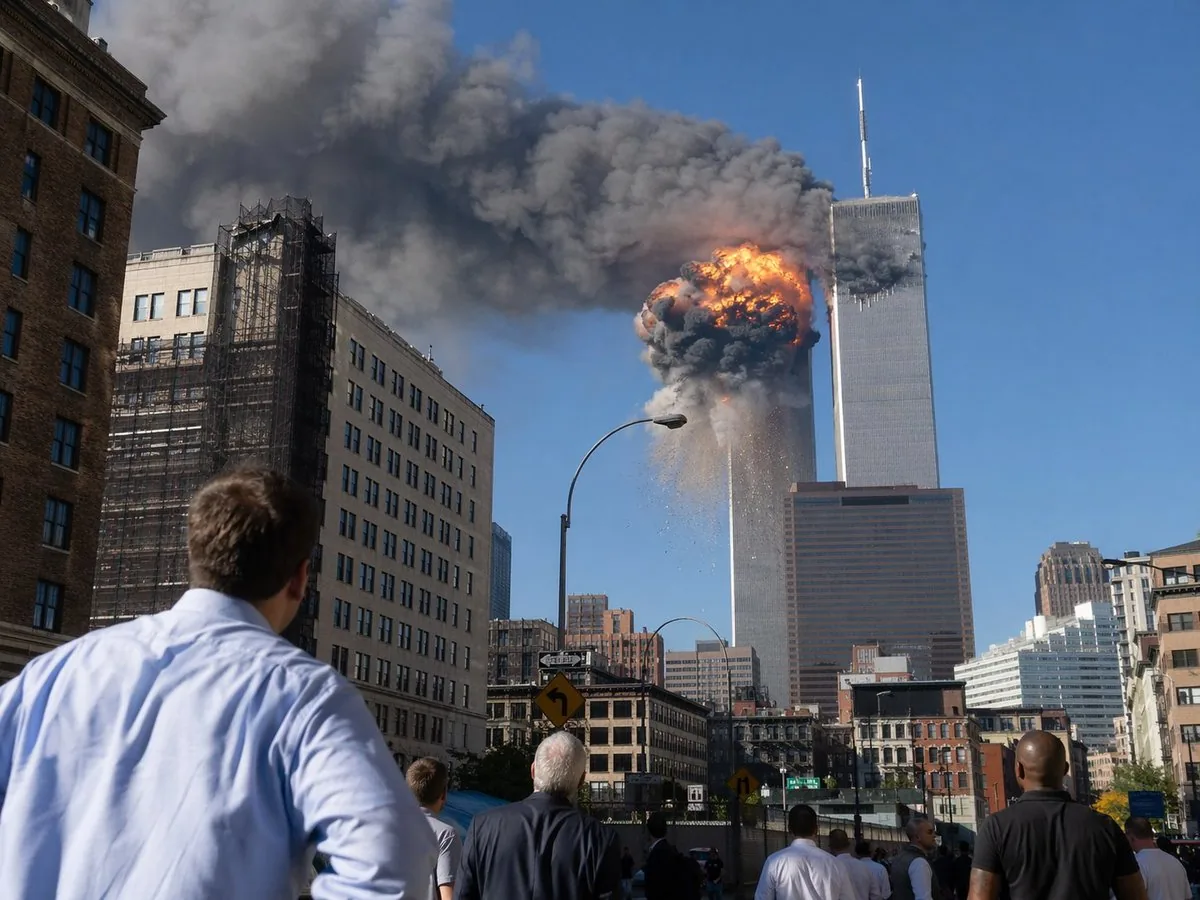
A dramatic photojournalistic street-level scene in lower Manhattan showing the World Trade Center during the September 11 attacks, viewed from several blocks away on a bright clear blue morning. The composition centers on the Twin Towers, with the left tower engulfed near the upper floors by a massive orange-and-black fireball, thick dark gray smoke billowing horizontally across the sky, and debris falling downward. The right tower stands adjacent with its antenna visible, partially obscured by smoke. In the foreground, exactly 6 visible bystanders stand in the street and on the sidewalk with their backs to the camera, watching in shock; the closest is a man in a light blue dress shirt at lower left. Surrounding the avenue are mid-rise city buildings, including a beige building with black construction scaffolding on the left, older brick and stone facades at street level, a tall curved streetlamp near center, traffic signs, and a dense urban canyon leading the eye toward the towers. Realistic documentary photography, high detail, natural daylight, long-lens compression, urgent historical-news atmosphere, sharp focus, no text, no watermark.
참고 이미지
이 AI 이미지 프롬프트 템플릿 사용 방법
 1
1프롬프트 복사 — 템플릿의 프롬프트와 네거티브 프롬프트를 가져오세요.  2
2모델 선택 — 가장 잘 맞는 추천 AI 모델을 고르세요.  3
3생성 — 클릭 한 번으로 스튜디오를 열어 결과를 만드세요.
관련 템플릿

Under Glass Floor Perspective Shot
Create a creative image of Under Glass Floor Perspective Shot. Style: photorealistic. Composition: balanced and well-framed. Lighting: natural with cinematic mood. Category: photography. Reference: under-glass-floor-perspective-shot-23912.

Everyday Object Reimagined as a City
Create a creative image of Everyday Object Reimagined As A City. Style: photorealistic. Composition: balanced and well-framed. Lighting: natural with cinematic mood. Category: photography. Reference: everyday-object-reimagined-as-a-city-3442.

Mount Fuji Street With Cloud Kanji
Create a creative image of Mount Fuji Street With Cloud Kanji. Style: photorealistic. Composition: balanced and well-framed. Lighting: natural with cinematic mood. Category: photography. Reference: mount-fuji-street-with-cloud-kanji-19534.

Dual-Concept Street Art Mural
Create a creative image of Dual Concept Street Art Mural. Style: photorealistic. Composition: balanced and well-framed. Lighting: natural with cinematic mood. Category: photography. Reference: dual-concept-street-art-mural-16790.

Desert Ruins of Pure Math Grid
Create a creative image of Desert Ruins Of Pure Math Grid. Style: photorealistic. Composition: balanced and well-framed. Lighting: natural with cinematic mood. Category: photography. Reference: desert-ruins-of-pure-math-grid-2513.

Master Model Maker Concept Template - Nano Banana Pro AI Prompt for Social Media Post
Do this for Eiffel Tower (structure name): Input Variable: [INSERT STRUCTURE] System Instruction: Act as a Cinematic Director. Create a hyper-realistic portrait of a Master Model Maker putting the final touches on a scale replica of the Input Structure. 1. Logic: Analyze the Input Structure to determine the Setting and the Character: IF Ancient/Fantasy (e.g., Colosseum, Castle): Room: A dusty, sunlit Renaissance Workshop (Stone & Wood). also showcasing "Previous Projects" (other models in the same genre). Character: An elderly Artisan in a leather apron. Materials: Plaster, Clay, Balsam Wood. IF Sci-Fi/Industrial (e.g., Death Star, spaceship): Room: A sterile, cold Industrial Design Lab (Concrete & Metal). also showcasing "Previous Projects" (other models in the same genre). Character: A younger Prop Master in a workshop jumpsuit or lab coat. Materials: Grey Resin (Kitbash), Styrene, Fiber Optics. IF Modern Architecture (e.g., Skyscraper): Room: A clean, white Architectural Firm (Glass & White Walls). also showcasing "Previous Projects" (other models in the same genre). Character: A minimalist Architect in a black turtleneck. Materials: White Foamcore, Acrylic, 3D Printed Plastic. 2. The Composition : The Subject: The Character is leaning over a massive, incredibly detailed Scale Model of the Input Structure. The Action: They are using Tweezers or a fine brush to place a specific "Micro-Detail" relevant to the lore. Death Star: Placing a tiny Turbo-Laser Turret. Colosseum: Dusting sand onto the arena floor. City: Gluing a tiny streetlamp. The Scale: Extreme scale contrast. The human hands look giant next to the tiny windows/bricks of the model. 3. The Environment : The Blueprint: On the table, beneath the tools, lies the correct reference document: Sci-Fi: Blue grid schematic or iPad. Fantasy: Yellowed parchment map. Modern: White vector floorplan. The Clutter: The tools scattered around must match the medium (e.g., Clay tools vs. Soldering Iron vs. X-Acto knives). 4. Lighting & Atmosphere: Lighting Match: The lighting must match the inferred room. Workshop: Warm God Rays (Dusty). Lab: Cool Fluorescent Tubes (Clean/Hazy). Focus: Shallow depth of field. Sharp focus on the tweezers and the contact point. Output: ONE image, 16:9 Aspect Ratio, Cinematic Photography, 8k Resolution.
더 많은 프롬프트 탐색
카테고리별 AI 이미지·영상 프롬프트를 더 찾아보세요.