
テキストから画像
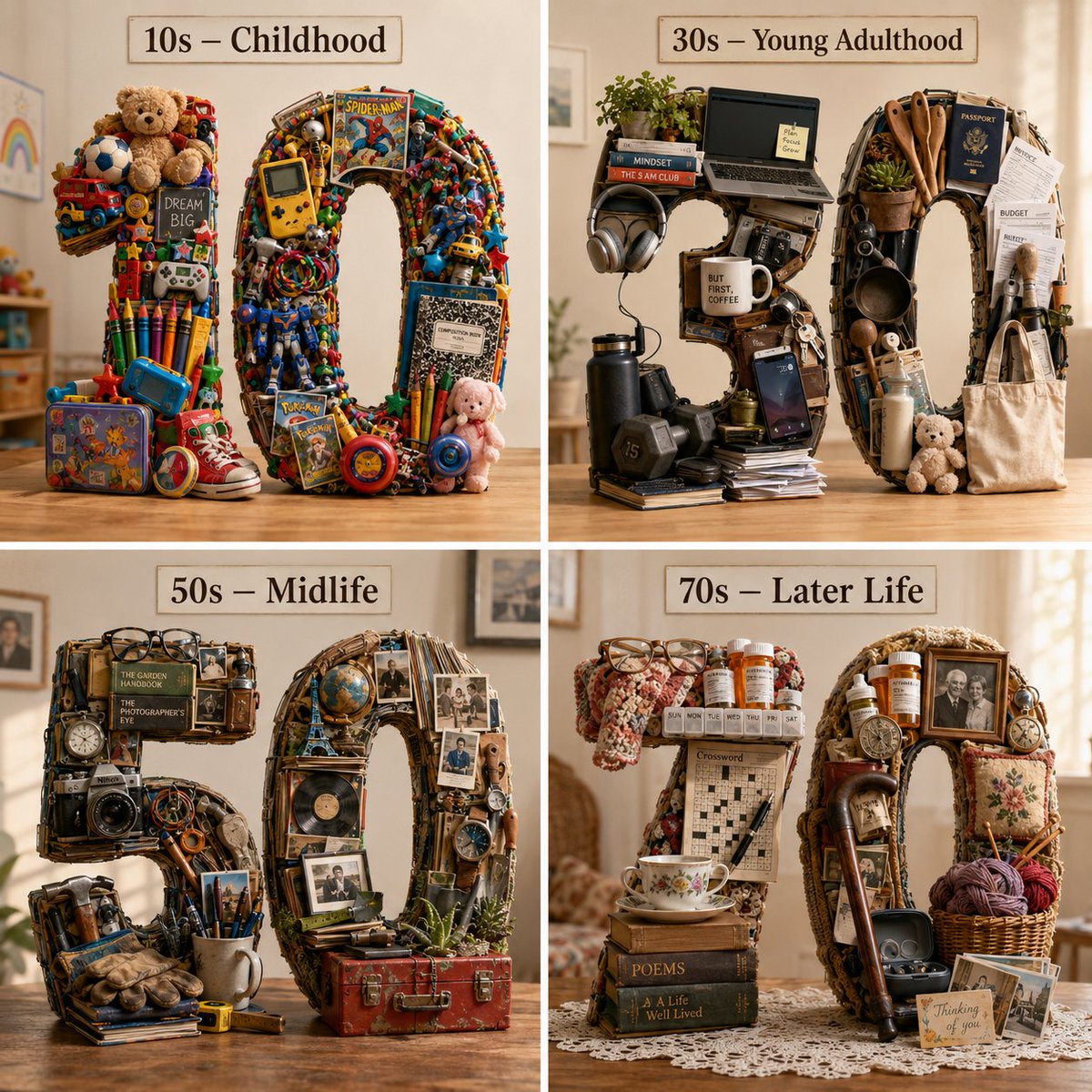
Typographic Human Life Stages Sculpture — AI 画像プロンプト
A complex 3D typographic sculpture prompt visualizing four stages of human life using objects characteristic of each decade. - AIPinMaker
プロンプト
2x2 grid, 4 decades of a human life as typographic decade numerals Anchor: {argument name="life stages" default="[Decade Numeral] :: [Life Stage / Decade (e.g., Childhood 10s / Midlife 40s / Old Age 70s)]"} :: 4 Morphology: 3D typographic sculpture of [Decade Numeral], form assembled from a dense pile of [Life Stage] objects — the physical texture of daily life at that age: toys, tools, documents, comfort objects, medical items, hobby equipment — nostalgic, honest, legible :: 3 Material Physics: Textures faithful to the objects of that life stage: worn plastic, laminated paper, soft cotton, scratched metal, prescription-bottle translucent orange, aged photo print; scale and wear appropriate to how those objects are actually held and used :: 3 Illumination: Warm domestic lighting — like afternoon sun through a home window, soft fill from the opposite side, clean light background :: 2 Render Stack: Cinema 4D render, front-facing, 8k, tactile domestic-material shaders :: 1 Negative: [Illegible, 2D, flat, generic stock-photo aesthetic, floating, clinical or cold lighting, objects not specific to the age] :: -13a:T46参照画像
このAI画像プロンプトテンプレートの使い方
 1
1プロンプトをコピー — テンプレートのプロンプトとネガティブプロンプトを取得。  2
2モデルを選ぶ — 最適な推奨AIモデルを選択。  3
3生成 — ワンクリックでスタジオを開いて作成。
関連テンプレート

Structured Figure/Diorama Generation Prompt for Nano Banana Pro - Nano Banana Pro AI Prompt for Game Asset
■ COMPOSITION_MODE:構図とアングル Faithful Framing:元のイラストのズーム倍率や構図を「そのまま」維持します。 Full-Body:元の絵が上半身だけでも、足元まで補完して「全身フィギュア」として描き出します。 High-Angle View:斜め45度上からの「俯瞰(鳥瞰)視点」へ強制的に切り替えます。 ■ ENVIRONMENT_TYPE:背景の構築 Auto: AIが元画像を分析し、詳細な背景があれば「ジオラマ」を、シンプルなら「スタジオ背景」を自動選択します。 Force Diorama: 元の絵が白バックでも、無理やり精巧なミニチュアセット(街並み、自然、室内など)を構築します。 Force Studio: どんな背景も消し去り、清潔感のある撮影用の背景紙やアクリル板に変更します。 ■ ASPECT_RATIO:画面の比率 Inherit: 元画像と同じ比率。 Square: 1:1。SNS投稿やアイコン風の構図に。 Portrait: 9:16。スマホの壁紙用や、立ち姿のフィギュアをダイナミックに見せる際に。 Landscape: 16:9。横長のジオラマセットを広く見せたい場合に。 ■ DISPLAY_BASE:台座の選択 Simple Round: 透明または不透明な円形のプラスチック台座。最も一般的なフィギュアらしい見た目になります。 Decorative: キャラクターのテーマに合わせた装飾付きの専用台座(瓦礫、魔法陣、豪華な意匠など)。 Diorama Floor: 台座という概念をなくし、フィギュアが直接ジオラマの地面に立っている状態にします。 None: 台座も地面のディテールも排除した、最もシンプルな自立状態。 ■ DENSITY:情報の密度 Standard: すっきりと整理された、カタログ写真のような仕上がり。 High: ジオラマ内に大量の小物(模型用の草、瓦礫、家具のミニチュアなど)を追加し、情報密度を極限まで高めます。 ■ FIGURE_MATERIAL:フィギュアの材質感 Standard PVC: 市販フィギュアの標準的なプラスチック感。光を柔らかく拡散します。 Premium Resin: 緻密な造形と、わずかな透明感を伴う高級な樹脂感。ガレージキットのような質感。 Glossy Plastic: ツヤあり塗装を施したような、強い反射を伴う質感。 ■ LIGHTING_STYLE:ライティング(照明) Natural: 窓際で撮ったような柔らかい自然光。日常的な雰囲気。 Bright Studio: 複数の照明を当てた、影が少なくディテールがはっきり見える広告写真風。 Cinematic: 強いコントラストと陰影で、物語の一場面のような重厚な雰囲気を演出。41:T959,■ COMPOSITION_MODE: Composition and Angle Faithful Framing: Maintains the zoom ratio and composition of the original illustration 'as is'. Full-Body: Even if the original image is only upper body, it completes the feet to render a 'full-body figure'. High-Angle View: Forcibly switches to a 45-degree high-angle 'overhead (bird's-eye) view'. ■ ENVIRONMENT_TYPE: Background Construction Auto: AI analyzes the original image and automatically selects 'Diorama' if there is a detailed background, or 'Studio Background' if it is simple. Force Diorama: Even if the original image has a white background, it forcibly constructs an elaborate miniature set (cityscape, nature, interior, etc.). Force Studio: Eliminates any background and replaces it with a clean photographic backdrop or acrylic sheet. ■ ASPECT_RATIO: Screen Ratio Inherit: Same ratio as the original image. Square: 1:1. For SNS posts or icon-style compositions. Portrait: 9:16. For smartphone wallpapers or dynamically showing standing figures. Landscape: 16:9. For showcasing wide diorama sets. ■ DISPLAY_BASE: Base Selection Simple Round: Transparent or opaque circular plastic base. Results in the most common figure appearance. Decorative: Custom base with decorations matching the character's theme (rubble, magic circles, luxurious designs, etc.). Diorama Floor: Eliminates the concept of a base, placing the figure directly on the diorama ground. None: Excludes both the base and ground details, resulting in the simplest self-standing state. ■ DENSITY: Information Density Standard: A
China Divorce Data 3D Infographic
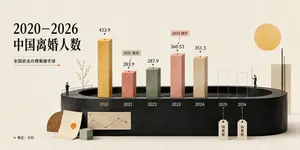
Goal: Create an elegant editorial-style 3D infographic about 2020–2026 China divorce population (headline topic), using Chinese typography and a minimalist museum-display aesthetic. Canvas: Wide horizontal 16:9 composition on warm off-white textured paper, soft studio lighting, subtle shadows, muted cream background. Layout: Place a large black Chinese headline on the upper left reading “2020–2026\n中国离婚人数”. Beneath it, add a smaller subtitle “全国依法办理离婚手续” with a thin horizontal line ending in a small orange dot. The main visual is a dark charcoal oval/cylindrical podium spanning the lower middle, with a recessed oval opening at the top like a stage. Along the podium front, label the years from left to right: 2020, 2021, 2022, 2023, 2024, 2025, 2026. Chart elements: Use exactly 7 vertical year positions. Show 5 solid rectangular 3D bars and 2 dashed-outline placeholder bars. The 5 solid bars are: 2020 tall ochre-gold bar labeled “433.9”; 2021 shorter dusty coral bar labeled “283.9” with a small callout tag “2021 低点”; 2022 muted sage-green bar labeled “287.9”; 2023 taller salmon-pink bar labeled “360.53” with a small callout tag “2023 回升”; 2024 beige stone bar labeled “351.3”. The 2 future placeholders are dashed transparent bars for 2025 and 2026, each with a hanging tag below reading “待更新”. Put small black dots and leader lines above each numeric value. Decorative details: Add two tiny human figures for scale: one standing on the left edge of the podium near a simple railing and sparse delicate branch/tree, another standing on the right side near the future bars. Add a large flat golden sun circle in the upper right. Add a tall cream rectangular slab on the far right behind the podium with a thin black vertical line in front. At the lower left, place a wooden semicircle, a leaning paper sheet with a small orange circle, a small pale green cube, and a miniature beige line-chart card attached to the podium front. Text and legend: In the bottom-left corner add an orange dot followed by “单位:万对”. Keep all visible text in Chinese as specified, with crisp black type and no extra labels. Visual style: Refined data-visualization poster, tactile paper texture, 3D clay/paper-cut look, muted ochre coral sage beige palette, high-end magazine infographic, clean negative space, realistic soft shadows, precise alignment. Constraints: Use exactly the 7 year positions and exactly the 5 solid bars plus 2 dashed future bars described above. Do not add watermarks, logos, extra charts, or additional people.39:Ta6a,Goal: Create an elegant editorial-style 3D infographic about {argument name="headline topic" def

3D Anthropomorphic Snow Leopard Streetwear
Create a creative image of 3d Anthropomorphic Snow Leopard Streetwear. Style: photorealistic. Composition: balanced and well-framed. Lighting: natural with cinematic mood. Category: photography. Reference: 3d-anthropomorphic-snow-leopard-streetwear-10135.
Geometric Mathematician Visualization
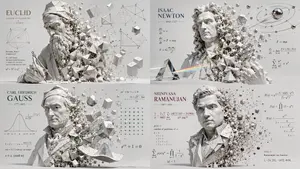
Create a infographic image of Geometric Mathematician Visualization. Style: photorealistic. Composition: balanced and well-framed. Lighting: natural with cinematic mood. Category: illustration. Reference: geometric-mathematician-visualization-24309.

K-Pop Idol 3D Character Sheet
{"type":"3D character design reference sheet","subject":"K-pop stage performer","character":{"name":"{argument name=\"character name\" default=\"Seoyeon\"}","height":"168 cm","age":"17","occupation":"K-Pop Idol","personality":["Bright","Confident","Energetic"],"concept":"K-Pop Stage Performance","style":["Stylish","Sparkling","Youthful"]},"visual_style":{"rendering":"high-detail realistic 3D character model presented like a professional entertainment design board","background":"dark charcoal studio gradient","lighting":"clean studio lighting with soft highlights that emphasize sequins, metallic trim, and hair shine","overall_mood":"polished idol debut concept sheet"},"character_appearance":{"gender_presentation":"teen girl idol performer","build":"slim athletic","hair":{"color":"{argument name=\"hair color\" default=\"dark brown with warm light-brown ombre ends\"}","style":"very long straight hair, center part, smooth and glossy, reaching lower back"},"face":"youthful idol features, neutral attractive beauty styling"},"outfit":{"top":"black sequined cropped performance top with gold trim, asymmetrical styling, one off-shoulder short sleeve and decorative star accents","bottom":"black glitter pleated mini skirt with gold side panels and gold waistband details","arm_details":"matching black-and-gold arm bands and shoulder strap styling","legwear":"white knee-high athletic socks with two dark stripes near the top and small red number 17 with a gold star detail","footwear":"white low-top sneakers with gold accents and ribbon-like gold detailing at the heels","accessories":["gold chain belt details","gold star charms","gold trim edging","small safety-pin style gold hardware"]},"layout":{"canvas":"wide horizontal poster layout","left_panel":{"title_1":"K-POP STAGE PERFORMER","subtitle":"3D CHARACTER DESIGN","info_block_count":7,"info_labels":["Name","Height","Age","Occupation","Personality","Concept","Style"],"info_values":["{argument name=\"character name\" default=\"Seoyeon\"}","168 cm","17","K-Pop Idol","Bright / Confident / Energetic","K-Pop Stage Performance","Stylish / Sparkling / Youthful"],"section_2":{"title":"FACIAL EXPRESSIONS","count":5,"labels":["expression 1","expression 2","expression 3","expression 4","expression 5"],"description":"five small close-up headshots in a single row showing subtle expression variations"},"section_3":{"title":"COSTUME & ACCESSORIES DETAILS","count":8,"labels":["sequin fabric close-up","gold star chain detail","gold trim and sequins close-up","gold safety-pin hardware","chain and ring detail","skirt pleat and gold panel detail","sock embroidery detail","white sneaker with gold stripes"],"description":"eight square and rectangular close-up material and accessory panels"},"section_4":{"title":"COLOR PALETTE","count":6,"labels":["black","gold glitter","silver-black sparkle","deep black sequin","white","skin-tone and warm brown range"]}},"main_views":{"count":4,"labels":["FRONT","SIDE","BACK","3/4 VIEW"],"description":"four full-body poses arranged across the canvas showing the character from front, side, back, and three-quarter view"}},"poses":{"front":"dynamic idol dance pose with one arm bent near the face and the other arm pointing upward, one knee slightly lifted","side":"standing pose with one arm raised upward and body turned to profile","back":"neutral back view with one hand on hip","three_quarter":"lively performance pose similar to front view with playful hand framing near the face"},"composition_notes":"large full-body renders dominate the right two-thirds of the image, left column contains profile text, expression thumbnails, detail callouts, and color palette bars; clean spacing, premium entertainment concept-art presentation","quality":"ultra-detailed, sharp textures, realistic fabric sparkle, physically based rendering, portfolio-ready character turnaround sheet"}
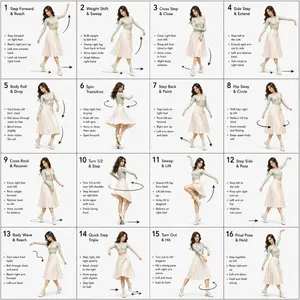
Dance Choreography Instruction Sheet Prompt
Dance Sequence Instruction Sheet [VISUAL STYLE] A composition featuring a highly detailed 3D-rendered female dancer. Designed like a professional choreography guide with a technical, diagram-inspired layout. Clean white background, soft studio lighting, and strong contrast to highlight body movement and posture. [GRID LAYOUT] Structured 4×4 panel grid (16 frames total), evenly spaced with thin black divider lines. Each panel is identical in size and clearly numbered from 1 to 16 to show a continuous dance progression. [CHARACTER] Use image1 as the base character. The same female dancer appears consistently across all panels with accurate likeness and proportions. [WARDROBE] The dancer wears a stylish, performance-ready outfit: a well-fitted top paired with a short, flowy skirt. The look should feel modern and visually appealing while still practical for dance movement. Fabric should subtly respond to motion (slight flow and folds), even in grayscale. [PANEL STRUCTURE – EACH FRAME] Top-left: Step number + short dance move title (e.g., “Step 5 – Spin Transition”) Center: Full-body pose capturing a precise moment in the choreography Bottom-left: 3–4 lines of concise instruction describing the move Overlay: Motion arrows and directional guides illustrating how the dancer transitions [MOTION INDICATORS] Incorporate curved arrows for fluid motion, straight arrows for directional steps, and circular indicators for spins or turns. Emphasize rhythm, weight shifts, and body isolation. [RENDER QUALITY] High-detail sculpted 3D style with smooth grayscale shading, subtle shadows, and clean linework. Maintain a polished, concept-art level finish with clarity in every pose. [RESTRICTIONS] No color, no background scenery, no extra characters, no visual clutter, only the dancer and instructional elements.38:T726,Dan
他のプロンプトを探す
カテゴリ別にAI画像・動画プロンプトをもっと見る。