
テキストから画像
Office Signage Dimension Mockup — AI 画像プロンプト
A photorealistic office entrance signage specification mockup with dimension guides and recommended sizing notes for client approval. - AIPinMaker
プロンプト
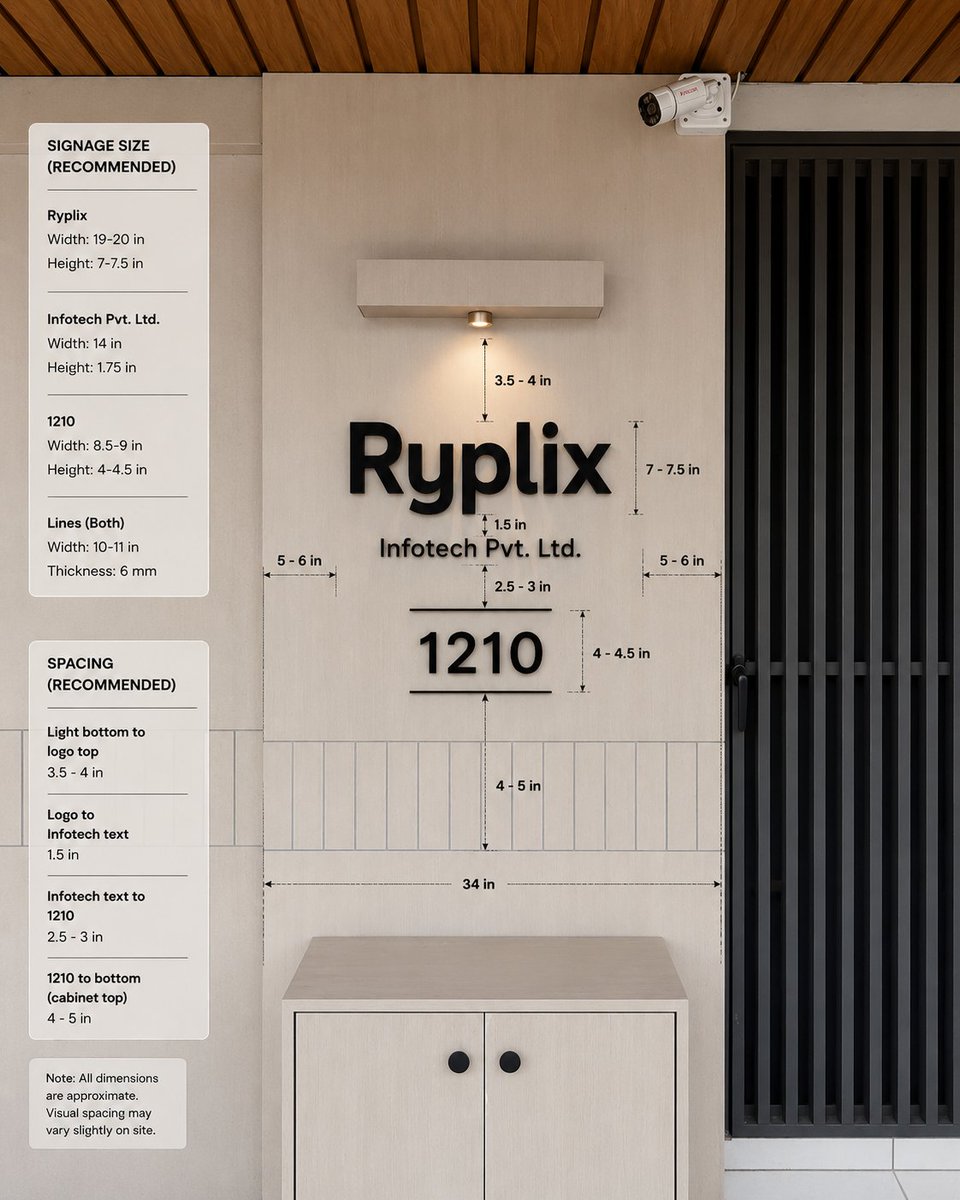
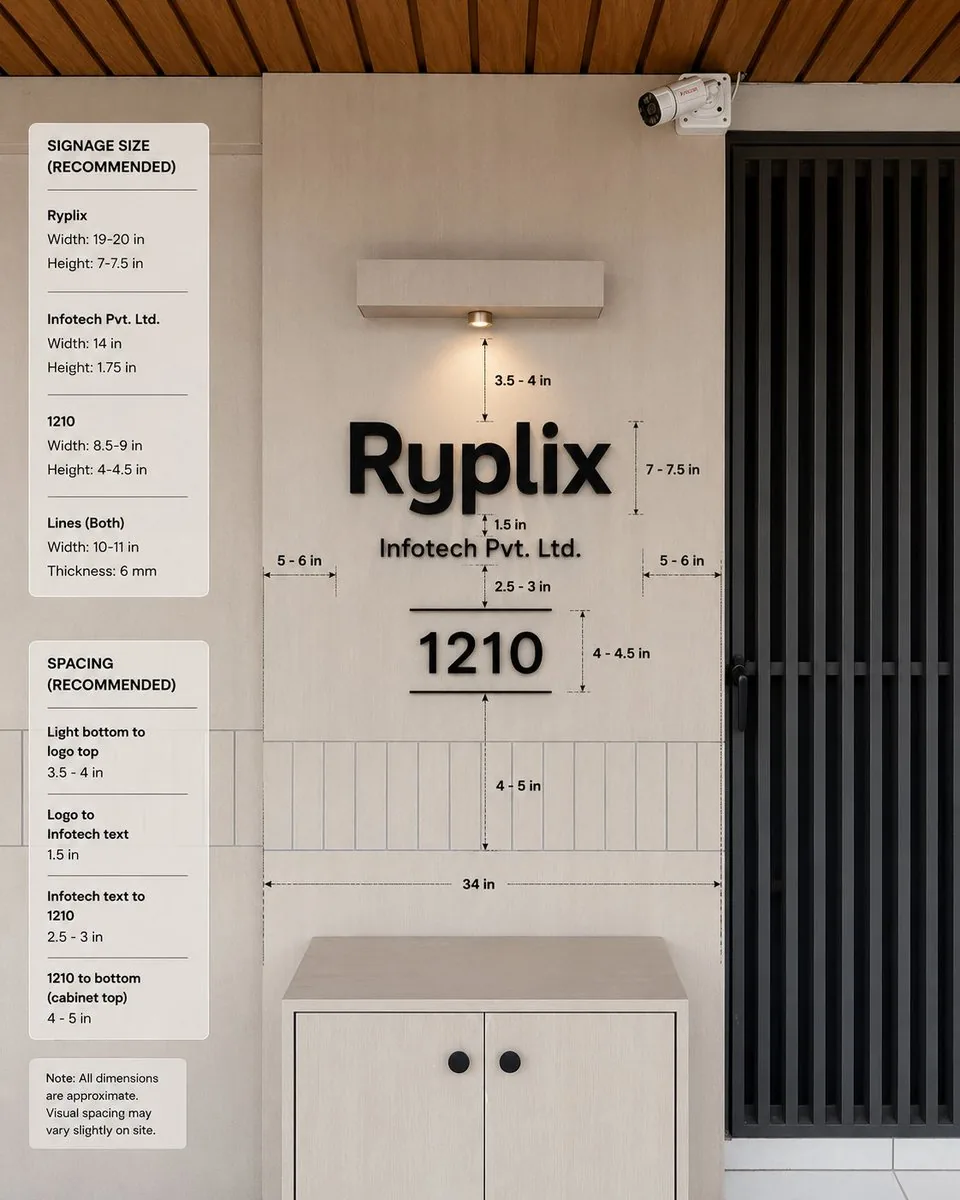
Goal: Create a realistic interior wall signage mockup with measurement annotations for a reception/office entrance, showing recommended dimensions and spacing for a company sign.

Canvas: Square 1:1 image, photorealistic architectural visualization, front-facing view with slight natural perspective. Use a warm modern palette: light beige wall panels, pale wood cabinet, black signage, black metal door grille, and wood slat ceiling.

Scene layout: Center the composition on a beige feature wall with a mounted sign. On the right, include a tall black vertical-slat door or gate occupying about one quarter of the image width. At the top right of the wall, add one small white CCTV security camera angled downward. At the top center, add one rectangular wall-mounted light fixture with a single warm downlight. At the bottom center, place one light-wood cabinet with two doors and exactly two round black knobs. Across the lower wall behind the sign, include a horizontal band of narrow vertical rectangular tiles. The ceiling at the very top should show warm brown wooden slats running diagonally.

Main sign content: Use raised matte-black 3D letters on the wall. The largest line reads {argument name="company logo text" default="Ryplix"}. Directly underneath, centered smaller text reads {argument name="company legal text" default="Infotech Pvt. Ltd."}. Below that, centered, display a large number {argument name="unit number" default="1210"}, with one thin horizontal line above it and one thin horizontal line below it. Keep all sign elements black with soft realistic shadows.

Measurement annotations: Add fine black dimension arrows, dashed guide lines, and small technical labels around the sign. Include exactly 10 visible measurement labels in the main wall area: “3.5 - 4 in” from the bottom of the light to the logo, “7 - 7.5 in” beside the logo height, “1.5 in” between the logo and legal text, “2.5 - 3 in” between legal text and the number, “4 - 4.5 in” beside the number height, “4 - 5 in” from the number to the cabinet-top tile area, “34 in” as a long horizontal width guide above the cabinet, plus two side gap labels “5 - 6 in” on the left and “5 - 6 in” on the right.

Left information panels: Add exactly three rounded white cards stacked vertically along the left side of the image. Card 1 title: “SIGNAGE SIZE (RECOMMENDED)”. It contains exactly three item groups separated by thin horizontal rules: “Ryplix” with “Width: 19-20 in” and “Height: 7-7.5 in”; “Infotech Pvt. Ltd.” with “Width: 14 in” and “Height: 1.75 in”; “1210” with “Width: 8.5-9 in” and “Height: 4-4.5 in”; then “Lines (Both)” with “Width: 10-11 in” and “Thickness: 6 mm”. Card 2 title: “SPACING (RECOMMENDED)”. It contains exactly four item groups separated by thin rules: “Light bottom to logo top” with “3.5 - 4 in”; “Logo to Infotech text” with “1.5 in”; “Infotech text to 1210” with “2.5 - 3 in”; “1210 to bottom (cabinet top)” with “4 - 5 in”. Card 3 is a small note card reading: “Note: All dimensions are approximate. Visual spacing may vary slightly on site.”

Visual style: Clean modern office design, natural lighting, realistic materials, subtle shadows, crisp legible typography, professional signage installation guide aesthetic. Use black sans-serif text for all labels and cards. The measurement lines should look like a design-spec overlay, not handwritten.

Constraints: Keep the image free of people and clutter. Do not add extra logos, extra cards, extra measurement labels, or additional decorative objects. Maintain accurate alignment: logo, legal text, unit number, light, and cabinet should all be centered on the same vertical axis.38:Tec5,Goal: Create a realistic interior wall signage mockup with measurement annotations for a reception/office entrance, show参照画像
このAI画像プロンプトテンプレートの使い方
 1
1プロンプトをコピー — テンプレートのプロンプトとネガティブプロンプトを取得。  2
2モデルを選ぶ — 最適な推奨AIモデルを選択。  3
3生成 — ワンクリックでスタジオを開いて作成。
関連テンプレート

Origami Living Room Architecture Concept
A large-scale origami-style living room cutaway in color, filling most of the frame. The entire space is constructed from folded paper planes: sofa, coffee table, floor, walls, window, shelving, and decor, all formed with crisp, architectural folds. Soft pastel palette (warm beige walls, muted gray sofa, soft terracotta accents, light wood tones (color palette)). Visible paper texture throughout. Natural daylight, gentle shadows between folds, clean geometry, premium modern interior feel.

Luxury High-Rise at Hazy Sunrise
A cinematic architectural cityscape at sunrise, viewed from a high vantage point over a dense modern downtown skyline softened by pale haze. Warm peach, blush, and dusty gold morning light fills the scene, with the sun low behind the buildings and subtle reflections glowing on glass facades. The composition is asymmetrical: the right third of the image is dominated by the close exterior corner of a luxury high-rise residential tower with curved glass windows, muted rose-beige concrete bands, and 3 visible balcony levels. Each balcony has transparent glass railings and a few small potted plants trailing over the edge. Through the large windows, faint interior details are visible, including contemporary furniture and a distinctive red chair in one room. The left and center background show a layered urban skyline with exactly 8 clearly distinguishable high-rise buildings of varying heights and shapes, including a tall rectangular tower with a gridded facade and crown-like top, a dark rounded cylindrical tower near center, and several boxy residential and office buildings fading into atmospheric perspective. The mood is quiet, elegant, and slightly dreamy, like a luxury real-estate editorial photograph. Ultra-realistic, soft contrast, telephoto compression, fine architectural detail, subtle window reflections, no people, no text.

Waterfront Museum Architecture Board
Goal: Create a tall architectural presentation board for a waterfront museum concept titled Shaped by the Water's Light (project title), showing how reflected daylight from a river shapes the building form, galleries, and landscape. Canvas: Vertical 2:3 architectural competition board, muted warm-gray and blue palette, photorealistic renderings mixed with technical diagrams, thin serif typography, calm museum atmosphere at golden hour. Main hero rendering: At the top, show a long low riverside museum stretching horizontally along the water. The building has a gently undulating green roof with curved skylight openings and warm glowing glass gallery walls below. The river occupies the foreground with mirrorlike reflections; a city skyline rises in the hazy distance, trees line the promenade, and a bridge appears far right. Add small human figures walking along the quay and entering the museum. Include subtle white diagram lines arcing from a glowing sun point to the roof, water, and reflected light patterns on the river. Top-right text block: Set a small title reading "Shaped by the Water's Light" with a short poetic paragraph explaining that the museum's form emerges from reflected light across the water, curved roofs catch the light, and galleries are oriented to a dialogue between water, reflection, view, and quiet light. Middle sectional perspective: Below the hero image, include one long horizontal cutaway section through the museum, revealing exactly 8 labeled spaces from left to right: 1) Entrance Plaza, 2) Water Court, 3) Gallery with Top Light, 4) Long Gallery, 5) Intimate Gallery, 6) Media Chamber, 7) Viewing Lounge, 8) Sculpture Garden. Each label should have a short descriptive caption underneath and a small circular thumbnail image below it. Show warm interior galleries, visitors, display walls, tree courts, water channels, structural columns, curved roof layers, skylights, and reflected light bouncing from the water into the interiors. Technical diagram band: Under the section, include exactly 3 technical diagrams: a "Reflected Light Diagram" showing sun, water surface, dashed reflection rays, direct sunlight, reflected light, and daylight distribution; a "Roof Construction" detail showing a layered curved roof assembly with numbered callouts including green roof planting, growing medium, protection layer, waterproof membrane, insulation, curved CLT deck, laminated timber rib, skylight frame, and concealed gutter; and a "Water Management" detail showing rainwater flow, collection channel, filtration planter, storage cistern, and overflow to basin with blue arrows. Plan drawing: Add a wide site plan beneath the diagrams, viewed from above, showing the long museum footprint following the river edge. Include exactly 8 numbered program markers matching the section labels, a public path, water edge, section cut line, contour-like river lines, trees, roads, terraces, small boats, and a scale bar. Use pale beige drawing paper tones with blue-gray water and fine black architectural linework. Bottom renderings: Along the bottom edge, place exactly 2 large interior perspective renderings side by side. Left: a reflective gallery hall with rippled light patterns on the floor and ceiling, visitors, artworks, and a water court with a tree. Right: a warm wood-ceiling viewing lounge or café with people seated at tables beside full-height glass overlooking the river. Visual style: Contemporary architectural visualization by a competition architecture studio (design studio), elegant and slightly traditional, warm timber interiors, stone terraces, glass walls, soft daylight, detailed entourage, realistic reflections, atmospheric haze, precise diagram overlays, museum-board layout. Constraints: Keep the board information-dense but readable; use the exact counts specified: 8 labeled spaces, 8 circular thumbnails, 3 technical diagrams, 8 plan markers, and 2 bottom renderings. Use English text only, thin professional typography, no watermark, no logos, no extra panels.3
Side-by-Side Architectural Comparison of Hagia Sophia - Nano Banana Pro AI Prompt for Infographic / Edu Visual
{ "objective": "Create a side-by-side visual comparison ofHagia Sophia, featuring a technical architectural sketch and a real-life photograph", "image_specifications": { "style": "Mixed media (Architectural drawing + Real photography)", "layout": "2-part horizontal split", "aspect_ratio": "3:2" }, "left_side": { "content_type": "Technical sketch or blueprint of the selected World Wonder", "features": [ "Accurate structural proportions", "Labeled dimensions depth", "Architectural elevation views or cutaways", "Text annotations in native or English language" ], "text_annotations": { "units": "Metric or imperial, based on region", "details": [ "Construction phases", "Material notes", "Architectural labels" ], "font_style": "Engineering or blueprint-styled text" }, "visual_style": "Monochrome, line art, or sepia blueprint", "positioning": "Left half of the image" }, "right_side": { "content_type": "High-resolution real-world image of the selected World Wonder", "features": [ "Wide-angle view or frontal perspective", "Natural or ambient lighting", "Color photo with environment context surroundings" ], "positioning": "Right half of the image" }, "visual_elements": { "border_division": "Clean vertical split or blended transition", "comparison_focus": "Contrast between design concept and real-world result" }, "output_format": { "type": "Image", "high_resolution": true, "use_case": [ "Educational poster", "Architectural showcase", "Tourist guide", "Infographic series" ] }, ]
JSON prompt for construction site AR blueprint overlay - Nano Banana Pro AI Prompt for Product Marketing
{ "promptDetails": { "description": "A construction site scene with the uploaded subject holding up an AR projection of a blueprint over the unfinished structure.", "styleTags": [ "Industrial", "Modern Architecture", "Midday Light", "Technical Schematics" ] }, "scene": { "background": { "setting": "The top floor of a new skyscraper under construction (exposed concrete and rebar)", "details": "Distant city skyline visible through open walls, safety netting, hard hats, dust motes in the air, strong texture of raw concrete floor." }, "subject": { "description": "The person defined by `[UPLOADED IMAGE]`, wearing a safety vest and hard hat, looking professional.", "pose": "Standing near the edge, holding an invisible tablet (or hand outstretched) projecting the overlay, looking critically at the structure.", "focus": "Subject and the projected blueprint are sharp; the background city is slightly softened." } }, "overlayObject": { "type": "Holographic Architectural Blueprint", "relationshipToEnvironment": "The overlay appears as a complex, translucent blue-line schematic *over* a section of the exposed rebar/wall.", "transform": "Slightly angled in 3D perspective to match the construction site's structure.", "surfaceInteraction": "Vibrant, electric blue lines with sharp white measurements, casting a subtle blue light onto the subject's vest and concrete floor.", "components": { "section": "Load-Bearing Wall A-4", "measurement": "Height: 4.2m +/- 0.01m", "position": "Projected mid-frame, aligned with the structure." } }, "technicalStyle": { "aspectRatio": "16:9", "photographyStyle": "Editorial, High Detail, Commercial", "camera": { "shotType": "Medium Shot", "angle": "Eye-level, dynamic composition emphasizing vertical lines.", "depthOfField": "Moderate, ensuring the raw background textures are visible but not distracting." }, "lighting": { "type": "Harsh, Clear Midday Sun", "description": "Strong, directional sunlight creating sharp shadows and bright highlights on metal and concrete." }, "color": { "palette": "Concrete grays, safety vest orange/yellow, and electric blue." } } }
Night view of skyscraper via coordinates
Create a creative image of Night View Of Skyscraper Via Coordinates. Style: photorealistic. Composition: balanced and well-framed. Lighting: natural with cinematic mood. Category: photography. Reference: night-view-of-skyscraper-via-coordinates-425.
他のプロンプトを探す
カテゴリ別にAI画像・動画プロンプトをもっと見る。