
テキストから画像
London Nocturnal Urban Archive Diorama — AI 画像プロンプト
A detailed prompt for generating a museum-style nocturnal 3D cartographic diorama of London with landmarks, annotations, legend panels, and archival map styling. - AIPinMaker
プロンプト
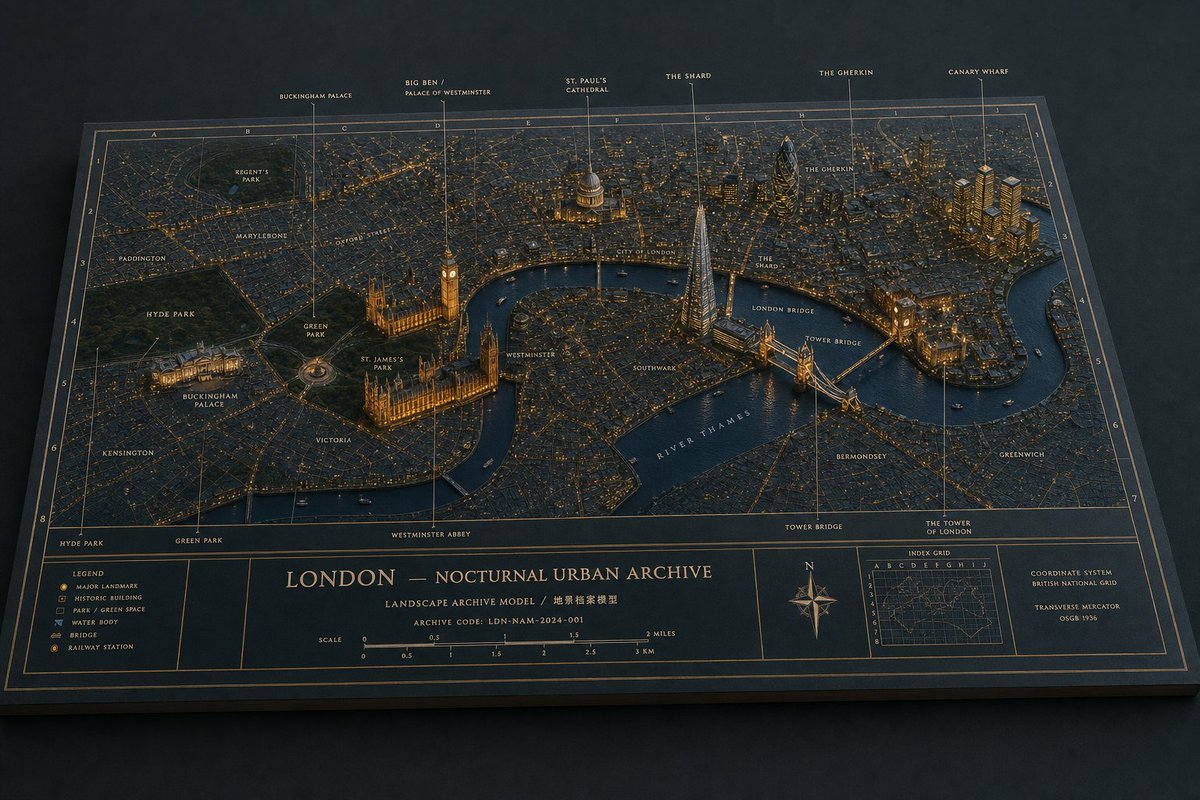
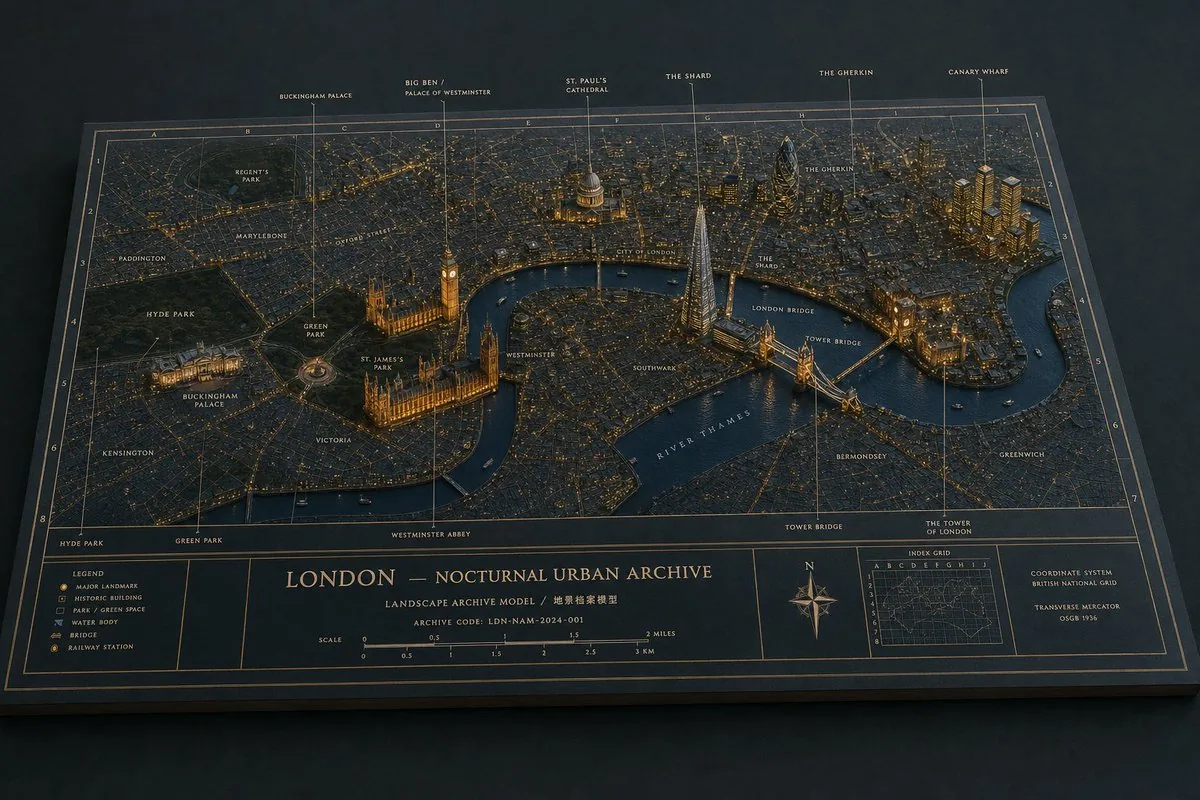
Goal: Create a cinematic physical museum-diorama map titled {argument name="city archive title" default="LONDON — NOCTURNAL URBAN ARCHIVE"}, showing {argument name="city" default="London"} at night as a raised 3D architectural archive model on a flat printed cartographic board.

Canvas: Wide horizontal 16:9 image, three-quarter overhead view, dark studio background, the board seen in perspective like a premium museum exhibit or archival planning model. Use a restrained nocturnal palette: deep blue-black paper, navy water, charcoal city blocks, warm amber streetlights, muted gold linework, and subtle cool highlights.

Main diorama: A detailed miniature city map with raised matte buildings, parks, bridges, and river geometry. The River Thames snakes across the center in dark blue, labeled “RIVER THAMES.” Dense street grids glow with tiny amber lights. Major landmarks are slightly taller, more sculptural, and individually illuminated, with thin vertical annotation leader lines rising to labels.

Visible landmark annotations: Include exactly 6 large top-edge labels with leader lines: “BUCKINGHAM PALACE,” “BIG BEN / PALACE OF WESTMINSTER,” “ST. PAUL’S CATHEDRAL,” “THE SHARD,” “THE GHERKIN,” and “CANARY WHARF.” Also include smaller map labels for these 14 places: Regent’s Park, Paddington, Marylebone, Oxford Street, Hyde Park, Green Park, St. James’s Park, Buckingham Palace, Victoria, Westminster, City of London, Southwark, Bermondsey, and Greenwich.

Key raised structures: Emphasize exactly 7 landmark model groups: Buckingham Palace at lower left with glowing frontage, Palace of Westminster and Big Ben beside the river, St. Paul’s Cathedral with a domed roof, The Shard as a bright triangular glass tower, The Gherkin as a dark bullet-shaped tower, Tower Bridge crossing the river in warm light, and Canary Wharf as a cluster of tall golden-lit towers at upper right.

Map and border system: Add a precise archival grid overlay with letters along the top edge and numbers along the side edges, fine gold coordinate lines, double-line border, and thin annotation ticks. Keep the paper surface tactile with visible grain, slight bevel thickness, and realistic cast shadows from raised buildings and label lines.

Bottom information band: Create exactly 5 boxed panels along the bottom. Panel 1 is a legend with exactly 6 icon rows: Major Landmark, Historic Building, Park / Green Space, Water Body, Bridge, Railway Station. Panel 2 is a narrow empty divider/label strip. Panel 3 is the central title block with the title, a subtitle reading “LANDSCAPE ARCHIVE MODEL / 地景檔案模型,” an archive code reading {argument name="archive code" default="LDN-NAM-2024-001"}, and a dual scale bar in miles and kilometers. Panel 4 contains a decorative compass rose with N/E/S/W markings. Panel 5 contains an “INDEX GRID” mini-map and a small coordinate-system note reading “COORDINATE SYSTEM / BRITISH NATIONAL GRID / TRANSVERSE MERCATOR / OSGB 1936.”

Lighting and material style: Photorealistic editorial render, macro miniature depth, museum-grade craftsmanship, warm amber city illumination against cool blue shadows, matte paper and painted resin buildings, crisp gold typography, shallow atmospheric vignette, no people, no vehicles except tiny indistinct boats on the river, no watermark.

Constraints: Keep the composition consistent and legible as a single physical archive board. Use exact counts for the 6 large top labels, 14 smaller place labels, 7 raised landmark groups, 5 bottom panels, and 6 legend rows. Preserve the archival cartographic aesthetic rather than a modern digital UI.39:Te52,Goal: Create a cinematic physical museum-diorama map t参照画像
このAI画像プロンプトテンプレートの使い方
 1
1プロンプトをコピー — テンプレートのプロンプトとネガティブプロンプトを取得。  2
2モデルを選ぶ — 最適な推奨AIモデルを選択。  3
3生成 — ワンクリックでスタジオを開いて作成。
関連テンプレート
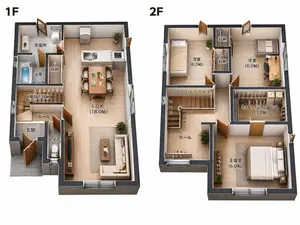
Two-Story Japanese House Floor Plan
{"type":"clean 3D isometric residential floor plan rendering","scene":"two separate cutaway floor plans of a compact two-story Japanese house on a plain white background, presented side by side like a real-estate layout diagram","style":"high-resolution architectural visualization, realistic miniature model, orthographic/isometric top-down view, cutaway exterior walls with dark charcoal thickness, light wood flooring, warm natural lighting, crisp shadows, furniture and fixtures included, readable Japanese room labels in black","layout":{"section_count":2,"sections":[{"title":"1F","position":"left","description":"first-floor plan with entrance, bathroom area, storage, stair hall, toilet, and open living dining kitchen","visible_labels_count":7,"visible_labels":["洗面所","浴室","収納","階段下収納","ホール","玄関","トイレ","L.D.K (18.0帖)"],"rooms_and_features":"gray tiled genkan entrance at lower left, small toilet room beside entrance, hall and stairs with numbered stair markings, bath with blue water tub, washroom with sink and laundry machine, narrow storage closet, large open LDK occupying the right side with white kitchen island/counter, dining table for four, sofa, coffee table, TV console, plants, sliding glass openings"},{"title":"2F","position":"right","description":"second-floor plan with three bedrooms, two storage closets, walk-in closet, hall, and stairs","visible_labels_count":7,"visible_labels":["洋室 (6.0帖)","収納","収納","洋室 (6.0帖)","ウォークインクローゼット (3.0帖)","ホール","主寝室 (6.0帖)"],"rooms_and_features":"upper left bedroom with single bed, upper middle two vertical storage closets, upper right bedroom with desk and chair, central stair void with numbered steps and arrow, hall at lower left with plant and railing, large walk-in closet at mid-right with hanging clothes and shelves, lower right master bedroom with double bed, nightstands, plants, and wide window"}]},"text_requirements":"Use exact Japanese labels as shown, with bold large floor labels 1F and 2F above each plan. Keep all labels legible and placed inside their corresponding rooms.","customization":{"house type":"{argument name=\"house type\" default=\"compact two-story Japanese house\"}","floor label style":"{argument name=\"floor label style\" default=\"large bold black 1F and 2F labels\"}","flooring material":"{argument name=\"flooring material\" default=\"light natural wood flooring\"}","wall color":"{argument name=\"wall color\" default=\"white interior walls with dark charcoal exterior wall edges\"}","background":"{argument name=\"background\" default=\"plain white background\"}"},"camera":"top-down isometric orthographic architectural view, both floors fully visible with no perspective distortion","quality":"sharp, professional real-estate brochure quality, realistic scale, neat composition, no people, no watermark"}

Kaohsiung Spherical Paper City Diorama
Create a highly detailed spherical paper-sculpture cityscape diorama for Kaohsiung (city name), shown as a floating circular island split into an upper hemisphere and an inverted mirrored lower hemisphere, on a deep black studio background with soft dramatic lighting. The model should look like layered cut paper, cardboard, miniature architectural maquette, and laser-cut craft pieces, with crisp edges, tactile paper texture, and realistic shadows. Between the two hemispheres, place one subtle but clearly readable city nameplate on the front rim, with the text 高雄 / Kaohsiung (nameplate text) in dark lettering on a beige plaque. Canvas and camera: square 1:1 composition, centered object, three-quarter frontal view, slightly elevated camera angle looking down at the upper city, with the inverted underside visible below like a reflection. Use shallow studio depth, high detail, no people as the main subject. Upper hemisphere details: a circular blue waterfront base made from many layered paper wave pieces around the edge. Build a compact Kaohsiung-inspired skyline with exactly 1 very tall teal skyscraper in the center back resembling 85 Sky Tower, marked with a small “85” near the top. Add exactly 2 ornate temple pagodas in the left-middle foreground, each with stacked golden-orange roofs and red accents. Add exactly 2 festival creatures in front of the pagodas: 1 green dragon head/body and 1 orange tiger head/body. Add exactly 1 large modern stadium or cultural center on the right-middle foreground, with a white angular roof and a geometric dome made of triangular lattice panels. Add many small rectangular paper skyscrapers behind and around these landmarks, in muted beige, gray, teal, blue, and cream. Transportation and waterfront objects: include exactly 2 light-rail trains, one crossing the front-left curved track and one on the right elevated curved track. Include exactly 1 cargo ship at the left front waterfront with containers and cranes nearby. Include exactly 1 white passenger ferry at the front center. Include exactly 1 small white car on the front road. Include exactly 2 scooters on the front road, colored red and teal/blue. Include exactly 1 small sailboat on the right water and exactly 1 white lighthouse with red top on a tiny island at the far right. Background scenery: behind the skyline, add layered green paper hills, exactly 2 simple white paper clouds, and exactly 3 white flying bird silhouettes. Add palm trees and small street trees throughout the roads and waterfront. Lower hemisphere: create an inverted underside directly beneath the circular island, mirroring the upper city elements downward like a hanging paper city reflection, including upside-down building facades, pagodas, train segments, cranes, and the tall teal tower. The underside should be darker and slightly shadowed but still detailed. Visual style: premium GPT-image photorealistic paper craft, intricate miniature city model, crisp laser-cut layers, realistic paper grain, warm highlights, teal-blue water, muted urban palette, black background, soft vignette, museum-display quality. Avoid extra labels, avoid watermarks, avoid blurry text, and keep the city nameplate unobtrusive but legible.39:Tcdb,

Modern Home Interior Architectural Blueprint Prompt
Create a creative image of Modern Home Interior Architectural Blueprint Prompt. Style: photorealistic. Composition: balanced and well-framed. Lighting: natural with cinematic mood. Category: photography. Reference: modern-home-interior-architectural-blueprint-prompt-12025.

Hyper-Realistic 3D Architectural Exhibition Booth Visualization - Nano Banana Pro AI Prompt for Product Marketing
Hyper-realistic 3D architectural visualization of a [STYLE: e.g., minimalist/futuristic] two-story exhibition booth for Tesla (brand), set against a solid dark grey studio background. The structure features [FORM: e.g., sweeping angular geometry with clean lines] design constructed from [MATERIAL: e.g., matte anodized aluminum and tempered glass] with [COLOR: e.g., Tesla signature red (#E82127) accents and charcoal black]. The ground floor centers around [GROUND-FEATURE: e.g., an interactive EV display platform with integrated LED floor lighting], reflecting Tesla’s focus on innovation and sustainability. A [STAIRS-TYPE: e.g., cantilevered floating staircase with glass balustrades] leads to the upper mezzanine level, designed as [UPPER-FEATURE: e.g., a collaborative lounge and consultation area with panoramic brand graphics and natural light simulation]. The lighting is [LIGHTING: e.g., soft natural daylight balanced with focused architectural accent lights], creating high-quality shadows and depth. The perspective is a wide-angle elevated view, capturing a [VIBE: e.g., cutting-edge tech minimalism with energetic brand presence] aesthetic, rendered with photorealistic textures.41

Minimal 3D Isometric Urban Retail Kiosk Diorama
A clean, minimal 3D isometric diorama of a [URBAN RETAIL TYPE (urban retail type)], featuring a [MAIN COUNTER / DISPLAY OBJECT (main counter object)] placed on a [GROUND / PLATFORM TYPE (ground platform type)], simple [CANOPY / ROOF STRUCTURE], subtle [SIGNAGE TYPE], smooth [SURFACE MATERIAL], soft studio lighting, realistic materials, rounded edges, miniature architectural model style, high detail, neutral background.

Four-Panel Eyewear Store Model Comparison
Create a creative image of Four Panel Eyewear Store Model Comparison. Style: photorealistic. Composition: balanced and well-framed. Lighting: natural with cinematic mood. Category: photography. Reference: four-panel-eyewear-store-model-comparison-20599.
他のプロンプトを探す
カテゴリ別にAI画像・動画プロンプトをもっと見る。