
テキストから画像
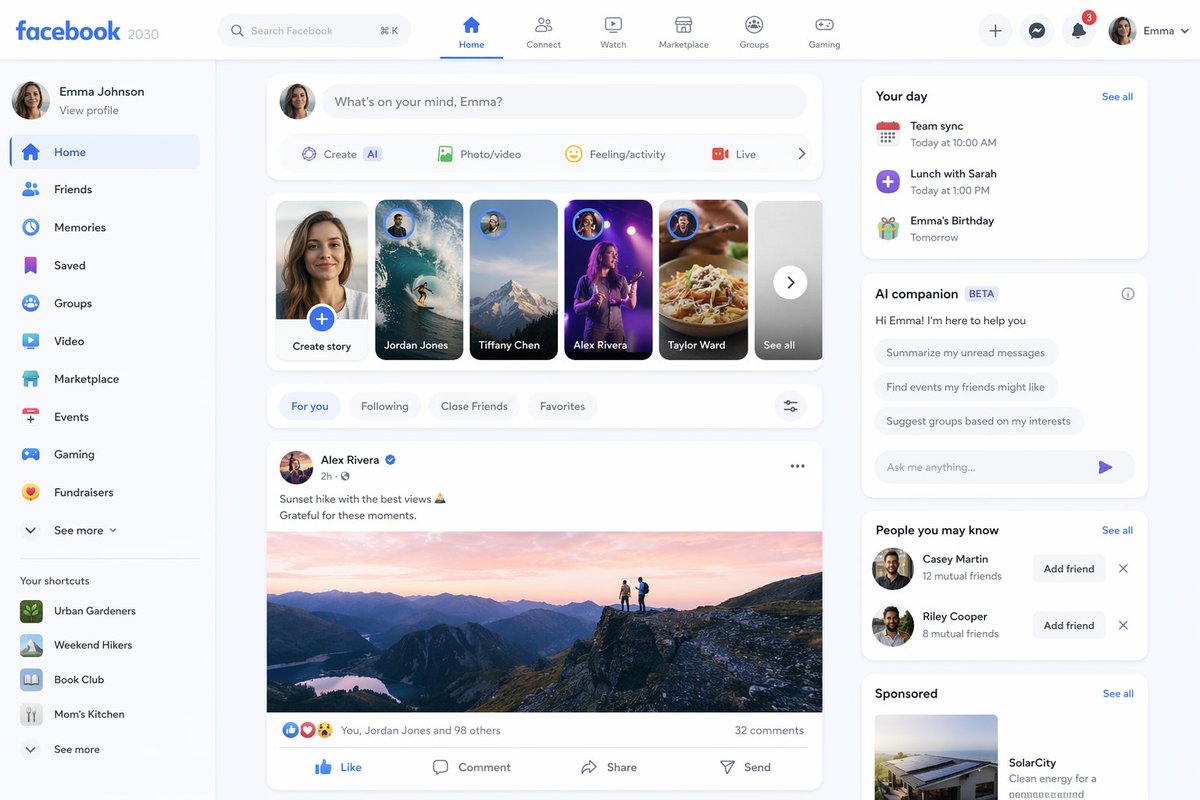
Facebook 2030 Prediction — AI 画像プロンプト
Generates a mockup of the Facebook platform as it might appear in 2030.
プロンプト
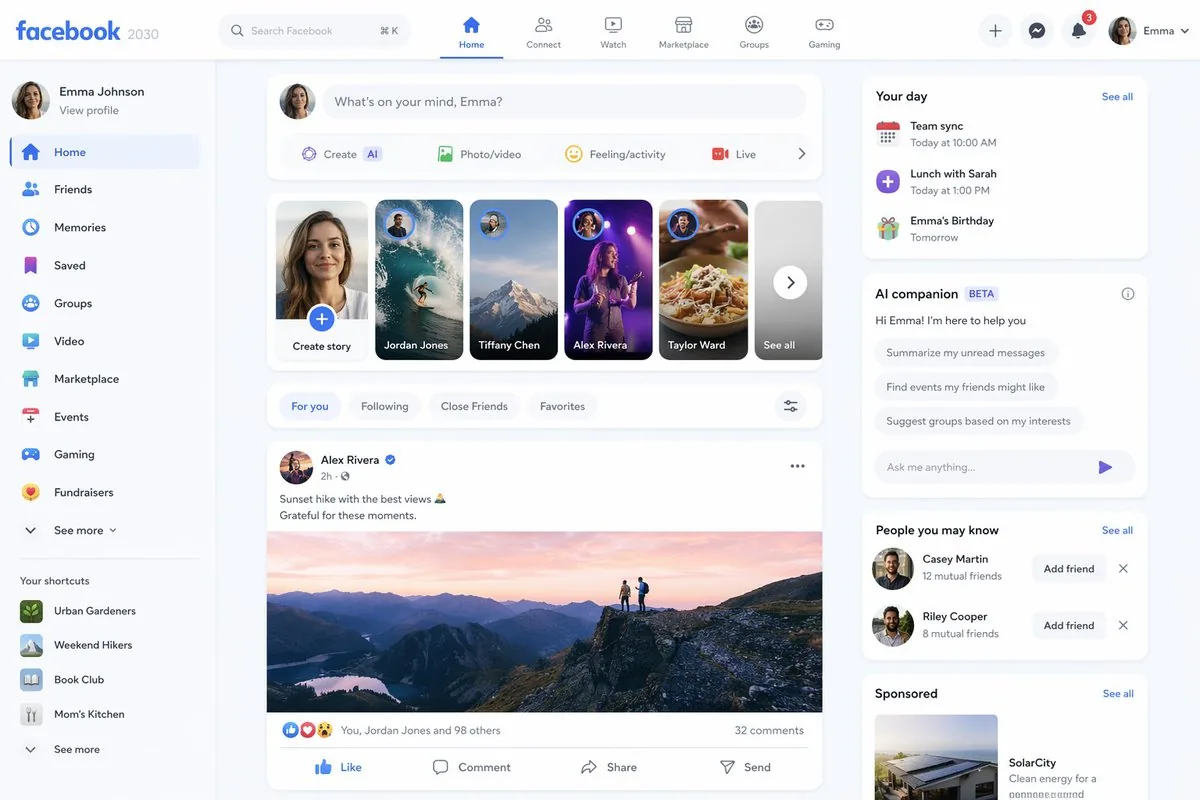
Create a creative image of Facebook 2030 Prediction. Style: photorealistic. Composition: balanced and well-framed. Lighting: natural with cinematic mood. Category: photography. Reference: facebook-2030-prediction-13714.
参照画像
このAI画像プロンプトテンプレートの使い方
 1
1プロンプトをコピー — テンプレートのプロンプトとネガティブプロンプトを取得。  2
2モデルを選ぶ — 最適な推奨AIモデルを選択。  3
3生成 — ワンクリックでスタジオを開いて作成。
関連テンプレート

Mintpage AI Landing Page Hero
Goal: Create a polished square hero image for a SaaS landing page concept advertising MINTPAGE (product name), an AI landing page studio. Canvas: 1:1 square composition, soft daylight office setting, pastel mint and pale blue color palette, clean premium tech aesthetic, realistic 3D product mockup mixed with refined editorial typography. Layout: Center the scene around a large desktop monitor on a glossy glass desk. At the top, place a small brand row with a circular mint leaf-like logo, the word MINTPAGE (product name), a thin divider line, and the subtitle AI LANDING PAGE STUDIO (brand subtitle). Below it, use a very large elegant serif headline in dark blue: WHY DO MOST AI PAGES LOOK GENERIC? (headline text). Under the headline, place exactly 4 small feature badges in one row with delicate mint icons and labels: 1) AI-Powered, 2) React + Tailwind, 3) Production Ready, 4) Built to Convert. Main subject: The monitor displays a clean web-app builder interface for creating landing pages. The interface should have a top navigation bar and a split workspace. On the left, show a vertical setup flow with exactly 4 numbered steps: 1) Context — Define your idea, 2) Style — Visual direction, 3) Design — AI generates layout, 4) Code — Export production ready code. In the center panel, show the headline “From Idea to Code. Instantly.” with “Code. Instantly.” in mint italic styling, followed by form fields such as Business Name, Target Audience, and Core Mission. On the right panel, show a code editor titled “Live Environment” with readable but small React/Tailwind-style code and a short rendered text snippet saying “Landing pages that look iconic. Built to convert.” Foreground objects: On the left side of the desk, place a translucent acrylic desk plaque with the circular logo and the text “MINTPAGE” and “AI LANDING PAGE STUDIO.” Beneath or beside it, stack exactly 3 slim books with visible spine labels: 1) BUILT FOR CONVERSION, 2) REACT + TAILWIND + AI, 3) DESIGN SYSTEMS THAT SCALE. In front of the monitor, place a slim white keyboard. On the right side, place a small translucent floating status card titled “PROJECT STATUS” listing exactly 5 checked items: 1) Live Environment, 2) Context Defined, 3) Style Generated, 4) Design Created, 5) Code Exported. Also include a pale blue ribbed pen cup with exactly 4 writing tools and a white mouse. Environment: Minimal modern office with soft-focus shelves and plants in the background, large window lighting from the right, subtle reflections on the glass desktop, gentle depth of field, no people. Visual style: Premium startup launch graphic, soft volumetric lighting, realistic product photography, glassmorphism overlays, mint-green accents, dark blue serif typography, crisp UI details, calm high-end studio atmosphere. Constraints: Use exactly the counted elements listed above, keep the image uncluttered, make the headline the most prominent text, avoid extra logos, watermarks, or unrelated text.36:Tc37,Goal: Create a polished squa

Premium Graphic Design Portfolio Mockup
Create a premium graphic design portfolio mockup in a professional creative studio style. Show a clean, elegant workspace presentation featuring multiple graphic design project cards arranged in a refined grid layout, a modern laptop screen displaying a portfolio homepage, and several printed posters laid out neatly on the desk and mounted on the wall. Use a polished creative-director aesthetic with soft shadows, subtle depth, realistic materials, and a high-end studio atmosphere. Include sleek typography placeholders, branding samples, editorial-style poster designs, business cards, stationery, notebook, pen, coffee cup, desk lamp, and small plant for a realistic studio setup. The design should have a clean grid layout, balanced spacing, soft realistic shadows, premium lighting, and neutral luxury tones such as black, white, warm beige, gray, champagne, and cream. Make the laptop screen show a minimal portfolio interface with project thumbnails, navigation menu, and bold hero text. Add multiple portfolio project cards such as logo design, brand identity, poster design, packaging design, social media design, UI/UX design, and advertising campaign mockups. Arrange everything professionally with a modern minimalist style, sharp details, clean typography, elegant composition, and a premium creative agency presentation look. Style: high-end graphic design portfolio, modern creative studio, luxury branding mockup, clean desk setup, realistic shadows, editorial layout, minimalist premium design, professional presentation, 4K, ultra-detailed.
Dark AI Viewer with Course Website Preview
A dark-mode desktop screenshot of an AI image viewer interface showing a generated website design preview. The overall canvas is charcoal gray with a minimal modern app UI. At the top left, place the heading “Thought for 2m 6s” in small white sans-serif text with a subtle chevron. Center-left, show one large rounded-rectangle preview image with a glossy black luxury editorial web landing page for online courses in Japanese. Inside that preview, the website hero area has a black background, elegant serif and sans-serif typography, and the small English heading “ONLINE COURSES” above a large Japanese headline that reads “デザインとキャリアを、次のステージへ”. Beneath it is a smaller Japanese subheading. The main content area of the website contains exactly 6 course cards arranged in a 3-column by 2-row grid. Each card is dark, cinematic, and premium, with a moody photo, category label, Japanese title, short description, a small circular instructor portrait, and a “詳しく見る →” style link. Card 1 shows UI design imagery and the large title “本質的なUIデザインの思考とプロセス”. Card 2 shows a Figma-related screen image and the title “Figmaマスター講座 実践編”. Card 3 shows writing tools on paper and the title “伝わる構造をつくる 情報設計の技術”. Card 4 shows a STUDIO-themed visual and the title “STUDIOでつくる ノーコードWebデザイン”. Card 5 shows a branding or book-like object and the title “ブランドの価値をつくる 設計と表現”. Card 6 shows a portfolio booklet spread and the title “魅せ方で差がつく ポートフォリオ講座”. Add subtle gold-gray highlights, thin borders, soft reflections, and a refined high-end Japanese design aesthetic. At the lower left inside the preview image, include the white Japanese label “編集”. At the lower right inside the preview image, add a small white share/export icon. On the far right side of the app interface, place exactly 4 vertically stacked rounded-square thumbnails representing alternate generated images; the top 3 thumbnails are pale light-theme page designs, and the 4th thumbnail matches the dark course-grid design. Highlight the 4th thumbnail with a glowing blue selection outline. At the bottom left of the overall screenshot, add exactly 2 small white interface icons: a copy icon and a horizontal three-dots menu. The composition should feel like a real product screenshot from a creative AI tool, with crisp UI spacing, subtle shadows, and accurate screen-capture realism.3e:Ta2b,A dark-mode desktop screenshot of an AI image viewer interface showing a generated website design preview. The overall canvas is charcoal gray with a minimal modern app UI. At the top left, place the heading “Thought for 2m 6s” in small white sans-serif text wit
Dark AI Coding Dashboard UI
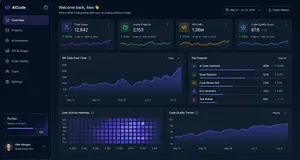
{ "type": "dark SaaS analytics dashboard UI", "product": { "brand": "{argument name=\"brand name\" default=\"AICode\"}", "theme": "dark navy blue glassmorphism interface with subtle gradients, soft glow, rounded cards, thin borders, modern developer-tool aesthetic" }, "canvas": { "aspect_ratio": "16:9", "background": "deep midnight blue with faint vignette and soft radial lighting" }, "layout": { "structure": "left sidebar plus main content area", "sections": [ { "title": "Sidebar", "position": "left", "count": 8, "labels": ["AICode", "Overview", "Projects", "AI Assistants", "API & Usage", "Code Quality", "Team", "Settings"], "details": "logo at top, Overview selected with purple highlight, lower subscription card showing Pro Plan, renews in 12 days, horizontal progress bar at 75%, user profile at bottom with avatar, {argument name=\"user name\" default=\"Alex Morgan\"}, and email alex@morgan.dev" }, { "title": "Header", "position": "top main area", "count": 4, "labels": ["Welcome back, Alex 👋", "Here's what's happening with your AI coding platform today.", "May 12 – Jun 12, 2024", "Export Report"], "details": "large greeting on left, date range picker and export button on right" }, { "title": "Metric cards", "position": "top row under header", "count": 4, "labels": ["Total Users", "Active Projects", "API Calls", "Code Quality Score"], "values": ["12,842", "2,153", "1.28M", "876"], "details": "each card has a small colored icon, large main value, comparison text vs Apr 12 – May 12, 2024, positive change percentages 14.6%, 8.3%, 23.7%, 5.9%, and a miniature line chart at the bottom; colors are purple, green, amber, and blue" }, { "title": "Main analytics panels", "position": "middle and bottom rows", "count": 4, "labels": ["API Calls Over Time", "Top Projects", "User Activity Heatmap", "Code Quality Trends"], "details": "API Calls Over Time is a wide area chart with Daily dropdown and rising purple line ending near 250K; Top Projects is a ranked list of 5 items with progress bars and percentage changes; User Activity Heatmap is a 7-row weekly heatmap with hour labels from 12 AM to 9 PM; Code Quality Trends is a line chart with Weekly dropdown and smooth upward purple trend from about 70 to low 90s" }, { "title": "Top Projects list", "position": "middle right panel", "count": 5, "labels": ["AI Code Assistant", "Smart Refactor", "Code Review Bot", "Doc Generator", "Test Builder"], "values": ["485K", "321K", "214K", "132K", "98K"], "details": "green positive deltas for first four items 12.4%, 8.7%, 3.1%, 6.8%, and red negative delta -1.2% for Test Builder; each row has a colored square icon and thin horizontal progress bar" } ] }, "style": { "visual_language": "premium fintech and AI product design mockup", "rendering": "crisp high-fidelity UI mockup, subtle shadows, neon edge lighting, polished charts, clean sans-serif typography", "primary_accent": "{argument name=\"accent color\" default=\"electric purple\"}", "secondary_accents": ["emerald green", "amber yellow", "cyan blue"], "density": "information-rich but spacious, balanced grid, highly legible" } }
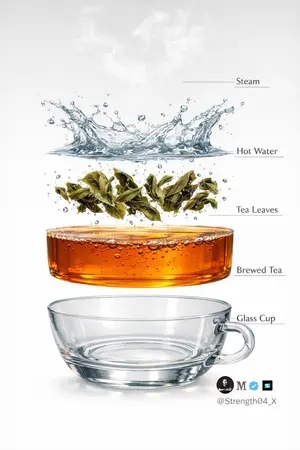
Hyper-realistic Tea Photography Prompts (Still Life and Exploded View) - Nano Banana Pro AI Prompt for Product Marketing
Create a hyper-realistic studio photograph of a freshly brewed tea in a transparent glass cup. The cup is filled with rich amber-colored tea, with loose tea leaves clearly visible settled at the bottom. Soft aromatic steam gently rising from the surface, realistic and natural. Tiny bubbles suspended inside the tea, subtle reflections on the glass, and accurate glass thickness. Clean pure white background with soft studio lighting and a gentle shadow beneath the cup. Ultra-detailed DSLR photography style, macro realism, sharp focus, natural color tones, realistic liquid physics, 8K resolution. Minimal, clean aesthetic. Image 2 - Create a hyper-realistic exploded vertical infographic of tea brewing on a pure white background. At the very top, soft aromatic steam wisps floating naturally in the air. Below it, a dynamic clear hot water splash frozen mid-motion with realistic liquid physics and droplets. Under the water, fresh green tea leaves unfurling and suspended mid-brew with tiny air bubbles around them. Below that, a smooth amber-colored brewed tea liquid layer, rich and transparent with subtle bubbles and reflections. At the bottom, a crystal-clear transparent glass tea cup base, realistic glass thickness and soft shadow beneath. Clean studio lighting, minimal aesthetic, evenly spaced floating layers, thin subtle infographic guide lines (no text labels). Ultra-detailed DSLR photography style, macro realism, sharp focus, natural reflections, soft shadows, 8K resolution.
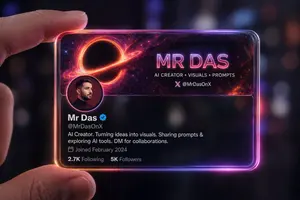
Futuristic Glass Profile ID Card
Create a portrait image of Futuristic Glass Profile Id Card. Style: photorealistic. Composition: balanced and well-framed. Lighting: natural with cinematic mood. Category: portrait. Reference: futuristic-glass-profile-id-card-16485.
他のプロンプトを探す
カテゴリ別にAI画像・動画プロンプトをもっと見る。