
テキストから画像
Ethereal Cloud Portrait Transformation — AI 画像プロンプト
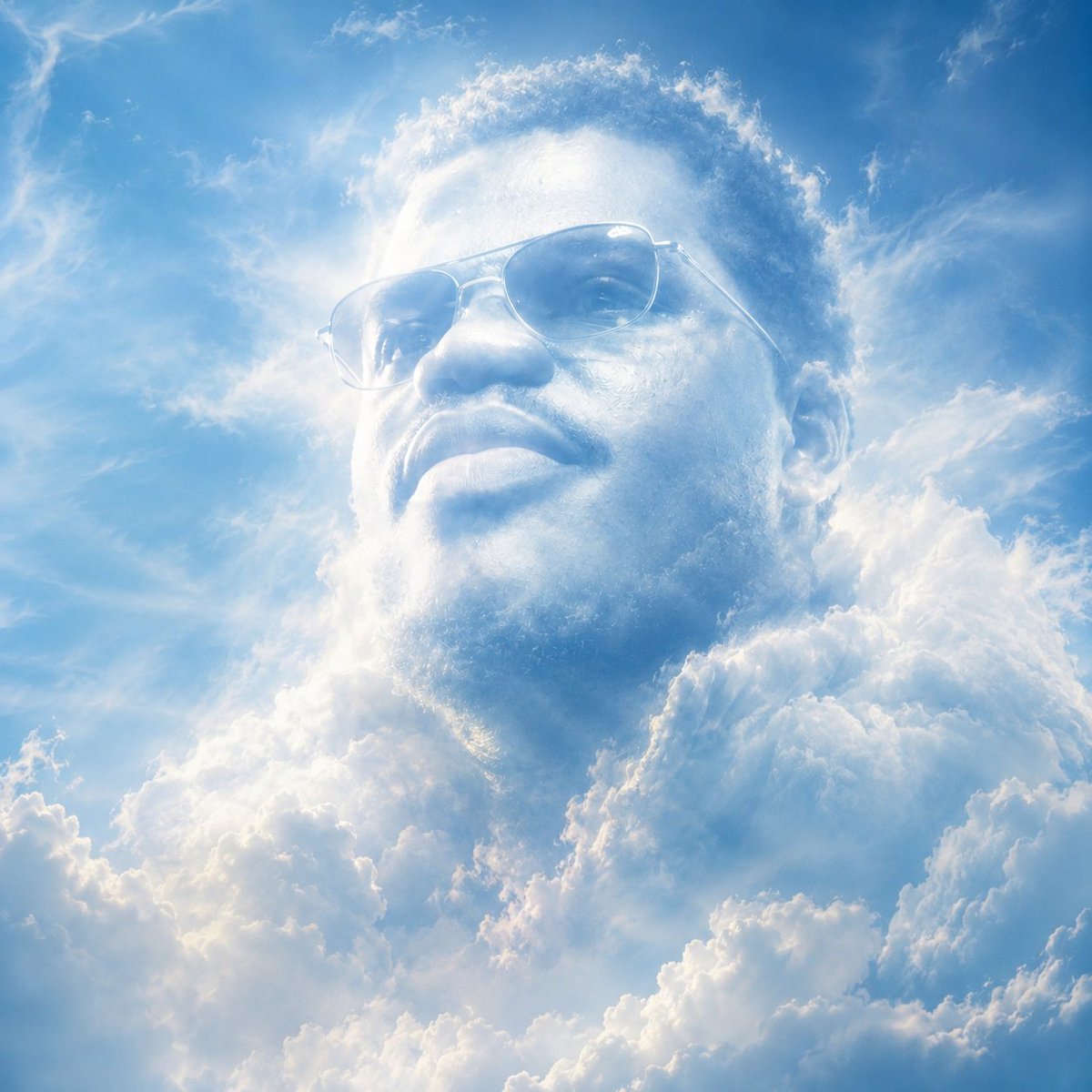
A prompt designed to transform an uploaded portrait into a soft, surreal cloud composition while maintaining facial identity. - AIPinMaker
プロンプト
Transform this image (Uploaded) into a soft, atmospheric cloud composition while preserving the {argument name="subject" default="subject’s recognizable facial features"}, expression, and identity.
The face should appear subtly formed from clouds, blending naturally into a {argument name="background" default="bright blue sky"} background. Use soft, diffused lighting with gentle highlights and airy shadows to create depth and realism.
Ensure the transformation is symbolic rather than literal ,avoid hard edges, skin texture, or sharp details. The subject should feel like it is emerging from or dissolving into the clouds.
Maintain facial proportions, eyes, smile, and key features clearly visible through the cloud structure.
Style: dreamy, ethereal, surreal, cinematic
Lighting: natural sunlight, soft glow, volumetric light
Color palette: sky blue, white, soft gradients
Mood: {argument name="mood" default="peaceful, uplifting, inspirational"}
Add subtle cloud layers around and within the face for a seamless blend. Background should be a clean blue sky with soft cloud gradients.
High resolution, ultra-realistic cloud texture, smooth blending, no text, no watermark.39参照画像
このAI画像プロンプトテンプレートの使い方
 1
1プロンプトをコピー — テンプレートのプロンプトとネガティブプロンプトを取得。  2
2モデルを選ぶ — 最適な推奨AIモデルを選択。  3
3生成 — ワンクリックでスタジオを開いて作成。
関連テンプレート

Mixed-Reality Comic Transformation
Convert the subject in this image into a 4:5 mixed-reality transformation with a fully realistic background and a realistically rendered face, combined with bold cartoon apparel (style), hand-drawn comic fire effects, and playful cartoon companions. Use a live-action hybrid composition with the subject preserved as the clear identity anchor while the stylized elements read as designed overlays inside one coherent scene. CHARACTER: Preserve the subject’s recognizable facial identity, hair state, and facial hair pattern if presented exactly, then re-render the face with realistic live-action AAA structure, natural skin response, and clean hybrid integration. Ensure high brightness, low contrast, medium saturation, low sharpness details. Dress the figure in exaggerated cartoon clothing with simplified seams, and graphic trims that feel intentionally designed rather than photographed. Add funny cartoon characters as supporting visual accents with expressive silhouettes, rounded forms, and lively attitude, while keeping the subject as the primary focal figure. The body should remain human and believable, but the clothing and accessories should carry comic exaggeration and strong graphic personality. FACE & ANATOMY: Keep the subject’s core facial proportions, expression logic, and likeness intact, rendered with realistic but controlled hybrid facial detail. Use natural eye depth, believable skin, while avoiding any plastic toy look or full caricature distortion. The body should read as live-action proportioned, with the stylization concentrated in the outfit, props, and surrounding comic elements. ENVIRONMENT: Restyle the exact same environment as a realistic setting with clear depth and natural perspective. Build the scene as a mixed-reality stage where comic fire drawings, playful animated accents, and graphic energy bursts sit visibly inside the real space without breaking spatial coherence. Keep the background believable, structured, and physically present, with the stylized elements integrated as deliberate designed interventions. RENDER PIPELINE: Use a mixed-reality rendering pipeline that combines realistic plate-like environment treatment with stylized 2D graphic overlays and hybrid character compositing. Preserve live-action shading on the face and background, then layer cartoon clothing, comic effect shapes, and illustrated fire forms with crisp contour control and clean edge separation. The final finish must feel like a polished real-world composite with intentional animated design language, not a pure cartoon render and not a standard photograph. COLOR & LIGHT: Use clean low contrast, and bright comic-highlight behavior against a realistic ambient base. Shadows remain natural in the background and face, while the stylized garments and effects carry punchy neon-like energy and high chroma separation.3a:T

Cozy Scrapbook Photo Transformation
Create a cinematic image of Cozy Scrapbook Photo Transformation. Style: photorealistic. Composition: balanced and well-framed. Lighting: natural with cinematic mood. Category: cinematic-video. Reference: cozy-scrapbook-photo-transformation-18093.

Hand-Drawn Storybook Portrait Illustration
Transform the photo (source) into a delicate minimalist hand-drawn children’s storybook illustration with a soft Korean and Japanese pastel aesthetic (aesthetic). Keep the exact pose, composition, clothing colors, hairstyle, and overall photo structure from the original image, but simplify the characters into cute doll-like storybook figures (subject style) with tiny facial features, rosy cheeks, round dot eyes, soft smiles, and slightly simplified anatomy. Use thin imperfect pencil lines, subtle sketch texture, watercolor softness, soft pastel shading, and airy cream-white tones. The illustration should feel light, innocent, cozy, romantic, and whimsical. Maintain a clean minimal background with tiny flowers, sparkles, stars, or small decorative doodles. Add subtle paper texture and gentle hand-drawn imperfections. The clothing should look soft and simplified with elegant pastel fabric shapes and tiny decorative embroidery details. Style inspiration: modern Scandinavian nursery postcard, Korean children’s illustration, soft Japanese storybook art, delicate Pinterest watercolor sketch aesthetic. Avoid photorealism, realistic facial structure, sharp jawlines, glossy rendering, cinematic lighting, strong contrast, thick outlines, detailed fingers, hyper-detail, 3D rendering, anime style, Pixar style, oil painting texture, complex shadows, or saturated colors.3e:T

Cartoon Doodle Transformation
Create a cinematic image of Cartoon Doodle Transformation. Style: photorealistic. Composition: balanced and well-framed. Lighting: natural with cinematic mood. Category: cinematic-video. Reference: cartoon-doodle-transformation-18570.

Promo Effect v2.0 Prompt for Profile Screenshot Composition - Nano Banana Pro AI Prompt for Social Media Post
{ "edit_type": "precise_composite_overlay_dual_interaction_english_ui", "source": { "_hint": "Base Logic: Character sitting on Background. Background is fixed EXCEPT for the specific text on the button.", "mode": "IMAGE_COMPOSITION", "reference_images": { "foreground": "character_ref_image", "background_canvas": "profile_page_screenshot" }, "consistency": { "character_fidelity": "high", "background_structure": "rigid_layout_preservation" } }, "ui_text_enforcement": { "_hint": "CRITICAL: Ensure the button text reads 'Follow' in English, regardless of the text in the original screenshot.", "target_element": "action_button_top_right", "mandatory_text": "Follow", "language": "English", "font_style": "sans_serif_bold_legible", "correction_policy": "overwrite_original_text_if_not_follow" }, "background_preservation": { "_hint": "Background is a rigid floor. Only allow changes to shadows and the button text.", "policy": "strict_pixel_retention_mostly", "allowed_modifications": [ "realistic_contact_shadows_under_character", "replacement_of_button_text_to_Follow" ] }, "camera_and_lighting": { "_hint": "Character sitting ON the interface.", "perspective": "high_angle_looking_down", "grounding_effect": { "technique": "contact_shadows_under_legs", "placement": "on_background_surface" } }, "pose": { "_hint": "Dual pointing: Left Hand -> Name, Right Hand -> 'Follow' Button.", "pose_style": "sitting_cross-legged_or_kneeling", "head_position": "tilted_back_looking_at_camera", "hands_configuration": { "s

Gym Photo Chibi Transformation
Create a cinematic image of Gym Photo Chibi Transformation. Style: photorealistic. Composition: balanced and well-framed. Lighting: natural with cinematic mood. Category: cinematic-video. Reference: gym-photo-chibi-transformation-17843.
他のプロンプトを探す
カテゴリ別にAI画像・動画プロンプトをもっと見る。