
テキストから画像
Cozy Pixel Farm Island Village — AI 画像プロンプト
Generates a colorful top-down pixel-art farming village spread across connected ocean islands for game concept art or cozy worldbuilding. - AIPinMaker
プロンプト
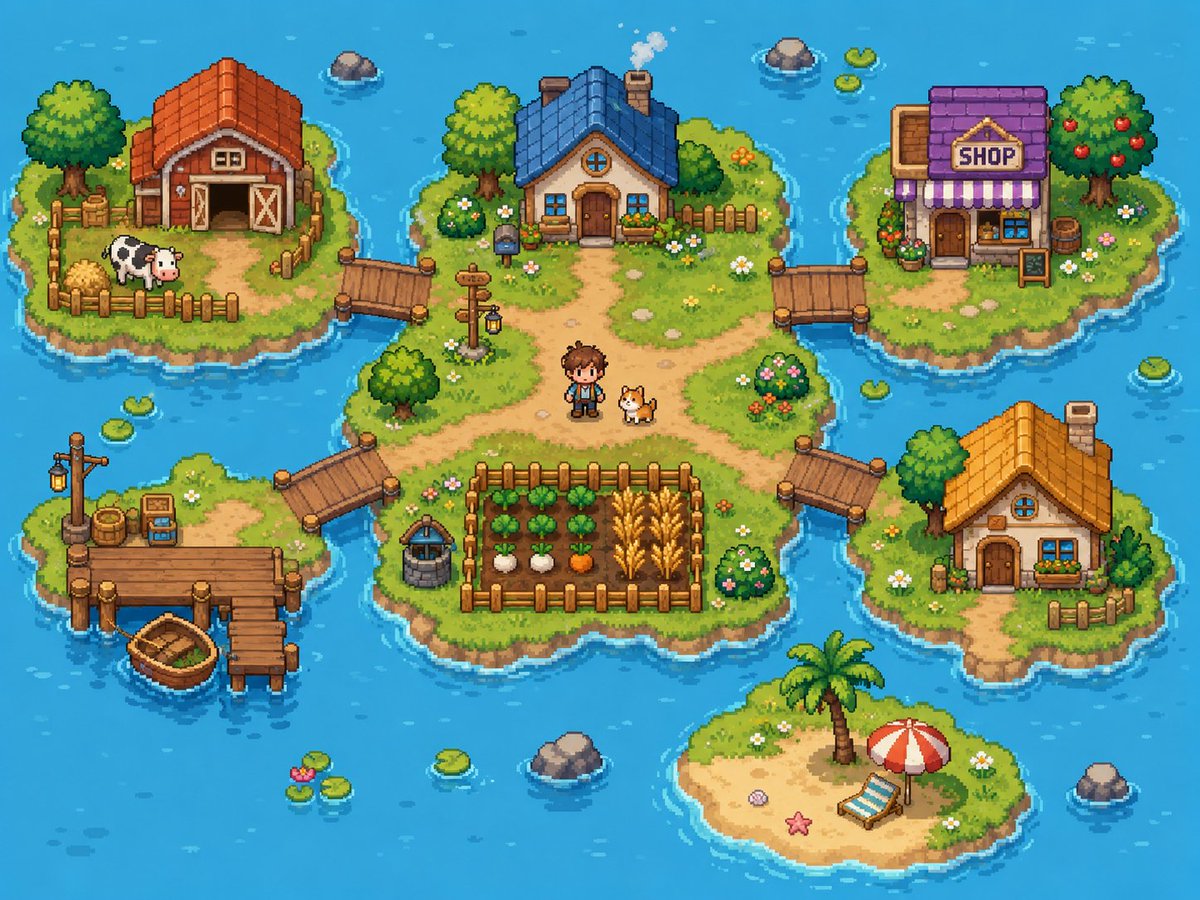
Goal: Create a bright cozy pixel-art farming village map on small islands in a blue ocean, like a top-down/isometric 16-bit life-sim game screenshot.

Canvas: 4:3 landscape image, about 1024×768, crisp pixel art with no UI overlay, no borders, no watermark. Use a vibrant turquoise ocean background with gentle wave highlights, ripples around shores, scattered lily pads, and small rocks.

Layout: Show exactly 6 grassy/sandy islands connected by wooden bridges and docks. The largest central island sits in the middle and contains the main house, paths, a fenced crop field, a well, a signpost, a human character, and a dog. Four smaller grassy islands surround it at upper left, upper right, lower left, and right. One small sandy beach island sits near the bottom center.

Island count and contents:
1. Central island: irregular grassy island with dirt paths forming a crossroad. Place a cozy blue-roof cottage near the top center with a chimney puffing smoke, round attic window, wooden front door, flower boxes, shrubs, and a short fence behind it. Put a small pixel farmer character named {argument name="character name" default="young farmer"} standing slightly below center beside a corgi-like dog. Add a fenced crop plot at the lower center with exactly 4 crop rows: leafy green vegetables, white turnips, orange carrots, and golden wheat. Add a stone well to the left of the crop plot, a wooden signpost with a hanging lantern near the left-center path, bushes with flowers, small stones, and daisies.
2. Upper-left island: red-roof barn with open double doors, hay bales, a fenced pen, and exactly 1 black-and-white cow. Include a large leafy tree, crates, flowers, and a wooden bridge connecting to the central island.
3. Upper-right island: village shop with purple roof, striped purple-and-white awning, front door, window display, flower pots, barrel, and a freestanding signboard. The sign above the awning must read {argument name="shop sign text" default="SHOP"}. Include a fruit tree with red apples and a bridge connecting to the central island.
4. Lower-left island: fishing dock island with a wooden pier, a lamppost, barrels, crates, small tackle box/sign, and exactly 1 small wooden rowboat tied near the dock. Connect this island to the central island with a wooden bridge.
5. Right island: small orange-roof cottage with chimney, round attic window, front door, blue window, flower box, small fence, trees, flowers, and a wooden bridge connecting to the central island.
6. Bottom-center island: tiny sandy beach with a palm tree, red-and-white beach umbrella, blue-striped lounge chair, starfish, shell, and grass around the edges; it is not connected by a bridge.

Discrete element counts to preserve: exactly 6 islands, exactly 4 bridges connecting to the central island, exactly 4 buildings total (barn, blue-roof cottage, purple shop, orange-roof cottage), exactly 1 human character, exactly 2 animals (1 cow and 1 dog), exactly 1 rowboat, exactly 1 crop field with 4 visible crop types, exactly 1 well, exactly 1 signpost lantern, exactly 1 beach umbrella, exactly 1 lounge chair, exactly 1 palm tree.

Visual style: Cute high-detail pixel art, top-down three-quarter perspective, warm sunny daylight, saturated colors, soft shadows, chunky readable shapes, detailed grass texture, tiny flowers, rounded shoreline outlines, and animated-game charm. Use {argument name="water color" default="bright turquoise blue"} for the surrounding ocean, {argument name="main roof color" default="blue"} for the central cottage roof, and {argument name="overall mood" default="cheerful cozy farming adventure"} as the emotional tone.

Constraints: Keep the whole scene visible as a single map-like composition. Do not add interface buttons, text besides the shop sign, extra characters, extra animals, vehicles, modern objects, or photorealism.3参照画像
このAI画像プロンプトテンプレートの使い方
 1
1プロンプトをコピー — テンプレートのプロンプトとネガティブプロンプトを取得。  2
2モデルを選ぶ — 最適な推奨AIモデルを選択。  3
3生成 — ワンクリックでスタジオを開いて作成。
関連テンプレート

Pixel art game concept prompt
Create a game image of Pixel Art Game Concept Prompt. Style: photorealistic. Composition: balanced and well-framed. Lighting: natural with cinematic mood. Category: illustration. Reference: pixel-art-game-concept-prompt-15922.
Pixel Art Game Development Roadmap
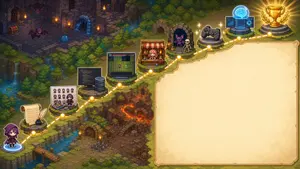
{"type":"wide pixel-art fantasy roadmap illustration with blank presentation panel","format":"16:9 horizontal banner","style":"high-detail isometric pixel art, cozy JRPG game map, warm torchlight, saturated fantasy colors, crisp sprites, soft glow effects, no readable text anywhere","main_scene":{"setting":"a winding cliffside adventure path through a forested dungeon landscape, combining medieval ruins, waterfalls, lava caverns, bridges, stone platforms, and magical lights","camera":"isometric top-down view, wide composition","left_character":"a small hooded purple-robed adventurer seen from behind, standing at the lower-left starting point on a glowing blue magic circle","path":"a dotted glowing golden route line travels from the lower-left corner upward and across the image to the upper-right, connecting circular gold waypoint nodes","waypoint_count":10,"waypoints":["starting character on blue portal at bottom-left","parchment scroll with feather quill and inkwell","pixel character sprite sheet and color palette board with a small artist character","programming workstation with code monitor and server tower","game prototype monitor showing a grid map and tiny sprites","shop stall with red-and-white awning and pink-haired merchant","monster encounter cave with purple bat and skeleton","game controller platform","AI brain hologram with laptop and interface screens","gold trophy on stone pedestal with laurel branches"]},"right_panel":{"position":"right half of the image","shape":"large blank parchment rectangle with irregular hand-drawn border and rounded corners","purpose":"empty space reserved for adding a title, explanation, or roadmap text later","fill":"warm cream parchment texture with subtle stains, no writing"},"background_details":{"upper_left":"dark ruined stone dungeon rooms with torches, treasure chest, arched doorways, purple bats, and a blue slime","middle_left":"dense evergreen forest, cliffs, small waterfalls, streams, and mossy stone ledges","lower_middle":"rocky dungeon entrance with wooden door, stairs, floor spikes, torches, and orange lava fissures","upper_right":"forest edge and final trophy area glowing with victory light"},"customization":{"theme":"{argument name=\"roadmap theme\" default=\"AI-assisted game development journey\"}","main character":"{argument name=\"main character\" default=\"small hooded purple adventurer\"}","blank panel use":"{argument name=\"blank panel use\" default=\"empty parchment area for later text\"}","art style":"{argument name=\"art style\" default=\"isometric pixel art JRPG map\"}","final reward":"{argument name=\"final reward\" default=\"gold trophy with laurel branches\"}"},"composition_notes":"Keep the left and upper portions visually busy with the 10 connected roadmap icons, while the entire right side remains a clean blank parchment panel. Use glowing yellow nodes and a dashed route to clearly imply progression from writing and art creation to coding, prototyping, publishing, testing, AI assistance, and final success."}

Hidden Duck in Chibi Venice
A highly detailed isometric miniature diorama of Venice in a whimsical chibi style, designed as a busy hidden-character puzzle scene. The setting is a sunlit Venetian canal district packed with tiny cute travelers and locals, viewed from a slightly elevated angle so the canal, bridges, piazza, storefronts, and upper facades are all visible at once. Warm terracotta buildings with weathered stucco walls, flower boxes, striped awnings, shuttered windows, balconies, rooftop chimneys, and ivy frame both sides of a narrow turquoise canal. In the distance, elegant Venetian architecture includes a large arched bridge, domes, towers, and a clock tower, creating depth and a postcard-like skyline. The streets and canal are extremely crowded with exactly over 150 chibi characters, each with oversized heads, small bodies, glossy eyes, varied skin tones, and distinct outfits, hairstyles, hats, and accessories, posed walking, chatting, shopping, sitting, rowing, or sightseeing. Many wear straw boater hats, striped shirts, dresses, vests, jackets, and travel clothes in cheerful colors. Several gondolas move through the canal, each carrying tiny passengers, with gondoliers in classic Venetian striped attire. Include exactly 3 stone pedestrian bridges crossing the canal, multiple gondolas, many canal posts, ornate green street lamps, café tables, market stands, pigeons on the pavement, and souvenir displays. Add a playful scavenger-hunt mood with a small hanging sign in the upper right that reads Find the duck! (headline text) and shows a cute yellow rubber duck icon. Hide exactly 2 small yellow ducks in the scene, subtly placed among the crowd and canal area so viewers can search for them. Visible shop and street signs should include HOTEL CA' DEL SORRISO on the left building, GELATO on a striped awning storefront, TRATTORIA alla Gondola on the right, SERVIZIO GONDOLE on a green canal sign near the center foreground, VENEZIA MASK on a souvenir stall, and CARNEVALE DI VENEZIA on a poster display at the lower right. Include carnival masks for sale, café seating, a market umbrella, and tiny decorative details everywhere. Render it as ultra-detailed, polished 3D storybook art with toy-like textures, soft global illumination, vibrant Mediterranean colors, crisp focus, and a charming travel-poster atmosphere centered on Venice (city), featuring a hidden mascot search for yellow duck (hidden object), in the playful world of Ruhia (series name).39
Photorealistic Diorama Isometric Map Prompt - Nano Banana Pro AI Prompt for Infographic / Edu Visual
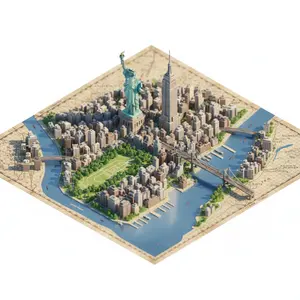
"description": "Create a highly detailed, photorealistic miniature diorama style isometric map of CITY/LOCATION (city location) placed on a vintage textured paper map.", "perspective": { "type": "isometric", "angle": "45 degree top down", "look": "macro photography with tilt-shift miniature effect" }, "geography": { "shape": "follows real geographic shape of CITY/LOCATION (city location)", "landmarks": { "oversized": true, "dominant": true, "primary_focus": "monuments", "secondary_elements": "smaller and simplified" }, "architecture": "ultra detailed miniature", "roads": "selective", "greenery": true, "water_bodies": true, "terrain": true, "materials": ["stone", "wood", "concrete", "glass", "foliage"] }, "lighting": { "type": "soft cinematic daylight", "effects": ["natural shadows", "warm highlights", "subtle atmospheric depth"] }, "water": { "rivers": true, "coastlines": true, "depth_gradients": "smooth", "reflections": "gentle" }, "map_base": { "type": "old world cartographic paper", "features": ["visible grid lines", "paper grain", "printed place names"] }, "focus": { "sharp_on_landmarks": true, "edge_falloff": "gentle" }, "quality": { "museum_quality": true, "handcrafted_diorama_realism": true, "ultra_high_resolution": true }, "background": { "color": "clean pure white", "restrictions": ["no floating text", "no logos", "no watermarks", "no futuristic or cartoon elements"] }, "aspect_ratio": "4:5" }

Fantasy Auto-Battler Gameplay UI
Goal: Create a polished 2D fantasy auto-battler gameplay mockup for round 3-2 (game title or mode), shown from an isometric top-down perspective, with a stone-tile battle arena, UI overlays, characters, shop cards, traits, and player leaderboard. Canvas: 16:9 widescreen game screenshot, 1152×768 style composition, crisp hand-painted fantasy game art with high readability, saturated colors, soft ambient lighting, and League-of-Legends/TFT-inspired interface design. Layout: The center is a square stone battlefield grid on a floating forest platform. The arena has worn beige tiles, mossy edges, stairs and stone railings, evergreen trees, cliffs, water at the right edge, purple banners, glowing blue crystals on the left, and four flaming braziers placed near the arena corners. At the top center, place a dark ornate HUD bar showing “3-2”, small trait/item icons, a gold counter “26”, and a long cyan progress bar beneath it. At top right, add three rounded menu buttons with icons: helmet, book, and gear. Battlefield units: Show exactly 11 visible characters on the board: 5 enemy units on the upper half with red health bars, and 6 allied units on the lower half with green health bars and yellow star ratings. Enemy units: 1 skeleton swordsman, 1 large horned beast warrior with axe, 1 purple mage holding glowing magic, 1 small dark rogue with axe, and 1 armored skeleton fighter. Allied units: 1 blue-and-brown knight with sword and shield, 1 green elf archer/swordsman, 1 blue-armored mage or knight with staff, 1 blonde cleric holding a golden staff, 1 massive horned tank warrior with shield, and 1 small blue gnome engineer/warrior. Add a small bench character standing at the lower-left edge of the board. Left trait panel: Create a vertical synergy list with exactly 6 rows, each with a bronze/dark icon, class name, current count, and thresholds. The visible French text should be preserved: “Guerrier” with “4” and “2 / 4 / 6”; “Mage” with “3” and “3 / 6 / 9”; “Assassin” with “2” and “2 / 4 / 6”; “Gardien” with “2” and “2 / 4 / 6”; “Elfe” with “1 / 2”; “Nécromancien” with “1 / 2”. Right leaderboard: Add a vertical player list with exactly 8 players, each in a dark horizontal nameplate with circular avatar on the right and health number. Use these names and values: “Lunaire 100”, “Ragnar 89”, “Akira 78”, “Zorvath 64”, “Nyméria 56”, “Scarn 42”, “Yuki 34”, “Kaldrin 21”. Use varied colorful fantasy portraits: purple mage orb, blue creature, dark red portrait, green orc, pink-haired character, cyan creature, orange-haired character, blue masked character. Bottom shop and controls: Along the bottom, create a wide shop UI panel. On the left, show a level box reading “NIV. 6” with XP “12/36” and a small cyan progress bar. Under it, exactly 2 control buttons: “Acheter XP” with coin cost “4” and blue double-up arrow icon, and “Actualiser” with coin cost “2” and circular refresh arrow. In the center, show exactly 5 purchasable champion cards with portrait art, class/trait icons, French names and traits, and gold costs: “Chevalier” / “Guerrier” cost 1; “Archer sylvestre” / “Elfe” cost 2; “Mage de givre” / “Mage” cost 3; “Assassin des ombres” / “Assassin” cost 2; “Clerc lumineux” / “Gardien” cost 1. On the bottom right, place a large ornate gold-bordered button labeled “Fin du tour” with coin cost “5”. Visual style: Painterly fantasy game UI, clean bevels, dark teal and bronze interface frames, readable small text, glowing magic effects, warm firelight, cyan highlights, and compact mobile/PC strategy-game presentation. Keep the mockup as a single in-game screenshot, not a poster or concept sheet. Avoid photorealism, avoid extra panels, avoid watermarks, and do not add more units, shop cards, trait rows, or players than specified.37:Tf90,Goal: Create a polished 2D fantasy auto-battler gameplay mockup for round 3-2 (game title or mode), shown from an isometric top-down perspective,

Fantasy RPG Character Sprite Sheet
Goal: Create a clean fantasy RPG pixel-art character sprite sheet for game asset reference, showing a blue-and-gold knight, a blonde elf archer, a purple dark mage, a red-bearded dwarf warrior, and a black-hooded rogue (character roster) in chibi proportions with detailed armor, weapons, capes, and magical effects. Canvas: Square white canvas with a thin pale-gray grid, like a professional 2D game animation sheet. Use crisp, high-detail isometric/chibi pixel-art styling with painterly shading, transparent-looking white backgrounds inside each cell, and no scenery. Layout: Make exactly 4 action columns labeled across the top in bold dark uppercase text: IDLE, ATTACK, DEFEND, DEATH. Add a narrow left label column with stacked row labels in bold dark uppercase. The sheet contains exactly 9 labeled sprite rows and 36 total character sprites, one sprite per grid cell. Rows and contents, from top to bottom: 1. FRONT VIEW: blue-and-gold knight with messy black hair, sword and fleur-de-lis shield; idle front, slashing attack with pale blue arc, shield block with spark, death lying face down with sword and shield dropped. 2. BACK VIEW: same knight from behind with blue cape; idle back, back-view sword slash with pale blue arc, back-view shield stance, back-view death lying prone. 3. FRONT VIEW: blonde elf archer in green cloak and leather armor; idle with bow, firing green energy arrow, defensive crouch with green crescent effect, death collapsed beside broken bow and scattered arrows. 4. BACK VIEW: same elf archer from behind; idle, firing green arrow, defensive green crescent, death face down with cloak visible. 5. FRONT VIEW: purple-haired dark mage in ornate black-and-gold robes holding a glowing purple staff; idle, casting a purple energy orb, defending inside a purple magic shield aura, death lying with staff dropped and purple splatter. 6. BACK DOS: same mage from behind, preserving the typo label “BACK DOS”; idle, back-view purple orb cast, back-view purple magic barrier, death lying prone with staff nearby. 7. FRONT VIEW: red-bearded dwarf warrior in heavy dark armor with hammer and shield; idle, hammer swing with golden arc, shield block, death lying down with hammer and shield dropped. 8. BACK VIEW: black-hooded rogue assassin with red scarf, dual daggers, dark leather armor; idle rear view, lunging slash with smoky black/purple motion trails, defensive stance with purple crescent aura, death lying in a dark blood pool with daggers nearby. 9. BACK DOS: same rogue from rear, preserving the typo label “BACK DOS”; idle, fast dagger attack with shadow trails, defensive purple aura, death collapsed with weapons scattered. Visual style: high-detail chibi fantasy pixel art (art style), strong silhouettes, small heads and compact bodies, readable weapons, dramatic motion arcs, bright magic effects, and consistent scale across all cells. Keep the top labels and grid perfectly aligned, like a game development sprite atlas. Constraints: Use exactly 4 columns, exactly 9 rows, and exactly 36 sprites. Do not add extra characters, UI panels, watermarks, signatures, scenery, or additional text beyond the column headers and left-side row labels. Keep the background white and the grid subtle.37:Tce4,
他のプロンプトを探す
カテゴリ別にAI画像・動画プロンプトをもっと見る。