
テキストから画像
2026 Fortune Telling Prompt (Super Famicom Style) — AI 画像プロンプト
A detailed prompt for Nano Banana Pro to generate a fortune telling visualization for the year 2026 in the style of Super Famicom pixel art, showing monthly flow and emphasizing a positive theme. - AIPinMaker
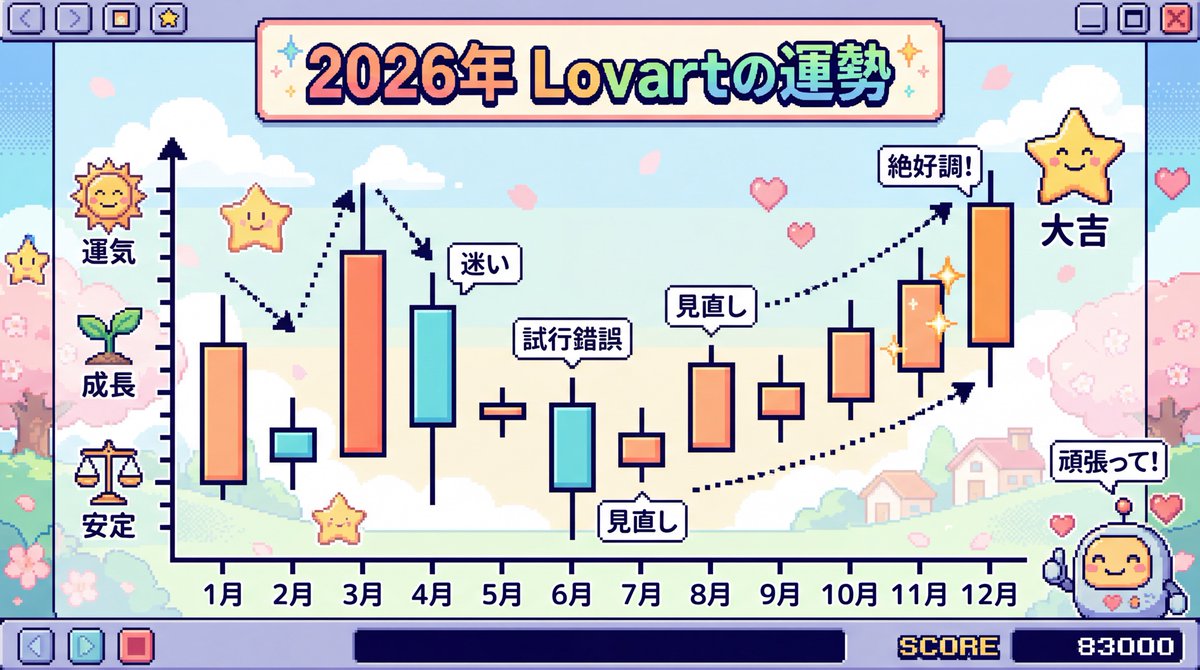
プロンプト
Create a creative image of 2026 Fortune Telling Prompt Super Famicom Style. Style: photorealistic. Composition: balanced and well-framed. Lighting: natural with cinematic mood. Category: photography. Reference: 2026-fortune-telling-prompt-super-famicom-style-4683.
参照画像
このAI画像プロンプトテンプレートの使い方
 1
1プロンプトをコピー — テンプレートのプロンプトとネガティブプロンプトを取得。  2
2モデルを選ぶ — 最適な推奨AIモデルを選択。  3
3生成 — ワンクリックでスタジオを開いて作成。
関連テンプレート
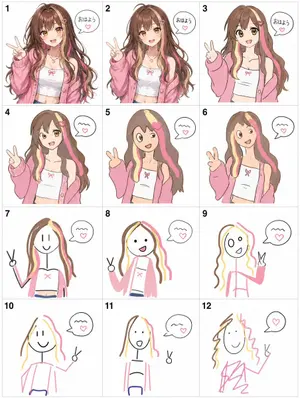
Visual Telephone Game Grid
Create a game image of Visual Telephone Game Grid. Style: photorealistic. Composition: balanced and well-framed. Lighting: natural with cinematic mood. Category: illustration. Reference: visual-telephone-game-grid-20512.

Humorous Caricature of a Professional
Create a creative image of Humorous Caricature Of A Professional. Style: photorealistic. Composition: balanced and well-framed. Lighting: natural with cinematic mood. Category: photography. Reference: humorous-caricature-of-a-professional-10707.
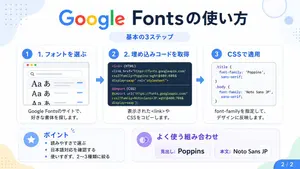
Google Fonts Japanese Tutorial Infographic
{"type":"Japanese infographic","topic":"How to use Google Fonts","style":"clean modern flat design, white background, soft pastel blue and mint corner blobs, rounded cards with subtle shadows, tech tutorial aesthetic, crisp vector typography and UI illustrations","canvas":{"aspect_ratio":"16:9"},"headline":{"main":"Google Fontsの使い方","sub":"基本の3ステップ"},"layout":{"sections":[{"title":"1. フォントを選ぶ","position":"left","count":1,"labels":["1. フォントを選ぶ"],"card_style":"rounded white panel with light blue border/shadow","icon":"blue numbered circle with 1","illustration":"browser window showing a font search interface, 3 visible font preview rows with large Aa あ samples, a search bar at top, small colored window buttons, light gray interface lines and blue accent dashes","body_text":"Google Fontsのサイトで、好きな書体を探します。"},{"title":"2. 埋め込みコードを取得","position":"center","count":1,"labels":["2. 埋め込みコードを取得"],"card_style":"rounded white panel with light blue border/shadow","icon":"blue numbered circle with 2","illustration":"dark code panel with two labeled code examples separated by a thin divider","code_blocks":{"count":2,"labels":["<link> (HTML)","@import (CSS)"],"content":["<link href=\"https://fonts.googleapis.com/css2?family=Poppins:wght@400;600&display=swap\" rel=\"stylesheet\">","@import url('https://fonts.googleapis.com/css2?family=Noto+Sans+JP:wght@400;700&display=swap');"]},"body_text":"表示された<link>やCSSをコピーします。"},{"title":"3. CSSで適用","position":"right","count":1,"labels":["3. CSSで適用"],"card_style":"rounded white panel with light blue border/shadow","icon":"blue numbered circle with 3","illustration":"white code card containing CSS with two selectors and font-family rules","code_blocks":{"count":2,"labels":[".title","body"],"content":[".title { font-family: 'Poppins', sans-serif; }","body { font-family: 'Noto Sans JP', sans-serif; }"]},"body_text":"font-familyを指定して、デザインに反映します。"},{"title":"ポイント","position":"bottom-left","count":3,"labels":["読みやすさで選ぶ","日本語対応を確認する","使いすぎず、2〜3種類に絞る"],"card_style":"rounded white panel with pale blue tint","icon":"blue star in a circle","body_format":"bullet list"},{"title":"よく使う組み合わせ","position":"bottom-center-right","count":2,"labels":["見出し: Poppins","本文: Noto Sans JP"],"card_style":"rounded white panel with pale lavender tint","icon":"purple linked-rings symbol","body_format":"two pill-shaped example boxes"}],"connectors":{"count":2,"style":"large blue right-pointing arrows between the 3 top cards"},"pagination":{"text":"2 / 2","position":"bottom-right","style":"blue rounded corner tab"}},"text_language":"Japanese","color_palette":{"primary_blue":"#2f80ff","navy":"#0f2b5b","google_colors":["#4285F4","#DB4437","#F4B400","#0F9D58"],"lavender":"#8b6cff","background":"#ffffff"}}3a:Tbd9,{"type":"Japanese infographic","topic":"How to use Google Fonts","style":"clean modern flat design, white background, soft pastel blue and mint corner blobs, rounded cards with subtle shadows, tech tutorial aesthetic, crisp vector typography and UI illustrations","canvas":{"aspect_ratio"
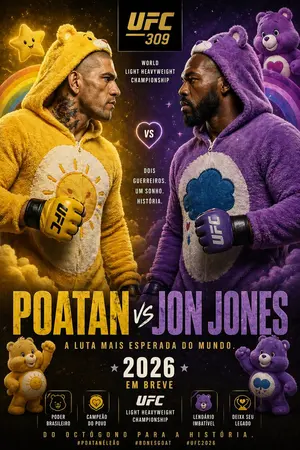
Jon Jones vs Poatan Care Bears Style
Create a creative image of Jon Jones Vs Poatan Care Bears Style. Style: photorealistic. Composition: balanced and well-framed. Lighting: natural with cinematic mood. Category: photography. Reference: jon-jones-vs-poatan-care-bears-style-15591.

Cute Chinese Tokenization Infographic
A cute hand-drawn scrapbook-style horizontal educational infographic in Chinese on a warm beige paper background with rounded borders, pastel doodles, tape stickers, tiny stars, and a classroom-notebook aesthetic. The top center has a large headline in playful handwritten Chinese: "什么是分词?" with the second half in coral pink and the rest in dark brown. On the upper left, a chibi Shiba Inu teacher character stands facing forward, wearing a pale yellow shirt and blue necktie, holding a pointer stick upward, with a speech bubble that says "今天来学习分词(Tokenization)!". On the upper right, a cute blue square token mascot labeled "TOKEN" sits smiling, with blush cheeks, tiny legs and arms, and a magnifying glass; next to it is a speech bubble saying "我是 Token!被切得越合理,模型越聪明!". Near the right edge, add a small hanging notepad card reading "知识点 收藏夹" with a heart icon. Beneath the headline, place a rounded dashed text box containing the definition: "分词是将人类可读的文本切分成 Token 的过程。" with the word "Token" highlighted in blue. Below that, add a line of explanatory text: "下面以 “程序员Left” 和 “人工智能” 为例,看看不同的分词方式:" with "程序员Left" highlighted in light blue and "人工智能" highlighted in pink. The lower half contains exactly 4 rounded pastel panels arranged left to right, each with a numbered badge and title. Panel 1 is mint green and titled "1 词级分词". It includes the subtitle "按完整语义划分文本" and exactly 3 token bubbles: "程序员", "Left", "人工智能". At the bottom of this panel, show the Shiba Inu teacher giving a thumbs up with a speech bubble saying "语义完整,容易理解!". Panel 2 is pale yellow and titled "2 字符级分词". It includes the subtitle "逐字切分文本" and exactly 9 circular token bubbles arranged in rows: "程", "序", "员", "L", "e", "f", "t", "人", "工", "智", "能"—visually presented as individual characters from the example text, in a compact grid. At the bottom, show the blue token mascot holding a pencil, with a speech bubble saying "粒度最细,但序列会很长~". Panel 3 is pale pink and titled "3 子词分词". It includes the subtitle "按词根以及前后缀划分" and exactly 5 token bubbles: "程序", "员", "Left", "人工", "智能". At the bottom, show the Shiba Inu teacher thinking with one paw at its mouth and a question mark above the head, with a speech bubble saying "折中方案,效果 often 很好!". Panel 4 is pale blue and titled "4 字节级分词". It includes the subtitle "将字词转为字节编码,根据转换后的内容进行组合和划分" and displays exactly 14 small circular code bubbles: "E7", "A8", "8B", "...", "66", "74", "E4", "BA", "BA", "E8", "83", "BD", "..." arranged in multiple rows like encoded bytes. At the bottom, show the blue token mascot again, smiling, with a speech bubble saying "适合处理任意文本!" and a tiny light bulb doodle nearby. Across the very bottom, place a rounded banner note that reads: "不同分词方式各有优势,实际应用中会根据任务和数据选择合适的方案哦!". Use soft pastel green, yellow, pink, and blue for the four panels, dark brown handwritten text, subtle shadows, rounded shapes, and adorable kawaii expressions throughout. Keep the composition balanced, clean, and friendly, like a polished social-media science explainer poster.3d:Tdb7,A cute hand-drawn scrapbook-style horizontal educational infographic in Chinese on a warm beige paper background with rounded borders, pastel doodles, tape stickers, tiny stars, and a classroom-notebook aesthetic. The top center has a large headline in playful handwritten Chinese: "什么是分词?" with the second half in coral pink and the rest in dark brown. On the upper left, a chibi Shiba Inu teacher character stands facing forward, wearing a pale yellow shirt and blue necktie, holding a pointe

Pixel art game concept prompt
Create a game image of Pixel Art Game Concept Prompt. Style: photorealistic. Composition: balanced and well-framed. Lighting: natural with cinematic mood. Category: illustration. Reference: pixel-art-game-concept-prompt-15922.
他のプロンプトを探す
カテゴリ別にAI画像・動画プロンプトをもっと見る。