
Step 1
Set the canvas
Prompt for a vertical 2:3 Pinterest pin layout, and name the zones — photo area, title space, CTA band.
Generate tall 2:3 pin graphics with image, title space and CTA band — the format above came from one prompt, ready for your text overlay.
Make a Pinterest Pin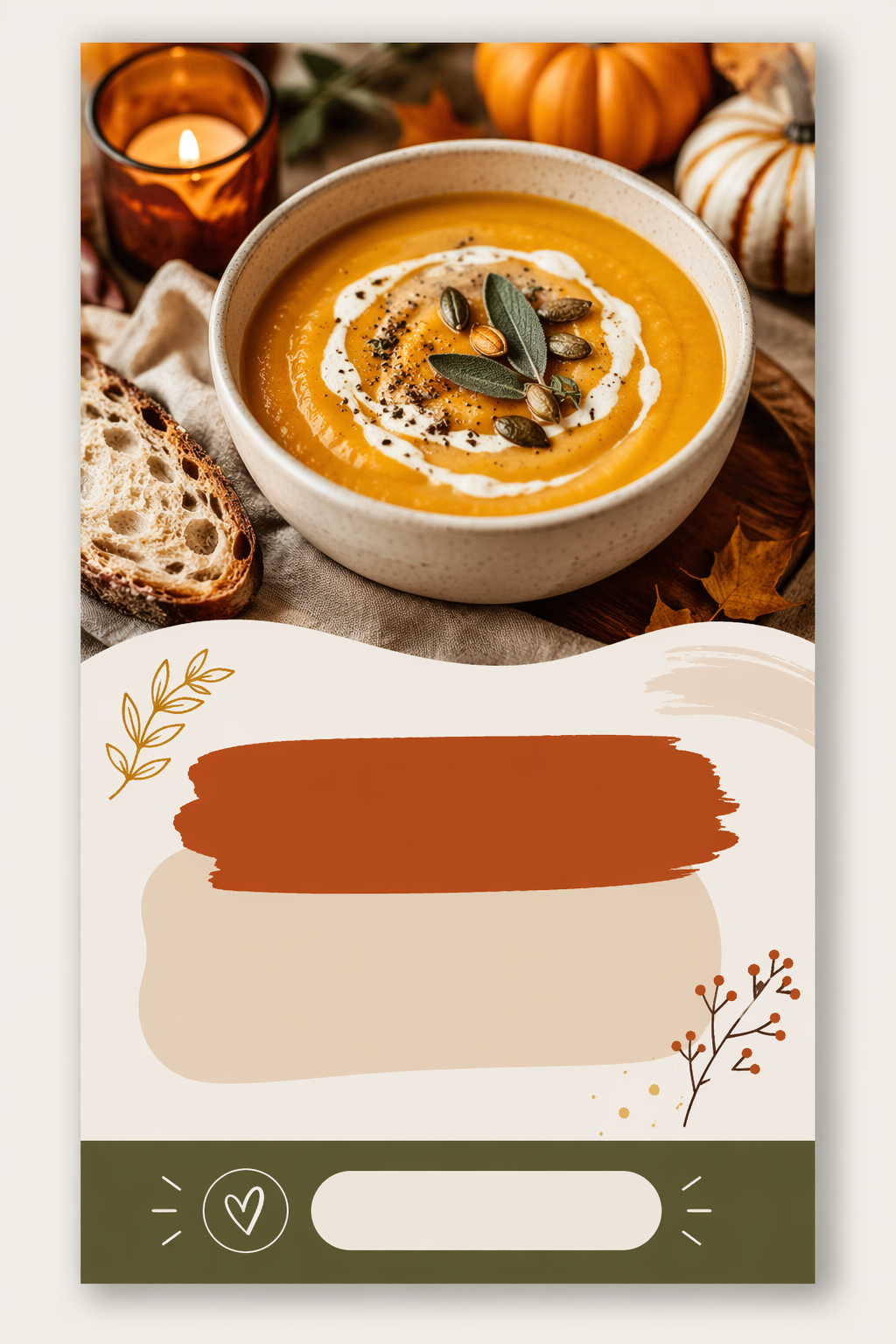
How it works
Step 1
Prompt for a vertical 2:3 Pinterest pin layout, and name the zones — photo area, title space, CTA band.
Step 2
Cozy autumn recipe, minimalist home office, spring capsule wardrobe.
Step 3
Ask for "title text area without actual text" — AI-generated lettering looks off, your overlay won't.
Step 4
Generate 3-4 variations in text to image for the same post — Pinterest rewards fresh pins pointing at the same URL.
Step 5
Re-style the winner for other boards via image to image to keep one consistent brand look.
Why use it
Template libraries make your pins look like everyone else's pins, because everyone pulls from the same library. Generation flips that: every background is unique to you, while the layout stays on-format. The practical sweet spot — generate the visual layer, keep your title font and brand colors constant in the overlay. Boards built this way read as a brand, not a template account.
FAQ
First previews are free with no sign-up. Higher resolution exports for crisp Pinterest upload live on the pricing page.
2:3 vertical — 1000×1500 px is the standard. Prompt for the ratio explicitly; square or landscape images get cropped badly in the feed.
By design. AI text rendering is the weakest link, and Pinterest search indexes your overlay text anyway — generate the visual layer, add real text in your editor or scheduler.
GPT Image 2 is the default layout route, with Seedream 4.5 and Gemini image routes for different visual styles — all in the AI Pin Maker image workspace.
Pinterest rewards fresh creatives: 3-5 visually distinct pins per URL, spaced out over weeks, consistently outperforms one pin posted once.
Yes — lock your prompt structure (palette, mood, layout zones) and vary only the subject, or restyle a winning pin through image to image.
Keep Exploring